
AI AGENTS INTEGRATION GUIDE
AI Agents Integration: A Practical Guide with Asana AI Teammates Examples
AI agents integration only works when agents live inside your process. In this guide, I reviewed Asana’s AI Teammates examples to show how agents operate inside projects, dependencies, and handoffs with clear guardrails for security and customization. You’ll get a step-by-step playbook and sector patterns for insurance and research teams.
By the VidAU Editorial Team · AI Agents Integration guide · Asana AI Teammates practical guide, Step-by-Step Workflow, Security, Permission, Approval and Audit trails.
AI agents integration only works when agents live inside your process. In this guide, I reviewed Asana’s AI Teammates examples to show how agents operate inside projects, dependencies, and handoffs with clear guardrails for security and customization. You’ll get a step-by-step playbook and sector patterns for insurance and research teams.
AI agents integration should put agents inside your projects, dependencies, and handoffs—not in a separate chat window. I analysed Asana’s AI Teammates overview to illustrate how process-aware agents work in context, how to set security and approvals, and how to customize for independent insurance agents and research workflows.
- Asana AI Teammates is the most direct way to implement process-aware ai agents integration that act inside projects, dependencies, and handoffs.
- A strong alternate pattern is lightweight agents that trigger human approvals at critical steps, preserving control while automating rote updates.
- Required guardrails include least-privilege permissions, scoped data access, approval gates for sensitive actions, and clear audit trails in task history.
- US operations leaders, IT admins, PMs, and independent insurance agents benefit most when outcomes are tied to SLA adherence, cycle time, and error reduction.
Quick Summary
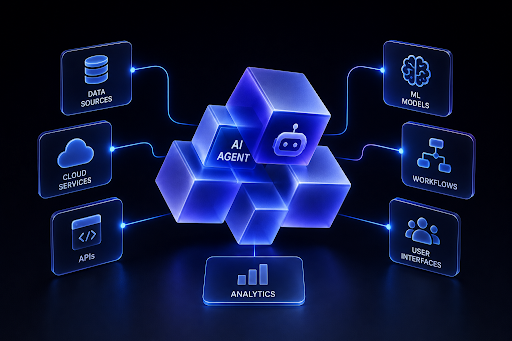
What Is AI Agents Integration?
Definition
AI agents integration is the practice of embedding process-aware agents directly into work management so they act on tasks, projects, dependencies, and handoffs. Unlike generic chatbots, these agents run within your workflows, respect permissions, request approvals when needed, and leave auditable activity in task history.
Who This Is For
This guide is for US-based operations leaders, project managers, IT admins, and independent insurance agents evaluating or implementing agents in Asana. If you are searching for best AI tools for independent insurance agents, start with embedded agents that triage intake, prep documentation, and watch SLAs before you add more tools.
How Do Process-Aware Agents Operate in Asana?
Process-aware agents in Asana operate inside projects where they can see dependencies, understand handoffs, and take scoped actions. From Asana’s AI Teammates overview, I noted emphasis on working within real processes, security considerations, and the ability to customize behavior at the project level.
| Stage | Example Asana Trigger | Why |
|---|---|---|
| Intake triage | New task in Intake project | Standardize routing fast |
| Dependency unblocked | Predecessor completed | Auto-assign next owner |
| Handoff to review | Status moved to Ready for QA | Start checklist, notify reviewer |
| SLA breach risk | Due date < 24 hours | Escalate or reassign earlier |
| Monthly reporting | End-of-month milestone | Compile updates and summaries. |
Key Takeaways
- Keep agents inside projects so context is accurate.
- Use dependency and status changes to trigger actions.
- Always require approvals for sensitive or external-facing steps.
How Do I Implement AI Agents Integration Step by Step?
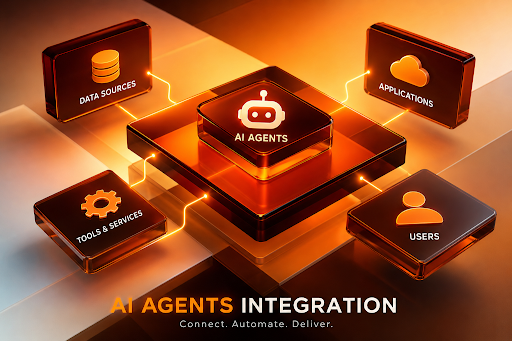
Follow this one-action-per-step workflow:
1
Map high-volume workflows
Identify 1–2 projects with clear stages, dependencies, and handoffs. Name target metrics such as intake-to-assign time and SLA adherence.
2
Select candidate tasks for automation
Choose repeatable actions like triage, assignment, status updates, reminders, and draft summaries. Keep external communications and irreversible changes gated.
3
Define permissions and approvals
Apply least-privilege access. Require approvals for contact to customers, data exports, or policy changes. Log actions in task comments for audit trails.
4
Configure Asana AI Teammates on a pilot project
Scope the agent to that project. Set triggers tied to task creation, status changes, or dependency completion. Provide concise instructions and desired outcomes.
5
Encode handoff and dependency rules
Teach the agent which owner or team to notify next, what checklist to start, and what fields to fill. Keep rules short and specific.
6
Run a two-week pilot with shadow mode
Let the agent suggest actions and drafts while humans approve. Measure cycle time and error rates before enabling more autonomy.
7
Gradually enable autonomous actions
Convert low-risk suggestions into automatic updates. Keep approvals for anything external, financial, or compliance-relevant.
If your workflows include producing marketing or product videos after an agent handoff, standardize that step with VidAU. VidAU is an AI video ad platform that generates video ads from product URLs, images, or scripts in 49 languages. See VidAU AI Video, Text to Video, URL to Video, UGC Avatars, Text to Speech, or repurpose clips with Vid Remix and improve quality via Video Enhancer.
What Security, Permissions, Approvals, and Audit Trails Should I Set?
Security for AI agents integration starts with scope and accountability. Keep the agent’s project access minimal, restrict sensitive fields, and log all actions in task history. Require human approvals for external messages, data exports, or status changes that hit compliance workflows.
Security checklist
- Least privilege: Project-level access only; no global admin rights.
- Data scope: Limit to necessary projects and fields; avoid free-form access.
- Approvals: Use required approvers for sensitive changes.
- Audit trails: Keep agent activity in comments and task history for reviews.
- Timeboxing: Pilot with short review cycles to catch issues early.
How Should I Customize Agents for Insurance and Research Use Cases?
Customization aligns agent prompts and triggers to your domain.
Use case
Independent insurance agents
- Intake: Standardize coverage type, effective dates, and required docs.
- Underwriting prep: Checklist for missing info, loss-run requests, and MVR reminders.
- Renewals: 90/60/30-day nudges, rate change flags, and producer handoffs.
- Compliance: Route E&O-sensitive steps to an approver; keep audit trails.
- Tip: If you’re comparing best AI tools for independent insurance agents, prioritize tools that live inside your CRM tasks and policy timelines rather than separate inboxes.
Use case
Research teams
- Source hygiene: Ask the agent to tag source type and collect links in a single task field.
- Summaries: Draft short synopses and highlight gaps before review.
- Handoffs: Trigger methodologist or legal review on status Ready for Review.
- Note on how AI agents will change research: Expect faster literature scans, standardized citations, and fewer copy-paste errors—while human reviewers own interpretation and decisions.
Key Takeaways
- Start with intake, prep, and reminders; keep decisions human-reviewed.
- Use fixed fields and checklists to reduce variability and errors.
- Turn recurring date logic into predictable agent nudges.
How Do I Measure AI Agents Integration Success and Scale It?
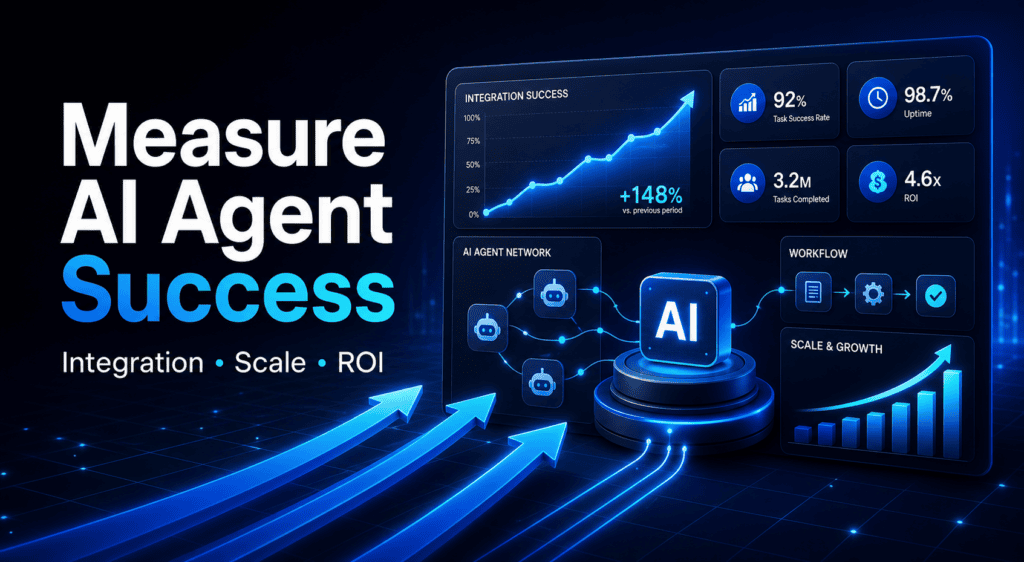
Tie the rollout to a few verifiable metrics and expand only when targets are met.
- Cycle time: Intake-to-assign, assign-to-start, and start-to-complete.
- SLA adherence: Percentage of tasks inside SLA by stage.
- Error rate: Missing fields, misroutes, or rework instances.
- Review load: Approvals per week and average time to approve.
- Satisfaction: Short post-pilot survey for impacted teams.
When targets are stable for two sprints, scale to a second project. Consider templates that include a linked creative step with Product Sample to Video or a localization step via Video to Audio when marketing outputs are involved.
Turn Approved Agent Handoffs into Video
Use VidAU when your workflow reaches an approved creative or marketing output step.
VidAU Features Mentioned in This Workflow
VidAU workflow option
AI Video
Generate video ads from product URLs, images, or scripts in 49 languages.
VidAU workflow option
Text to Video
Use the article’s script-to-video path after an approved handoff.
VidAU workflow option
Product Sample to Video
Add a linked creative step when marketing outputs are involved.
VidAU workflow option
Video to Audio
Use a localization step when marketing outputs are involved.
VidAU workflow option
Vid Remix and Video Enhancer
Repurpose clips with Vid Remix and improve quality via Video Enhancer.
Common Mistakes to Avoid
Watch out
- Giving the agent broad workspace access instead of project-scoped permissions.
- Starting with ambiguous processes; agents perform best on structured work.
- Letting agents send external messages without approvals.
- Skipping measurable goals; you can’t prove value without baselines.
- Over-customizing early; keep prompts short and tighten over time.
Key takeaway
Final Thoughts
Successful AI agents integration puts agents inside your projects and dependencies with guardrails, not in a separate chat. Start with one pilot, enforce least privilege and approvals, and measure cycle time, SLA adherence, and error reduction before scaling. If your workflow includes creative outputs, standardize that handoff with VidAU tools like Text to Video or VidAU AI Video to keep momentum.
FAQ
These questions cover the article’s guidance on implementation, security, customization, measurement, and rollout.
What is AI agents integration in Asana?
AI agents integration in Asana means embedding process-aware agents that act on tasks, projects, dependencies, and handoffs. They perform scoped actions like triage, assignments, reminders, and draft summaries while respecting permissions, requesting approvals for sensitive steps, and leaving auditable history inside tasks.
Are Asana AI Teammates secure for enterprise use?
Security depends on your configuration. Use least-privilege project access, restrict sensitive fields, and require approvals for external messages or compliance steps. Keep activity in task comments for audit trails. With these guardrails, teams gain automation benefits without sacrificing control and oversight.
How do I customize agents for independent insurance agents?
Start with intake normalization, underwriting prep checklists, renewal timelines, and compliance approvals. Configure triggers for due dates and dependency completions, and keep E&O-sensitive actions behind an approver. This focuses agents on reducing rework, improving SLA adherence, and preparing complete files for producers and carriers.
How AI agents will change research workflows?
Agents will standardize source capture, tag citations, and draft brief summaries tied to tasks. They reduce copy-paste errors and surface gaps earlier, while human reviewers still make judgments. Expect faster literature scans, clearer handoffs to reviewers, and better auditability of decisions through task histories.
What metrics prove ROI for AI agents integration?
Track cycle time by stage, SLA adherence, error/rework rates, approval latency, and stakeholder satisfaction. Establish a two-week pre-pilot baseline, run a shadow-mode pilot, then compare. Promote only the automations that show sustained improvements without increasing error or compliance risk.
What is the difference between chatbots and process-aware agents?
Chatbots answer prompts in a separate interface. Process-aware agents run inside your projects, respond to triggers like dependency completion, and perform scoped actions with approvals and audit trails. This context is what enables reliable automation across handoffs and deadlines.
How should IT admins set permissions for agents?
Scope access at the project level, not workspace-wide. Limit the fields an agent can edit, and require human approvals for external communications or status changes that affect compliance. Review agent activity regularly through task history and short operational audits.
Can agents create content or assets as part of a workflow?
Yes, but keep a human in the loop. Agents can prepare drafts or start checklists, then your team completes production. For video assets after an approved handoff, standardize the step using tools like VidAU AI Video or URL to Video without claiming a direct integration.
Where should I start my first pilot?
Pick a structured, high-volume project with clear stages and frequent handoffs, such as intake-to-assign workflows. Limit scope to a few low-risk actions, run shadow mode for two weeks, and expand only when cycle time improves and errors do not increase.






