AI Avatar Creation from Photos Step-by-Step
Introduction: Why AI Avatars Matter for Modern Content Creation
Create a realistic AI clone of yourself using just your photos. For content creators, educators, and digital marketers, this idea has shifted from science fiction to a practical production shortcut. AI avatar creation allows you to produce video content without being on camera, maintain visual consistency across platforms, and scale content faster than traditional filming allows. This article explains how AI photography tools turn still images into believable AI avatars. You will learn two proven methods, a clear step-by-step workflow, and practical guidance to avoid common mistakes. The focus is on realism, repeatability, and ethical use.
Understanding AI Avatar Creation from Photos
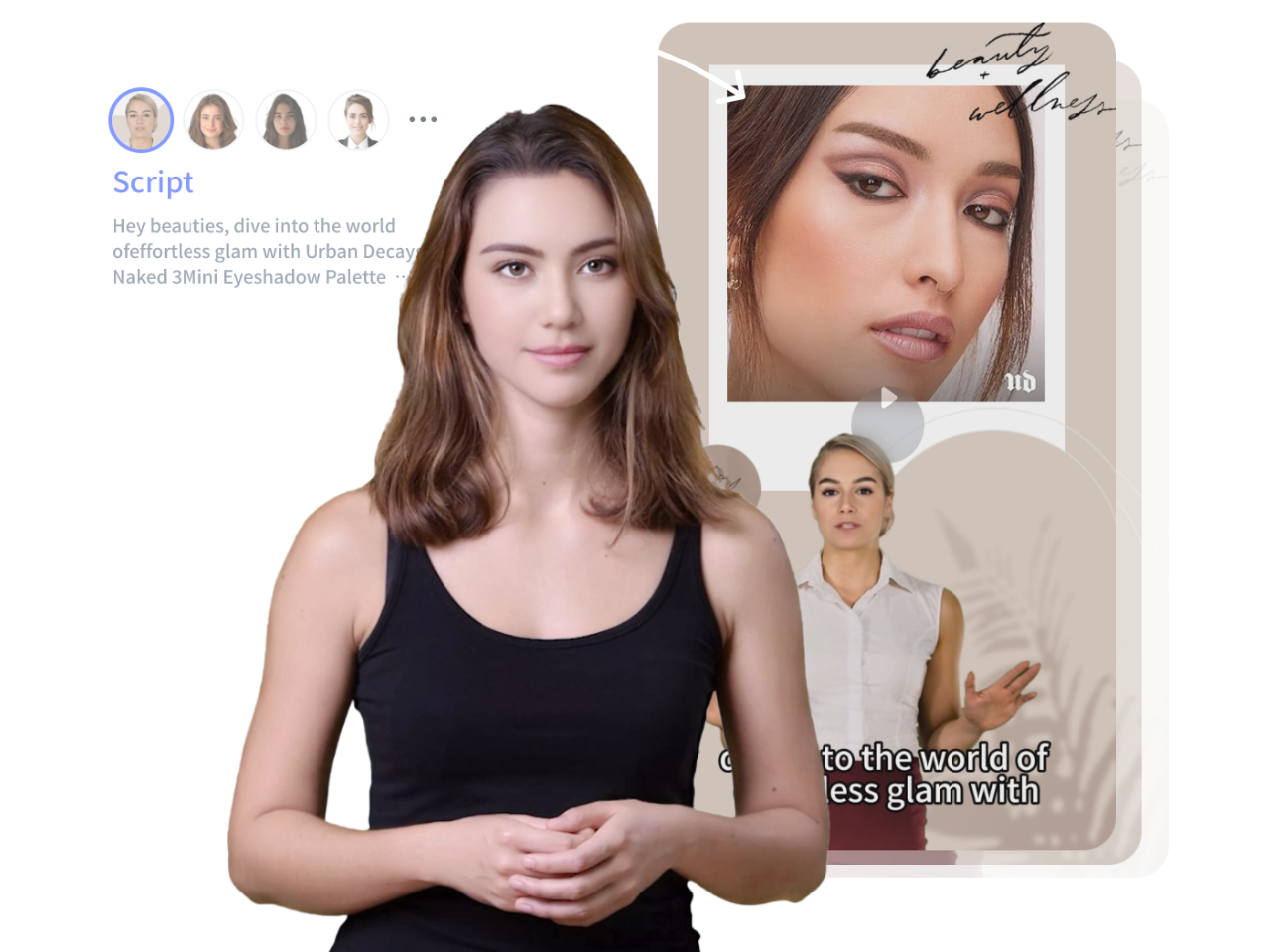
AI avatar creation combines computer vision, facial recognition, and generative models. The system analyzes your facial structure, expressions, and lighting patterns from photos or videos. It then generates a digital representation that can be animated to speak scripts or perform gestures.
Unlike simple profile-image generators, AI avatars are designed for motion and speech. They can deliver presentations, explain lessons, or appear in marketing videos with minimal human involvement after setup.
The quality of your avatar depends on three factors:
1. The training data you provide
2. The AI model used by the platform
3. How well you follow preparation and usage guidelines
Method Comparison: Two Reliable Ways to Create AI Avatars
There are two dominant approaches to AI avatar generation. Each serves different production needs.
Photo-Only Training
This method uses a set of high-quality images. The AI extrapolates facial movement from still data. It is faster and cheaper but may produce less expressive results.
Photo Plus Video Training
This method includes at least one short reference video. The AI learns how your face moves when speaking, which improves realism. It requires more setup but delivers better output for frequent video use.
Both methods are widely supported by modern AI photography and avatar tools.
Method 1: Photo-Trained AI Avatar Platforms
Photo-trained platforms are ideal if you want speed and simplicity.
What You Need
– 10 to 20 high-resolution photos
– Neutral background
– Even lighting
– Multiple angles: front, left, right, and slight tilt
How It Works
You upload your images to the platform. The AI maps your facial geometry and generates a digital head model. You then type or upload a script, choose a voice, and render a video.
Strengths
– Fast setup
– Lower cost
– No video recording required
Limitations
– Less expressive facial movement
– Occasional uncanny results for long scripts
This method works well for short explainer videos and social media content.
Method 2: Video-Assisted AI Avatar Training
Video-assisted training produces more lifelike avatars and is preferred by educators and professional marketers.
What You Need
– 10 to 20 high-quality photos
– One short video (1–3 minutes)
– Clear speech and natural expressions
How It Works
The platform analyzes both static and dynamic data. The video teaches the AI how your mouth, eyes, and facial muscles move during speech. This improves lip-sync accuracy and emotional expression.
Strengths
– Higher realism
– Better lip-sync
– More natural gestures
Limitations
– Longer setup time
– Higher cost
This method is ideal for long-form educational content and branded video series.
Step-by-Step Workflow: From Photos to AI Clone
Step 1: Plan Your Use Case
Decide how you will use the avatar. Marketing videos, tutorials, and internal training each require different levels of realism.
Step 2: Prepare Your Photos
Use a good camera or smartphone. Avoid filters. Maintain consistent lighting. Keep your face fully visible.
Step 3: Record a Reference Video (Optional)
If using Method 2, speak clearly and naturally. Avoid exaggerated expressions. Keep your head movements minimal.
Step 4: Upload to the AI Platform
Follow the platform’s instructions carefully. Label files correctly if required.
Step 5: Customize Voice and Style
Choose a voice that matches your brand. Adjust tone, speed, and language settings.
Step 6: Test with Short Scripts
Render a short video first. Check lip-sync, eye movement, and lighting consistency.
Step 7: Refine and Scale
Make adjustments before producing longer content. Once satisfied, reuse the avatar across multiple projects.
Practical Use Cases for Content Creators and Educators
Content Creators
– Daily short-form videos without filming
– Multilingual content using the same avatar
– Brand consistency across platforms
Educators
– Lecture videos without studio setup
– Course updates without re-recording
– Scalable online training modules
Digital Marketers
– Personalized video campaigns
– Product explainers
– Consistent spokesperson presence
AI avatars reduce production time while maintaining a human connection.
Common Mistakes to Avoid
Using Low-Quality Photos
Blurry or filtered images confuse the AI and reduce realism.
Overloading the Avatar with Long Scripts
Long, complex scripts can expose animation weaknesses.
Ignoring Lighting Consistency
Inconsistent lighting across photos creates visual artifacts.
Skipping Test Renders
Always test before publishing final content.
Misrepresenting Identity
Only create avatars of yourself or with explicit permission.
Final Checklist for Creating a Realistic AI Avatar
– Clear goal for avatar use
– High-resolution, unfiltered photos
– Consistent lighting and background
– Optional reference video recorded calmly
– Short test script rendered
– Visual and audio quality reviewed
– Ethical and transparent usage confirmed
Conclusion
AI avatar creation from photos is a practical solution for creators who want efficiency without sacrificing presence. By choosing the right method and following a structured workflow, you can build a realistic AI clone that supports video production at scale. As AI photography tools continue to improve, avatars will become a standard part of digital content creation.
Frequently Asked Questions
Q: Can I create an AI avatar using only photos?
A: Yes. Many platforms support photo-only training, though realism improves when a reference video is included.
Q: How many photos are needed for a good AI avatar?
A: Most platforms recommend 10 to 20 high-quality images with consistent lighting and angles.
Q: Are AI avatars suitable for educational content?
A: Yes. Educators use AI avatars for lectures, tutorials, and scalable training materials.
Q: Is it ethical to use an AI avatar of yourself?
A: Yes, as long as the avatar represents you accurately and you do not impersonate others without permission.