VidAU Editorial · AI Search
How to Make AI UGC Videos: Full Workflow, Tools + Prompts
Make AI UGC videos that convert with a step-by-step workflow: tools, prompts, product placement, voices, editing, exports, and testing tips.
By the VidAU Editorial Team · Reviewed before publishing
If your AI UGC videos still look uncanny or miss the product-in-hand shot, follow this 2026 start-to-finish workflow. We will build a consistent on-camera actor, lock selfie-style angles with a product grid, and finish with motion-design end screens that lift CTR and retention for US placements.
You can create AI UGC videos that look real, hold attention, and convert. This 2026 workflow shows you how to script, generate a consistent actor, nail the product-in-hand shot with a product grid, clone voice delivery, add captions, design end screens, export for US feeds, and A/B test for ROAS.
Quick Summary
• 2026 workflow: ChatGPT Images for references and product grid, Veo 3.1 or Seedance 2.0 for selfie-style performance, ElevenLabs Studio for voice and editing, and Kling 2.6 for motion-design end screens.
• Alternate stack: Arcads for an integrated UGC pipeline or VidAU AI Video to rapidly spin product URL or images into testable ad variants.
• Key specs: Vertical 9:16 at 1080×1920, 24–30 fps, under 60 seconds, burned-in captions for US TikTok, Meta, and YouTube Shorts.
• Best fit: US performance marketers, DTC founders, agencies, and creators producing UGC ads focused on CTR, retention, and ROAS.
What Is AI UGC Videos?
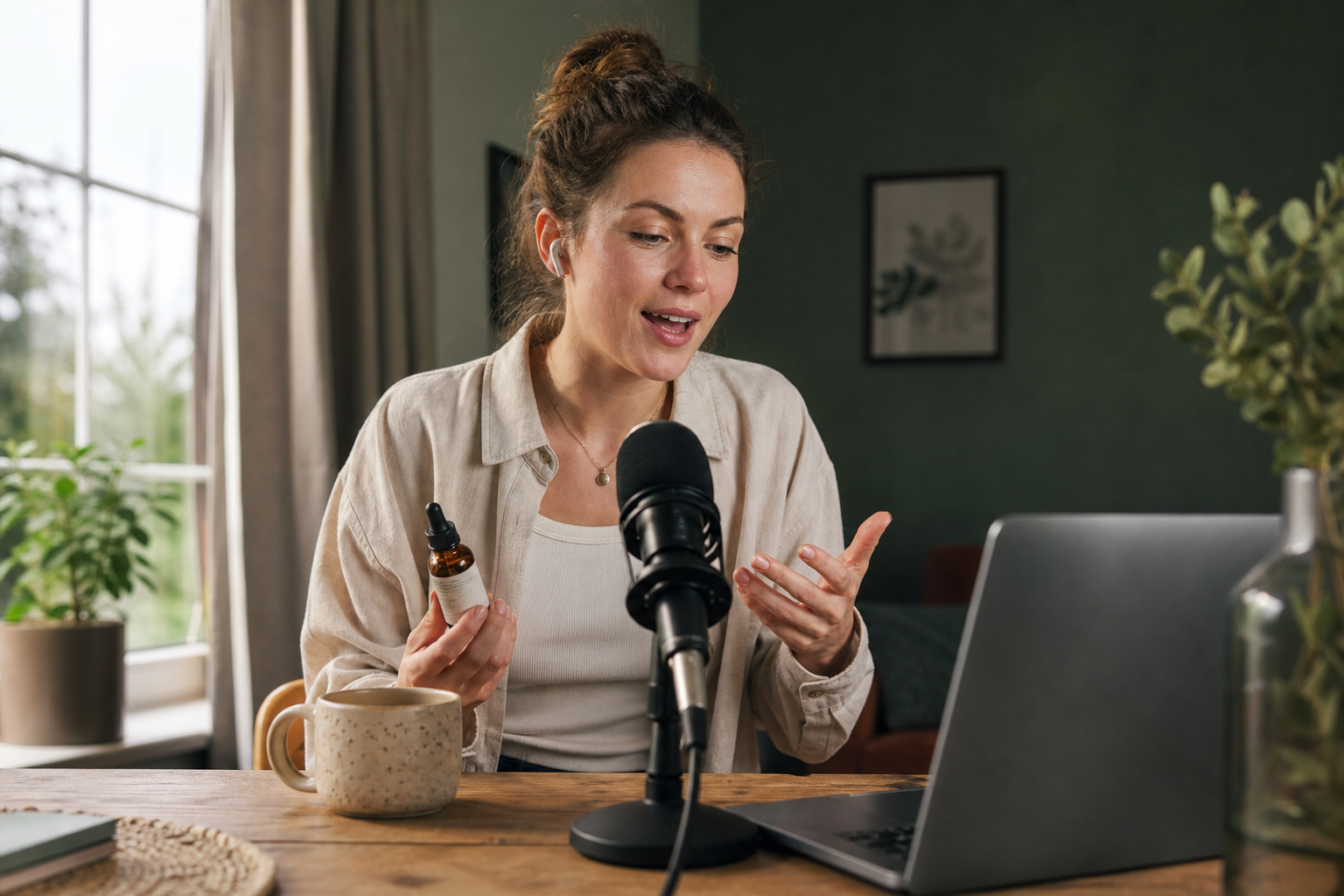
AI UGC videos are short, creator-style ads or social clips generated with AI models that mimic selfie-shot, talking-head content. They feature realistic on-camera actors, natural voice delivery, and product interactions. The format works across TikTok, Meta, and YouTube Shorts when you combine consistent characters, clean product placement, tight editing, captions, and a clear end screen CTA.
The 2026 Stack at a Glance
Visual for: The 2026 Stack at a Glance
Here is a simple mapping of stages to tools you can mix and match.
• Stage: References and grids
Recommended Tools: ChatGPT Images
Why: Boards and product grid setup
• Stage: Actor and scenes
Recommended Tools: Veo 3.1, Seedance 2.0
Why: Selfie realism and emotion
• Stage: Voice and takes
Recommended Tools: ElevenLabs Studio
Why: Voice cloning and timing
• Stage: End screens
Recommended Tools: Kling 2.6
Why: CTA motion design
• Stage: All-in-one option
Recommended Tools: Arcads
Why: Integrated UGC pipeline
• Stage: Variant generation
Recommended Tools: VidAU AI Video
Why: Fast product-to-video variants
Key Takeaways
• Mix tools by stage to control realism and speed.
• Maintain one reference board for consistency across scenes.
• Keep your export and captions consistent with US ad feeds.
Plan ai ugc videos that convert: Hook, angle, and script
Goal: lock an offer angle, a 3-line hook, and a 20–35 second script for US audiences.
• Choose one angle: problem-solution, testimonial, or before-after-bridge.
• Define one primary product claim supported by a believable proof.
• Target one placement to start: TikTok Spark, Meta Reels, or YouTube Shorts.
Quick script outline for UGC ads
• Hook line: call out problem or desired outcome in 2 lines.
• Body: 3 quick beats; show product in hand by line 2 or 3.
• Proof: 1 tangible benefit, micro demo, or mini result.
• CTA: say and show the CTA; frame brand URL or logo.
Prompt to draft your script and shot list
• Use a chat model: Draft a 30-second UGC ad script for a US audience on TikTok. Angle: problem-solution. Include 3 beats, a product-in-hand shot by beat 2, a spoken CTA, and on-screen captions styled for vertical feeds. Return a line-by-line shot list noting eyeline, hand use, and prop lighting.
Build a consistent on-camera actor and selfie-style framing
Tools: ChatGPT Images for reference boards, Veo 3.1 or Seedance 2.0 for generation.
1) Create a reference board
• In ChatGPT Images, assemble 6–9 reference frames: face close-ups, mid-shots, natural skin texture, subtle blemishes, soft daylight.
• Add a selfie-style camera diagram: arm’s length, 26–35 mm equivalent feel, slight off-center eyeline, handheld micro-shake.
2) Add a product grid
• Build a 3×3 product grid mock: top row product-only at 3 angles; middle row hand holding product; bottom row face-plus-product framing.
• Use this grid as conditioning images for hand-product alignment and lighting.
3) Generate the actor and scene
• Veo 3.1 or Seedance 2.0 prompt: Generate a selfie-style talking head of a 25–35-year-old US creator in a bright, lived-in apartment. Natural skin texture, visible pores, soft daylight, handheld micro-shake, arm’s-length framing, 9:16 vertical. Maintain consistent face and haircut across takes.
• Add guidance: Eyeline to front camera, product appears in dominant hand by line 2, lips synced to later audio, neutral to warm expression that builds to upbeat.
Suggested Visual: A one-page reference board showing the face, room lighting, and the 3×3 product grid.
Lock product-in-hand shots with a product grid
Why it matters: UGC ads win on authenticity and clarity. The viewer must see how the product is used or held in the first 3–5 seconds.
How to do it
• Frame left or right: Keep face on one side, product on the other, allowing captions to sit in safe areas.
• Use your grid: Condition the model with product-only, hand-plus-product, and face-plus-product frames.
• Add hand constraints: Right hand holds product with fingers naturally wrapped, no finger clipping, thumb visible, label facing camera, product scale true to real object.
Copy-ready prompt for product-in-hand
• Use Veo 3.1 or Seedance 2.0: In a 9:16 selfie shot, the actor raises the product with the right hand by second 2, label facing camera, realistic fingers and shadows, no deformation. Match lighting to grid reference row 2, column 3. Keep soft handheld motion and front-camera eyeline.
Troubleshooting
• If hands deform: increase hand detail weight, reduce motion, shorten shot length.
• If label flips: lock label orientation and camera-left placement.
• If product floats: require visible finger joints and palm contact.
Voice cloning and emotional delivery in ElevenLabs Studio
Use ElevenLabs for voice cloning, take generation, and timing to match the UGC vibe.
Steps
• Voice source: Record a 60–120 second clean sample of your spokesperson or choose a licensed voice. Observe all consent and platform rules.
• Clone and style: Set tone to conversational, tempo to 95–105 percent of normal speech, micro-pauses on clause breaks, and subtle emphasis on verbs and numbers.
• Take selection: Generate 3–5 takes per line. Save the most natural take; avoid over-animated deliveries.
• Timing: Snap syllable hits to hand motions and facial beats in your video.
Caption styling for US feeds
• Burn in high-contrast captions with 4–6 words per line.
• Use a solid background strip or drop shadow for legibility.
• Color-code CTA phrases or numbers to aid scanning.
Compliance note: Disclose synthetic media where required and follow ad policies for the platform you are using.
Edit ai ugc videos in ElevenLabs Studio: takes, timing, captions
Workflow
• Timeline assembly: Place your best video clip on track one and the selected voice take on track two. Enable auto lip-alignment if available, then fine-tune manually.
• Rhythm: Keep 1.5–2.0 second beat pacing early, then accelerate into the CTA.
• Overlays: Add 1–2 benefit callouts and one proof element such as a rating or micro before-after frame.
• Sound: Mix voice at around minus 14 LUFS integrated with soft instrumental under minus 24 LUFS.
Where VidAU AI fits for speed
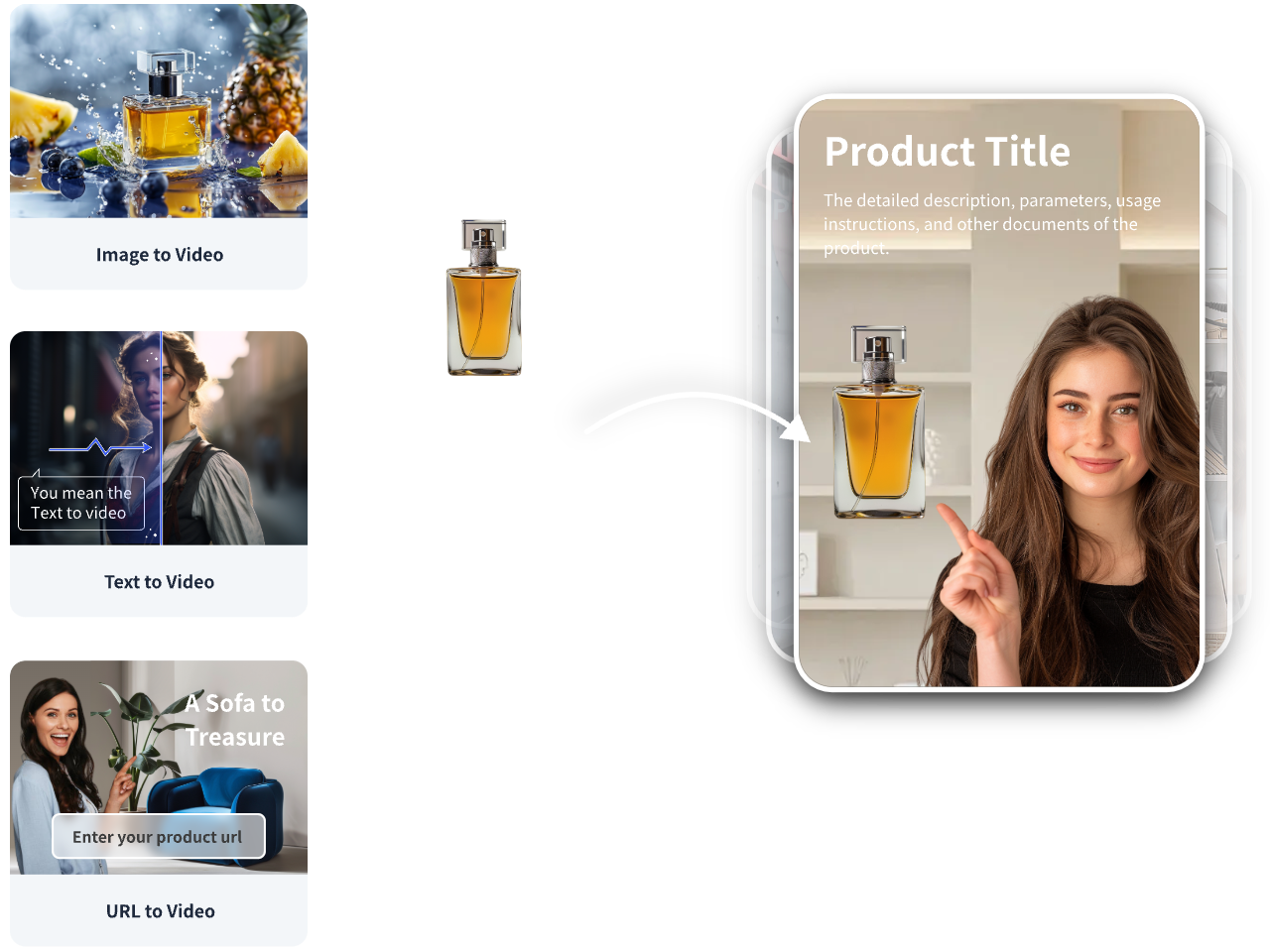
• When you need quick variants from a product page: Use VidAU AI Video to convert a product URL or product images into 3–5 short ad drafts with captions and product highlights. Then replace the temp voice with your cloned voice and align captions to your script. This is useful for building a testable variant set before heavy polishing.
Motion-design end screens with Kling 2.6 and Arcads
End screens shape recall, CTR, and brand trust in the last 2–3 seconds.
Design checklist
• CTA clarity: One offer, one button or phrase such as Shop now or Try it free.
• Visual system: Brand colors, clear logo lockup, light motion such as slide-up, wipe, or bounce-in under 0.5 seconds.
• Product proof: A mini carousel or 2–3 product angles in a grid.
Kling 2.6 prompt snippet
• Create a 2-second 9:16 end screen with a floating product grid of three angles, brand logo top left, bold CTA bottom center, smooth wipe-in animations, and subtle confetti particles at 15 percent opacity. Maintain color palette per brand swatch. Freeze on the CTA in the last 0.3 seconds.
Arcads option
• Use Arcads to template an end screen that you can swap across products while keeping timing, motion, and brand elements consistent.
Suggested Visual: A storyboard frame of the end screen with CTA placement and safe areas.
Export presets for US placements
Use consistent exports to prevent platform compression from degrading realism.
Recommended settings
• TikTok and Meta Reels: 1080×1920, 9:16, 24 or 30 fps, H.264, high profile, 8–12 Mbps target bitrate, AAC 48 kHz, under 60 seconds. Add 3–5 frame handles for platform trimming.
• YouTube Shorts: Same as above; consider 30 fps for motion-design clarity.
• File hygiene: Filename with angle, hook, actor, and date for tracking.
Quality pass
• Check hands, label legibility, lip sync within one to two frames, caption alignment, and safe margins.
A/B testing plan tied to CTR, retention, and ROAS
Principles
• Test one variable per pair: hook line, angle, actor energy, product-in-hand timing, or end screen.
• Use a 70–20–10 budget split: winner scaling, challenger testing, and exploration.
Metrics and targets
• CTR: Aim for plus 1.5–3.5 percent baseline on cold US audiences; compare within placement and objective.
• Retention: Track 3-second and 50 percent watch rates; protect the first 5 seconds.
• ROAS: Use 3–7 day windows; consider blended MER for small budgets.
Practical test matrix
• Week 1: Hooks A vs B with the same actor and end screen.
• Week 2: Product-in-hand timing at second 1 vs second 3.
• Week 3: End screen CTA wording and motion variant.
• Week 4: Caption style high-contrast vs brand-color strip.
Execution tips
• Launch 3–5 variants per ad set with even budgets.
• Pause underperformers after 1,000–2,000 impressions with clear losers on CTR and early retention.
• Keep a change log so wins can be rolled into the next sprint.
Suggested Visual: A simple matrix showing variables by week and the primary metric to judge.
Mistakes to avoid and compliance tips
• Over-smoothing faces: keep pores, micro-shadows, and minor blemishes.
• Floating products: force palm and finger contact with the product grid.
• Overlong intros: show product by second 2 or 3.
• Cluttered captions: keep to two lines, six words max per line.
• Unclear CTA: lock one offer and one action.
• Synthetic media rules: disclose where required, secure voice rights, and follow TikTok, Meta, and YouTube ad policies for AI-generated content.
Prompt bank for faster production

ChatGPT Images prompt
• Build a 9-frame reference board for a US UGC ad: 3 face close-ups, 3 mid-shots, 3 apartment selfies with soft daylight. Include a 3×3 product grid showing product-only, hand-plus-product, and face-plus-product frames. Style is natural skin texture and handheld micro-shake.
Veo 3.1 performance prompt
• Generate a 9:16 selfie video of a US creator delivering a 30-second script. Natural pores and tiny skin variations, front-camera eyeline, right hand brings product into frame by second 2, label oriented to camera, realistic finger joints and palm contact, soft daylight, slight handheld motion, consistent face across takes.
Seedance 2.0 performance prompt
• Produce a talking-head selfie with medium energy and warm friendliness. Maintain consistent character identity, match lighting to reference board, align lip motion for later voice. Include micro-expressions on verbs and numbers, and nods at CTA lines.
ElevenLabs Studio prompt
• Clone voice with consent. Set style to conversational, slight emphasis on verbs, light upward inflection on CTA, 95 percent tempo. Generate three takes per line, favor the most human cadence, then export stems for timeline alignment.
Kling 2.6 end screen prompt
• Design a 2–3 second end frame with brand color swatch, bold CTA, product grid of three angles, and subtle particle motion. Freeze last 0.3 seconds for clarity.
Arcads template prompt
• Create a reusable UGC template: selfie opener placeholder, mid-shot with product-in-hand, proof overlay, and branded end screen. Enable quick swaps for product imagery and CTA text while locking timing and captions.
Create With VidAU
Turn scripts, product URLs, and creative ideas into ad-ready video assets with a structured AI workflow.
Key takeaway
Final Thoughts
Realistic AI UGC videos come from a tight process: consistent actor and framing, a product grid for believable hand contact, natural voice delivery, clean captions, and a concise end screen. Keep it short, vertical, and test one variable at a time.
If you need rapid variant generation from a product URL or images before polishing, use VidAU AI Video to create draft ad creatives, then swap in your cloned voice and finalize captions and end screens. That combination balances speed with quality for US ad placements.
Frequently asked questions
What are AI UGC videos and why do they work for ads?
AI UGC videos are short creator-style clips generated or enhanced with AI to mimic authentic selfie content. They work because they feel native to TikTok, Meta, and Shorts, show product-in-hand quickly, and pair simple scripts with captions and a clear CTA. The result often lifts CTR, retention, and ROAS.
How do I stop hands and products from looking fake?
Use a 3×3 product grid with product-only, hand-plus-product, and face-plus-product references. In prompts, require visible finger joints, palm contact, correct scale, and label orientation. Reduce motion to help the model respect constraints, and match lighting to the reference grid to avoid floaty edges.
Which tools should I start with in 2026 for AI UGC videos?
A practical stack is ChatGPT Images for references and a product grid, Veo 3.1 or Seedance 2.0 for selfie-style character performance, ElevenLabs Studio for voice cloning and take selection, and Kling 2.6 for motion-design end screens. Arcads can serve as an integrated option, and VidAU AI Video accelerates product-to-video variants.
How do I make AI voices sound natural and legal to use?
Record a clean, consented reference or select a licensed voice in ElevenLabs Studio. Set conversational style, micro-pauses, and gentle emphasis. Generate multiple takes and keep the most human cadence. Always secure voice rights, disclose synthetic media when required, and follow relevant ad and platform policies.
What export settings should I use for TikTok, Meta Reels, and YouTube Shorts?
Export vertical 9:16 at 1080×1920, 24–30 fps, H.264 high profile at roughly 8–12 Mbps, AAC 48 kHz, under 60 seconds. Burn in captions for legibility and keep safe margins for UI. Maintain consistent loudness and add 3–5 frame handles to protect cuts during platform trimming.
How do I design end screens that lift CTR?
Keep the last 2–3 seconds focused on one CTA and clear brand elements. Use Kling 2.6 or Arcads to animate subtle motion such as wipes and bounce-ins under 0.5 seconds. Show a small product grid for credibility, freeze on the CTA for the final 0.3 seconds, and ensure captions do not cover the button.
What is the best way to A/B test AI UGC ads for ROAS?
Test one variable at a time: hook line, actor energy, product-in-hand timing, end screen, or caption style. Use a 70–20–10 split across winner, challenger, and exploration. Judge by CTR and early retention first, then by ROAS over 3–7 days. Keep a change log and iterate weekly.
How can I keep a consistent character across multiple UGC ads?
Maintain a reference board with face close-ups, lighting, and framing samples. Reuse the same seed or identity constraints in Veo 3.1 or Seedance 2.0. Keep hairstyle, makeup, and camera distance consistent. Store your favorite takes and reuse them as conditioning inputs for future scenes.
Do I need to disclose AI or synthetic media in my UGC ads?
Disclosure rules vary by platform and region. Many platforms require disclosure when faces, voices, or scenes are AI-generated or materially altered. Review TikTok, Meta, and YouTube ad policies and any US regulatory guidance. When in doubt, include a brief disclosure and secure all necessary rights and consents.
How should I style captions for US feeds?
Use large, high-contrast captions with 4–6 words per line and a readable font. Add a subtle shadow or solid strip for legibility against busy backgrounds. Highlight numbers or CTA phrases with a secondary color, and keep captions within safe areas so platform UI does not cover key lines.