Blog Find an Idea Industry News AI video ad maker: Greatest AI Video Ads Guide

AI Video Ads · Complete Marketer Guide

How to Make Video Ads Using AI: Complete Guide for Marketers

Learn how to select AI video ad platforms, customize templates, add voiceovers, optimize for social platforms, and scale video ad production with AI.

By the Sarah Iruoje · Updated 2026 · 10 min read

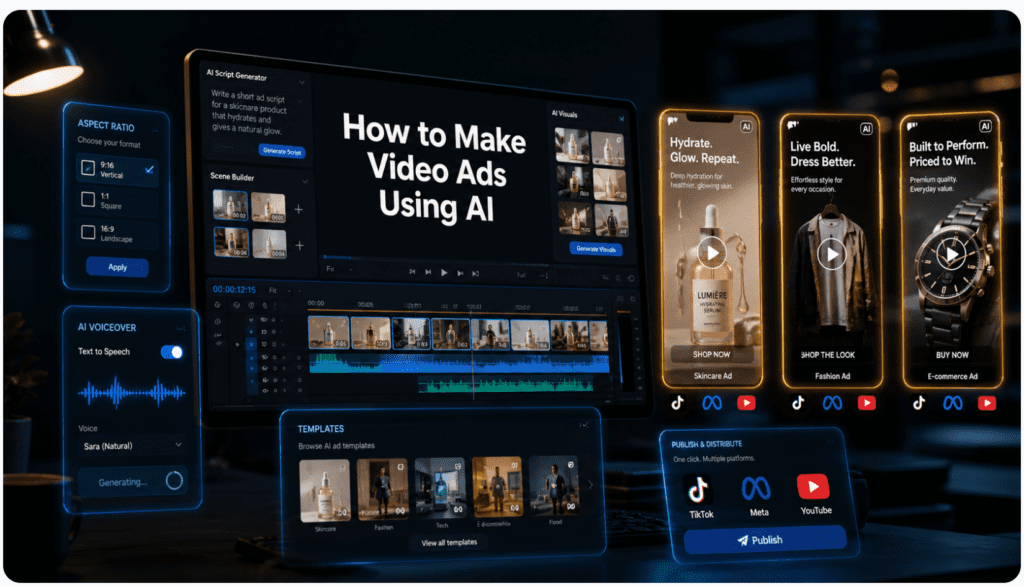
Creating video ads doesn’t have to be a daunting task for marketers. With advanced AI video makers like InVideo and Canva, you can craft professional ads effortlessly. This guide shows you how to select the perfect template, customize your video content, and add captivating voiceovers to create ads that convert.

Video advertising continues to dominate digital marketing strategies, but creating professional video ads traditionally required expensive equipment, editing software expertise, and significant time investment. AI video ad makers have transformed this landscape by making professional ad creation accessible to marketers, small business owners, and entrepreneurs without extensive video editing experience.

AI-powered video creation platforms now offer capabilities that were unimaginable just a few years ago. These tools provide automatic script generation, AI avatars, text-to-speech voiceovers, and unlimited generation capabilities, often without subscription limits. For marketers managing tight budgets and demanding timelines, these platforms represent a practical solution for scaling video ad production across multiple campaigns and platforms.

This comprehensive guide walks you through the complete process of creating video ads using AI tools. You’ll learn how to select the right platform for your needs, choose and customize templates effectively, add professional voiceovers, optimize content for different advertising channels, and export your finished ads in the correct formats. Whether you’re creating YouTube ads, Facebook advertising campaigns, Instagram Reels, or TikTok ads, this tutorial provides actionable steps you can implement immediately.

Quick summary

  • AI video ad makers reduce production barriers by providing templates, automated editing features, AI-generated scripts, text-to-speech voiceovers, and avatar-based content creation.
  • The best platform depends on your workflow. InVideo, Canva, Creatify AI, CapCut AI Video Maker, and VidAU AI each support different ad creation needs.
  • Strong AI video ads still need strategic editing. Marketers should customize templates, strengthen hooks, match platform specs, balance audio, and adapt ad formats for each channel.
  • Scaling video ads with AI requires testing and optimization. Create variations, monitor performance metrics, refresh creative, and use data to refine future video ads.
ai video ad maker

Understanding AI Video Ad Makers

AI video ad makers are specialized software platforms that use artificial intelligence to simplify and automate the video creation process. These tools eliminate many traditional barriers to video production by providing pre-designed templates, automated editing features, and intelligent content generation capabilities.

The core advantage of AI video ad makers lies in their ability to reduce production time dramatically. What might have taken hours or days using traditional video editing software can now be accomplished in minutes. These platforms analyze your input, whether it’s a product link, text script, or basic concept, and generate professional video content with minimal manual intervention.

Modern AI video makers incorporate several key technologies. Natural language processing enables script generation and optimization. Computer vision powers automatic scene selection and visual composition. Text-to-speech engines create realistic voiceovers in multiple languages and accents. Template engines provide professionally designed frameworks that maintain visual consistency and follow advertising best practices.

For marketers, the practical implications are significant. You can test multiple ad variations quickly, respond to market trends with fresh creative, and maintain consistent video output without expanding your production team. Small business owners gain access to professional-quality advertising previously available only to companies with substantial marketing budgets.

Why this matters

AI video ad makers help marketers test more variations, respond to trends faster, and maintain consistent video output without expanding production teams.

Selecting the Right AI Video Ad Platform

Choosing the appropriate AI video maker depends on your specific needs, technical comfort level, budget constraints, and the types of ads you plan to create. Several platforms have emerged as leaders in this space, each with distinct strengths.

InVideo stands out for its extensive template library and user-friendly interface. The platform offers thousands of pre-designed templates specifically created for video ads across different industries and platforms. InVideo’s strength lies in its flexibility, allowing detailed customization while maintaining accessibility for beginners. The platform supports both template-based creation and AI-powered generation from text prompts.

Canva has expanded beyond static design to become a capable video creation platform. For teams already using Canva for graphic design, the video maker integrates seamlessly into existing workflows. Canva’s video templates maintain the same intuitive editing experience as its design tools, making it ideal for marketers who value consistency across all visual content. The platform offers both free and premium tiers with different feature sets.

Creatify AI specializes in automated ad generation from product links. This platform excels at e-commerce advertising by analyzing product pages and automatically generating complete video ads with scripts, visuals, and voiceovers. For businesses managing large product catalogs or running frequent promotional campaigns, Creatify’s automation capabilities significantly reduce production time.

CapCut AI Video Maker provides powerful generation capabilities with no subscription requirements for basic features. The platform has gained popularity for its unlimited generation model, allowing creators to produce as many videos as needed without hitting usage limits. CapCut’s AI features include automated script generation, scene creation, and caption generation.

VidAU AI offers specialized capabilities for creating product videos and UGC-style content with AI avatars. The platform focuses on creating authentic-looking video ads that simulate user-generated content, a format that often performs well on social media platforms. VidAU’s multilingual support makes it particularly useful for businesses running international campaigns.

When selecting a platform, consider these factors: template variety and quality, ease of customization, voiceover options, export format support, pricing structure, and integration with your existing marketing tools. Most platforms offer free trials or limited free tiers, allowing you to test functionality before committing.

AI video ad platformPrimary strengthBest fit
InVideoExtensive template library and flexible customizationMarketers who want template variety and beginner-friendly editing
CanvaIntegrated design and video workflowsTeams already using Canva for visual content
Creatify AIAutomated ad generation from product linksE-commerce businesses with product catalogs or frequent promotions
CapCut AI Video MakerUnlimited generation model and accessible AI featuresCreators who need high-volume generation without subscription requirements for basic features
VidAU AIProduct videos, UGC-style content, AI avatars, and multilingual supportBrands creating international campaigns, avatar-led ads, and UGC-style social video ads

Creating Your First AI Video Ad: Step-by-Step Guide

Creating your first AI video ad follows a structured workflow that remains consistent across most platforms, though specific interface elements may vary. This section walks through the complete process using a template-based approach, which provides the most control over the final result while still benefiting from AI assistance.

Setting Up Your Account

Begin by creating your account on your chosen platform. Most AI video makers offer quick registration through email or social media accounts. During initial setup, you’ll typically select your primary use case, which helps the platform recommend appropriate templates and features. For video advertising, select options related to marketing, ads, or social media content.

Once logged in, familiarize yourself with the dashboard layout. Most platforms organize features into clear sections: templates, your projects, media library, and settings. Take a moment to explore these areas before starting your first project. Many platforms offer quick-start tutorials or sample projects that demonstrate key features.

Choosing and Applying a Template

Template selection forms the foundation of your video ad. Navigate to the template library and filter by category, typically selecting options like “ads,” “promotional videos,” or “marketing.” Most platforms allow further filtering by video size, duration, and style.

Video size matters significantly for ad performance. Square videos (1:1 ratio) work well for Instagram feed posts and Facebook ads. Vertical videos (9:16 ratio) suit Instagram Stories, TikTok, and mobile-first platforms. Horizontal videos (16:9 ratio) work best for YouTube ads and desktop viewing. Choose the size that matches your primary distribution channel, though you may need to create multiple versions for different platforms.

When reviewing templates, look beyond aesthetic appeal. Examine the template structure: how many scenes it contains, how text is organized, where product showcases appear, and how the call-to-action is presented. Strong ad templates follow a proven structure: attention-grabbing opening, clear message delivery, and compelling close with contact information.

Select a template and click to use it. The template loads into your editing workspace, typically displaying a timeline view at the bottom and a preview window showing the current frame. You’ll see how scenes connect and where transitions occur.

Customizing Text and Messaging

Text customization represents the most fundamental modification you’ll make. Double-click any text element to enter edit mode. Replace template placeholder text with your actual ad copy. Keep text concise and readable, especially for mobile viewing.

Text hierarchy matters in video ads. Headlines should be immediately visible and communicate your core value proposition. Supporting text provides necessary detail without overwhelming viewers. Your call-to-action should stand out visually and use action-oriented language.

Modify text styling to match your brand identity. Adjust font choices, though be cautious about straying too far from the template’s original typography, which was chosen for readability. Change text colors to align with brand guidelines, ensuring sufficient contrast against background elements. Adjust text size carefully, considering that mobile viewers need larger text than desktop viewers.

Text animation adds visual interest without requiring manual keyframing. Most templates include pre-animated text with effects like fade-ins, slides, or typewriter animations. You can typically modify these animations or remove them entirely if they don’t suit your style.

Capturing Attention in the Opening

The first three seconds of your video ad determine whether viewers continue watching or scroll past. Your opening must immediately capture attention and signal relevance to your target audience.

Add an attention-grabbing message that addresses viewer pain points, asks provocative questions, or makes bold statements related to your product or service. Examples include “Struggling to create professional videos?” for a video tool or “Finally, shoes that don’t hurt after eight hours” for a comfort footwear brand.

The opening visual should be equally compelling. If your template uses generic stock footage, replace it with imagery directly relevant to your offering. Click on the video or image element, delete the placeholder, and upload your own media or search the platform’s stock library for better alternatives.

Many platforms provide integrated access to stock media libraries like Pexels or Unsplash. Search for keywords related to your product category, desired emotion, or target audience. Select high-quality footage that feels authentic rather than overly staged. User-generated content style often outperforms polished commercial footage in social advertising.

Drag and drop your selected media into the timeline. Most platforms automatically trim the clip to fit the scene duration. If you need to adjust which portion of the clip appears, look for trim or crop controls that let you select the start and end points.

Conveying Your Core Message

After capturing attention, the middle portion of your ad should clearly communicate your main message. This section typically makes up the majority of your video’s runtime and requires the most thoughtful customization.

Structure your message around key benefits rather than features. Instead of “Our software has automated reporting,” emphasize “Save four hours weekly on report creation.” Benefits answer the viewer’s implicit question: “What’s in it for me?”

Break complex messages into multiple scenes rather than cramming everything into one frame. Each scene should communicate one clear idea. This approach improves comprehension and maintains viewer engagement through visual variety.

Replace template product images with your actual offerings. Upload high-resolution photos that show your product from flattering angles with good lighting. For service businesses, use images of results, happy customers, or your team delivering the service.

If your ad promotes a digital product like software, consider using screen recordings to show the interface in action. Most AI video makers allow you to upload and insert video clips. Keep these demonstrations brief and focused on specific outcomes rather than comprehensive feature tours.

For brands using AI avatars, this middle section often features the avatar presenting information directly to the viewer. Platforms like VidAU AI specialize in this format, creating authentic-looking presenters who deliver your script. This approach combines the engagement of human presence with the scalability of automated production.

Creating an Effective Closing

Your ad’s closing must leave viewers with clear direction on what to do next. This section includes your call-to-action and contact information, making it crucial for conversion.

Add your logo prominently but not obtrusively. Upload your logo file and position it in a corner or bottom area where it remains visible without blocking important content. Ensure your logo appears in a format with transparent backgrounds (PNG) for clean integration.

Include your primary contact method, whether that’s your website URL, shop link, phone number, or social media handle. Make this information large enough to read easily, especially on mobile devices. Consider using text animation to draw attention to this element.

Your call-to-action should be specific and action-oriented. Generic phrases like “Learn More” perform less effectively than specific instructions like “Start Your Free Trial,” “Shop the Collection,” or “Book Your Consultation.” Match your call-to-action language to your campaign objective.

Some templates include button elements for calls-to-action. Customize the button text and color to align with your brand and create visual contrast that draws the eye. Even though viewers can’t click buttons in the video itself, this visual element reinforces the action you want them to take after viewing.

Tip

Strong ad templates follow a proven structure: attention-grabbing opening, clear message delivery, and a compelling close with contact information or a specific call-to-action.

Adding Professional Voiceovers

Voice adds a powerful dimension to video ads, increasing engagement and information retention. AI video makers offer multiple voiceover options suitable for different production scenarios and quality requirements.

Recording Custom Voiceovers

Custom recorded voiceovers provide the most authentic and branded sound. If you have access to quality recording equipment or a team member with a suitable voice, recording custom audio delivers the best results for brand consistency.

Most platforms include a voiceover recording feature directly in the editor. Look for a microphone icon or “Add Voiceover” option in the audio tools. Before recording, prepare your script and read it several times to establish natural pacing and identify any awkward phrasing.

For quality recordings, use an external microphone rather than your computer’s built-in mic. USB microphones provide substantial quality improvements at reasonable costs. Record in a quiet space away from air conditioning units, traffic noise, and echo-producing hard surfaces.

When recording, speak clearly and slightly slower than normal conversation pace. Maintain consistent distance from the microphone to avoid volume fluctuations. Record in segments if you make mistakes rather than starting over entirely, then delete unwanted sections during editing.

Alternatively, record voiceovers using separate recording software and upload the completed audio file. This approach gives you more control over audio editing and processing before importing to your video project. Export your voiceover as a high-quality WAV or MP3 file.

To upload a recorded voiceover, locate the upload or import audio option, select your file, and it appears in your media library. Drag the audio file onto your timeline, positioning it to sync with your visual content. Most platforms show audio waveforms, making it easier to align voice with specific visual moments.

Using Text-to-Speech Technology

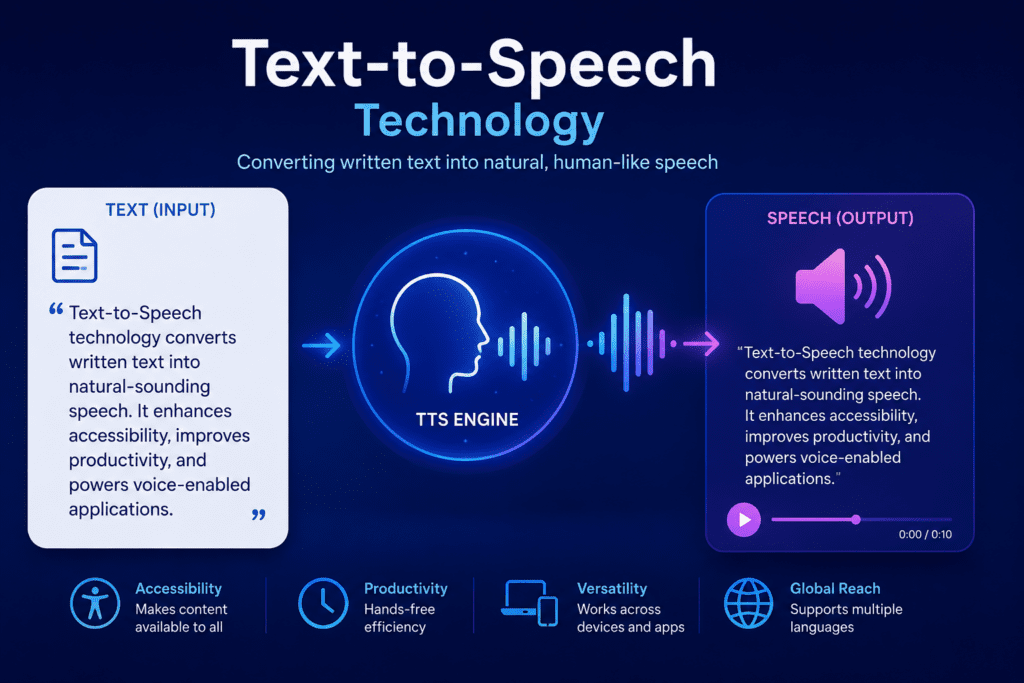
Text-to-speech (TTS) technology has advanced dramatically, producing voiceovers that sound increasingly natural and human-like. For marketers producing high volumes of ads or testing multiple variations, automated text-to-speech offers significant efficiency advantages.

Access the text-to-speech feature, typically labeled as “Automatic Text-to-Speech,” “AI Voice,” or “Voiceover Generator.” You’ll see options to input your script text and select voice characteristics.

Script formatting affects how TTS engines deliver your content. Write in short, clear sentences. Use proper punctuation because periods, commas, and question marks influence pacing and intonation. Spell out acronyms if you want them pronounced as letters rather than words.

Voice selection significantly impacts your ad’s tone and audience connection. Most platforms offer multiple voice options categorized by gender, age impression, accent, and language. Listen to samples before selecting. Consider whether a energetic young voice or authoritative mature voice better matches your brand personality.

Language and accent options extend your reach to international markets without requiring multilingual voice talent. Select the appropriate language for your target market, and choose regional accents that match your audience’s expectations. American English sounds differ from British or Australian English, and these differences affect perceived authenticity.

Speaking rate adjustment controls how quickly the voice delivers your script. Slightly slower rates improve comprehension for complex topics or international audiences. Faster rates can create energy and urgency for promotional content. Test different speeds to find the optimal balance.

Pitch and emphasis controls, available in more advanced platforms, let you fine-tune emotional delivery. Adjust pitch to create more dynamic delivery or emphasize particular words or phrases. These adjustments help automated voices sound less robotic and more engaging.

After configuring your preferences, generate the voiceover. The platform processes your text and adds the audio to your timeline. Listen to the complete result, checking for mispronunciations, awkward pacing, or segments that need adjustment. Most platforms allow you to regenerate specific segments without redoing the entire voiceover.

Balancing Audio Levels

Proper audio mixing ensures your voiceover remains clear and prominent without completely eliminating background music or sound effects. Poor audio balance creates unprofessional results and reduces message comprehension.

Most video templates include background music. While music adds energy and emotion, it must not compete with your voiceover for attention. Select your background music track in the timeline, then access volume controls, typically represented by a speaker icon or audio mixer panel.

Reduce background music volume to approximately 20-30% of full volume when voiceover is present. This level provides atmosphere without interfering with voice clarity. Some platforms offer automatic ducking, which automatically lowers music volume when speech is detected and raises it during silent moments.

If your voiceover seems quiet compared to other elements, increase its volume rather than relying on background audio reduction alone. Most platforms allow independent volume control for each audio element. Ensure voiceover sits prominently in the mix while maintaining natural dynamics.

Preview your complete video with audio at different volume levels to simulate various viewing conditions. What sounds balanced at high volume may become muddy at typical mobile viewing volumes. Aim for clarity at lower volumes since many social media users watch with reduced audio or in public settings.

Optimizing Video Ads for Different Platforms

Each advertising platform has specific requirements and best practices that affect ad performance. Creating platform-optimized versions of your video ad significantly improves campaign results.

YouTube Ads Specifications

YouTube supports several ad formats with different duration and size requirements. Skippable in-stream ads can run any length but should capture attention within the first five seconds before the skip option appears. Non-skippable ads are limited to 15 seconds for most placements.

Optimal video size for YouTube ads is 1920×1080 pixels (16:9 ratio). This horizontal format matches YouTube’s standard player and provides the best viewing experience on desktop and TV screens. While square or vertical videos technically work, they don’t utilize screen space efficiently on YouTube.

YouTube ads benefit from clear branding early in the video since viewers may skip after five seconds. Include your logo and value proposition within the opening moments. Place your strongest hook at the very beginning rather than building toward it.

Sound plays a more critical role on YouTube than on social platforms where silent viewing is common. Most YouTube viewers watch with audio enabled, making voiceovers and music effective for message delivery. However, still include captions for accessibility and situations where audio isn’t available.

File format requirements include MP4, AVI, or MOV files with H.264 video codec. Maximum file size is typically 1GB, though keeping files smaller improves upload reliability and processing speed.

Facebook and Instagram Ads Requirements

Facebook and Instagram ads perform best in square (1:1) or vertical (4:5) formats. Square videos maximize screen space in feed placements on both platforms, while vertical formats suit Stories and Reels.

Keep Facebook feed videos between 15-30 seconds for optimal completion rates. Instagram feed videos can extend to 60 seconds, but shorter durations maintain engagement better. Instagram Reels should not exceed 90 seconds, though 15-30 seconds typically performs best.

Design for silent viewing on Facebook and Instagram. Most users scroll feeds with audio off, making visual storytelling and captions essential. Your video should communicate its core message effectively without sound. Add burned-in captions if your platform doesn’t do this automatically.

Facebook advertising guidelines restrict text in thumbnails and opening frames to 20% of the image area for some placements. While this restriction has loosened, minimal text in visuals still improves approval rates and performance. Convey information through on-screen text over video footage rather than text-heavy static frames.

Strong visual hooks matter more on social platforms where users scroll quickly past content. Your opening frame should immediately signal relevance and value. Use bold visuals, movement, or pattern interrupts in the first second.

File size limits are 4GB for most Facebook and Instagram placements. Recommended resolution is 1080×1080 pixels for square videos and 1080×1350 for vertical (4:5) formats. Use H.264 video codec and AAC audio codec for best compatibility.

TikTok Ads Optimization

TikTok requires vertical video in 9:16 ratio, sized 1080×1920 pixels. This full-screen mobile format differs significantly from other platforms and usually requires dedicated content rather than reformatted horizontal videos.

Authenticity outperforms polish on TikTok. Ads that look too produced or corporate often underperform compared to content that mirrors the platform’s native user-generated style. Consider whether your AI-generated ad matches TikTok’s informal, creative atmosphere.

TikTok ads should typically run 9-15 seconds, though the platform supports up to 60 seconds. Shorter durations align better with user expectations and scrolling behavior. Get to your point immediately since TikTok users have minimal patience for slow builds.

Loud, energetic audio works well on TikTok where sound-on viewing is the norm. Music selection significantly impacts performance, with trending sounds often boosting engagement. Some AI video makers include TikTok-trending audio in their libraries.

Text overlays are common in TikTok content and should appear in a natural, casual style rather than formal advertising fonts. Use dynamic text that appears and disappears throughout the video rather than static placement.

Avoid obvious sales language that feels disconnected from organic TikTok content. Frame your message as entertainment, education, or authentic sharing rather than direct advertising. TikTok users respond better to storytelling approaches than hard sells.

Instagram Reels Specifications

Instagram Reels share TikTok’s vertical 9:16 format at 1080×1920 resolution. Reels can extend up to 90 seconds, but 15-30 seconds typically maintains engagement better.

Reels emphasize trending audio and creative effects. Using popular sounds can increase discovery through Instagram’s recommendation algorithm. Some AI video makers offer integration with trending audio libraries.

Hashtag strategy affects Reels distribution. Include 3-5 relevant hashtags in your caption to improve discoverability. Research hashtags used by your target audience and competitors, focusing on moderately popular tags where your content can stand out.

The first 1-2 seconds of Reels must immediately stop scrolling. Use movement, quick cuts, bold text, or surprising visuals to create pattern interrupts. Viewers decide almost instantly whether to continue watching or scroll past.

Reels support clickable links in Stories when you have an appropriate account status. Design your Reels ads with this functionality in mind, including clear calls-to-action that direct viewers to swipe up or click the link.

PlatformRecommended formatKey optimization point
YouTube ads1920×1080 horizontal, 16:9Hook viewers before the skip option appears and include clear branding early
Facebook feedSquare 1:1 or vertical 4:5Design for silent viewing with captions and strong visual hooks
Instagram feedSquare 1:1 or vertical 4:5Use concise visual storytelling and mobile-readable text
TikTok ads1080×1920 vertical, 9:16Keep content native, authentic, fast, and UGC-style
Instagram Reels1080×1920 vertical, 9:16Use strong first-second motion, trend-aware audio, and clear calls-to-action

Create Video Ads with AI

Use VidAU AI to create product videos, UGC-style ads, AI avatar presentations, multilingual campaigns, and platform-ready video ad variations.

Exporting and Downloading Your Video Ad

Proper export settings ensure your finished video maintains quality while remaining compatible with advertising platforms. Different platforms have varying requirements that affect your export choices.

Selecting Export Quality

Most AI video makers offer multiple quality settings during export. Higher quality maintains visual fidelity but creates larger files that take longer to upload and process. Balance quality needs against practical constraints.

For professional advertising campaigns, select the highest quality option available, typically labeled “HD,” “1080p,” or “High Quality.” This preserves detail and prevents compression artifacts that reduce perceived professionalism.

Frame rate typically defaults to 30 frames per second (fps), which suits most advertising applications. Some platforms offer 60fps for smoother motion, though this increases file size without significant benefit for most ad content. Standard 30fps delivers professional results.

Bitrate affects video quality and file size. Higher bitrates preserve more detail but create larger files. Most platforms select appropriate bitrates automatically based on your quality setting. If manual control is available, 5-8 Mbps provides good quality for 1080p video at standard frame rates.

Downloading Multiple Format Versions

Rather than exporting once and reformatting later, create platform-specific versions directly in your AI video maker. This approach ensures optimal quality for each destination.

Start by exporting your primary version in your main aspect ratio. Most creators produce square (1:1) versions first since these work across multiple platforms. Save this version with a clear filename indicating size and platform, like “product-ad-square-facebook.mp4.”

Return to your project and change the canvas size to create additional versions. Most platforms allow you to switch between aspect ratios, automatically repositioning elements to fit the new dimensions. Review the reformatted version carefully since text or visual elements may need adjustment.

Export the reformatted version with appropriate filename designation. Create vertical versions for TikTok and Instagram Stories, horizontal versions for YouTube, and square versions for Facebook and Instagram feed.

Maintain organized file management by creating folders for each campaign. Store all format variations together along with source files, scripts, and any custom assets you created. This organization simplifies future updates or variation creation.

Watermark Considerations

Free tiers of AI video makers often add watermarks to exported videos. These watermarks identify the creation platform and typically appear in corners or across the bottom of the frame.

For professional advertising, watermarks reduce credibility and may violate platform policies if they constitute third-party branding. Most platforms offer paid tiers that remove watermarks. Consider whether your video volume and quality requirements justify the subscription cost.

Some platforms offer limited free exports without watermarks or provide initial credits that enable watermark-free exports. Test these options before committing to paid plans. Create several versions of your first ad to ensure the platform meets your needs.

If budget constraints require using watermarked versions, position your own branding prominently enough that the creation platform watermark doesn’t dominate the visual hierarchy. However, for serious advertising campaigns, invest in watermark removal since it significantly impacts professional presentation.

Scaling Video Ad Production with AI

Scaling Video Ad Production with AI

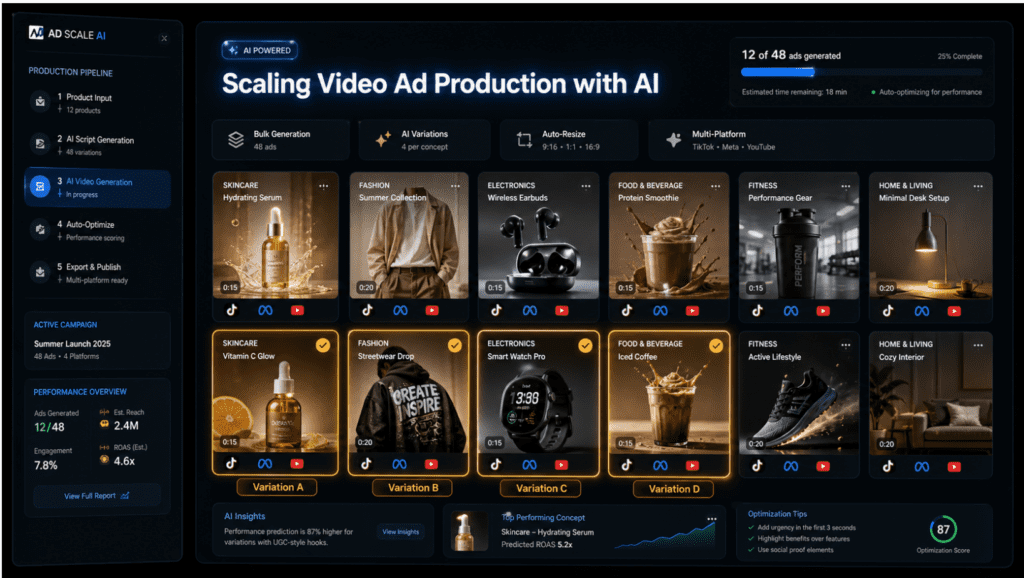
Once you’ve mastered basic video ad creation, scaling production efficiently becomes the next challenge. AI tools enable production volume that would be impossible with traditional methods.

Creating Ad Variations

Platform algorithms reward fresh creative, making it essential to produce multiple ad variations regularly. Testing different hooks, messages, and visual approaches identifies what resonates best with your audience.

Create systematic variations by changing one element while keeping others constant. Start with your successful ad and generate versions with different opening hooks. This isolates the hook’s impact on performance, providing actionable insights.

Test different voiceovers by regenerating audio with various voice options or speaking styles. One voice may significantly outperform others with your target demographic. Test both male and female voices across different age impressions.

Visual variations involve swapping product images, background footage, or color schemes. These changes are quick in AI video makers since you’re working with modular elements rather than re-editing complete videos.

Call-to-action testing identifies which offers or directions drive highest conversion rates. Create identical ads except for the final CTA, testing “Start Free Trial” against “See Plans” or “Limited Time Offer” against “Shop Now.”

Duration variations suit different platform placements. Create 15-second versions for TikTok, 30-second versions for Facebook, and 60-second versions for YouTube from the same core content. Each duration emphasizes different elements while maintaining consistent messaging.

Batch Production Workflows

Batch production multiplies your efficiency by creating multiple ads in concentrated work sessions. This approach reduces context switching and allows you to refine your process across similar projects.

Organize campaigns into batches based on similarity. Group all product ads together, all service promotions together, or all seasonal campaigns together. This grouping lets you reuse similar templates, scripts, and assets efficiently.

Prepare all assets before starting production. Gather product images, write script variations, select music tracks, and organize brand elements. Having everything ready prevents workflow interruptions.

Template your successful ads to accelerate future production. Most AI video makers allow you to save custom templates from completed projects. These templates preserve your specific styling, timing, and structure, letting you swap in new content quickly.

Create assembly-line processes for repetitive elements. Record all voiceovers in one session while your recording equipment is set up. Edit all product images together using consistent processing. This focused approach is faster than handling each element separately across multiple projects.

Using AI for Script Generation

Some advanced AI video makers generate complete scripts from minimal input. This capability dramatically reduces the time spent on copywriting and conceptualization.

Script generation typically requires a brief describing your product, target audience, and desired message. Be specific in these inputs since vague prompts produce generic results. Include unique selling points, customer pain points you address, and any specific claims or benefits you want to emphasize.

Review generated scripts critically before using them in final videos. AI produces grammatically correct and structurally sound copy but may miss nuances of your brand voice or include claims that need verification. Edit scripts to align with your brand personality and ensure accuracy.

Generated scripts provide strong starting points even if you don’t use them verbatim. They suggest hooks, structures, and phrasings you might not have considered. Use them as inspiration when writer’s block strikes or when exploring new message angles.

Some platforms analyze product links and automatically extract information to build relevant scripts. This automation is particularly valuable for e-commerce brands with large catalogs. The AI identifies key features from product pages and generates appropriate ad copy highlighting those elements.

VidAU workflow

From AI video ad idea to scalable campaign creative

  1. Select your campaign format: Choose whether the ad needs a product showcase, UGC-style video, avatar-led explainer, multilingual variation, or platform-specific short-form edit.
  2. Build the core creative: Use templates, product assets, scripts, voiceovers, and brand elements to create the first polished video ad.
  3. Create variations: Test hooks, voice styles, avatar choices, visual backgrounds, calls-to-action, and video durations while keeping the core message consistent.
  4. Adapt for each platform: Export square, vertical, and horizontal versions for Facebook, Instagram, TikTok, YouTube, Reels, and Stories as needed.

Measuring and Optimizing Ad Performance

Creating video ads is only half the equation. Measuring performance and continuously optimizing based on data ensures your AI-generated ads deliver meaningful business results.

Key Performance Metrics

Different campaign objectives require monitoring different metrics. Awareness campaigns prioritize reach and video views. Consideration campaigns focus on engagement and click-through rates. Conversion campaigns emphasize cost per acquisition and return on ad spend.

View rate measures what percentage of served impressions resulted in views. High view rates indicate your thumbnail and opening frame successfully attract attention. Low view rates suggest your creative doesn’t stand out in feed or your targeting reaches uninterested audiences.

Watch time and completion rate reveal whether your video holds attention. If viewers drop off quickly, your opening may not deliver on its promise or your content may be too long. Analyze where drop-off occurs to identify problematic sections.

Click-through rate (CTR) measures what percentage of viewers click your call-to-action. Strong CTR indicates compelling offers and clear direction. Weak CTR suggests unclear value propositions or ineffective calls-to-action despite successful view generation.

Cost per click (CPC) and cost per acquisition (CPA) determine campaign profitability. Compare these costs against your customer lifetime value to ensure sustainable economics. Lower costs enable scaling, while high costs require creative or targeting optimization.

Engagement metrics like likes, comments, and shares indicate content resonance beyond pure response. High engagement often correlates with lower costs as platform algorithms favor content users find valuable.

A/B Testing Video Variations

Systematic testing identifies which creative elements drive performance improvements. Proper A/B testing isolates variables to provide clear insights.

Test one element at a time to maintain clarity about what drives results. If you change the hook, voiceover, and call-to-action simultaneously, you cannot determine which change created performance differences.

Run tests with sufficient audience size and duration to reach statistical significance. Small sample sizes produce unreliable results that lead to poor decisions. Most advertising platforms require hundreds or thousands of impressions before meaningful patterns emerge.

Document test results systematically. Maintain a spreadsheet tracking which creative elements you tested, performance metrics for each variation, and insights gained. This documentation prevents repeating unsuccessful tests and creates institutional knowledge.

Implement winning variations widely once identified. If a particular hook or style significantly outperforms alternatives, apply those learnings to other campaigns and products. Successful patterns often transfer across similar offerings.

Iterating Based on Data

Continuous improvement requires translating performance data into creative refinements. Successful advertisers treat video ad creation as an ongoing optimization process rather than one-time production.

Analyze underperforming ads to identify specific weaknesses. Low view rates indicate problems with thumbnails or opening frames. High view rates but low completion rates suggest middle content fails to maintain interest. High completion but low click-through rates indicate weak calls-to-action or offers.

Create new versions addressing identified weaknesses. If viewers drop off at specific points, remove or improve those sections. If certain product angles underperform, test alternative positioning or benefits.

Monitor performance across different audience segments. An ad may perform well overall but underperform with specific demographics. Create targeted variations for segments responding differently than average.

Refresh creative regularly even when ads perform well. Performance typically declines over time as audiences see repeated creative and platforms favor new content. Establish rotation schedules introducing fresh ads before performance degradation.

Seasonal updates keep content relevant. Imagery, messaging, and offers should align with current seasons, holidays, and cultural moments. AI video makers enable rapid updates that would be impractical with traditional video production.

Advanced AI Video Ad Techniques

As you become comfortable with basic AI video ad creation, advanced techniques unlock additional creative possibilities and production efficiencies.

Using AI Avatars

AI avatar technology creates realistic digital presenters who deliver your script to camera. These avatars range from obviously synthetic to nearly indistinguishable from real people, depending on the platform and model.

Avatar-based ads work particularly well for explainer content, testimonial-style presentations, and direct-to-camera selling. The human presence creates connection and trust while maintaining the scalability benefits of AI generation.

Select avatars that match your target audience demographics and expectations. Age, gender, ethnicity, and professional appearance should align with who your audience trusts. Some platforms offer custom avatar creation based on photos, allowing you to create brand-specific presenters.

Script writing for avatars requires natural, conversational language. Write how people actually speak rather than formal marketing copy. Avatars deliver scripted content, so awkward phrasing becomes immediately obvious.

Some audiences respond better to obviously synthetic avatars while others prefer realistic representations. Test both approaches to determine what resonates. Younger, tech-savvy audiences often embrace stylized digital presenters, while traditional demographics may require realistic avatars for credibility.

Platforms like VidAU AI specialize in avatar-based content creation, offering various presenter styles and customization options. These tools work well for creating consistent presenter-led content across large product catalogs or educational series.

Product Link Automation

Some AI video makers can analyze product pages and automatically generate complete video ads with minimal manual input. This automation dramatically accelerates production for e-commerce businesses.

The process typically begins by inputting your product URL. The AI scrapes the page, extracting product images, descriptions, features, and pricing information. It then generates an appropriate script highlighting key benefits and creates a complete video using this information.

Product link automation works best for straightforward physical products with clear benefits. Complex services or abstract offerings may require more manual script refinement to communicate effectively.

Review automated output carefully before deploying ads. AI-generated scripts may misinterpret product information, emphasize wrong features, or create awkward phrasing. Treat automation as a first draft requiring human review rather than finished creative.

This approach enables rapid scaling across product catalogs. If you manage hundreds or thousands of products, manually creating video ads for each becomes impractical. Automation lets you generate video advertising for your entire inventory, testing which products benefit most from video promotion.

Creating Multi-Language Ad Campaigns

AI video makers with multi-language capabilities enable international expansion without requiring native speakers or translation services for every market.

Text-to-speech engines supporting multiple languages generate voiceovers in your target markets’ languages. Select appropriate voices for each language, considering regional accent preferences. Spanish ads targeting Mexico should use Mexican Spanish voices rather than Spanish from Spain.

Translate your scripts using professional translation services or advanced AI translation tools. Avoid direct word-for-word translation, instead adapting messaging to cultural context and local idioms. What resonates in one market may confuse or offend in another.

On-screen text should also be translated and culturally adapted. Consider that translated text may be longer or shorter than English, requiring layout adjustments. German text often runs longer than English equivalents, while Chinese characters convey information more compactly.

Test localized ads with native speakers before launching campaigns. Even with quality translation, cultural nuances may be missed. Native reviewers identify awkward phrasing, inappropriate imagery, or message misalignments.

Repurposing Existing Content

AI video makers enable efficient repurposing of existing marketing assets into video format. This approach maximizes the value of content you’ve already created.

Blog posts and articles can be transformed into video scripts. Extract key points, statistics, and practical tips from written content. Restructure information for video pacing, which typically requires more concise presentation than written form.

Podcast content provides ready-made audio that can be paired with relevant visuals. Extract segments addressing specific topics and create video versions. Add text overlays highlighting key quotes and visual b-roll supporting the audio content.

Static social media posts that performed well can be adapted into video format. The proven engagement suggests the message resonates, and video format typically amplifies reach and engagement further.

Customer testimonials and reviews provide authentic source material for video ads. Convert written testimonials into avatar-delivered presentations or pair text overlays with relevant product footage.

Common Challenges and Solutions

Even with AI assistance, video ad creation presents challenges. Understanding common issues and their solutions prevents frustration and wasted effort.

Avoiding Generic-Looking Content

One criticism of AI-generated video ads is that they can look similar to other AI-created content. Standing out requires conscious effort to add unique elements.

Customize templates extensively rather than making minimal changes. Replace stock footage with your own product videos or custom photography. Adjust color schemes, fonts, and layouts to match your brand identity precisely.

Add unique opening hooks that reflect current trends or timely angles. Generic openings like “Are you looking for…” appear in countless ads. Specific, unexpected openings create differentiation.

Incorporate real customer footage, behind-the-scenes content, or founder stories when possible. Authentic elements stand out against polished template content and build genuine connection.

Develop a consistent visual style across all your video ads. Use the same color palette, font choices, transition styles, and pacing patterns. Consistency creates brand recognition even when individual ads vary.

Managing Production Quality Expectations

AI video makers produce professional results, but they operate within certain limitations compared to full custom video production.

Understand what AI tools do well and where custom production adds value. AI excels at template-based content, standard product showcases, and information presentation. Custom production better serves complex storytelling, unique filming requirements, or highly creative concepts.

For most digital advertising applications, AI-generated video quality exceeds the threshold necessary for effectiveness. Viewers judge ads primarily on message relevance rather than production polish. Clean, clear presentation matters more than Hollywood-level cinematography.

Invest your limited resources where they create most impact. Use AI generation for volume and variation testing. Reserve custom production budgets for flagship campaigns, brand videos, or concepts that require unique creative that templates cannot deliver.

Handling Platform Rejection

Advertising platforms sometimes reject video ads for policy violations even when you believe your content complies. Understanding common rejection reasons prevents delays.

Read platform advertising policies thoroughly before creating ads. Restrictions on claims, prohibited content categories, and creative requirements vary across platforms. What works on one platform may violate another’s policies.

Avoid absolute claims unless you can substantiate them. Terms like “best,” “guaranteed,” or “fastest” often trigger policy reviews requiring proof. Soften language to “highly rated,” “proven to,” or “industry-leading” when appropriate.

Ensure you have rights to all content in your videos. Stock media from your AI video maker’s library typically includes usage rights, but content you upload must be properly licensed. Personal music, images, or video you don’t own often causes rejection.

Branded content requirements vary by platform. Some require disclosure when ads promote third-party products or services. Ensure proper disclosures appear when relevant.

If your ad is rejected, carefully read the rejection reason and modify specific problematic elements rather than recreating entirely. Most rejections relate to specific claims, images, or terminology that can be adjusted.

Maintaining Brand Consistency

Creating multiple ads rapidly increases risk of inconsistent messaging or visual presentation that confuses your audience.

Develop clear brand guidelines covering visual style, messaging tone, logo usage, and color palettes. Reference these guidelines during every ad creation session.

Create and save custom templates that embed your brand standards. Starting from brand-compliant templates ensures consistency even when different team members create content.

Establish approval workflows requiring review before ads launch. Fresh eyes catch inconsistencies and off-brand elements that creators miss when deeply focused on individual projects.

Audit your active ads periodically to ensure they collectively present a cohesive brand image. Ads created at different times may drift from current brand standards as your visual identity evolves.

Watch out

AI-generated video ads can become generic when templates are barely customized. Replace stock footage, adjust brand styling, add unique hooks, and incorporate authentic footage where possible.

Key takeaway

Conclusion

Creating video ads using AI gives marketers, small business owners, and entrepreneurs a practical way to produce professional advertising content without expensive equipment, advanced editing expertise, or long production timelines. Platforms like InVideo, Canva, Creatify AI, CapCut AI Video Maker, and VidAU AI make it possible to select templates, customize messaging, add voiceovers, export platform-specific formats, and scale creative testing across campaigns.

The best results still come from strategy, not automation alone. Choose the right platform for your goals, customize templates deeply, create strong hooks, balance audio carefully, optimize each version for its platform, test variations, and use performance data to refine the next round of ads. With a repeatable AI-powered workflow, video ad creation becomes faster, more accessible, and easier to scale.

FAQ

Here are answers to common questions about AI video ad makers, video ad creation timelines, editing experience, voiceovers, platform formats, pricing, multilingual campaigns, and performance optimization.

What is an AI video ad maker?

An AI video ad maker is a software platform that uses artificial intelligence to simplify and automate video advertisement creation. These tools provide templates, automatic editing features, AI-generated scripts, text-to-speech voiceovers, and intelligent content generation capabilities that enable users without video editing expertise to create professional-quality ads quickly.

How long does it take to create a video ad using AI?

Most marketers can create a complete video ad using AI tools in 15-30 minutes once familiar with the platform. Initial learning may take 1-2 hours, but subsequent ads become much faster. Simple template customization might take just 10 minutes, while more complex ads with custom voiceovers and extensive modifications might require 45-60 minutes.

Do I need video editing experience to use AI video ad makers?

No, AI video ad makers are specifically designed for users without video editing experience. These platforms use intuitive interfaces with drag-and-drop functionality, pre-designed templates, and automated features that handle technical aspects. Basic computer skills and marketing knowledge are sufficient to create effective video ads.

What are the best AI video ad makers available?

Top AI video ad makers include InVideo for extensive template libraries and flexibility, Canva for integrated design workflows, Creatify AI for automated product video generation, CapCut for unlimited free generation, and VidAU AI for AI avatar-based content. The best choice depends on your specific needs, budget, and the types of ads you create most frequently.

Can I create video ads for free using AI tools?

Yes, many AI video makers offer free tiers with useful capabilities. CapCut provides unlimited video generation without subscription requirements. Canva offers free access with limited templates and features. InVideo provides free trials and limited free accounts. However, free versions typically include watermarks or restricted features, so professional campaigns often benefit from paid tiers.

What video formats work best for social media advertising?

Square format (1:1 ratio, 1080×1080 pixels) works well for Facebook and Instagram feed ads. Vertical format (9:16 ratio, 1080×1920 pixels) suits TikTok, Instagram Stories, and Instagram Reels. Horizontal format (16:9 ratio, 1920×1080 pixels) works best for YouTube ads. Creating platform-specific versions optimizes performance and screen space utilization.

How do I add voiceovers to AI-generated video ads?

Most AI video makers offer two voiceover methods. You can record custom audio using a microphone and upload the file to your project, or you can use text-to-speech technology that converts written scripts into AI-generated voices. Text-to-speech options typically offer multiple voice styles, languages, and accents for different target audiences.

What length should video ads be for different platforms?

TikTok ads perform best at 9-15 seconds. Instagram Reels should be 15-30 seconds. Facebook feed videos work well at 15-30 seconds. YouTube skippable ads can be any length but should hook viewers within the first 5 seconds. Instagram and Facebook Stories ads should be 15 seconds or less per story frame.

How can I make my AI-generated ads look less generic?

Customize templates extensively by replacing stock footage with your own product images or videos, adjusting color schemes to match your brand precisely, creating unique opening hooks specific to your offering, incorporating real customer content or behind-the-scenes footage, and developing a consistent visual style across all your ads. Avoid using templates without significant personalization.

Can AI video makers create ads in multiple languages?

Yes, many AI video makers support multiple languages through text-to-speech voiceover engines that generate audio in various languages and accents. You need to translate your script appropriately for each target market and select voices that match regional expectations. On-screen text should also be translated and culturally adapted for international campaigns.

How much do AI video ad maker subscriptions cost?

Pricing varies significantly across platforms. Free tiers offer basic capabilities with limitations like watermarks or restricted exports. Entry-level paid plans typically range from $10-30 per month and remove watermarks while providing more templates and features. Professional plans cost $30-100+ monthly and include advanced features like premium stock media, unlimited exports, and priority support. Many platforms offer annual subscriptions at discounted rates.

How do I optimize video ads for better campaign performance?

Test multiple ad variations systematically, changing one element at a time like hooks, voiceovers, or calls-to-action. Monitor key metrics including view rate, watch time, click-through rate, and cost per acquisition. Analyze where viewers drop off and improve those sections. Create platform-specific versions optimized for each channel’s requirements. Refresh creative regularly to prevent audience fatigue and maintain algorithm favorability.

Scroll to Top