AI Workflow for Building AI Agents with n8n
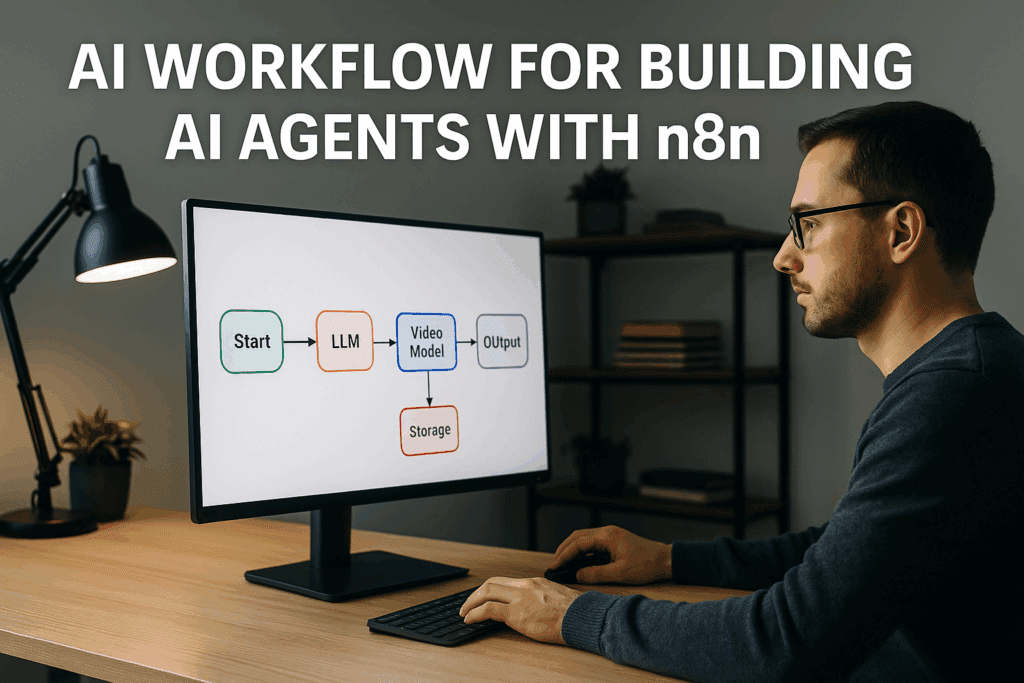
AI workflow now power most modern automation systems. Teams use them to connect large models, run tasks, and create content. n8n makes this simple because it links many AI tools into one system. You can connect models like Grok AI Video, SVI 2.0, Wan 2.2, Kling O1, and Gemini 3.0 Pro. When combined, these tools can generate unlimited videos and run full AI agents without manual work.
This guide shows how these workflows function and how you can use n8n to build strong AI agents for video generation.
What Is an AI Workflow and Why It Matters Now?
An AI workflow is a chain of steps that connects models and tools. It handles input, runs logic, and produces output with little manual work.
How AI Workflows Connect Models and Tools
AI workflows pass tasks between models. An LLM writes text. A video model generates scenes. A voice model adds sound. n8n links these steps.
Why Workflows Power AI Agents
AI agents need structure. They plan tasks. They call them tools. Workflows give them the order, rules, and automation they need to run without stopping.
Why n8n Is the Best Builder for AI Agent Workflows
n8n works well for AI agents because it is simple to build, flexible, and modular.
Low-Code Setup
You drag and drop nodes. You connect actions. Add logic. No heavy coding needed.
Connect Any AI Model
You can use Grok, Gemini 3.0 Pro, and Meta video models. n8n also supports direct API calls to Wan 2.2, SVI 2.0, and Kling O1.
Auto-Loops, Triggers, and Error Handling
You can build agents that run all day. n8n retries tasks, handles failures, and keeps the system stable.
AI Models You Can Use Inside an n8n Workflow
These models help your agent produce full video output.
Grok AI Video
Good for fast UGC-style video clips.
SVI 2.0
Great for consistent characters across many scenes.
Wan 2.2
Strong with detail and realistic textures.
Kling O1 Model
Smooth long-motion scenes and stable camera paths.
Meta Video Generator
Quick ads and simple “talking” formats.
Gemini 3.0 Pro
Reasoning, planning, and script-writing for your agent.
AI Workflow Architecture for Building AI Agents

A good AI agent follows clear steps.
Step 1 – Define Agent Job
Pick the task. It can be an ad maker, a video storyteller, or a content generator.
Step 2 – Add LLM Reasoning Layer
Use Gemini 3.0 Pro or Grok to write scenes, scripts, and prompts.
Step 3 – Add Video Model Integration
Send the script to Wan 2.2, Meta, or Kling O1. These models turn ideas into video.
Step 4 – Add Storage and Labeling
Save files with clear names. Add tags so your agent can find old outputs.
Step 5 – Add Output Delivery
The agent can upload videos to TikTok, YouTube, or Google Drive. VidAU can refine the clip before upload.
How to Generate Infinite AI Videos Using n8n Agents
You can create a loop that runs on its own.
Loop-Based Video Generation
Set triggers to run every hour or based on events. Each run creates a new video.
Use Consistent Character Models
SVI 2.0 and Wan 2.2 help keep the same character across many videos.
Auto-Generate Scripts + Scenes
LLMs write new scripts. They also update the prompt style.
Insert Variation Logic
Change locations, clothing, or backgrounds. Keep the video fresh.
Auto-Render and Publish
The agent sends the output to VidAU for edits. Then it publishes the final video automatically.
Best Practice Workflow Example (Table Included)
Here is a simple example workflow:
| Step | Tool | Purpose |
| Script | Gemini 3.0 Pro | Write the story |
| Character | SVI 2.0 | Keep identity consistent |
| Video | Kling O1 / Wan 2.2 | Create scenes |
| Audio | MiniMax 2.6 | Add voice |
| Edit | VidAU | Add captions and export |
| Publish | n8n | Upload or schedule |
This structure helps your agent run from idea to final output without manual help.
Tips for Building Reliable AI Agent Workflows
Add Prompt Templates
Stable templates reduce strange results.
Add Error Recovery Nodes
Set retry logic. Avoid breaks in the workflow.
Add Versioning
Save old prompts and workflow designs. You can go back if something breaks.
Use Logging and Monitoring
Track errors, slow steps, and usage. This helps scale smoothly.
Conclusion
AI workflows give you a clear way to build AI agents that create and deliver video content. n8n brings flexibility, and the latest models like Grok, SVI 2.0, Wan 2.2, and Kling O1 give strong visual results. When you add VidAU for editing and exports, you get a full system that can run alone, generate unlimited videos, and keep your content pipeline active every day.
FAQs
1. Can n8n run AI agents all day?
Yes. n8n supports loops and triggers. With good error handling, your agent can run nonstop and produce content all day.
2. Which AI model is best for video inside n8n?
Kling O1 is stable for long scenes. Wan 2.2 is strong for realism. Meta Video Generator is fast for ads. Many people mix them to get more variation.
3. How do I keep characters consistent across many videos?
Use SVI 2.0 or Wan 2.2. These models keep the same face, style, and features across long workflows.
4. Can I publish videos automatically with n8n?
Yes. n8n supports upload nodes and webhooks. You can publish to YouTube, TikTok, or other platforms.
5. Why use VidAU in this workflow?
VidAU helps refine videos, add captions, and export in the right size. It improves the final output without extra steps.