Automated AI Animation Workflow: Generate 50+ Consistent Disney-Style Scenes in Minutes
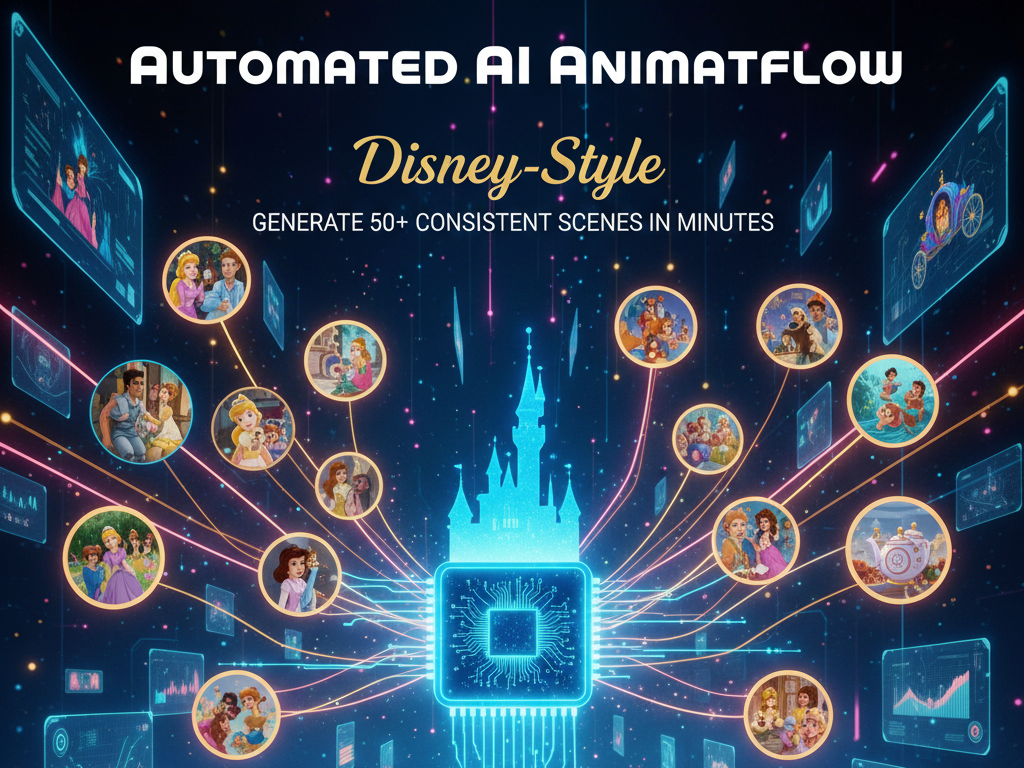
Stop wasting hours, generate 50 Disney-style scenes with one click. The promise of AI animation was never about replacing creativity, it was about eliminating the production bottlenecks that keep creators stuck in manual labor. Yet most animators are still spending five or more hours assembling scenes one by one, tweaking prompts, re-rolling generations, and fighting consistency issues that should have been solved by now.
This deep dive breaks down a production-grade automated AI animation workflow designed for bulk scene creation. Using a one-click visual engine built around ComfyUI, Runway, and emerging models like Sora and Kling, you’ll learn how to generate 50+ cohesive, cinematic scenes in minutes while maintaining character identity, style fidelity, and camera polish.
This is not a prompt list. This is a system.
1. Automated Batch Scene Generation with One-Click Pipelines
The core challenge in AI animation is not generation, it’s orchestration. Most tools can generate a single scene well. Very few can generate dozens of scenes predictably.
The Problem with Manual Scene Creation
Manual workflows fail at scale because:
- Prompts drift over time
- Seeds are not standardized
- Camera language changes unintentionally
- Scene-to-scene latency kills iteration speed
When you multiply this by 30–50 scenes per video, your timeline collapses.
The Solution: Batch-Oriented Visual Engines
At the heart of this workflow is ComfyUI configured as a batch automation engine. Unlike linear UI tools, ComfyUI allows node-based control over:
- Prompt matrices
- Seed parity
- Scheduler selection (Euler a, DPM++ 2M, etc.)
- Latent reuse across scenes
Core Batch Generation Architecture
A standard one-click pipeline includes:
1. Scene List Loader Node
- Imports a CSV or JSON file containing scene descriptions
- Each row = one scene
2. Prompt Template Node
- Locks global style tokens (“Disney-style 3D animation, soft lighting, cinematic color grading”)
- Injects per-scene variables dynamically
3. Seed Controller
- Uses either:
- Fixed seed (absolute consistency)
- Offset seed (controlled variation)
4. Latent Batch Processor
- Generates all scenes in one run
- Preserves shared latent structure
This architecture allows you to press generate once and walk away while 50+ scenes render automatically.
Integrating Runway and Sora
For creators using Runway Gen-3* or *Sora, the same logic applies conceptually:
- Pre-structure scene prompts externally
- Use API or batch submission
- Lock style descriptors and camera logic
The key is externalizing control so generation is driven by data, not manual clicks.
2. Maintaining Character Consistency at Scale with Latent Control
Character consistency is the single biggest failure point in AI animation. Without control, characters morph subtly in every scene, different eyes, different face shapes, different proportions.
Why Prompts Alone Are Not Enough
Even with identical prompts, diffusion models introduce variance due to:
- Random noise initialization
- Attention drift
- Sampler behavior
Consistency requires latent-level constraints.
Latent Consistency Techniques
This workflow uses three core techniques:
1. Seed Parity
- – A fixed seed ensures the same noise initialization
- – When paired with prompt deltas, this preserves identity while allowing action changes
Example:
- Scene 1: Seed 123456, Character standing
- Scene 2: Seed 123456, Character running
The character remains recognizably identical.
2. Reference Image Injection
Using:
- IP-Adapter
- ControlNet Reference
You can anchor the model to a canonical character image.
Best practice:
- Generate a Character Master Frame
- Feed it into every scene generation at low-to-medium weight (0.6–0.8)
This locks facial geometry and costume design without freezing pose.
3. Latent Reuse Across Batches
Advanced ComfyUI workflows reuse latent tensors between generations. This means:
- Scene 1 latent becomes Scene 2 starting point
- Reduces identity drift
- Improves temporal cohesion
This technique is especially powerful when creating sequential story scenes.
Disney-Style Fidelity
To maintain Disney-like aesthetics:
- Lock lighting descriptors (“soft global illumination, warm rim light”)
- Fix color palette tokens
- Use the same base checkpoint across all scenes
Switching checkpoints mid-project is the fastest way to destroy consistency.
3. Cinematic Camera Movement Automation for Professional Animation
Most AI-generated animations look amateur not because of character quality, but because of camera language.
Static framing kills immersion.
Defining Camera as Data
In this workflow, camera movement is treated as structured input, not creative guesswork.
Each scene includes:
- Camera type (wide, medium, close-up)
- Motion (dolly in, pan left, crane up)
- Lens simulation (35mm, 50mm)
These parameters are injected into prompts programmatically.
Automated Camera Motion in Runway and Kling
Tools like Runway* and *Kling allow camera movement tokens such as:
- “slow cinematic dolly forward”
- “smooth parallax pan”
By standardizing these tokens across scenes, you get:
- Visual continuity
- Professional pacing
- Film-like rhythm
Euler a and Temporal Stability
When generating animated frames or video clips:
- Use Euler a scheduler for smoother motion
- Reduce step count variance
- Maintain consistent CFG values
Euler a introduces controlled noise that feels organic rather than jittery, making it ideal for cinematic motion.
One-Click Camera Automation
In ComfyUI:
- Camera parameters are stored in the scene list
- Each batch generation automatically applies them
This means your entire video can have a coherent visual grammar without manual adjustment.
Putting It All Together: The One-Click System
The full system works like this:
- Write your story as structured scene data
- Load it into your visual engine
- Press generate once
- Receive 50+ fully consistent, cinematic scenes
No scene-by-scene babysitting. No prompt fatigue. No identity drift. This is how high-volume AI animation scales. If you’re still generating scenes manually, you’re not using AI, you’re working for it.
Final Thoughts
Bulk scene creation is no longer a future promise. With the right automation architecture, AI animation becomes a force multiplier rather than a novelty. The creators who win in the next phase of generative media will not be the best prompt writers, they will be the best system designers.
Build once. Generate forever.
Frequently Asked Questions
Q: Can this workflow work without ComfyUI?
A: Yes, but with limitations. Tools like Runway or Sora can replicate batch logic via APIs or external prompt orchestration, but ComfyUI offers the deepest latent-level control for consistency.
Q: How many scenes can realistically be generated in one batch?
A: Depending on GPU memory and resolution, 30–100 scenes per batch is common. Scene count scales linearly with hardware capability.
Q: Is Disney-style animation legally safe?
A: You should avoid trademarked characters. The workflow focuses on stylistic inspiration (lighting, proportions, color) rather than copyrighted IP.
Q: What GPU is recommended for this pipeline?
A: A minimum of 12GB VRAM is recommended. For large batches or high resolutions, 24GB+ GPUs significantly improve throughput.