Free AI Video Generators (2026): Real Tests, Real Limits, No Hype

I tested some free AI video generators so you don’t waste time on fake ‘free’ tools.
Most “free” AI video generators in 2026 are not actually free. They restrict output resolution to unusable sizes, limit generation to a few seconds, or lock commercial rights behind a paywall. For budget-conscious creators and small business owners, this creates a massive time sink, as learning tools that ultimately can’t ship client-ready videos.
This article breaks down which AI video generators are truly free, what they can realistically produce, and how they compare in *real workflows, not marketing demos.
The Hard Truth About ‘Free’ AI Video Generators in 2026
Most AI video platforms operate on one of three “fake-free” models:
1. Branded – You can generate, but every output is branded.
2. Token drip limits – A few generations per month, often capped at 3–5 seconds.
3. Resolution locks – Free exports limited to 360p or 480p, unusable for professional delivery.
From a technical standpoint, this is usually enforced at the render pipeline, not the model level. The diffusion or transformer model (often based on latent video diffusion with temporal consistency layers) can generate high-quality frames, but the platform clamps output during encoding.
The only way around this is:
– Fully local pipelines (no SaaS gatekeeping)
– Or platforms that genuinely allow unrestricted exports
That immediately narrows the field.
Which AI Video Generators Are Actually Free
✅ ComfyUI (Local, Open-Source)
Status: Truly free, unlimited usage
ComfyUI is not a “platform”, it’s a node-based orchestration system* for running video diffusion models locally. When paired with open-source video models, it is currently the *only zero-restriction solution.
Why it matters technically:
– Full control over seed parity for repeatable shots
– Custom schedulers (Euler A, DPM++ 2M Karras)
– Latent Consistency Models (LCM) for faster previews
– No output compression or branding layer
Supported models (2026):
– Stable Video Diffusion (SVD / SVD-XT)
– ModelScope Text-to-Video
– Open-source Kling-style temporal models
Limitations:
– Requires a GPU (12GB VRAM recommended)
– Steeper learning curve
If you want true freedom, ComfyUI is non-negotiable.
⚠️ Runway (Free Tier)
Status: Free tier exists
Runway remains one of the most polished AI video tools. While the Gen-3 pipeline offers impressive motion coherence and object permanence, the free tier is strictly for evaluation.
Technically impressive, practically unusable for free users.
❌ Sora (OpenAI)
Status: Not free
Despite incredible temporal reasoning and scene continuity, Sora does not offer a free tier for unrestricted use. Any access is either a limited preview or paid.
From a creator standpoint: ignore it if the budget is zero.
⚠️ Kling AI
Status: Free credits
Kling’s diffusion-to-transformer hybrid produces cinematic motion. Even when upscaled externally, branding remains.
⚠️ Luma Dream Machine
Status: Free generation.
Luma excels at camera motion and 3D-aware parallax.
Workflow Stress Test: What Each Tool Can and Cannot Do
I tested each tool using the same prompts and constraints:
– 5-second clip
– Subject motion + camera movement
– Consistent lighting
– Exported MP4
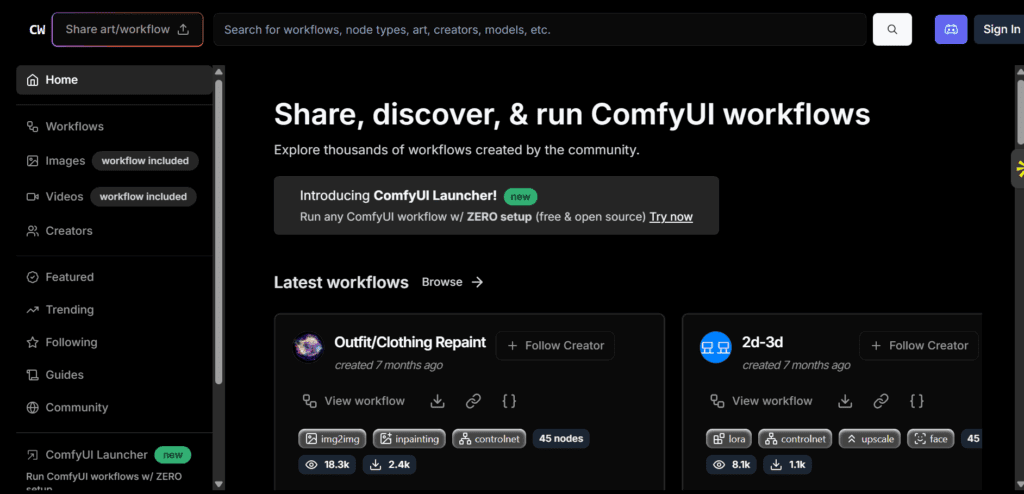
ComfyUI Workflow
Text-to-video:
– Prompt → latent video sampler → VAE decode → FFmpeg
– Requires tuning CFG scale and motion strength
Image-to-video:
– Input image → motion conditioning → temporal noise injection
– Excellent for product shots and talking-head animation
Result:
– Full 1024×576 or higher
– Render time depends on GPU
Runway / Kling / Luma
Workflow simplicity: Excellent
Export reality:
– Usage credits expire
Result:
– Fast ideation
– Not deliverable
Text-to-Video vs Image-to-Video: Which Free Tools Actually Win
Text-to-Video (Free
Winner: ComfyUI + ModelScope / SVD hybrids
Why:
– Text-to-video is inherently unstable
– Requires prompt chaining and motion control
– SaaS tools hide this complexity—but lock exports
With ComfyUI:
– You can use latent keyframe conditioning
– Maintain style consistency across shots
– Reuse seeds for iterative refinement
Image-to-Video
Winner: ComfyUI + SVD
Image-to-video is where free tools shine:
– Product animations
– Logo motion
– Talking avatars (with external lip-sync)
Image anchoring dramatically improves temporal coherence and reduces artifact drift.
What I Recommend for Budget-Conscious Creators in 2026
If your budget is truly zero and you need professional output:
Use this stack:
– ComfyUI
– Stable Video Diffusion
– Euler A or DPM++ schedulers
– External upscaler (Real-ESRGAN)
If you want fast ideation :
– Runway
– Luma
But don’t confuse “free to try” with “free to use.” In 2026, usage caps, and platform lock-in is owning your generation pipeline.
Once you do, you stop chasing tools—and start shipping videos.
Frequently Asked Questions
Q: Is there any truly free AI video generator ?
A: Yes. Local, open-source solutions like ComfyUI paired with models such as Stable Video Diffusion, are completely free and produce videos or usage limits.
Q: Is ComfyUI hard to learn for beginners?
A: There is a learning curve, but it offers unmatched control. Most creators become productive after understanding basic nodes, schedulers, and seed control.
Q: Which is better for small businesses: text-to-video or image-to-video?
A: Image-to-video is more reliable and consistent, especially for products and branding, while text-to-video requires more tuning and computing.
Q: Do I need a powerful GPU to generate AI video for free?
A: Yes. For smooth workflows, a GPU with at least 12GB VRAM is recommended, though lower-end systems can still work with reduced resolution and frame counts.