AI Music Video Tools · Song-to-Video Workflows & Visual Creation
Best AI for Music Videos: Top Tools to Turn Songs Into Visuals
Compare Cremi AI, Seedance 2.0, OpenArt, and more to create professional music videos with ease.
By the VidAU Editorial Team · AI music video guide · Cremi AI, Seedance 2.0, Suno AI, OpenArt, and VidAU workflow comparison
The best AI for music videos turns a finished song into matching visuals without editing software or a camera, and Cremi AI leads that group in 2026.
The best AI for music videos turns a finished track into matching visuals without editing software, a camera, or hours of timeline work. In 2026, Cremi AI sits at the front of that group, while the Seedance 2.0 plus Suno AI combination and OpenArt cover strong supporting use cases. Each handles different audio sources, scene styles, and output needs.
This guide is for content creators, musicians, and YouTube creators who want a finished music video from a song they already have. We compare the top tools by use case, walk through a repeatable workflow, and flag where AI music video generators still fall short so you choose the right one the first time.
Quick Summary
- Cremi AI is the strongest pick in 2026 for turning songs from Suno, Udio, or custom vocals into full AI music videos with minimal setup.
- Seedance 2.0 paired with Suno AI is the best AI video generator for music videos when you want clip-level control and stylized, high-engagement scenes.
- Most AI music video tools generate short clips of a few seconds, so plan scene by scene and stitch them rather than expecting one prompt to carry a full song.
- Creators with no editing skills benefit most, since these tools replace expensive gear and timeline work with prompts and audio uploads.
In This Guide
- What the best AI for music videos actually does
- Step-by-step workflow to turn a song into a video
- Why AI music video tools matter for creators and musicians
- Cremi AI reviewed for song-to-video creation
- Seedance 2.0 plus Suno AI compared for stylized visuals
- OpenArt as a fast cinematic option
- Best AI for music videos compared by use case
- Common mistakes creators make with AI music videos
- Final Thoughts
- FAQ
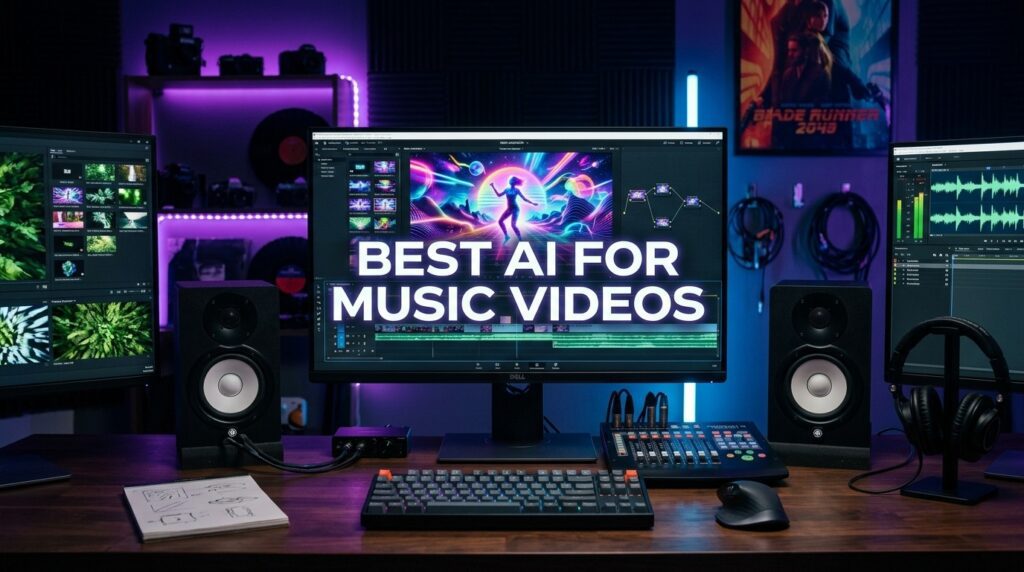
What Is the Best AI for Music Videos?
The best AI for music videos is a tool that takes an audio track and generates matching visuals, scenes, and motion without manual filming or editing. Most platforms accept music from Suno, Udio, or your own recordings, then build a sequence of AI-generated clips that follow the mood, pacing, or beat of the song.
These tools fall into two camps. Some, like Cremi AI, are built specifically for music video creation and handle the audio-to-visual flow for you. Others, like Seedance 2.0, are general AI video models that musicians pair with a song to assemble scenes manually. Both can be a strong best ai music video creator depending on how much control you want.
Key Takeaways
- Dedicated tools handle the song-to-video flow automatically.
- General video models give you scene-level control at the cost of more manual work.
- Almost all of them accept finished tracks from Suno, Udio, or custom audio.
Step-by-Step Workflow to Turn a Song Into a Video
Use this workflow with any of the tools above. The order matters more than the tool you pick.
Step 1: Finish your song first
Finish your song first. Export a clean track from Suno, Udio, or your own recording before you touch any video tool.
Step 2: Plan scenes by section
Plan scenes by section. Map intro, verse, chorus, and outro to distinct moods so the visuals follow the music.
Step 3: Generate clips per section
Generate clips per section. Create short scenes rather than expecting one prompt to cover the whole song.
Step 4: Lock a visual style early
Lock a visual style early. Pick a color, lighting, and subject style and reuse it across prompts for consistency.
Step 5: Assemble and align to the beat
Assemble and align to the beat. Stitch clips and time cuts to the rhythm, then export for your target platform.
The scene-by-scene approach is not a workaround. It is how experienced AI creators get continuity that single prompts cannot deliver yet.
If you want a sharper final cut, run your assembled video through a video enhancer to clean up resolution, and pull a clean audio track with a video to audio tool when you need to remix sound.
Key Takeaways
- Finish the song before generating visuals.
- Build the video from short, consistent scenes.
- Time your cuts to the beat for a polished feel.
Why AI Music Video Tools Matter for Creators
AI music video tools matter because they remove the two biggest blockers in music video production: gear and editing time. A creator with a finished song no longer needs a camera crew, a location, or a week in an editor to release something watchable.
That shift is real, but it comes with a planning catch. When our team reviewed how creators discuss AI video generation, the recurring point was that these models still produce short clips, not continuous films. As one Reddit creator put it bluntly about long-form AI video, you are better off storyboarding it scene by scene and assembling it in an editor. The same logic applies to a three-minute song.
So the value is not magic continuity. It is speed, low cost, and creative range. You trade one big shoot for many small generated scenes you control and stitch together.
Planning catch
The value is not magic continuity. It is speed, low cost, and creative range. You trade one big shoot for many small generated scenes you control and stitch together.
Cremi AI Reviewed for Song-to-Video Creation
Cremi AI is the freshest and most relevant option for music video generation in 2026, built to turn a finished song into a full visual music video. It accepts tracks from Suno, Udio, your own vocals, or any completed audio file, then generates AI visuals around the song.
In the demos I reviewed and analysed, the appeal is the workflow rather than any single feature. You upload a track, the tool builds visuals to match it, and you get something usable for music videos, social clips, YouTube content, or AI music projects without touching editing software. For a solo musician, that is the closest thing to a one-tool pipeline right now.
The trade-off is control. A song-first tool decides a lot of the pacing for you, which is great for speed and weaker if you have a precise shot list in mind. As a best ai music video maker for creators who want results fast, Cremi AI is the easiest entry point.
Verdict: Best overall for fast, low-effort song-to-video creation in 2026.
Best fit
For a solo musician, Cremi AI is the closest thing to a one-tool pipeline right now because it accepts a finished track and builds visuals around the song.
Seedance 2.0 Plus Suno AI Compared for Stylized Visuals
Seedance 2.0 paired with Suno AI is the best ai video generator for music videos when you want stylized scenes and tighter creative control. Suno v5.5 generates the song, and Seedance 2.0 generates the visuals you assemble around it.
This combination earned the strongest engagement in our research pack, with one tutorial pulling over 34,000 views, which signals real creator demand for this exact stack. The workflow is more hands-on than Cremi AI. You generate clips, guide the style, and arrange the sequence yourself, which suits creators who care about look and feel more than speed.
The limitation is the same one that shows up across AI video: each generation is short. You build a music video from many clips, so a prompt pack and a clear scene plan matter more than any single render. Treat it as a scene engine, not a one-click video maker.
Verdict: Best for stylized, high-engagement visuals when you want clip-level control.
Workflow limitation
Seedance 2.0 plus Suno AI works best when you treat it as a scene engine, not a one-click video maker. A prompt pack and clear scene plan matter more than any single render.
OpenArt as a Fast Cinematic Option
OpenArt is a solid supporting option for creators who want cinematic visuals quickly and at volume. It takes a music track or concept and turns it into stylized scenes without editing software or expensive gear.
The most useful guidance from OpenArt creators is practical workflow advice that applies to every tool here: keep scenes consistent, push for realism, and batch your work to move faster. One creator generated 200 AI music videos and stressed consistency across scenes and speed as the things they wished they knew sooner.
OpenArt has been around longer than Cremi AI, so treat it as proven supporting context rather than the freshest 2026 pick. It earns its place when you want to produce many cinematic clips in a single session.
Verdict: Best for high-volume, fast cinematic output and workflow consistency.
Production tip
Keep scenes consistent, push for realism, and batch your work to move faster. Consistency across scenes is what keeps high-volume AI music videos from feeling disconnected.
Best AI for Music Videos Compared by Use Case
There is no single winner for every creator. The right pick depends on whether you want speed, control, or volume.
| Tool | Best For | Trade-Off |
|---|---|---|
| Cremi AI | Fast song-to-video, solo musicians | Less scene-level control |
| Seedance 2.0 + Suno | Stylized, controlled visuals | More manual assembly |
| OpenArt | High-volume cinematic clips | Older than 2026 newcomers |
If you want the least effort, start with Cremi AI. If you want a distinct visual style, use Seedance 2.0 with Suno. If you need many clips fast, OpenArt fits well. Most creators end up using more than one over time.
For creators who also need branded video ads or product promos alongside music content, VidAU AI Video covers a different lane by generating ad-ready video from scripts, images, or product URLs. VidAU is an AI video ad platform that generates video ads from product URLs, images, or scripts in 49 languages, so it suits marketing output rather than song-driven music videos.
Tool selection rule
Choose Cremi AI for the least effort, Seedance 2.0 with Suno for a distinct visual style, and OpenArt when you need many cinematic clips fast.
Common Mistakes Creators Make With AI Music Videos
The most common mistake is expecting one prompt to generate a full music video. Current models output short clips, so creators who skip scene planning end up with disjointed footage that does not match the song.
A second mistake is ignoring consistency. When OpenArt creators reviewed their highest-volume runs, drifting characters and styles between scenes was the issue that broke immersion most. Lock your visual style early.
A third mistake is treating the AI tool as the place where final quality is created. In creator discussions about sharper video, the honest answer was often that you cannot fix everything in one editor. Source quality, style choices, and a final upscale pass matter more than chasing one hidden setting. Plan a small end-to-end pipeline instead.
Finally, do not over-edit in a separate tool when the AI output is already close. Many creators waste time fighting export settings when the bigger lever is better prompts and a consistent style.
Mistake to avoid
Do not expect one prompt to generate a full music video. Current models output short clips, so scene planning is what keeps the visuals aligned with the song.
Create AI Videos Now With VidAU
Use VidAU AI Video when your music release also needs branded video ads, product promos, script-driven clips, or fast marketing content alongside your song-driven music video pipeline.
VidAU workflow
Where VidAU fits beside AI music video tools
- Use Cremi AI for song-to-video speed: Upload a finished song from Suno, Udio, your own vocals, or another completed audio file when you want the fastest music-video-first workflow.
- Use Seedance 2.0 plus Suno for stylized scenes: Generate the song with Suno, then build controlled visual scenes in Seedance 2.0 when you care more about style than speed.
- Use OpenArt for cinematic volume: Produce many stylized clips in one session when you need fast cinematic output and can manage consistency across scenes.
- Use VidAU AI Video for promo content around the release: Generate ad-ready videos from scripts, images, or product URLs when the goal is marketing output rather than a song-driven music video.
- Use enhancer and audio extraction tools after assembly: Clean up resolution with a video enhancer and pull audio with a video to audio workflow when you need to remix or polish the final cut.
Key takeaway
Final Thoughts
The best AI for music videos in 2026 depends on what you value. Cremi AI wins on speed and ease for solo musicians, Seedance 2.0 with Suno wins on stylized control, and OpenArt wins on cinematic volume. All three work best when you finish the song first, plan scenes, and stitch them with a consistent style.
Start with one tool, build a single video scene by scene, and refine your prompts from there. If your work also involves promo or ad content around your music, explore VidAU AI Video for fast, script-driven video output that complements your music video pipeline.
FAQ
Here are answers to common questions about the best AI for music videos, the best AI video generator for music videos, the best AI music video creator, the best AI music video maker, Cremi AI, Seedance 2.0, Suno AI, OpenArt, scene-by-scene workflows, audio sources, consistency, and longer AI music videos.
What is the best AI for music videos in 2026?
Cremi AI is the strongest pick in 2026 for turning finished songs into full music videos with minimal setup. For stylized, controlled visuals, the Seedance 2.0 plus Suno AI combination performs well, and OpenArt suits creators who want high-volume cinematic clips. The right choice depends on whether you prioritize speed, control, or volume.
What is the best AI video generator for music videos with control?
Seedance 2.0 paired with Suno AI is the best ai video generator for music videos when you want scene-level control. Suno generates the song and Seedance generates the visuals you arrange yourself. It takes more manual assembly than Cremi AI, but it gives you stronger influence over style, pacing, and the overall look of each scene.
Can AI create a full music video from a single prompt?
Not reliably yet. Current AI video models generate short clips, not continuous multi-minute films. The practical approach is to plan scenes by song section, generate each clip separately, then stitch them together. Creators who expect one prompt to cover a full song usually get disjointed visuals that do not match the music.
What audio sources work with AI music video tools?
Most tools accept finished tracks from Suno, Udio, your own vocals, or any completed audio file. Cremi AI is built around this flexibility, letting creators bring almost any song into the visual generation process. Always export a clean, final audio file before generating visuals so the timing and mood stay accurate.
Do I need video editing skills to make AI music videos?
No. The best ai music video maker tools are designed for creators without editing experience. They replace cameras, gear, and timeline editing with prompts and audio uploads. You still benefit from light planning, such as mapping scenes to song sections and keeping a consistent style, but technical editing skills are no longer required.
How do I keep AI music video scenes consistent?
Lock your visual style early by choosing a fixed color palette, lighting, and subject style, then reuse those details across every prompt. Generate scenes in batches with the same settings. Inconsistent characters and styles between clips are the most common reason AI music videos feel disjointed, so consistency planning matters more than tool choice.
Which AI music video tool is best for beginners?
Cremi AI is the easiest starting point for beginners because it handles the song-to-video flow automatically. You upload a track and it builds matching visuals without heavy setup. As you grow more comfortable, you can add Seedance 2.0 with Suno for control or OpenArt for high-volume output across your projects.
Can I make a longer AI music video?
Yes, by building it scene by scene. Since AI models output short clips, longer videos come from generating many scenes and stitching them in sequence. Storyboard your song first, generate clips for each section, then assemble and align cuts to the beat. This scene-based method is how creators reach full-length music videos today.