
Facebook Video Ad Maker · High-Converting Ads
Best Facebook Video Ad Maker Tools to Create High-Converting Video Ads
Discover the best facebook video ad maker tools for creating high-converting ads with AI avatars, templates, mobile-ready formats, captions, and Facebook ad specs.
By the VidAU Editorial Team · Updated 2026 · 14 min read
Looking to boost your Facebook advertising results? The right facebook video ad maker can be the difference between ads that scroll past and ads that stop people cold.
Most businesses know they need video ads on Facebook. Fewer know which tool will actually help them make one that converts. The options range from drag-and-drop template builders to AI platforms that generate spokesperson videos in minutes, and the gap between them matters.
A good facebook video ad maker saves time, removes the need for a production team, and gives you something that looks polished enough to earn a click. Whether you’re a solo founder running ads yourself or a social media manager handling five client accounts, the right tool changes the whole workflow.
This guide compares the top platforms across different skill levels and budgets—including AI-powered tools that are reshaping how video ads get made in 2025.
Quick Summary
- InVideo and Biteable are the most beginner-friendly options, with large template libraries and fast turnaround.
- AI tools like Arcads and Steve.AI generate spokesperson and UGC-style ads without needing actors or studios.
- Canva and Adobe Express are strong choices if you already handle design work and want video built into the same workflow.
- Facebook video ad specs matter: use square (1:1) or vertical (4:5 or 9:16) formats for mobile-first placements, and keep most ads under 30 seconds.
What Is a Facebook Video Ad Maker?
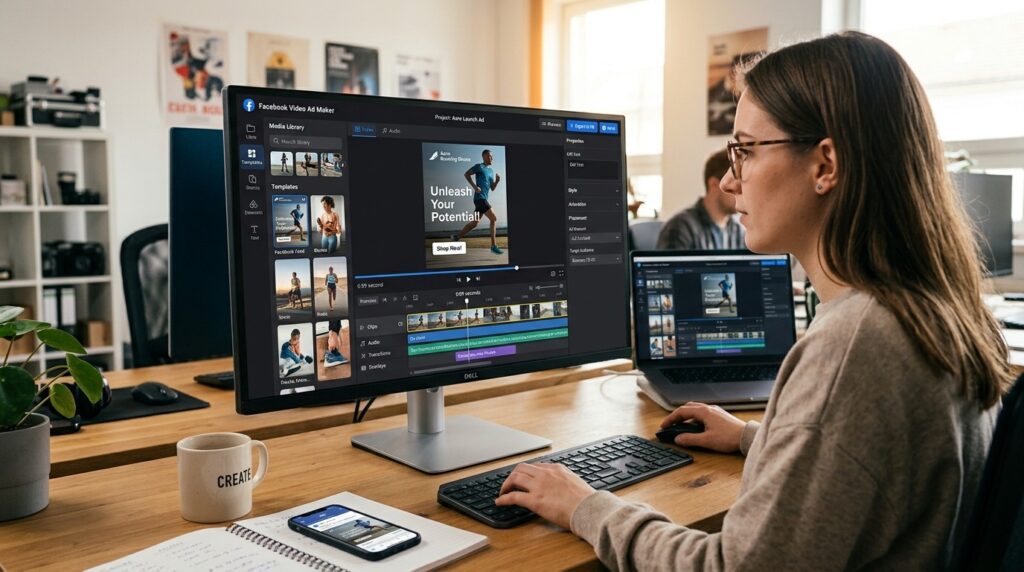
A facebook video ad maker is a software tool or platform that lets you create video content specifically formatted and optimized for Facebook advertising. These tools typically include ad-sized templates, text overlays, music libraries, motion graphics, and export settings that match Facebook Ads Manager requirements. Modern versions also include AI features that generate scripts, voiceovers, avatars, or complete video drafts from a text prompt or product URL.
Key definition
A facebook video ad maker is not just a video editor. It is a tool designed around Facebook ad formats, mobile placements, templates, captions, export specs, and campaign-ready creative assets.
Why the Tool You Choose Affects Ad Performance
Not all video creation tools are built with ads in mind. A general video editor might give you a beautiful result that takes three hours to produce and still runs at the wrong aspect ratio. That costs you both time and money.
Facebook rewards videos that feel native to the feed. That means short, visually clear, and designed to make sense without sound. The best ad tools bake these constraints in from the start, so you’re not retrofitting a marketing video into an ad format at the end.
AI-powered facebook video ad creator tools add another layer. Instead of starting from a blank timeline, you describe your product or paste a URL, and the platform generates a draft ad with scenes, captions, and voiceover already in place. For teams without video production resources, this closes a significant gap.
Key Takeaways
- Choose a tool built for ad formats, not general video editing.
- Native-feeling ads perform better on Facebook’s algorithm.
- AI tools can compress a multi-hour workflow into minutes.
Step-by-Step Process for Creating a Facebook Video Ad
Regardless of which tool you use, the process follows a similar path.
1. Define the goal and audience
Are you driving traffic, generating leads, or pushing a product sale? This shapes the script and CTA before you open any tool.
2. Write or generate a short script
Most high-performing facebook video ad examples run between 15 and 30 seconds. Your script should address one problem, show one solution, and end with one clear call to action.
3. Choose your format and aspect ratio
Square (1:1) or vertical (4:5) work best for mobile feed placements. Horizontal (16:9) works for desktop and in-stream. This is the facebook video ad size decision that affects where your ad shows.
4. Build the video using your chosen tool
Use templates when available. Replace placeholder visuals with your own product images or footage. Add captions—most viewers watch without sound.
5. Add music and voiceover
Keep background music subtle. Use a voiceover only if it adds clarity.
6. Export at the correct specs
Facebook recommends MP4 or MOV, H.264 compression, and a maximum file size of 4 GB. Most ad tools handle this automatically.
7. Upload to Facebook Ads Manager and set targeting
The video is only part of the equation. Targeting and budget determine who sees it.
Best Facebook Video Ad Maker Tools by Use Case
Here’s how the main platforms compare across the most common use cases.
| Tool | Best For | Key Strength |
|---|---|---|
| InVideo | Beginners and marketers | Large template library, fast output |
| Biteable | Simple animated ads | Easy to use, brand kit support |
| Arcads | AI UGC-style spokesperson ads | Realistic AI avatars, no actors needed |
| Steve.AI | Script-to-video automation | AI voiceover and scene generation |
| Canva | Design-first teams | Integrated design and video workflow |
| Adobe Express | Brand-conscious creators | High-quality visuals, brand controls |
InVideo
InVideo is one of the most used online facebook video ad creator platforms. It offers thousands of pre-built templates sized for Facebook ads, including square, vertical, and horizontal formats. You can swap in your own footage or use the built-in stock library, add text animations, and export in minutes.
It works well for product promotions, service announcements, and seasonal campaigns. The AI script generator helps if you’re starting from scratch. This is where most beginners should start—the learning curve is minimal and the output quality is solid.
Biteable
Biteable focuses on simplicity. It’s built around animated video templates that work well for direct-response ads, especially for software, services, and eCommerce. The platform covers the core ad fundamentals well: clear messaging, fast pacing, and strong CTAs built into the templates.
If your product is easier to explain than to film, Biteable’s animation-first approach saves you from needing any footage at all. The template library leans toward corporate and clean visual styles.
Arcads
Arcads represents the newer wave of AI-powered facebook video ad maker tools. It generates UGC-style ads using AI avatars that look like real people delivering an ad script to camera. You write the script, pick an avatar, and the platform produces a realistic spokesperson video without hiring talent or booking a shoot.
This is particularly valuable for brands that want to test multiple ad creatives quickly. Instead of organizing one shoot to produce one ad, you can generate ten script variations in an afternoon. The results feel more like organic content than polished commercials, which tends to perform well in Facebook’s feed.
For similar AI avatar and UGC-style video production, VidAU’s UGC Avatars tool offers a comparable workflow for creating spokesperson-style ad content without requiring live filming.
Steve.AI
Steve.AI is a script-to-video platform that converts written content directly into video. You paste a script, choose a visual style, and the AI matches scenes and generates a voiceover. It’s designed for volume—marketers who need multiple ad versions across campaigns can move fast.
The output is more polished and templated than Arcads, but less actor-style. It suits explainer ads and product demonstrations better than lifestyle or testimonial formats.
Canva
Canva isn’t a dedicated ad tool, but its video capabilities have grown considerably. If your team already uses Canva for social graphics and branded assets, adding video ads to the same workflow makes sense. Templates are available in all major facebook video ad size formats, and the brand kit keeps colors, fonts, and logos consistent.
The limitation is that Canva’s video features are simpler than dedicated video ad platforms. It’s best for straightforward talking-head-style or product-showcase ads where heavy motion graphics aren’t required.
Adobe Express
Adobe Express offers stronger design quality than Canva for teams already working in Adobe’s ecosystem. It’s particularly good for high-production-value static-to-video transitions and branded promotional content. The learning curve is slightly steeper than Canva but still accessible to non-designers.
For teams that need to create multiple ad formats from the same brand assets, Adobe Express handles consistency well.
Facebook Video Ad Size and Placement Specs
Getting the facebook video ad size right is non-negotiable. The wrong aspect ratio results in cropped visuals, black bars, or automatic downscaling—any of which hurts performance.
| Placement | Recommended size | Notes |
|---|---|---|
| Feed ads, mobile and desktop | 1:1 square or 4:5 vertical | Square is the safest universal choice. |
| Stories and Reels | 9:16 vertical | Full screen vertical format. |
| In-stream ads | 16:9 horizontal | 5 to 15 seconds. |
| Right column, desktop only | 1:1 or 16:9 | Desktop-only placement. |
Most facebook video ad creator tools let you choose the format at the start and lock the canvas to those dimensions. This is worth setting correctly before you design anything else.
Keep ads under 30 seconds for most objectives. For awareness campaigns, 15 seconds is enough. For conversion campaigns, you can push to 60 seconds if the product needs explanation, but watch completion rates closely.
Watch out
Set the Facebook video ad size before designing anything else. Retrofitting a finished 16:9 video into a mobile-first feed placement can lead to cropping, black bars, lost screen space, and weaker performance.
Common Mistakes That Hurt Facebook Video Ad Performance
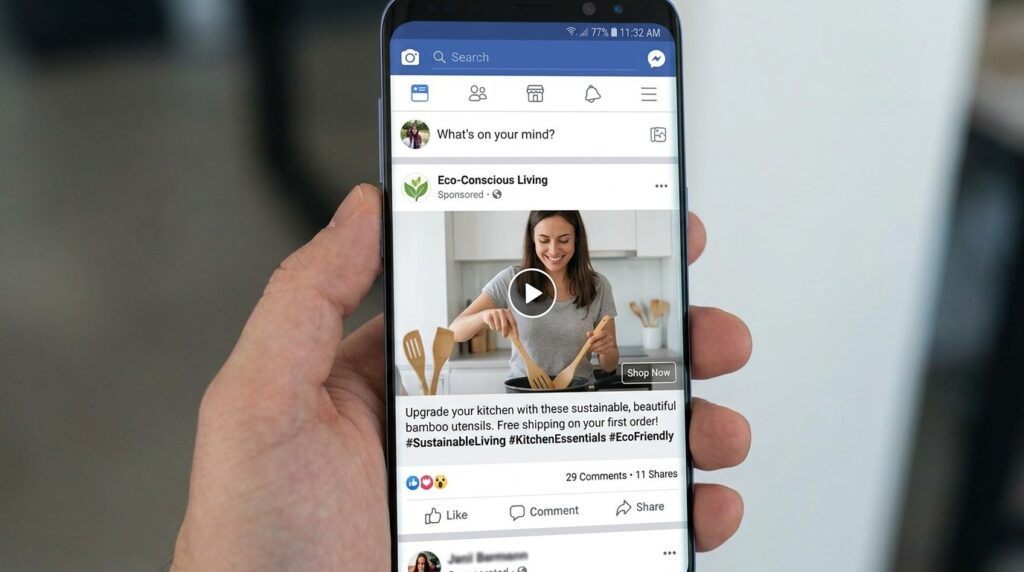
Skipping captions. A large portion of Facebook users scroll with sound off. If your ad relies on audio to make sense, it fails silently.
Starting too slowly. The first 3 seconds determine whether someone keeps watching. Lead with the most compelling visual or statement—not a logo animation.
Weak or missing CTA. Every ad should tell the viewer what to do next. “Shop now,” “Learn more,” or “Get a free quote” are simple and effective.
Wrong aspect ratio. Ads built at 16:9 and placed in a mobile feed lose screen real estate to square and vertical formats. This is one of the most common facebook video ad size errors.
Overproducing. Highly polished ads sometimes feel less trustworthy in a social feed than authentic, direct-to-camera content. This is part of why UGC-style ads from tools like Arcads are performing well—they fit the feed context.
Generate Ads Faster Now
Use VidAU to create Facebook video ads with AI avatars, UGC-style formats, text-to-speech voiceovers, URL-to-video automation, video remixing, and campaign-ready exports.
VidAU workflow
From Facebook ad idea to campaign-ready video
- Start with the ad goal: Define whether the campaign is built for traffic, leads, product sales, awareness, retargeting, or eCommerce conversions.
- Create the core script: Build a short message around one problem, one solution, one benefit, and one CTA.
- Generate the video asset: Use AI avatars, UGC-style scenes, text-to-speech, URL-to-video, or product visuals to create the ad quickly.
- Format for placement: Prepare square, 4:5, 9:16, or 16:9 versions depending on feed, Stories, Reels, in-stream, or desktop placements.
- Remix and test variations: Use VidAU-style workflows to create new hooks, CTAs, voiceovers, formats, and placement-specific versions without starting over.
Advanced Strategies for Better Results
Test multiple creatives against each other. The biggest lever in Facebook advertising isn’t targeting—it’s creative quality. Use your facebook video ad maker to produce three to five variations of the same concept, changing the hook, CTA, or visual style, then let the data tell you what works.
Use AI tools for script and voiceover generation. If writing scripts is the bottleneck, VidAU’s Text to Speech tool can help you generate natural-sounding voiceovers from written scripts, which speeds up the production cycle significantly.
Repurpose top performers. When an ad format works, extend its life. Tools like VidAU Vid Remix let you reformat existing video content for different placements without starting from scratch.
Turn product pages directly into ads. If you sell online, consider using a URL to Video tool that pulls product details and images from a page and assembles them into a video ad automatically. This cuts production time dramatically for eCommerce teams.
Match the ad to the audience’s stage. Cold audiences need awareness-focused content. Retargeting audiences respond to specifics—pricing, comparisons, or proof. Use different ad creatives for each stage rather than running one ad everywhere.
Tip
Do not rely on one ad creative. Use your facebook video ad maker to test several hooks, CTAs, voiceovers, formats, and visual styles so performance data can identify the strongest version.
Key takeaway
Final Thoughts
The best facebook video ad maker for your business depends on two things: how fast you need to produce ads and how much creative control you need. Beginners and solo operators do well starting with InVideo or Canva. Teams running high-volume campaigns or testing multiple creatives quickly will get more mileage from AI-first tools like Arcads or Steve.AI.
Whatever tool you choose, prioritize the fundamentals: right format, strong opening, captions, and a clear CTA. The technology makes production faster—but the strategy still drives results.
If you’re building video ad workflows that include AI avatars, product-to-video automation, or UGC-style content, VidAU AI is worth exploring as a production layer alongside your existing ad stack.
FAQ
Here are answers to common questions about facebook video ad maker tools, facebook video ad creator workflows, facebook video ad examples, facebook video ad size, ads on facebook videos, AI avatars, templates, captions, and VidAU video ad production.
What is the best facebook video ad maker for beginners?
InVideo is the most beginner-friendly option, with guided templates and a simple drag-and-drop interface sized for Facebook ad placements.
What is the recommended facebook video ad size?
Square (1:1) works across most placements; use 9:16 vertical for Stories and Reels, and 4:5 for mobile feed ads.
Can I create facebook video ads without filming anything?
Yes—AI tools like Arcads and Steve.AI generate video ads from scripts using AI avatars and stock visuals, with no filming required.
What do effective facebook video ad examples have in common?
They open with a strong hook in the first 3 seconds, include captions, focus on one clear benefit, and end with a direct call to action.
How long should ads on facebook videos be?
Most feed ads perform best at 15 to 30 seconds; in-stream placements work at 5 to 15 seconds; conversion-focused ads can run up to 60 seconds with strong retention.
Is Canva good enough for a facebook video ad creator workflow?
Canva works well for simple, brand-consistent ads, but dedicated platforms like InVideo or Arcads offer more ad-specific features and faster output for high-volume campaigns.






