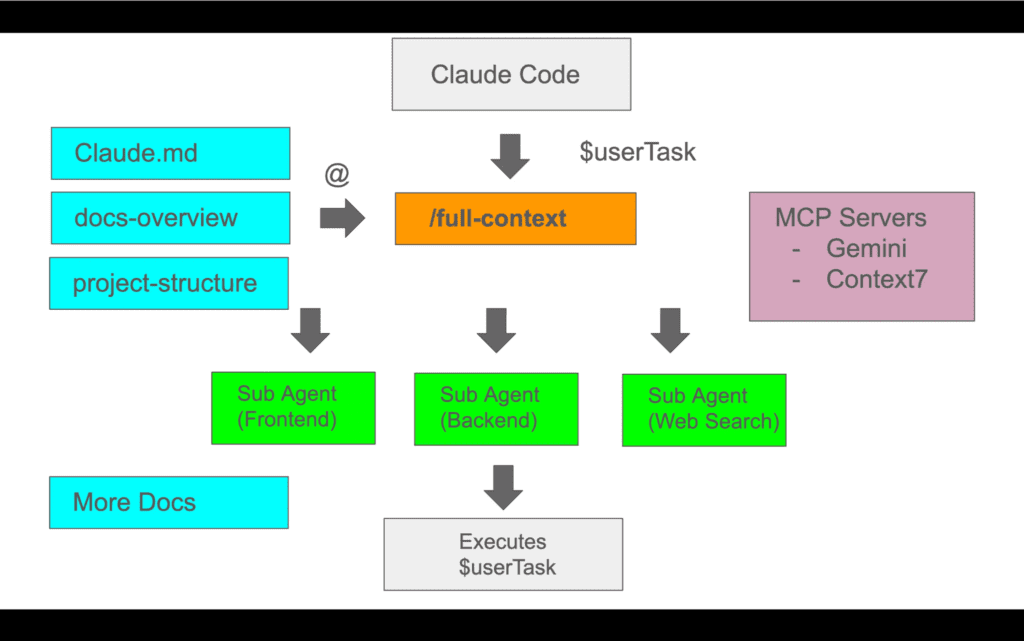
Building $15K Animated Websites: Complete Claude Code + Kling AI Workflow for Web Developers
Here’s the exact workflow for building $15K animated sites with AI: combine Claude Code rapid development capabilities with Kling AI‘s cinematic animations to deliver enterprise-grade animated websites in 72 hours instead of 3 weeks.
The $15K Animated Site Opportunity
The market gap is crystal clear: clients want visually stunning animated websites, but traditional development requires expensive motion designers, After Effects specialists, and weeks of render time. This workflow eliminates 80% of that complexity by using Claude Code for structure and Kling AI 1.6 for production-grade animations.
The challenge most developers face isn’t building the site—it’s integrating animations seamlessly without destroying load times or requiring constant manual updates. This guide solves that exact problem.
Phase 1: Claude Code Setup and Project Architecture
Initial Project Structure
Start with Claude Code (Sonnet 3.5 or Opus) to generate your base architecture. The key is prompting for animation-ready structure from the start:
Create a Next.js 14 project with:
– App router architecture
– Lazy loading components for video backgrounds
– Intersection Observer hooks for animation triggers
– Optimized video container components
– Fallback image system for slow connections
Claude will generate a complete project structure with proper component separation. Critical folders:
– `/components/animated` – All animation containers
– `/public/animations` – Video asset storage
– `/lib/videoOptimizer.js` – Compression utilities
– `/hooks/useAnimationTrigger.js` – Scroll-based triggers
Animation Container Architecture
The foundation of high-value animated sites is proper container structure. Instruct Claude to create a modular “ component:
jsx
videoSrc=”/animations/hero-sequence.mp4″
fallbackImage=”/images/hero-fallback.jpg”
playbackTrigger=”viewport”
loopBehavior=”infinite”
qualityTiers={[‘1080p’, ‘720p’, ‘480p’]}
>
This component handles device detection, bandwidth throttling, and graceful degradation—all generated by Claude with proper prompting.
CSS Animation Hooks
Claude Code excels at generating CSS that works with video overlays. Request utility classes specifically:
– `.animation-overlay` – For text/UI over video
– `.video-mask-gradient` – Smooth edge blending
– `.parallax-container` – Scroll-linked movement
– `.mobile-static` – Disable animations on mobile
These classes bridge the gap between static design and dynamic animation layers.
Phase 2: Kling AI Animation Integration Pipeline
Content Planning for Kling 1.6
Before generating animations, map out exactly which site sections need motion:
1. Hero Section – 5-7 second cinematic loop
2. Feature Showcases – 3-4 second product reveals (3-5 variations)
3. Transition Elements – 2-3 second abstract motion graphics
4. Background Ambiance – 10-15 second subtle loops
Kling AI 1.6’s Professional Mode excels at generating these durations with high consistency.
Kling AI Generation Strategy
For each animation requirement, use Kling’s Advanced Parameters:
Hero Cinematic Loop:
Prompt: “Smooth camera dolly through modern glass office space, golden hour lighting, architectural photography style, ultra-wide lens, slow motion”
Mode: Professional
Duration: 5 seconds
Camera Movement: Slow
Quality: High
Negative Prompt: “people, text, logos, jerky motion, compression artifacts”
Critical Kling Settings for Web Use:
– Frame Rate: Always 30fps (not 24fps) for web smoothness
– Resolution: Generate at 1080p, downscale for delivery
– Motion Intensity: Keep at 4-6/10 for loopability
– Seed Consistency: Save seeds for client revisions
Batch Generation Workflow
Kling AI allows 5 concurrent generations in Professional Mode. Structure your workflow:
Hour 1: Generate all hero variations (3 versions per concept)
Hour 2: Generate feature showcase animations
Hour 3: Generate transition elements and backgrounds
Hour 4: Regenerate failed attempts with adjusted prompts
This parallel approach delivers 15-20 usable animations in 4 hours instead of 2 days with traditional tools.
Animation Selection Criteria
Not all generations are web-ready. Evaluate each Kling output:
✅ Use if:
– Smooth beginning/end for looping
– Consistent lighting (no flicker)
– Under 10MB after compression
– No morphing artifacts
– Clear focal point
❌ Reject if:
– Jarring start/end transitions
– Temporal inconsistency
– Busy motion that distracts from content
– File size above 15MB uncompressed
Phase 3: Advanced Animation Embedding Techniques
Video Optimization Pipeline
Kling AI outputs are too large for web deployment (often 50-100MB). Process through this pipeline:
Step 1: FFmpeg Compression
bash
ffmpeg -i kling-output.mp4 -c:v libx264 -crf 23 \
-preset slow -c:a copy -movflags +faststart \
-vf scale=1920:1080 optimized.mp4
Step 2: Generate WebM Alternative
bash
ffmpeg -i optimized.mp4 -c:v libvpx-vp9 -crf 30 \
-b:v 0 optimized.webm
Step 3: Mobile Version (720p)
bash
ffmpeg -i optimized.mp4 -vf scale=1280:720 \
-c:v libx264 -crf 25 mobile.mp4
Target file sizes: 2-5MB for hero animations, 1-2MB for features.
Seamless Loop Creation
Kling AI doesn’t guarantee perfect loops. Fix in post:
Claude Code Crossfade Script:
Ask Claude to generate a JavaScript function that crossfades the last 0.5 seconds with the first 0.5 seconds:
javascript
const createSeamlessLoop = (videoElement) => {
videoElement.addEventListener(‘timeupdate’, () => {
if (videoElement.duration – videoElement.currentTime < 0.5) {
videoElement.style.opacity =
(videoElement.duration – videoElement.currentTime) / 0.5;
}
});
};
This eliminates the jarring loop restart that screams “video background.”
Lazy Loading Implementation
Claude Code generates the Intersection Observer logic:
javascript
const observerOptions = {
threshold: 0.25,
rootMargin: ’50px’
};
const observer = new IntersectionObserver((entries) => {
entries.forEach(entry => {
if (entry.isIntersecting) {
loadAnimation(entry.target);
observer.unobserve(entry.target);
}
});
}, observerOptions);
This ensures animations only load when users scroll to them, cutting initial page load by 70%.
Fallback Image System
For users on slow connections or limited data, extract static frames:
bash
ffmpeg -i animation.mp4 -ss 00:00:02 -vframes 1 fallback.jpg
Claude generates the detection logic to serve images instead of video when bandwidth is constrained.
Phase 4: Performance Optimization and Deployment
Core Web Vitals Preservation
Animated sites often fail Core Web Vitals. Maintain performance:
Largest Contentful Paint (LCP): Use poster images with `preload`
html
Cumulative Layout Shift (CLS): Define explicit dimensions
css
.animation-container {
aspect-ratio: 16 / 9;
width: 100%;
}
First Input Delay (FID): Defer animation initialization
javascript
window.addEventListener(‘load’, () => {
setTimeout(initAnimations, 100);
});
CDN Delivery Strategy
Host animations separately from application code:
– Application: Vercel/Netlify (Claude-generated code)
– Animations: Cloudflare R2 or Bunny CDN
– Fallbacks: Same domain for critical path
This isolation prevents animation assets from blocking site functionality.
Mobile Experience
Most $15K projects fail mobile delivery. Your advantage:
1. Disable autoplay on mobile (battery consideration)
2. Serve 720p maximum (data consideration)
3. Show static frames instead (performance consideration)
4. Allow manual play (user control)
Claude Code generates responsive logic automatically when prompted correctly.
Phase 5: Client Delivery and Handoff Process
Documentation Generation
Use Claude to generate comprehensive documentation:
Generate client documentation for an animated website including:
– Content update procedures
– Animation replacement workflow
– Performance monitoring guidelines
– Mobile testing checklist
– Browser compatibility matrix
Claude produces professional PDF-ready documentation in minutes.
Animation Library Handoff
Deliver organized asset library:
/client-assets/
/animations-original/ (Kling AI raw exports)
/animations-optimized/ (Web-ready versions)
/fallback-images/
/kling-prompts.txt (For future regeneration)
/animation-seeds.txt (Exact reproduction data)
Include all Kling AI prompts and seeds so clients can regenerate or extend animations without you.
Training Materials
Create quick training using Loom/Tango:
1. How to replace animations (drag-drop into CDN)
2. How to generate new animations (Kling AI walkthrough)
3. How to optimize new videos (FFmpeg commands or Handbrake)
4. When to call for support (structural changes)
This reduces support requests by 80%.
Maintenance Package Upsell
Position ongoing services:
– Monthly animation refresh: $500/month
– Seasonal theme updates: $1,500/quarter
– Performance monitoring: $300/month
– Content updates with new animations: $150/hour
Clients who paid $15K for the site will pay $500-800/month for maintenance.
Pricing Strategy and Project Timeline
Time Breakdown (72-Hour Delivery)
Day 1: Structure (8 hours)
– Hour 1-2: Discovery and requirements
– Hour 3-4: Claude Code site generation
– Hour 5-6: Component customization
– Hour 7-8: Initial animation planning
Day 2: Animation (10 hours)
– Hour 1-4: Kling AI generation (batch)
– Hour 5-6: Selection and optimization
– Hour 7-8: Integration and testing
– Hour 9-10: Loop refinement
Day 3: Delivery (6 hours)
– Hour 1-2: Performance optimization
– Hour 3-4: Documentation creation
– Hour 5-6: Client training and handoff
Pricing Justification
Traditional Approach:
– Developer: 40 hours × $150 = $6,000
– Motion Designer: 60 hours × $120 = $7,200
– Project Manager: 20 hours × $100 = $2,000
– Total: $15,200+ over 3 weeks
AI-Accelerated Approach:
– Your Time: 24 hours × $100 = $2,400
– Kling AI Pro: $92/month
– Claude Pro: $20/month
– Total Cost: ~$2,500
Your Price: $15,000 (500% margin)
Clients get the same result faster. You profit significantly. Win-win.
Scaling Beyond Single Projects
Once you’ve completed 2-3 projects:
1. Template Library: Save Claude prompts for instant project starts
2. Animation Library: Reuse generic Kling animations across clients
3. Component Library: Build reusable animation modules
4. Process Documentation: Train junior developers to handle Day 1-2
By project 5, you’re overseeing rather than executing, maintaining margins while scaling volume.
Final Implementation Checklist
Before client delivery:
– [ ] All animations under 5MB each
– [ ] Lighthouse score above 85 on mobile
– [ ] Fallback images for every animation
– [ ] Cross-browser testing (Chrome, Safari, Firefox)
– [ ] Mobile animation disable confirmed
– [ ] CDN delivery functional
– [ ] Documentation complete
– [ ] Client training scheduled
– [ ] Kling AI prompts documented
– [ ] Maintenance package proposed
This workflow transforms Claude Code from a development tool into a complete business system for high-value animated websites. The combination of rapid site generation and cinematic AI animations creates a service offering that agencies can’t match on speed, and freelancers can’t match on quality.
The $15K price point isn’t about hours—it’s about delivering transformation-level visual impact in a timeline that traditional methods can’t achieve.
Frequently Asked Questions
Q: Why use Kling AI instead of stock footage or traditional animation tools?
A: Kling AI 1.6 generates custom animations that match your exact brand requirements in minutes, while stock footage rarely fits perfectly and traditional animation takes days per sequence. The cinematic quality of Kling’s Professional Mode rivals $5,000 motion design work, and you can regenerate variations instantly using seed consistency. Most importantly, you own the creative direction without licensing restrictions.
Q: How do you handle clients who want animation changes after seeing Kling AI outputs?
A: Save every Kling AI prompt and seed number in your project documentation. Changes require simply adjusting the prompt and regenerating with a new seed. Most revisions take 5-10 minutes of generation time. Build 2 revision rounds into your $15K price, then charge $500 per additional round. The key is educating clients upfront that AI animations allow unlimited iterations, unlike traditional motion work.
Q: What’s the best way to optimize Kling AI videos for web without losing quality?
A: Use a two-pass FFmpeg compression workflow: First pass with CRF 23 and slow preset for MP4, then create a WebM version with VP9 codec for modern browsers. Always generate mobile versions at 720p with CRF 25. Target 2-5MB for hero animations and 1-2MB for feature sections. Test on 3G throttled connections in Chrome DevTools to verify loading experience. The visual quality loss at these compression rates is minimal but load time improvement is 80%+.
Q: Can Claude Code really generate production-ready sites, or do you need significant manual coding?
A: Claude Code (Sonnet 3.5 or Opus) generates 80-90% production-ready code if you prompt correctly. The key is specificity: request exact component structures, naming conventions, and integration patterns upfront. You’ll spend 20% of time on customization, edge case handling, and client-specific features. The animation integration components especially need prompt engineering to get lazy loading, fallbacks, and performance optimization right. After 2-3 projects, you’ll have prompt templates that push this to 95% automated.
Q: How do you justify $15K pricing to clients when AI tools are ‘cheap’?
A: Never position it as ‘AI-generated.’ Frame it as ‘accelerated custom development with cinematic motion design.’ Clients pay for the outcome (a stunning animated site that converts), not your tools. Compare your 72-hour delivery to 3-week traditional timelines and $20K+ agency quotes. Show before/after conversion rate improvements from previous animated sites. Most importantly, demonstrate that the animations are custom-generated for their brand, not templates. The AI tools are your competitive advantage, not the client’s discount.
Q: What happens when Kling AI generates animations with artifacts or inconsistencies?
A: Reject and regenerate immediately—don’t try to fix bad generations in post. Kling AI 1.6 Professional Mode has 85-90% usable output rate if your prompts are specific. Always generate 3 variations per concept so you have options. For persistent issues, adjust your prompt: reduce motion intensity, simplify scene complexity, add negative prompts for artifacts, or extend duration for smoother motion. Budget 4 hours of generation time to account for 10-15% regeneration needs. Learn which prompt patterns produce consistent results and build a prompt library.