
Free AI Agent Guide
Free AI Agents: How to Create Your Own with No-Code Tools and Free Coding Agents
Build a no-code agent with Jotform AI Agents, set up a free coding-agent workflow with Freebuff/Codebuff, and understand free-tier limits before launch.
By the VidAU Editorial Team · 2026 edition · 11 min read
Looking for free AI agents you can launch today? This guide shows exactly how to create an AI agent for free with a no-code build in Jotform AI Agents and a quick AI free coding agent path using Freebuff/Codebuff, plus what to expect from free-tier limits and deployments to your site, WhatsApp, or Messenger.
Free AI agents are now practical for small teams and solo builders. In this guide, I walk through a no-code build with Jotform AI Agents and a fast-coding setup with Freebuff/Codebuff, then explain free-tier limits, deployment to websites, WhatsApp, and Messenger, and the KPIs that matter.
I reviewed Kevin Stratvert’s Jotform AI Agents tutorial flow and mirrored the exact sequence below. I also analysed recent Freebuff/Codebuff tutorials highlighting GLM 5.1, subagents, and access to free models like DeepSeek v4 Pro, Kimi K2.6, and MiniMax M2.7. From our editorial review of Runway’s MCP update, agent ecosystems increasingly call external tools, so I include practical notes on Actions/Tools and integrations.
Quick summary
- Jotform AI Agents is the fastest path to create AI agent for free with no code by following the sequence: select channel, describe, design, add knowledge, configure Actions/Tools, publish, and review.
- Freebuff/Codebuff is a strong AI free coding agent alternative; install with
npm install -g freebuffto use GLM 5.1 and free models like DeepSeek v4 Pro, Kimi K2.6, and MiniMax M2.7, with subagents for complex tasks. - Use a structured knowledge base and define Actions/Tools up front; expect free tiers to cap messages, tool calls, and file sizes, and always verify AI agent pricing before launch.
- US small businesses, solo creators, ops/support teams, and developers benefit most by starting no-code for speed, then adding a coding agent for technical or autonomous workflows.
Jump to section
- What free AI agents are and how they work
- No-code vs coding: which path should you choose?
- Step-by-step: build a no-code agent in Jotform AI Agents
- QuickStart: set up an AI free coding agent with Freebuff/Codebuff
- Free tiers and AI agent pricing limits to expect
- How to deploy to website, WhatsApp, and Messenger, then review chats
- Quick tool comparison
- Common mistakes to avoid with free AI agents
- Advanced tips, KPIs, and who should use which path
- Final thoughts
- FAQ

What Are Free AI Agents?
Free AI agents are assistants that use large models and AI workflows to answer questions or take actions without upfront software fees, typically offered via free options or free tiers. They can reference a knowledge base, call Actions/Tools like search or APIs, and publish to channels such as website embeds, WhatsApp, or Messenger.
Key takeaways
Start with a simple scope: FAQs, lead capture, or scheduling. Use a clean knowledge base (FAQs, PDFs, or URLs) and define Actions/Tools. Expect usage caps; keep early pilots narrow and measurable.
No-Code vs Coding: Which Path Should You Choose?
Choose no-code when speed and non-technical ownership matter, and pick a coding path when you need autonomous workflows, subagents, or deep project control. In my review, Jotform AI Agents suits support and lead-gen quickly, while Freebuff/Codebuff handles developer tasks and custom automation.
- No-code strengths: fast setup, visual design, built-in connectors, easier publishing.
- Coding strengths: subagents, repository work, CLI automation, flexible toolchains.
- Common ground: both rely on a knowledge base, persona, and configurable actions.
How Do I Create a No-Code Free AI Agent with Jotform AI Agents?
The fastest way to create an AI agent for free is to follow the established Jotform sequence used in current tutorials.
Step 1
Select a channel
Pick where the agent will live first: website embed, WhatsApp, Messenger, or a link. This choice informs later design and data-collection settings.
Step 2
Create and describe the agent
Name the agent and write a one-paragraph purpose statement: who it serves, what it answers, and what to escalate. Set tone and boundaries in the description.
Step 3
Customize design and style
Apply brand colors, avatar, header text, and layout. Keep the widget minimal for mobile. Add quick replies for common tasks.
Step 4
Build the knowledge base
Upload FAQs, PDFs, links, or paste content. Organize by topic. Favor short, clear articles over long blocks for higher retrieval accuracy.
Step 5
Configure Actions/Tools
Add actions for form submission, scheduling, or external lookups. Keep the first version to one or two high-value tools to limit error paths.
Step 6
Collect data with forms and set the persona
Attach a short form for lead capture or ticket info. Define the agent persona and escalation rules for when to ask for human help.
Step 7
Publish and preview
Publish to the chosen channel. Test on mobile and desktop. Validate that the agent cites the correct knowledge and triggers the right actions.
Step 8
Review conversations and iterate
Use the built-in review panel to spot unclear intents, missing answers, and tool failures. Update the knowledge base weekly during rollout.
Use VidAU workflows to turn agent outputs into short product videos, localized clips, or voice responses when a plain text answer is not enough.
How Do I Set Up an AI free coding agent with Freebuff/Codebuff?
Freebuff/Codebuff offers a quick coding agent path through the CLI with free options to get started.
Step 1
Install prerequisites
Install Node.js, then run: npm install -g freebuff
Step 2
Launch the agent
Start the agent from your terminal and open a project folder. Use prompts like: create a Next.js app, write tests, refactor a function.
Step 3
Pick models and subagents
Freebuff runs on GLM 5.1 and exposes free model access options often referenced in tutorials: DeepSeek v4 Pro, Kimi K2.6, and MiniMax M2.7. It includes subagents to split tasks, such as planner, coder, and tester.
Step 4
Compare to Claude Code
In my analysis, Freebuff/Codebuff emphasizes local speed, subagents, and a zero-subscription start, whereas Claude Code focuses on a managed, polished coding UX. If you need a free tier to experiment or want CLI-first control, Freebuff/Codebuff fits; if you want a hosted editor with guardrails, consider Claude Code.
Step 5
Add Actions/Tools
Wire scripts or APIs for tasks like repository ops, issue creation, or deployment. Keep permissions tight; test each action on a sample repo.
Step 6
Validate outputs
Require diffs, tests, and short rationales in prompts. Store logs to audit agent steps and roll back bad changes quickly.
Availability warning
Note: Free options and model availability can change; confirm current access before committing a build.
What Free Tiers and AI agent pricing Limits Should I Expect?
Free tiers typically cap monthly messages, tool calls, file sizes, and channel connectors, with optional upgrades for higher limits. From our team’s review of recurring creator threads about free vs pro gates, expect friction at higher loads and plan your pilot to fit a modest traffic band.
- Message and token caps: Keep first routes simple, such as FAQs plus one action.
- Storage and file limits: Favor concise PDFs and short guides.
- External API costs: Tool calls to third-party APIs may incur usage fees.
- Channel access: Some connectors or advanced routing can sit behind paid plans.
Explore Free AI Agents
Start with a narrow workflow, verify your free-tier limits, and expand only after the agent answers correctly and completes its Actions/Tools reliably.
How Do I Deploy to Website, WhatsApp, and Messenger, Then Review Chats?
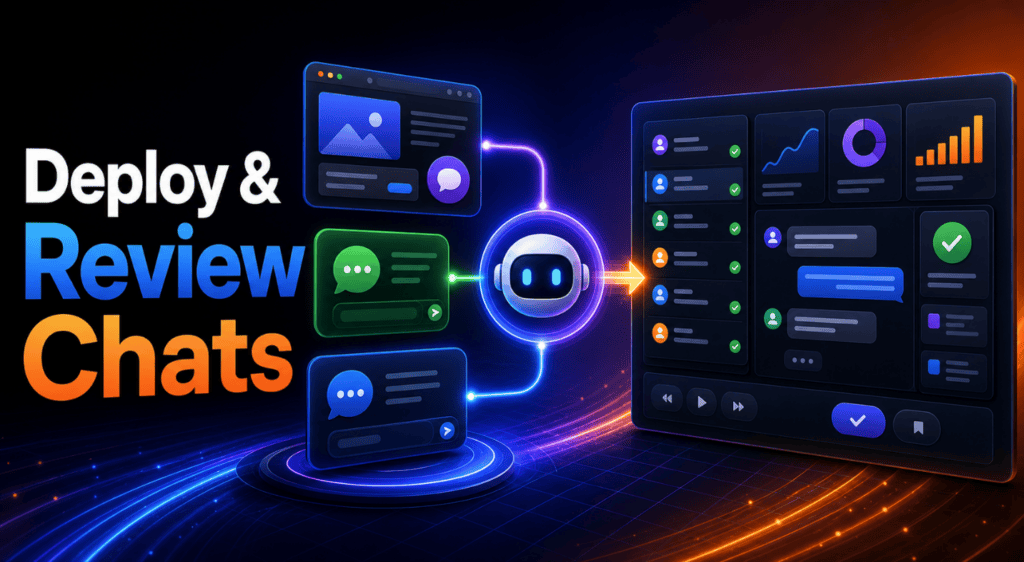
Most no-code builders expose a website embed and connectors for WhatsApp and Messenger so you can publish quickly. In line with current tutorials, do this after your agent answers core FAQs correctly.
- Website embed: Copy the script snippet and place it on your site’s template. Test on mobile.
- WhatsApp/Messenger: Follow the connector wizard; verify phone/page permissions.
- Phone calls: If available in your stack, test latency and transcription quality before broader rollout.
- Review conversations: Check transcripts daily at launch to catch gaps, and tag conversations that need escalation.
Track simple KPIs from day one:
- Resolution rate: Percent of sessions fully solved by the agent.
- Lead quality: Sales-accepted leads or booked demos per 100 chats.
- CSAT: One-question rating after the session.
Which Tool Should I Use? Quick Comparison
| Option | Best for | Why/Notes |
|---|---|---|
| Jotform AI Agents | Support, lead gen, scheduling | No-code speed, channel options |
| Freebuff/Codebuff | Dev tasks, repos, CLI flows | GLM 5.1, subagents, free model access |
| Claude Code | Managed coding sessions | Hosted editor, polished UX |
Practical tip
Start in Jotform for customer-facing flows; add Freebuff/Codebuff for engineering work. Use Actions/Tools sparingly at first; expand after measuring outcomes. Keep knowledge bases short, current, and well-structured.
Common Mistakes to Avoid with Free AI Agents
- Skipping the channel decision: Publishing last often breaks design and data capture.
- Overloading the knowledge base: Long, messy docs hurt retrieval; split content.
- Too many tools: Limit to one or two Actions/Tools until stability is proven.
- No review loop: Without chat audits, hallucinations and handoffs go unnoticed.
- Ignoring deployment specifics: Website embed, WhatsApp, and Messenger each have quirks; test them separately.
- Assuming perpetual free access: Free tiers change; plan a budget path early.
Advanced Tips, KPIs, and Who Should Use Which Path
The marketing team at VidAU AI reviewed how agent ecosystems are shifting toward tool-calling models, as seen in recent MCP announcements. Design Actions/Tools as first-class citizens so your agent can trigger generators, translators, or analytics downstream.
- Subagents for complex work: In Freebuff/Codebuff, split planner vs coder vs tester.
- Tool schemas: Document inputs/outputs; require confirmations before critical changes.
- Content routing: Put high-value answers in short, linked notes; keep PDFs lean.
- KPI guardrails: Tie Actions/Tools to thresholds like low CSAT or unresolved intent.
- Video and voice handoffs: For richer replies, send a generated clip or voice note, then test each response for clarity before it reaches users.
Who should use what
- Jotform AI Agents: Operations, support, and marketing teams needing fast, branded flows.
- Freebuff/Codebuff: Developers and power users building autonomous repo or API tasks.
VidAU media handoff
Use richer outputs only when they improve the answer
Use VidAU workflows to turn agent outputs into short product videos, localized clips, or voice responses when a plain text answer is not enough. For richer replies, send a generated clip or voice note, then test each response for clarity before it reaches users.
Key takeaway
Final Thoughts
Free AI agents are within reach: ship a no-code agent for support or lead gen in Jotform AI Agents, and add a Freebuff/Codebuff coding agent for technical work or automation. Start small, define Actions/Tools carefully, verify AI agent pricing limits, and iterate weekly on real conversations.
If your workflows include media, use short videos, voice responses, and UGC-style avatars only when they make the agent answer easier to understand and act on.
FAQ
Frequently asked questions
Use these answers to review the main setup choices, deployment options, pricing limits, and KPIs covered in the guide.
What are free AI agents?
Free AI agents are assistants that use AI models and workflows to answer questions or perform tasks without upfront software fees, typically via free options or free tiers. They rely on a knowledge base and Actions/Tools and can deploy to website embeds, WhatsApp, Messenger, or links depending on the builder.
How do I create an AI agent for free without coding?
Use Jotform AI Agents and follow this order: select a channel, describe the agent and persona, customize design, add a knowledge base, configure Actions/Tools, attach forms if needed, publish, then review conversations. Keep the first version focused on one or two core tasks for stability.
What is the best AI free coding agent to start with?
Freebuff/Codebuff is a strong starting point referenced in current tutorials. Install Node.js, run npm install -g freebuff, and use it with GLM 5.1 and referenced free model options like DeepSeek v4 Pro, Kimi K2.6, and MiniMax M2.7. Validate access and limits before committing work.
How does Freebuff/Codebuff compare to Claude Code?
Freebuff/Codebuff emphasizes CLI control, subagents, and a zero-subscription start, which suits developers and local workflows. Claude Code focuses on a hosted, polished coding experience. If you value free options and terminal-first autonomy, start with Freebuff/Codebuff; if you want a managed editor, consider Claude Code.
Which models can I use with Freebuff?
Tutorials commonly reference GLM 5.1 and free model access options such as DeepSeek v4 Pro, Kimi K2.6, and MiniMax M2.7. Model availability can change, so confirm current access and any usage limits before building production workflows.
Where can I deploy a no-code agent?
Most tutorials show deployment to website embed, WhatsApp, and Messenger, with some stacks offering phone call options. Availability can vary by account and region. Test each channel separately to confirm design fit, permissions, and message delivery.
What AI agent pricing limits should I plan for on free tiers?
Expect caps on monthly messages, tool calls, and storage, plus potential restrictions on certain connectors. External APIs used by your Actions/Tools may have their own costs. Start with a narrow pilot and monitor usage so you can decide when an upgrade is warranted.
What KPIs should I track for a new agent?
Track resolution rate to measure solved sessions, lead quality to quantify sales-ready outcomes, and CSAT to capture user sentiment. Add a tool-call success rates and escalation frequency. Review transcripts weekly to improve prompts, knowledge base clarity, and Actions/Tools reliability.






