Creating Viral AI Superhero Videos in 2026: A Technical Guide Using Free Text-to-Video Tools
Learn how to create viral AI superhero videos without spending a dime with text-to-video tools.
In 2026, the barrier to cinematic superhero content is gone. You no longer need a VFX studio, a green screen warehouse, or a Hollywood budget. What you need is the right stack of free AI tools, technical prompt control, and a workflow designed for virality.
Creators struggle to make engaging AI superhero content that actually gets views—not because the tools aren’t powerful, but because they lack structure. This guide solves that by walking you through a professional-grade pipeline using free text-to-video AI tools, advanced prompting methods, and post-production techniques that turn short AI clips into binge-worthy cinematic stories.
1. The 2026 Stack: Best Free Text-to-Video AI Tools for Superhero Content

The foundation of viral AI superhero videos is your visual engine. In 2026, several platforms offer free tiers powerful enough to produce high-quality superhero footage.
✅ Kling AI (Free Tier)
- Excellent physics simulation
- Strong character motion consistency
- Good for action scenes (jumps, punches, city destruction)
- Supports longer clip durations than most free tools
Best use: High-motion Hulk-style transformation scenes and fight choreography.
✅ Runway Gen-3 (Free Credits)
- Clean cinematic lighting
- Great camera control prompts (dolly, crane, handheld)
- Strong environment realism
Best use: Story-driven sequences, dramatic close-ups, slow-motion hero reveals.
✅ Pika Labs (Free Mode)
- Stylized and comic-book looks
- Fast generation
- Easy upscaling pipeline
Best use: Shorts, TikTok-style punchy superhero edits.
✅ ComfyUI (Local, Free, Advanced Users)
If you have a capable GPU, ComfyUI with open-source video diffusion models gives maximum control.
Key technical advantages:
- Seed Parity control for character consistency
- Euler a and DPM++ schedulers for motion stability
- Latent Consistency Models (LCM) for faster iteration
- ControlNet for pose-guided superhero stances
Best use: Advanced creators who want repeatable Hulk character generations with identical facial structure across scenes.
2. Prompt Engineering for Realistic Hulk & Marvel-Style Characters
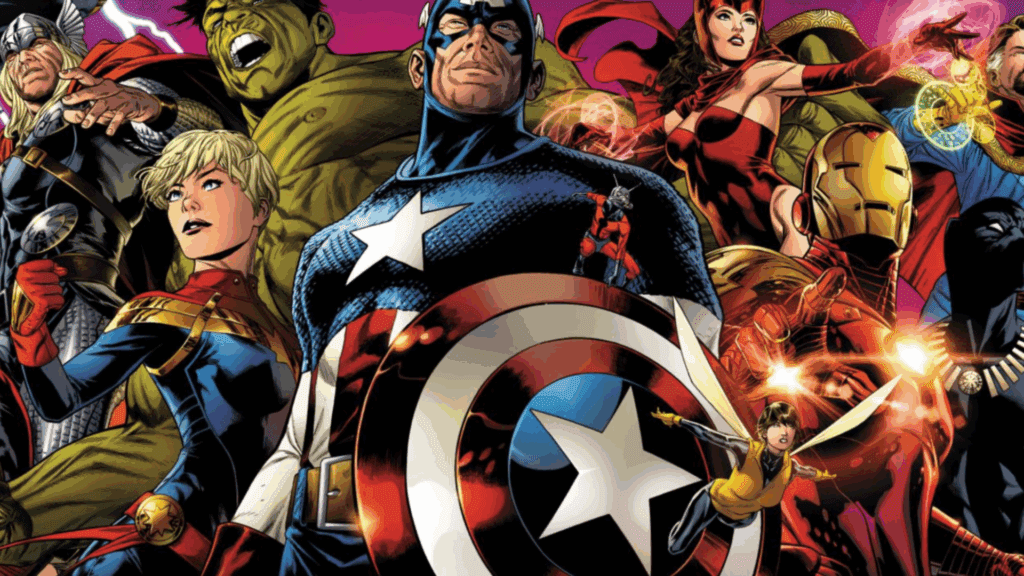
Most AI superhero videos fail because the character changes every clip. Different face. It has different body. Different suit texture. That destroys immersion—and watch time.
Let’s fix that.
Step 1: Define a Character DNA Block
Instead of rewriting prompts every time, create a reusable “Character DNA” template.
Example (Hulk-style character):
> ultra muscular green humanoid superhero, 8-foot tall, hyper-detailed skin pores, torn purple shorts, massive deltoids and forearms, cinematic lighting, realistic anatomy, high dynamic range, 35mm film grain
This block should NEVER change between scenes.
In ComfyUI, lock this using:
- Fixed seed value
- Same model checkpoint
- The same sampler (Euler a recommended for action motion)
- Same CFG scale (6–8 for realism balance)
This creates Seed Parity across scenes.
Step 2: Add Scene-Specific Action Blocks
Now layer action instructions after the character DNA.
Example Scene Prompt:
> ultra muscular green humanoid superhero… (DNA block) … smashing through a collapsing skyscraper, debris flying, slow motion concrete particles, cinematic camera dolly backward, volumetric dust, dramatic sunset lighting
Why this works:
- First tokens anchor character identity
- Later tokens define motion and environment
- Camera instructions improve cinematic feel
Step 3: Use Technical Camera Language
AI models respond extremely well to real cinematography terms.
Use phrases like:
- low-angle hero shot
- 85mm lens compression
- handheld documentary style
- high shutter speed action freeze
- IMAX framing
- shallow depth of field
This increases perceived production value instantly.
Step 4: Realistic Motion with Schedulers
If using ComfyUI or advanced generation settings:
- Euler a scheduler → More dynamic motion, good for fight scenes.
- DPM++ 2M Karras → Smoother cinematic motion.
- LCM (Latent Consistency Model) → Rapid testing before final render.
Workflow tip:
- Test scene with LCM (fast draft).
- Lock seed.
- Re-render with DPM++ for final quality.
This saves time and keeps character consistency intact.
3. Creating Viral Hooks: Structure That Gets Views
Technical quality alone doesn’t create virality. Structure does.
Use this proven AI superhero short structure:
0–3 Seconds: Pattern Interrupt
Start mid-action.
Example:
Hulk mid-punch, building exploding behind him.
Add on-screen caption:
“What if Hulk Lost Control?”
Immediate stakes = retention boost.
3–12 Seconds: Escalation
Show bigger destruction.
Add faster cuts (1.2–1.8 sec per clip).
Increase sound intensity.
12–20 Seconds: Twist
Unexpected turn:
- Hulk stops
- Child appears
- Or stronger villain lands behind him
Cliffhanger = replay value.
4. Editing AI Shorts into Full Cinematic Stories
AI tools generate clips—not films.
Your editing is what makes it cinematic.
Step 1: Batch Generate 5–8 Related Clips
Keep:
- Same seed
- The same character DNA
- Same lighting tone
This prevents visual discontinuity.
Step 2: Upscale Before Editing
Use:
- Topaz (if available)
- CapCut AI upscaler (free option)
- Runway enhancement
Export at 4K even if source is 1080p. Platforms compress less aggressively when upload resolution is higher.
Step 3: Motion Stitching Technique
When combining AI clips:
- Cut at peak motion frames.
- Add 2–4 frame motion blur transition.
- Overlay debris, smoke, or light flash to mask discontinuity.
This hides AI morph artifacts.
Step 4: Sound Design Multiplies Impact
AI visuals are 50% of virality. Sound is the other 50%.
Layer:
- Sub-bass impacts (40–60Hz)
- Concrete break SFX
- Reverb tails for scale
- Distant city ambience
Free sources:
- Pixabay audio
- YouTube Audio Library
Add dynamic range compression for TikTok/Shorts loudness optimization.
5. Advanced Consistency Techniques
✅ ControlNet Pose Lock
Upload a reference pose of Hulk standing heroically.
Generate multiple angles using the same skeletal guide.
This prevents limb distortion.
✅ Reference Image Anchoring
In Runway or Kling:
- Upload a still frame of your Hulk.
- Use “character reference” mode.
This dramatically improves cross-scene continuity.
✅ Color Grading LUT
Apply a single LUT across all clips:
- Teal & orange blockbuster
- Dark desaturated dystopian
Consistent grading makes AI clips feel like one production.
6. Turning Shorts Into Monetizable Series
Instead of one viral video, build episodic arcs:
Episode 1: Hulk Awakens
For episode 2: Military Response
Episode 3: New Villain Arrives
Episode 4: Final Showdown
Reuse:
- Same seed
- The same character DNA
- Same city environment base prompt
This creates a recognizable AI superhero universe.
Consistency builds subscribers.
7. Free Workflow Blueprint (Step-by-Step)
- Write 20-second action script.
- Create Character DNA block.
- Generate 5–8 clips in Kling or Runway.
- Lock seed for continuity.
- Re-render best clips in higher quality.
- Upscale to 4K.
- Edit in CapCut or DaVinci Resolve.
- Add cinematic sound design.
- Export vertical 9:16 (for Shorts/TikTok).
- Add bold caption hook.
Total cost: $0.
Why Most AI Superhero Videos Fail
- No seed control → inconsistent characters
- Overloaded prompts → muddy visuals
- No story structure → low retention
- Zero sound design → low impact
- No hook in first 3 seconds → low CTR
Fix these, and you’re ahead of 90% of creators.
Final Thoughts
In 2026, viral AI superhero content is no longer about access to tools. It’s about technical control and narrative execution.
Master Seed Parity.
Use Euler a for action.
Leverage Latent Consistency for fast iteration.
Edit with intention.
Structure for retention.
And most importantly—treat your AI superhero like a recurring cinematic character, not a random prompt experiment.
That’s how you create viral AI superhero videos without spending a dime.
Frequently Asked Questions
Q: How do I keep my AI superhero character consistent across multiple videos?
A: Use a fixed seed, identical model checkpoint, consistent sampler (like Euler a or DPM++), and a reusable Character DNA prompt block. In advanced workflows like ComfyUI, Seed Parity ensures the character maintains facial and anatomical consistency across scenes.
Q: Which free AI tool is best for action-heavy superhero scenes?
A: Kling AI performs exceptionally well for physics-driven action scenes. For more technical control and repeatability, ComfyUI with Euler a scheduler provides dynamic motion ideal for fight sequences.
Q: Why do my AI videos look inconsistent when stitched together?
A: Inconsistency usually comes from changing seeds, lighting descriptions, or model settings between generations. Lock your seed, keep lighting descriptors identical, and apply a unified color grade during editing.
Q: How long should a viral AI superhero short be?
A: For maximum retention on TikTok and YouTube Shorts, aim for 15–25 seconds with a strong hook in the first 3 seconds and a twist before the 20-second mark.