AI Avatar Generator · Lip Sync Video AI
Create Avatar From Photo: Best Lip Sync Video AI Tools and Workflows for Realistic Results
Compare HeyGen, Runway Act Two, ElevenLabs, Higgsfield, Veo 3, and complete lip sync workflows for creators who want realistic avatars animated from a photo.
By the VidAU Editorial Team · Updated 2026 · 17 min read
Selecting the perfect AI tool for realistic lip syncing is crucial for impactful video content. We delve into top AI tools like HeyGen, Runway Act Two, and ElevenLabs, assessing their capabilities for creators who want to create avatar from photo content with realistic facial animation.
The AI lip sync landscape has evolved from simple automated mouth movements to sophisticated workflows combining multiple specialized tools. Whether you’re building faceless YouTube channels, creating multilingual content, or producing avatars animated for social media, understanding which platforms deliver the best lip sync video ai results determines your final output quality.
Summary
- HeyGen produces strong professional talking avatar videos
- Runway Act Two creates expressive avatars animated with cinematic movement
- ElevenLabs provides flexible multi-model lip sync workflows
- Higgsfield specializes in realistic avatar cloning from images
- Veo 3 generates fully AI-created talking scenes and environments
- Strong lip sync workflows combine multiple AI tools together
- High-quality images and audio improve realism significantly
- Editing still matters even with advanced AI avatar generation
Why AI Lip Sync Became a Major Content Workflow
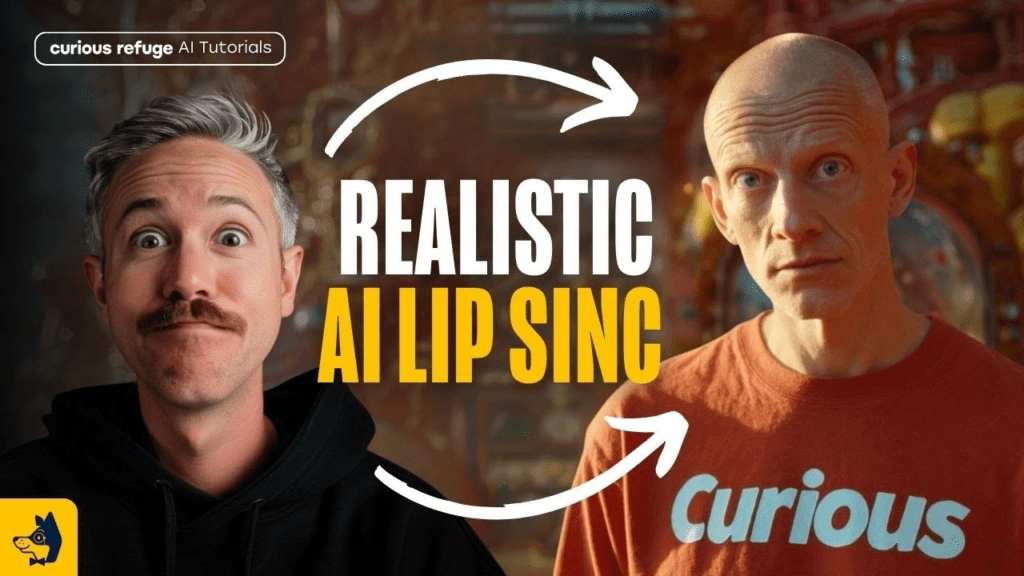
AI lip sync technology no longer feels experimental. Many viewers now consume content daily without realizing the presenter is AI-generated.
Creators use these workflows because they solve several major production challenges:
- Faster content creation
- Easier multilingual publishing
- No filming equipment required
- Consistent on-screen branding
- Scalable faceless content production
The rise of create avatar from photo workflows also changed how creators approach video production. Instead of recording themselves repeatedly, creators now build reusable AI personalities capable of appearing across dozens or even hundreds of videos.
This shift became especially important for:
- Faceless YouTube channels
- Educational creators
- TikTok storytellers
- AI music creators
- Marketing teams
- International brands
The strongest workflows combine the best ai avatar generator tools with professional lip sync engines and editing software to create believable final output.
Key takeaway
Create avatar from photo workflows are not only about animating a face. They help creators build reusable AI personalities for faster publishing, multilingual content, consistent branding, and scalable faceless video production.
Understanding AI Lip Sync Technology
The AI lip sync tools analyze audio input and generate corresponding mouth movements that match speech patterns. The technology has progressed significantly, with modern platforms achieving near-photorealistic results when used correctly
The best lip sync video ai tools analyze audio input and generate corresponding mouth movements matching speech patterns. The technology has progressed significantly, with modern platforms achieving near-photorealistic results when used correctly.
The key to realistic output lies not in a single tool but in understanding how to build complete workflows. Recent implementations combine image generation, voice cloning, lip sync engines, and video editing into cohesive production pipelines.
Most professional creators now use three to five different tools per project, selecting each for its specific strength. This approach delivers better results than relying on any single platform’s all-in-one solution.
| Workflow layer | What it contributes |
|---|---|
| Image generation | Creates the base avatar, character, or portrait image. |
| Voice cloning or audio generation | Provides the speech or singing track the lip sync model analyzes. |
| Lip sync engine | Generates mouth movements and facial animation that match the audio. |
| Video editing | Adds B-roll, timing, polish, transitions, subtitles, and final production quality. |
HeyGen: Professional Talking Avatars
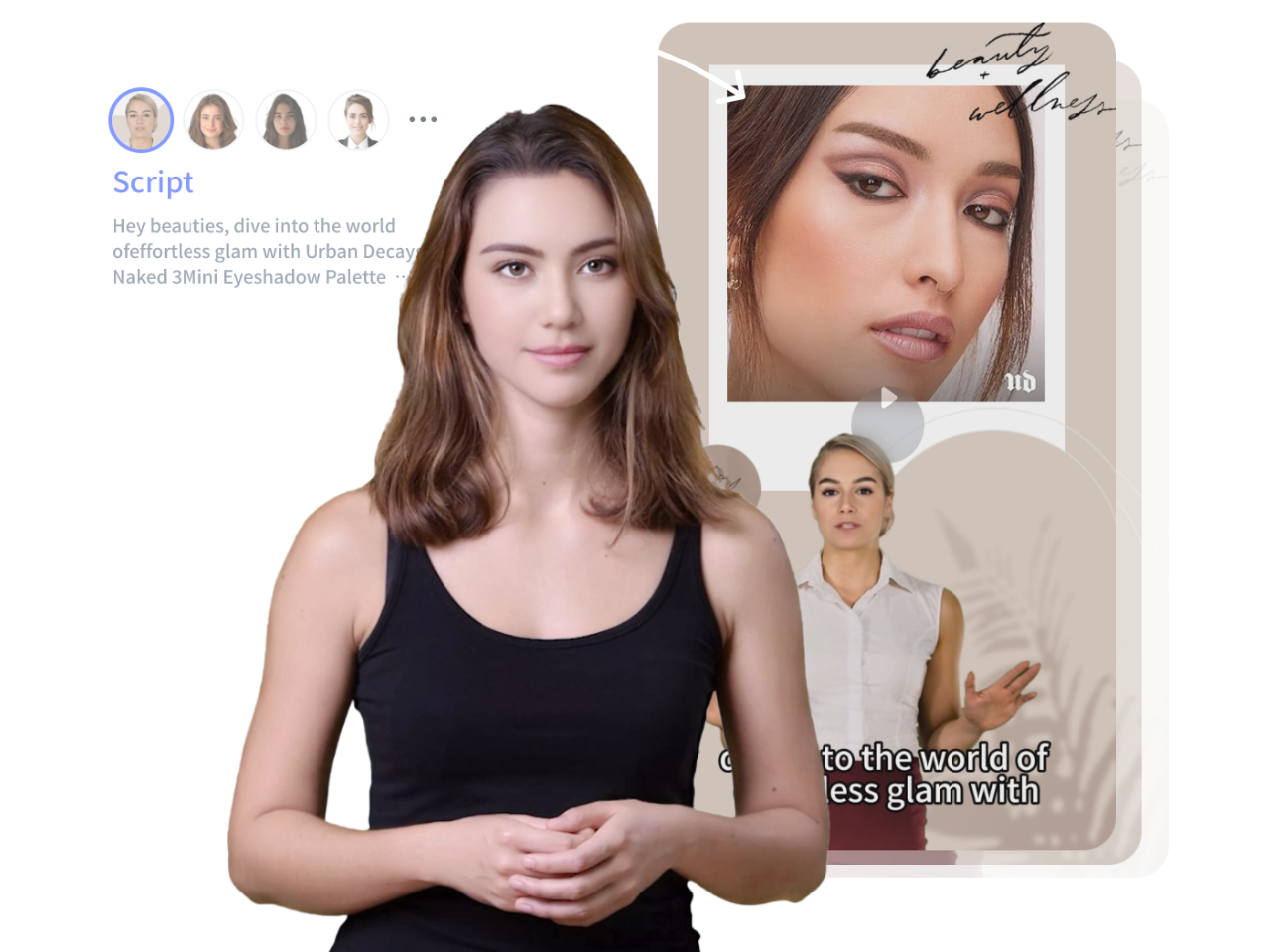
HeyGen stands as one of the most accessible platforms for creators who want to create avatar from photo content quickly. The tool excels at generating realistic facial animations from static images when paired with audio input.
The workflow starts with uploading a clean portrait image. Quality matters here because the algorithm works best with forward-facing subjects, clear lighting, and minimal background elements. Images generated through AI tools like Google Flow or upscaled through Wondershare UniConverter often produce better results than standard photos.
Once your image loads, you add your audio track. HeyGen processes this and generates the lip-synced video. The platform handles subtle facial movements beyond just mouth animation, including natural eye movements and slight head adjustments that enhance realism.
Many creators use HeyGen for educational content, corporate communication, and avatars animated for marketing campaigns. The output quality fits professional environments where viewers expect polished presentation.
One practical application involves creating multiple language versions of the same content. You generate your base video in English, then use translation tools to create audio in other languages. HeyGen’s lip sync adapts to match the new language’s phonetic patterns.
Tip
For HeyGen-style talking avatars, start with a forward-facing portrait, clean lighting, minimal background elements, and clear audio. Small improvements in source quality make the final avatar feel more realistic.
Runway Act Two: Advanced Character Animation
Runway Act Two approaches lip sync differently than HeyGen. While HeyGen focuses on talking head realism, Runway Act Two supports more advanced avatars animated with expressive movement and stylized animation.
The platform works well for animated characters, stylized avatars, and scenarios where you need full-body animation coordinated with speech. The technology understands context better than basic lip sync tools, allowing for more nuanced facial expressions that match emotional tone.
Workflows using Runway Act Two typically start with generated or illustrated character designs. You then provide audio and optional performance references. The system analyzes speech patterns and generates animation that includes appropriate gestures and expressions beyond mouth movement.
Creators exploring the best ai avatar generator options often use Runway for projects where visual style matters alongside technical accuracy.
ElevenLabs Image & Video: Multi-Model Platform
ElevenLabs has expanded beyond voice generation into comprehensive lip sync capabilities. Their Image & Video platform provides access to multiple lip sync models including Creatify Aurora, Omnihuman 1.5, Wan 2.6, LTX Audio-to-Video, and Sync Lipsync 2 Pro.
This multi-model system helps creators test different engines while producing realistic create avatar from photo workflows.
Omnihuman 1.5 tends toward photorealistic preservation of the original image quality. Wan 2.6 excels at maintaining consistent visual style across longer clips. LTX Audio-to-Video handles background animation alongside facial movement, creating more dynamic overall scenes.
The workflow involves uploading your source image or video clip, selecting your preferred model, adding audio, and generating. You can then compare outputs from different models to determine which best serves your project.
The platform integrates naturally with voice cloning technology, creating one of the strongest best lip sync video ai workflows available today.
| ElevenLabs model mentioned | Best use described |
|---|---|
| Creatify Aurora | Part of the multi-model lip sync system for testing different engines. |
| Omnihuman 1.5 | Preserves photorealistic quality well for standard talking head content. |
| Wan 2.6 | Maintains consistent visual style across longer clips. |
| LTX Audio-to-Video | Adds background animation alongside facial movement for dynamic scenes. |
| Sync Lipsync 2 Pro | Part of the multi-model lip sync workflow available through ElevenLabs Image & Video. |
Complete Workflow: AI Music Video Creation
AI music videos represent one of the highest-impact applications for avatars animated with synchronized vocals and expressions.
Start with music generation using Suno AI. Input your desired style, mood, and any specific lyrical themes. ChatGPT helps craft structured lyrics that fit standard song formats. The combination produces complete tracks with verses, choruses, and musical arrangement.
Next, generate your character visuals. Tools like Piclumen and Leonardo AI create portrait images based on detailed prompts. Describe your artist’s appearance, style, lighting, and setting. Generate multiple variations until you have a strong base image.
Upscale and prepare your chosen image. Wondershare UniConverter or similar tools enhance resolution and clean up artifacts. This preparation step significantly improves final lip sync quality.
Now apply lip sync using platforms like Higgsfield or ElevenLabs. Import your upscaled image and the audio track from Suno AI. The lip sync engine generates the animated singing performance.
For full music videos, you’ll also create B-roll content showing different scenes, angles, or visual effects. Kling 2.6 generates video clips from text prompts that match your music’s mood and theme.
Finally, edit everything together in CapCut. Arrange your lip-synced performance, B-roll clips, transitions, and effects into a cohesive video. This editing phase adds the polish that separates amateur attempts from professional-looking content.
This workflow powers many faceless YouTube channels that generate consistent revenue through music content without showing real performers.
Make Quality AI Music Videos
Use VidAU to turn scripts, avatar visuals, voiceovers, captions, multilingual content, and AI video workflows into polished videos for creators, brands, music channels, and social media.
VidAU workflow
From photo avatar to lip sync video
- Start with a clean avatar image: Use a clear, forward-facing portrait or AI-generated character image with strong lighting and minimal facial obstruction.
- Add clean audio: Use a voiceover, translated track, cloned voice, or music vocal with clear speech and properly balanced sound.
- Generate the lip sync video: Combine the avatar image and audio to create synchronized mouth movement, facial animation, and talking avatar output.
- Build supporting scenes: Add B-roll, captions, transitions, visuals, or product sequences to make the video feel complete rather than just a talking head.
- Export for your channel: Create versions for YouTube, TikTok, Reels, educational videos, multilingual campaigns, or faceless content series.
Higgsfield: Realistic Avatar Cloning
Higgsfield specializes in creating highly realistic avatar clones from single images. The platform’s strength lies in maintaining photorealistic quality while generating natural speech animation.
The process works best when you start with professional-quality portrait photography. The image should show the subject from shoulders up, with even lighting and a clean background. These conditions let the algorithm focus on facial features without competing visual elements.
After uploading your image, you provide the audio you want synced. Higgsfield analyzes both the visual data and audio characteristics to generate animation that feels natural to that specific face.
Many creators searching for the best ai avatar generator use Higgsfield to maintain a consistent on-screen AI personality across multiple videos.
The platform also supports multilingual workflows, helping creators create avatar from photo content for different language audiences.
For multilingual content, you can translate your script, generate new audio in the target language, and create new lip-synced videos. The avatar remains consistent while speaking different languages with appropriate mouth movements.
Veo 3 and Advanced Video Generation
Veo 3 represents Google’s approach to AI video generation with integrated motion understanding, and advanced avatars animated inside full environments. While not exclusively a lip sync tool, Veo 3 creates video content that includes realistic character animation when properly prompted.
The platform works through text-to-video generation. You describe the scene, character, actions, and any dialogue. Veo 3 generates video that attempts to match all these elements, including synchronized speech when characters talk.
This approach differs from dedicated lip sync tools because you’re generating the entire video from scratch rather than animating existing images. The advantage is complete creative control over every element. The challenge is that results can be less predictable than specialized tools.
Veo 3 fits workflows where you need original video content with speaking characters but don’t have existing images to animate. The technology handles scene composition, camera movement, lighting, and character animation simultaneously.
Some creators combine Veo 3 with specialized best lip sync video ai platforms to refine character animation and improve speech synchronization.
| Tool | Main strength in the article | Best fit |
|---|---|---|
| HeyGen | Professional talking avatar videos from clean portrait images and audio. | Educational content, corporate communication, marketing avatars, multilingual avatar videos. |
| Runway Act Two | Expressive character animation, stylized avatars, and full-body movement coordinated with speech. | Animated characters, stylized avatar projects, cinematic movement. |
| ElevenLabs Image & Video | Multi-model lip sync workflows with voice cloning integration. | Testing different engines and building flexible create avatar from photo workflows. |
| Higgsfield | Highly realistic avatar cloning from single images with consistent AI personality. | Consistent talking avatars, multilingual workflows, realistic avatar clones. |
| Veo 3 | Full AI video generation with speaking characters, scenes, lighting, and camera movement. | Original talking scenes where no existing avatar image is available. |
Practical Implementation: Talking Avatar Workflow
Creating professional talking avatars requires attention to each workflow stage. Start by defining your avatar’s purpose and visual style. Educational content often works best with professional, approachable appearance. Entertainment content might use more stylized or distinctive looks.
Generate your base image using AI image platforms. Use detailed prompts specifying facial features, expression, lighting direction, background simplicity, and image quality. Generate multiple candidates because small visual differences significantly impact lip sync results.
Upscale your selected image to at least 1080p resolution. Higher resolution provides more facial detail for the lip sync algorithm to work with, resulting in smoother, more natural animation.
Prepare your audio script. Write conversationally if your avatar will speak directly to viewers. Use natural pacing with appropriate pauses. Avoid overly complex sentences that might create difficult lip sync challenges.
Generate your audio using quality text-to-speech tools or record with proper microphone technique. Audio clarity directly affects lip sync accuracy. Remove background noise and normalize volume levels.
Import both image and audio into your chosen lip sync platform. Process the content and review the output. Most platforms offer parameters you can adjust if the first result isn’t perfect.
Remove watermarks if necessary using editing tools or by upgrading to paid tiers. Export at the highest quality setting your platform offers.
Many creators combine CapCut with AI generation platforms because the workflow supports both editing and avatars animated for short-form social content.
Talking avatar workflow
- Define the avatar’s purpose and visual style.
- Generate the base image with detailed prompts.
- Select and upscale the strongest image to at least 1080p resolution.
- Prepare a conversational audio script with natural pacing.
- Generate or record clean audio.
- Import image and audio into a lip sync platform.
- Process, review, adjust settings, and regenerate if needed.
- Remove watermarks if necessary and export at the highest available quality.
- Finish the video in editing software such as CapCut when additional polish is needed.
Multilingual Content Creation
Multilingual lip sync opens significant opportunities for content creators. The same base video can reach audiences across language barriers when properly adapted.
Start with your primary language video. Create the full production with your preferred avatar, script, and lip sync. This becomes your master version.
Translate your script using professional translation services or advanced AI tools. Simple word-for-word translation often fails because sentence structure and speech rhythm differ between languages. Effective translation preserves meaning while adapting to natural speech patterns in the target language.
Generate new audio in each target language. Use native speaker voice cloning or high-quality text-to-speech in the appropriate language. Audio timing will likely differ from your original because languages have different syllable counts and speaking rhythms.
Apply lip sync to your avatar using the new language audio. Modern tools adjust mouth movements to match the phonetic requirements of different languages. The same face will form different shapes when speaking English versus Spanish versus Mandarin.
Review carefully for cultural appropriateness. Visual elements, gestures, or references that work in one culture might need adjustment for others. Consider adding subtitles even with lip sync to support viewer comprehension.
Modern best lip sync video ai platforms adapt mouth movement patterns for different languages automatically.
Free vs Paid: Setting Realistic Expectations
Many creators start with free tools to test concepts before committing budget. Understanding what’s achievable without payment helps plan realistic projects.
Most platforms offer limited free access rather than unlimited free use. You might get a few video generations, watermarked output, or time-restricted trials. These limitations let you test quality and workflow fit but won’t support ongoing production.
Watermark removal often requires paid plans. If your content needs professional presentation, factor this cost into planning. Some tutorials emphasize “free” approaches but actually rely on trial periods or watermarked output unsuitable for serious use.
Resolution and quality tiers typically separate free from paid versions. Free tiers might generate at 720p while paid unlocks 1080p or 4K. Higher resolution matters for platform requirements and viewer expectations.
Rendering speed affects productivity. Free tiers often use slower processing queues. Paid plans provide faster generation, which matters when you’re producing content regularly.
Advanced features like voice cloning, model selection, or batch processing typically require payment. Consider which features your workflow needs versus nice-to-have additions.
Creators serious about create avatar from photo production often invest in paid plans for cleaner workflows and professional-quality results.
Watch out
Free lip sync tools are useful for testing concepts, but serious production often requires paid plans for watermark-free exports, higher resolution, faster rendering, voice cloning, model selection, or batch workflows.
Achieving Realistic Output Quality
Make Quality AI Music Videos
Realism depends on multiple factors beyond just the lip sync algorithm. Visual quality of your source material sets the foundation. Blurry, poorly lit, or low-resolution images can’t produce realistic results regardless of how good the lip sync tool is.
Facial positioning matters significantly. Images should show the face clearly without obstruction. Hats, glasses, hands near the face, or hair covering the mouth create challenges for algorithms. Even small obstructions can trigger unnatural animation.
Audio quality directly impacts sync accuracy. Clear speech with distinct phonemes gives algorithms better data to work with. Mumbled speech, heavy accents the algorithm isn’t trained on, or poor recording quality all reduce output realism.
Animation speed and smoothness vary by platform. Some tools generate very precise but slightly mechanical movement. Others prioritize organic motion but might miss perfect sync on every syllable. Understanding each tool’s characteristics helps you choose appropriately.
Context and viewer expectations play roles. Viewers accept more stylization in entertainment content than in educational or corporate contexts. Match your tool choice and style to audience expectations.
Post-processing enhances realism significantly. Color grading that matches the avatar to other video elements, subtle motion blur on faster movements, and appropriate depth of field all contribute to believability.
Consistency matters in series content. If your avatar’s animation style changes between videos, viewers notice. Establish your workflow and settings, then maintain them across your content library.
Even the best ai avatar generator produces weak results when paired with poor-quality images or noisy audio.
| Realism factor | What improves output quality |
|---|---|
| Source image quality | Use sharp, well-lit, high-resolution images with clear facial detail. |
| Facial positioning | Use unobstructed faces without hands, hair, hats, or glasses interfering with the mouth area. |
| Audio clarity | Use clean speech, distinct phonemes, proper volume levels, and minimal background noise. |
| Tool style | Choose tools that match the content context, whether professional, entertainment, stylized, or corporate. |
| Post-processing | Use color grading, subtle motion blur, depth of field, and editing polish for believability. |
| Consistency | Maintain the same workflow, settings, and animation style across series content. |
Troubleshooting Common Issues
Poor lip sync accuracy often stems from audio problems rather than visual issues. Ensure your audio is clean, properly leveled, and clearly recorded. Background noise confuses algorithms that try to identify speech patterns.
Unnatural facial stiffness usually indicates source image problems. Images where the subject has very neutral expression give algorithms less facial data to work with. Slight smiles or engaged expressions provide more animation range.
Mouth movement that doesn’t match audio timing suggests processing errors. Try re-uploading your content or adjusting any timing parameters your platform offers. Some tools let you offset audio by frames to achieve better sync.
Visual artifacts around the mouth area happen when algorithms struggle with complex backgrounds or unusual lighting. Use source images with clean, simple backgrounds and even lighting across the face.
Inconsistent quality between generations from the same inputs might indicate server load or processing variations. Premium tiers often use more consistent processing resources. Regenerating the same content sometimes produces better results.
When facial features don’t animate realistically, check your source image resolution. Upscaling before processing often resolves this. The algorithm needs sufficient facial detail to generate smooth, natural movement.
If translated content has poor lip sync, verify that your platform supports the target language properly. Some tools perform better with certain language pairs than others.
Watch out
When lip sync looks wrong, do not assume the tool failed. Check audio quality, source image expression, mouth visibility, background complexity, lighting, timing offsets, image resolution, and language support first.
Key takeaway
Conclusion
Create avatar from photo workflows now support professional talking avatars, expressive animated characters, multilingual content, AI music videos, faceless YouTube channels, social media storytelling, and marketing campaigns. The best results come from complete workflows rather than one-click expectations.
HeyGen works well for professional talking avatars, Runway Act Two supports expressive avatars animated with more advanced motion, ElevenLabs provides a flexible multi-model workflow, Higgsfield focuses on realistic avatar cloning, and Veo 3 generates full AI scenes with speaking characters. Each tool has strengths, but image quality, audio clarity, editing, and consistency still determine realism.
The most reliable path is simple: start with a clear avatar purpose, use high-quality source images, generate clean audio, choose the best lip sync video ai platform for your style, review carefully, and finish with editing polish. For creators building repeatable video systems, combining specialized AI tools with a consistent production workflow produces the strongest results.
FAQ
Here are answers to common questions about create avatar from photo workflows, AI lip sync tools, avatars animated for social media, HeyGen, ElevenLabs, Higgsfield, Runway Act Two, Veo 3, multilingual avatar videos, AI music videos, watermarks, and realistic output quality.
What is the best AI tool for realistic lip sync videos?
HeyGen and ElevenLabs Image & Video currently offer the most realistic results for most use cases. HeyGen works well for professional talking head content, while ElevenLabs provides multiple models for different styles. The best choice depends on your specific project requirements and visual style preferences.
Can I create lip sync videos for free?
Most platforms offer limited free access through trials or watermarked output. You can test workflows and create proof-of-concept content, but serious production typically requires paid plans for watermark-free, high-resolution output and reasonable generation limits.
How do I make AI music videos with lip sync?
Generate your music using Suno AI, create character images with Leonardo AI or Piclumen, upscale those images, apply lip sync using Higgsfield or ElevenLabs, create additional video clips with Kling 2.6, and edit everything together in CapCut. This complete workflow produces professional-quality music videos.
What image quality do I need for good lip sync results?
Use images at least 1080p resolution with clear, forward-facing subjects and even lighting. Avoid obstructions like hands near the face or hair covering the mouth. Clean backgrounds help algorithms focus on facial features. Higher quality source material consistently produces better lip sync results.
Can AI lip sync work for multiple languages?
Yes, modern lip sync tools adapt mouth movements to match different languages’ phonetic patterns. Translate your script, generate audio in the target language, and process through your lip sync platform. The same avatar can speak multiple languages with appropriate mouth movements for each.
Which AI model should I choose in ElevenLabs?
Omnihuman 1.5 preserves photorealistic quality well for standard talking head content. Wan 2.6 maintains consistent style across longer clips. LTX Audio-to-Video adds background animation for more dynamic scenes. Test multiple models on your content to determine which produces the best results for your style.
How do I remove watermarks from free lip sync tools?
Most platforms require upgrading to paid plans for watermark-free output. Some editing tools can remove watermarks, but this often violates terms of service. Budget for paid tiers if you need professional, watermark-free content for serious projects.
What’s the best workflow for talking avatar videos?
Generate a quality portrait image using AI tools, upscale it to high resolution, prepare clean audio with your script, process through a lip sync platform like HeyGen or Higgsfield, remove watermarks if necessary, and add final touches in video editing software. Maintaining this workflow consistently produces professional results.
Can I use these tools for YouTube automation?
Many creators use AI lip sync tools for faceless YouTube channels focused on music, education, news commentary, and storytelling. The technology suits content where consistent avatar presence builds channel identity without showing real people. Ensure your content provides genuine value beyond just demonstrating AI capabilities.
How long does it take to generate a lip sync video?
Generation time varies by platform, plan tier, and video length. Free tiers might process for several minutes per short clip. Paid plans typically generate 30-60 second clips in 1-3 minutes. Longer videos take proportionally more time. Factor processing time into your production schedule.
What audio format works best for lip sync?
Use clear, uncompressed audio formats like WAV when possible. MP3 works but may introduce artifacts that affect sync accuracy. Ensure your audio is noise-free, properly leveled, and recorded with clear articulation. Audio quality matters more than format for final results.
Do I need video editing skills to create lip sync content?
Basic editing helps significantly but isn’t absolutely required for simple talking head videos. Platforms like HeyGen output usable content directly. However, adding intros, outros, transitions, and combining multiple clips requires editing tools like CapCut. Learning basic editing skills improves your final content quality substantially.
Can AI lip sync tools clone my voice while syncing?
Many platforms integrate voice cloning with lip sync features. ElevenLabs offers both voice cloning and lip sync in their platform. Higgsfield supports voice swapping. You can record a short voice sample, generate text-to-speech that sounds like you, and apply that to your avatar with synchronized lip movements.
How do I make lip sync look more natural?
Start with high-quality, well-lit source images showing natural expressions. Use clean, clearly articulated audio. Choose lip sync models that match your content style. Add subtle post-processing like motion blur and color grading. Most importantly, maintain consistent visual style and animation quality across your content.
What’s the difference between image-to-video and video-to-video lip sync?
Image-to-video takes a static portrait and animates it based on audio input, creating video from scratch. Video-to-video modifies existing video footage to match new audio, useful for dubbing or language translation. Image-to-video typically produces more stylized results, while video-to-video maintains more of the original footage’s realism.
Are there copyright issues with AI-generated lip sync content?
Copyright depends on multiple factors including your source images, audio content, and platform terms of service. Using AI-generated images you created typically doesn’t raise copyright issues. Using photos of real people requires proper permissions. Generated music from platforms like Suno AI generally grants usage rights, but verify each platform’s specific terms.