AI Photo to Video · Beginner Video Editing
9 Best AI Photo to Video Generators for How To Edit Videos in 2026
Discover the best free AI photo to video generators for content creators in 2026, including Kling AI, Luma Labs, Meta AI, CapCut, VidAU, and more image-first video workflows.
By the VidAU Editorial Team · Updated 2026 · 16 min read
In 2026, learning how to edit videos starts with choosing the right workflow and tools. Many creators now rely on a video generator ai from image workflow instead of building clips from scratch. This process helps beginners create engaging content faster while keeping visuals consistent.
Finding the right AI photo to video generator can feel like searching for a needle in a haystack. Most tools promise free access but deliver limited credits, reduced quality, or persistent watermarks. This guide cuts through the noise with honest assessments of nine AI tools that actually work for content creators, Instagram and TikTok creators, YouTubers, and digital marketers in 2026.
Summary
- Kling AI delivers some of the best motion realism among free AI video tools
- Luma Labs Dream Machine produces cinematic image-to-video output for YouTube creators
- Meta AI Imagine Video works well for fast Instagram Reels and beginner workflows
- CapCut combines AI generation with beginner-friendly editing tools
- VidAU helps creators turn product images into complete marketing videos faster
- The strongest workflow starts with still images before animation
- Combining AI generation with editing software produces better final videos than using AI output alone
Why Learning How to Edit Videos Changed in 2026
Traditional editing required hours of recording footage before opening an editor. That process still exists, but AI workflows changed how creators approach production entirely.
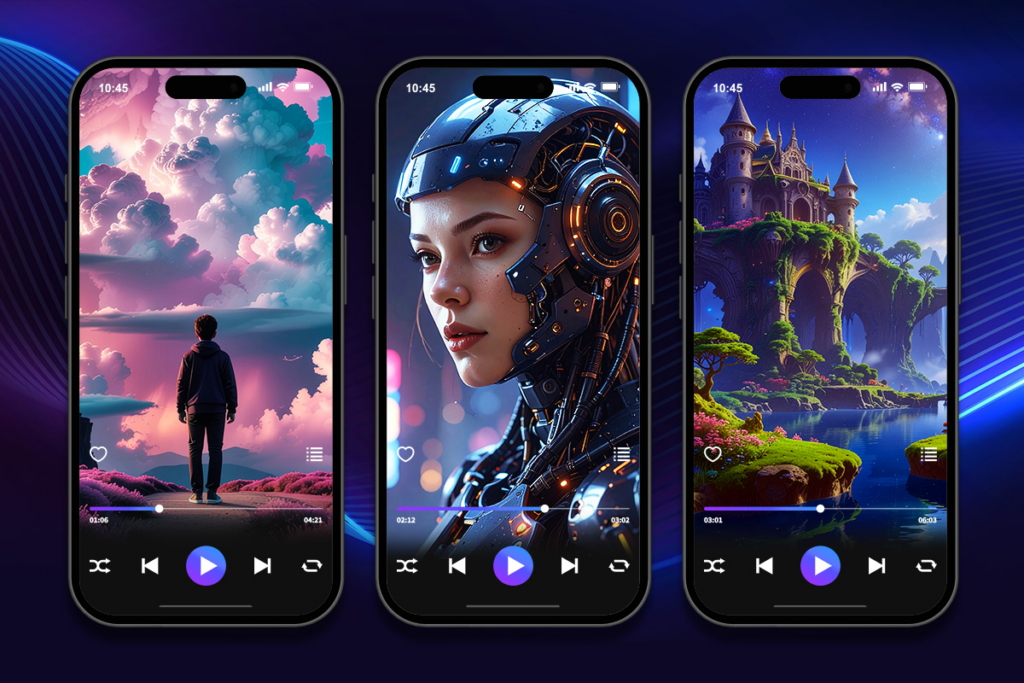
Many creators now begin with images instead of clips. A creator uploads a product photo, a portrait, or an AI-generated image into a video generator ai from image tool. The platform then animates the scene with motion, camera movement, lighting transitions, and cinematic effects.
This workflow solves several major problems:
- Faster production
- Better visual consistency
- Lower production cost
- Easier content scaling
- Less dependency on filming equipment
The rise of AI image animation also lowered the learning curve for beginners. Pairing an ai photo to video generator with the best beginner video editing software helps creators refine rough AI clips into professional-looking videos without expensive production setups.
Key takeaway
Learning how to edit videos in 2026 is no longer only about trimming recorded footage. Many creators now start with still images, animate them with AI, and then polish the result in editing software.
Understanding the Reality of Free AI Video Tools
Before diving into specific tools, let’s address what free actually means in the AI video generation space. True unlimited free access is rare. Most platforms operate on a freemium model where you get limited credits per month, reduced resolution output, or watermarked videos. Some tools offer genuinely free tiers with reasonable limits, while others are essentially trial versions pushing you toward paid plans.
The key is matching the tool to your specific use case rather than chasing the most features. A tool with 10 free credits per month but excellent quality often beats a tool with 50 credits that produces generic AI slop.
Watch out
Free AI video tools often mean limited credits, lower resolution, watermarks, or restricted features. A smaller number of high-quality generations can be more useful than many low-quality outputs.
The Image-First Workflow That Changes Everything
Most creators make a critical mistake when learning how to edit videos with AI generators. They try to generate video directly from text prompts, which often results in generic, inconsistent output. The superior approach is an image-first workflow. A stronger workflow starts with still images, then uses a video generator ai from image tool to animate scenes naturally.
Start by generating or selecting high-quality still images that match your vision. Use AI image generators or your own photography to create compelling starting frames. Then use image-to-video tools to animate those images. This workflow gives you far more control over composition, style, and consistency.
Pairing an ai photo to video generator with the best beginner video editing software helps new creators refine AI-generated clips into polished videos for TikTok, Instagram Reels, and YouTube Shorts.
| Workflow approach | Typical result | Why it matters |
|---|---|---|
| Text-to-video first | Often generic, inconsistent, and harder to control | The AI must invent composition, style, motion, and details at the same time. |
| Image-first workflow | More consistent style, composition, and visual direction | The still image gives the AI a controlled starting point before animation begins. |
| AI generation + editing software | More polished final videos for social and YouTube | Editing lets creators refine pacing, color, captions, transitions, and structure. |
Kling AI: Professional Quality with Reasonable Free Access
Kling AI stands out as one of the most capable free AI photo to video generator available in 2026. The platform performs well as a video generator ai from image solution, it offers both image-to-video and text-to-video capabilities with impressive motion quality and coherence.
The free tier provides limited monthly credits, but the output quality justifies the constraint. Kling AI excels at understanding complex motion dynamics and maintaining visual consistency across frames. The tool handles camera movements, object interactions, and lighting changes more naturally than many competitors.
Best use cases include social media content, YouTube B-roll, and storytelling sequences where motion quality matters more than quantity. The tool works well for both horizontal and vertical video formats, making it versatile for different platforms.
Many creators combine Kling AI with the best beginner video editing software to polish AI-generated clips into finished content.
Luma Labs Dream Machine: Cinematic Quality for Horizontal Content
Luma Labs Dream Machine has built a reputation for producing some of the most cinematic AI-generated video available through free access. The tool prioritizes quality over quantity, offering fewer free generations but consistently impressive results.
Dream Machine particularly shines with horizontal video formats and scenes requiring smooth camera movements or complex lighting. The AI understands depth and perspective well, creating videos that feel more like professional footage than typical AI output.
The image-to-video function works exceptionally well when you start with high-quality reference images. Feed it a well-composed photograph and Dream Machine will animate it with natural motion that respects the original composition.
Best use cases include YouTube video content, cinematic B-roll, and any project where visual quality trumps production volume. The tool works less well for rapid content creation or high-volume social media posting due to generation limits.
Best use cases include YouTube video content, cinematic B-roll, and creators learning how to edit videos with advanced cinematic workflows.
Meta AI Imagine Video: Platform-Integrated Free Generation
Meta AI Imagine Video represents a different approach to AI video generation. Integrated directly into Meta’s ecosystem, this tool offers straightforward image-to-video conversion without complex interfaces or steep learning curves.
The platform focuses on accessibility instead of technical controls, making it useful for beginners searching for the best beginner video editing software alongside lightweight AI tools. You upload an image, describe the motion you want, and get back a short video clip. The system works well for quick social media content, particularly for Instagram Reels and Facebook video posts.
Quality sits in the middle range, better than basic tools but not quite matching specialized platforms like Luma Labs. The advantage is convenience and platform integration rather than cinematic output.
Best use cases include quick Instagram Reels, Facebook content, and social media posts where speed and platform optimization matter more than cutting-edge quality. The tool fits creators already working within Meta’s ecosystem.
Limitations include less control over motion parameters, simpler animation capabilities, and output optimized primarily for Meta platforms rather than broader use.
Wan Video: Emerging Tool with Strong Free Features
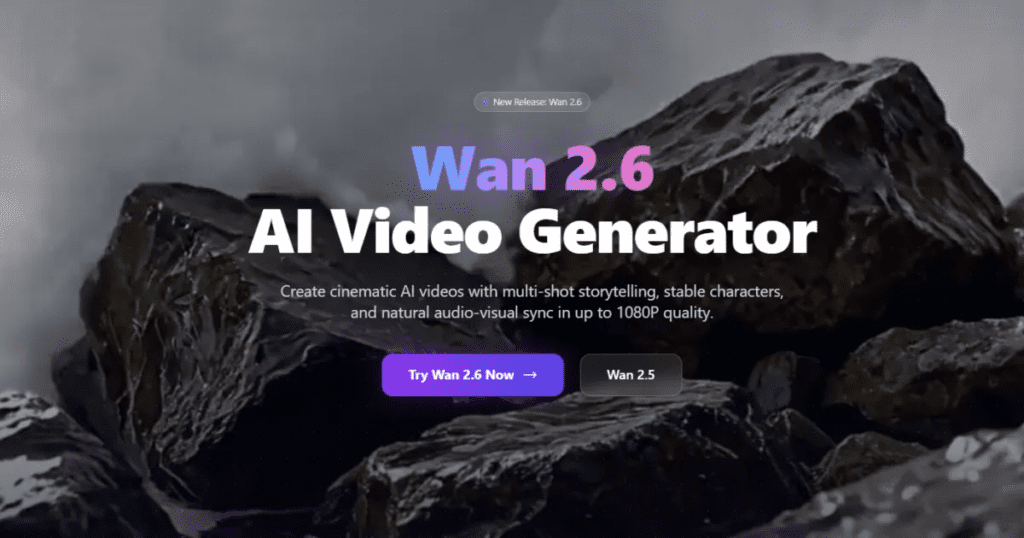
Wan Video has emerged as a capable option in the AI photo to video space with a surprisingly generous free tier. The platform offers both image animation and text-to-video functions with decent quality output.
The tool handles a variety of content types reasonably well, from product demonstrations to storytelling content. Quality falls between basic and professional tiers, making it suitable for social media content where perfect polish isn’t required.
Wan Video’s interface remains straightforward enough for beginners while offering enough control for creators who want to fine-tune results. The generation speed typically falls in the middle range, faster than high-end tools but slower than basic converters.
Best use cases include TikTok content, quick Instagram Reels, and YouTube Shorts where volume matters alongside acceptable quality. The tool works for creators who need to produce multiple videos weekly without breaking the budget.
Limitations include inconsistent motion quality on complex scenes and occasional artifacts in the output. The free tier typically restricts resolution or applies subtle watermarks.
Qwen AI: Technical Capability with Learning Curve
Qwen AI brings more technical capability to the free AI video generation space, appealing to creators comfortable with more complex interfaces. The platform offers strong image-to-video conversion with granular control over motion parameters.
The tool excels when you know exactly what motion or animation style you want to achieve. More technical users can leverage advanced settings to fine-tune results beyond what simpler tools allow.
Quality output competes with mid-tier professional tools, particularly when you invest time in learning the platform’s capabilities. The image-first workflow works exceptionally well here since the tool gives you significant control over how your starting image gets animated.
Best use cases include creators with technical backgrounds, projects requiring specific motion styles, and scenarios where you have time to experiment and refine outputs. The tool suits YouTube content creators who edit and polish their videos rather than posting raw AI output.
Limitations include the steeper learning curve that intimidates beginners and the time investment required to master the platform’s capabilities. Free tier restrictions may limit resolution or generation quantity.
The platform works well for creators serious about how to edit videos professionally with AI-assisted workflows.
Vheer.com: Straightforward Image Animation
Vheer.com focuses on simplicity and accessibility in the AI photo to video space. The platform offers basic image animation without overwhelming users with technical options.
The tool works best for creators who want quick results without learning complex workflows. Upload an image, select a motion preset, and generate a video. The process takes minutes rather than hours of experimentation.
Quality sits in the practical range, good enough for social media content but not competing with cinematic tools. The platform prioritizes ease of use over cutting-edge output.
Best use cases include beginners exploring AI video generation, quick social media posts, and creators who value speed over perfection. The tool fits well for testing concepts before investing in more complex production.
Limitations include basic motion options, simpler quality output, and free tier restrictions that may include watermarks or credit limits.
Roboneo.com: Specialized for Product Content
Roboneo.com carves out a niche in product-focused video generation. The platform specializes in animating product images for e-commerce, ads, and marketing content.
The tool understands product presentation well, offering motion styles suited to showcasing items rather than general storytelling. This specialization makes it particularly valuable for digital marketers and e-commerce creators.
Quality focuses on clean, professional presentation rather than artistic expression. Videos look polished and commercial-ready, which matters more in product contexts than cinematic flair.
Best use cases include product demonstrations, e-commerce listings, digital ads, and marketing content where the product itself is the hero. The tool works well for creators who need consistent, professional product videos at scale.
Limitations include the narrow focus that makes it less useful for general content creation and free tier restrictions common across the category.
CapCut: The Complete Package with Built-In Editor
CapCut deserves mention not purely as an AI photo to video generator but as a complete video creation platform that includes AI generation features. The platform combines AI video generation with professional editing tools, making it uniquely useful for creators who want an all-in-one solution.
The AI features include image animation, AI avatars, and automated editing tools alongside traditional video editing capabilities. This integration means you can generate AI video clips and immediately edit them into finished content without switching platforms.
CapCut excels for social media content creation, particularly vertical video for TikTok, Instagram Reels, and YouTube Shorts. The platform understands social media formats and optimizes output accordingly.
Best use cases include social media creators who need both generation and editing tools, creators working primarily on mobile devices, and those who value integrated workflows over specialized features. The platform suits creators who post frequently across multiple platforms.
CapCut also works well as a video generator ai from image platform for creators producing daily short-form content. Many beginners prefer CapCut because it functions as both an ai photo to video generator and one of the best beginner video editing software options available today.
VidAU AI: Comprehensive Video Creation Platform
For creators seeking a more integrated solution beyond simple image-to-video conversion, platforms like VidAU AI offer comprehensive video creation capabilities that include AI generation alongside other production tools. These platforms typically combine multiple AI features such as avatars, voiceovers, and automated editing with traditional video creation tools.
Such integrated platforms work particularly well for creators producing regular content who benefit from having multiple tools accessible in one place. The workflow efficiency gained from platform integration often justifies exploring these options alongside standalone image-to-video generators.
Generate AI Videos On VidAU
Convert AI Photo To Video Now
Use VidAU to turn product images, AI-generated visuals, voiceovers, avatars, captions, and marketing ideas into complete video assets for TikTok, Instagram Reels, YouTube Shorts, YouTube content, and digital campaigns.
VidAU workflow
From still image to polished AI video
- Start with strong visuals: Use product photos, portraits, AI-generated images, or campaign assets that match the intended video style.
- Add motion and structure: Use an image-to-video workflow to animate the scene, then build a clear sequence for the final video.
- Add production layers: Combine AI avatars, voiceovers, captions, music, text overlays, and automated editing features inside one workflow.
- Edit for the platform: Prepare vertical, horizontal, or square versions for TikTok, Instagram Reels, YouTube Shorts, YouTube, and product campaigns.
- Polish and publish: Refine pacing, captions, color, transitions, and call-to-action so the AI-generated clip becomes a finished video.
Matching Tools to Your Specific Use Case
The best AI photo to video generator depends entirely on your specific needs. Instagram and TikTok creators prioritizing vertical video and volume should look at CapCut and Meta AI Imagine Video. YouTubers focusing on cinematic quality should explore Luma Labs Dream Machine and Kling AI. Digital marketers working with product content will find value in Roboneo.com.
Consider these factors when choosing:
Generation volume needs versus quality requirements. High-volume creators need generous free tiers even if quality is moderate. Low-volume creators can prioritize quality tools with tighter limits.
Video format requirements. Vertical video for social media versus horizontal video for YouTube requires different tool strengths.
Workflow integration. Standalone generators versus platforms with built-in editing affect your overall production process.
Technical comfort level. Simple interfaces suit beginners while advanced tools reward technical users willing to learn.
| Creator need | Tools mentioned | Why they fit |
|---|---|---|
| Vertical social volume | CapCut, Meta AI Imagine Video | They support quick short-form creation, platform-friendly workflows, and accessible interfaces. |
| YouTube cinematic quality | Luma Labs Dream Machine, Kling AI | They are positioned for stronger visual quality, cinematic B-roll, and horizontal content workflows. |
| Product content and marketing | Roboneo.com, VidAU AI | They support product-focused or integrated video creation workflows for digital marketers and e-commerce creators. |
| Beginner simplicity | Vheer.com, Meta AI Imagine Video, CapCut | They are described as accessible, lightweight, or integrated with editing tools. |
| Technical control | Qwen AI | It offers granular control over motion parameters for creators comfortable with more complex interfaces. |
Avoiding Generic AI Output
The generic AI slop problem affects every tool when used incorrectly. The difference between professional-looking content and obvious AI output comes down to workflow rather than tool choice.
Start with strong source images. Whether you generate them with AI image tools or use your own photography, the starting frame quality determines output quality. Weak, generic starting images produce weak, generic videos.
Understand motion parameters. Most tools let you control motion intensity, camera movement, and animation style. Learning these controls separates good results from mediocre ones.
Post-process your AI output. No AI tool produces perfect final output. Plan to edit, color grade, and polish your AI-generated clips into finished content. The AI handles the heavy lifting of creating motion, but you refine it into something unique.
Combine multiple tools strategically. Use one tool for generation, another for editing, and perhaps a third for effects. The combination of tools used thoughtfully beats any single tool used in isolation.
Tip
The tool matters, but the workflow matters more. Strong source images, motion controls, post-processing, and a multi-tool production stack help creators avoid generic-looking AI output.
The Future of Free AI Video Generation
The AI photo to video space continues evolving rapidly. Free tiers may expand as competition increases, or they may contract as platforms mature and monetization pressures grow. The rise of the video generator ai from image workflow shows how creators now prioritize consistency and speed over traditional production methods.
Expect ongoing improvements in motion quality, consistency, and generation speed. The gap between free and paid tiers will probably widen as platforms differentiate their offerings, but the baseline quality of free tools should continue improving.
More creators learning how to edit videos now rely on AI-assisted production pipelines paired with traditional editing software to scale content creation faster.
Key takeaway
Conclusion
Learning how to edit videos in 2026 involves more than trimming clips. Modern creators combine AI workflows, image animation, and editing platforms to produce content faster. A strong video generator ai from image workflow improves visual consistency and production speed. Pairing those tools with the best beginner video editing software helps creators polish AI-generated content into professional final videos. The right ai photo to video generator depends on your goals, production volume, and editing experience.
FAQ
Here are answers to common questions about how to edit videos with AI, video generator AI from image workflows, AI photo to video generators, beginner video editing software, free AI video tools, Kling AI, Luma Labs, CapCut, Meta AI Imagine Video, Roboneo.com, and VidAU AI.
What is the best free AI photo to video generator in 2026?
The best tool depends on your specific needs. Luma Labs Dream Machine offers the highest cinematic quality for horizontal content, while Kling AI provides professional results with reasonable free access. CapCut delivers the most complete integrated solution for social media creators.
Are AI photo to video generators truly free?
Most operate on freemium models with limitations. Free tiers typically include credit restrictions, reduced resolution, watermarks, or generation limits. Completely unlimited free access is rare, but many tools offer enough free generation for casual creators.
What is a video generator AI from image workflow?
A video generator ai from image workflow starts with still images instead of text prompts. The AI animates those images into motion clips with improved consistency and quality.
Can I use free AI video generators for commercial content?
Licensing varies by platform. Always review each tool’s terms of service regarding commercial use. Some free tiers explicitly allow commercial content while others restrict it to personal use only. Check before using AI-generated videos in paid projects.
Can I use free AI video generators for commercial content?
Start with beginner-friendly platforms like CapCut or Meta AI Imagine Video. Then improve your workflow with image-first generation, editing practice, and post-production polishing.
How do I avoid generic-looking AI video output?
Start with strong source images, learn motion parameter controls, post-process your outputs with editing and color grading, and combine multiple tools strategically. The workflow matters more than the tool choice in producing unique results.
Which AI photo to video generator works best for Instagram Reels?
CapCut and Meta AI Imagine Video work particularly well for Instagram Reels due to their vertical video optimization and platform integration. Both understand social media formats and produce appropriate output quickly.
What are the main limitations of free AI video generators?
Common limitations include monthly credit restrictions, reduced output resolution, watermarks on generated videos, slower processing during peak times, fewer motion control options, and restricted access to advanced features available in paid tiers.
Do I need video editing experience to use AI photo to video generators?
Basic tools like Vheer.com and Meta AI Imagine Video require minimal experience. More advanced platforms like Qwen AI and Luma Labs benefit from some technical understanding. However, you should plan to learn basic video editing to polish AI outputs into finished content.
How long does it take to generate a video from a photo?
Generation time varies significantly by tool and complexity. Simple animations may complete in 30-60 seconds. High-quality cinematic outputs from tools like Luma Labs can take several minutes. Peak usage times typically increase processing delays.
Can AI photo to video generators replace traditional video production?
AI tools complement rather than replace traditional production. They excel at creating B-roll, animating still images, and rapid content creation. However, they cannot yet match the control, quality, and creative flexibility of professional video production for complex projects.
Which tool is best for product demonstration videos?
Roboneo.com specializes in product-focused content with motion styles suited to showcasing items professionally. CapCut also works well for product videos due to its integrated editing tools that let you refine AI-generated clips immediately.
Should I use multiple AI video tools or focus on mastering one?
Most successful creators use multiple tools strategically. One tool for generation, another for editing, and perhaps specialized tools for specific effects. However, start by mastering one primary tool before expanding your workflow to avoid overwhelming yourself.