Z Image Editor AI: The Best Free AI Image to Video Generator
Z Image Editor AI is one of the fastest-growing AI tools for turning images into clean videos. Many creators now use it instead of Flux 2, Nano Banana Pro, or Midjourney when they need quick ads or UGC visuals. The tool also works well with Kling 2.6, which gives your videos motion and audio without complex editing skills.
This guide explains why Z Image is becoming a top Image Editor AI option and how it compares to other popular models.
What Is Z Image Editor AI and Why Creators Love It
Z Image Editor AI is a free image editor that creates clean images and smooth video clips from simple prompts. It also supports one-click edits, reference-based generation, and fast output.
Creators like it because:
- It works fast.
- Produces clean faces.
- It is free to start.
- It links easily with video tools like Kling.
Z Image is now a top choice for ad creatives and UGC editors who need speed without losing quality.
Key Features That Make Z-Image Stand Out
Z Image offers stronger features than many free image tools. It focuses on clarity, speed, and realistic faces.
Top features:
- Turbo mode for sharp visuals
- One-click image enhancements
- Strong face and eye detail
- Smooth lighting
- Fast rendering
- Easy export for ads and short videos
These features help you create visuals without heavy editing.
Z Image vs Flux 2 Dev vs Qwen Image: Which Model Wins?
Z Image competes well with Flux 2 Dev and Qwen Image. It stands out in speed and ease of use.
Comparison Table
| Feature | Z-Image | Flux 2 Dev | Qwen Image |
| Style Strength | Clean, sharp | Artistic | Realistic |
| Speed | Fast | Medium | Fast |
| Face Quality | High | Medium | High |
| Ad Creatives | Strong | Good | Strong |
| Ease of Use | Simple | Advanced | Medium |
| Best For | Ads, UGC | Art | Realism-heavy work |
Z Image is best for ad workflows. Flux 2 is great for artists. Qwen works well for realism.
Z Image vs Nano Banana Pro and Midjourney
Nano Banana Pro gives top cinematic detail. Midjourney offers a strong artistic style. Both tools aim for premium visuals.
Z Image takes a different approach:
- It runs faster.
- Easier to control.
- It is free.
- It is ideal for ad-style images.
Use Nano Banana Pro or Midjourney for complex scenes. Use Z Image when you need fast delivery and clean results.
How to Turn AI Images into Videos with Z-Image + Kling 2.6
Z Image gives you the image. Kling 2.6 gives you motion, sound, and cinematic polish.
Simple Steps:
- Create an image in Z Image.
- Enhance it with Turbo mode.
- Export in high quality.
- Upload it to Kling 2.6.
- Pick a motion style.
- Add voice, music, or ambient sound.
- Export in 9:16 for TikTok or Reels.
Best Motion Styles for Ads:
- Slow zoom
- Smooth pan
- Cinematic drift
This combo produces strong UGC ads without pro editing tools.
How Z-Image Generates Cinematic Ads (Even Without Pro Tools)
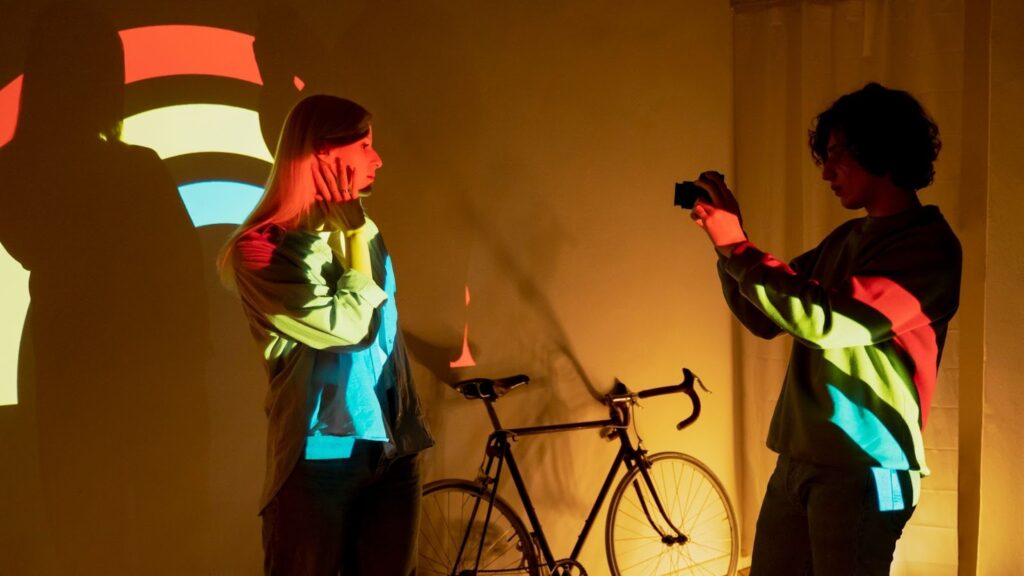
Z Image can produce clean, ad-ready visuals with short prompts. Its engine handles lighting, skin detail, and color balance well. This helps images look more premium without extra edits.
Why creators use it for ads:
- Turbo mode boosts clarity
- Good face consistency across variations
- Works with product shots
- Easy pairing with Kling and VidAU for video packaging
It is a simple tool that delivers stable outputs.
Best Use Cases for Z Image Editor AI
Z Image fits many workflows because it removes complexity.
Best use cases:
- UGC ad images
- Product creatives
- Portrait ads
- TikTok-style loops
- Costume design and character concepts
- Fast image ideas for video scripts
If you want speed, Z Image works well.
Pros and Cons of Z Image Editor AI
Z Image has strong advantages, but it also has limits.
Pros
- Fast output
- Free access
- Good face detail
- Clean lighting
- Easy learning curve
- Works well with video tools
Cons
- Less artistic than Midjourney
- Turbo mode may create minor artifacts
- Not ideal for complex compositions
Still, it remains one of the best free tools for ads and UGC workflows.
Conclusion
Z Image Editor AI gives you a simple, fast, and free way to turn images into polished videos. It competes well with Flux 2, Qwen Image, Nano Banana Pro, and Midjourney. When paired with Kling 2.6 and VidAU, it becomes a strong toolkit for ad creatives, UGC projects, and short video workflows.
Let me know if you want a shorter version, a carousel script, or a YouTube video script for this topic.
FAQs
1. Is Z Image Editor AI free?
Yes. Z Image offers free access for basic editing and image generation. Some advanced options may require credits, but most ad-level tasks work without payment.
2. Does Z Image produce better faces than Flux 2?
Z Image often creates sharper faces than Flux 2 Dev. Flux 2 is stronger in style and artistic composition, but Z Image delivers cleaner eyes, skin, and lighting.
3. Can I use Z Image for TikTok ads?
Yes. Many creators use it to produce UGC-style visuals, clean product shots, and portrait ads. When combined with Kling 2.6 or VidAU, it becomes a full ad-production workflow.
4. Why do creators combine Z Image with Kling 2.6?
Z Image gives clear still images. Kling 2.6 adds motion and audio. The combination helps creators build cinematic ads fast, with no editing software.
5. Does Z Image work well with Nano Banana Pro prompts?
Yes. Prompts designed for Nano Banana Pro often translate well. Z Image may produce less cinematic detail, but it responds fast and keeps faces consistent.