Kling AI New Model Update: Everything About Kling 2.6, Audio Sync, Multi-Character Dialogue, Prompt & More
Introduction: What Is Kling 2.6 and Why It Matters
Kling AI 2.6 marks the most significant leap in Kuaishou Technology’s rapidly evolving AI video ecosystem, redefining what creators can produce with a single prompt. Long known for its high-fidelity visuals and smooth motion, Kling had one major limitation until now: silent video output. While Kling 2.5 impressed users with its realism, rendering speed, and detailed scene control, it still required separate tools for voiceovers, ambient sound, and audio effects.
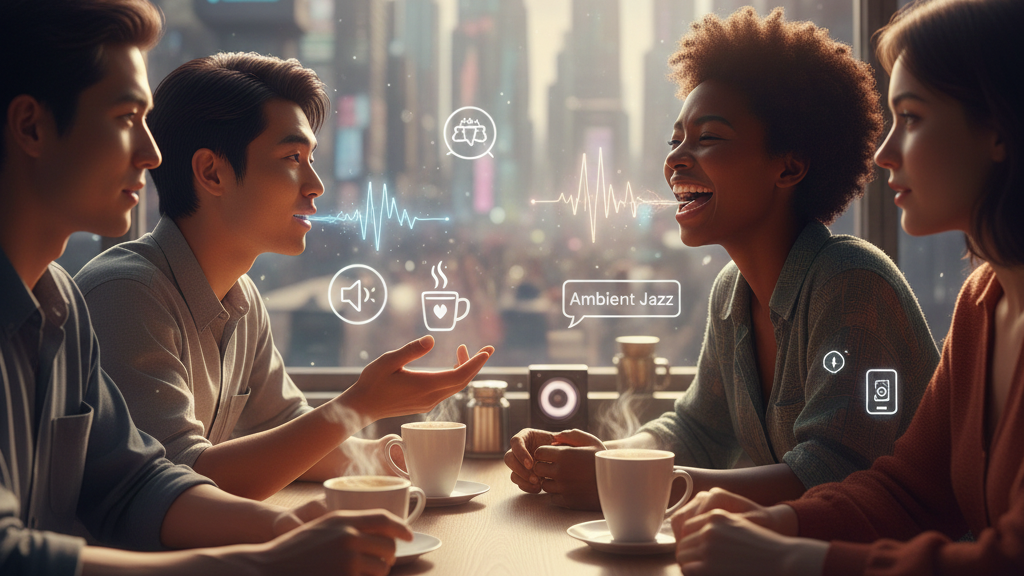
Kling 2.6 transforms that workflow entirely. As the first major AI model to deliver native, fully synchronized audio-visual generation, it can now create video, dialogue, sound effects, ambient noise, and music in one unified pass,no editing or post-production required. This breakthrough elevates Kling from a “silent animation generator” into a complete cinematic storytelling engine, capable of producing ready-to-publish 1080p clips up to 10 seconds long with lifelike voices, expressive characters, and dynamic soundscapes.
With improved realism, stronger instruction-following, multilingual audio support, and seamless synchronization between visuals and sound, Kling 2.6 positions itself at the forefront of the 2025 AI-video race, setting a new standard for short-form content, marketing creatives, and next-generation digital storytelling.
Kling 2.6 vs Kling 2.5: What’s New
| Feature | Kling 2.5 | Kling 2.6 |
| Visual Realism | High-fidelity, smooth motion | High-fidelity, cinematic motion, improved lighting, and camera control |
| Audio | None (requires external tools) | Native, synchronized dialogue, ambient sound, SFX, music |
| Multi-character Scenes | Limited visual-only characters | Fully supported with individual voices and lip-sync |
| Workflow Efficiency | Visual-only output; requires post-production | End-to-end audio-visual output; minimal editing required |
| Ideal Use | Concept videos, silent animations | Short-form cinematic content, social media ads, storytelling, promos |
14 Prompts to try: Kling 2.6 Prompts for Every Scene in the Video (Image → Video or Text → Video)
Below are scene-group prompts covering the full spectrum of visuals from the demo.
1. Futuristic City / Sci-Fi Megapolis (Flying Cars, Neon City)
Prompt:
Ultra-cinematic futuristic megacity at night, filled with towering neon skyscrapers, holographic advertisements, and flying vehicles weaving between buildings. Streets glisten with rain, reflecting vibrant neon lights. Massive digital billboards, atmospheric fog, and dynamic volumetric lighting fill the environment. Camera performs a sweeping aerial dolly shot, smoothly gliding between buildings while tracking multiple flying cars with glowing thrusters. High-detail textures, realistic reflections, soft motion blur, dense traffic, and dramatic cyberpunk mood. Hyper-real, IMAX-grade clarity.”
2. Water / Ocean / Sea Cinematic Shot
Prompt:
Cinematic shot of a powerful ocean wave crashing against rugged cliffs at golden hour. Ultra-realistic water physics, translucent wave crests, foam particles scattering in slow motion. Warm sunlight pierces through sea spray, creating soft god rays. Camera moves in a slow dolly-in motion toward the point of impact while capturing wide panoramic depth of the horizon. Highly detailed rock textures, dramatic natural ambience, deep contrast, and high dynamic range for a serene yet powerful visual. National-Geographic-level realism.”
3. Athlete Running / Action Sequence
Prompt:
Hyper-realistic slow-motion shot of a professional athlete sprinting on a track. Crisp muscle movement, sweat droplets catching stadium lights, realistic skin detail and physics. Camera tracks the runner from a low-angle side profile while gently pushing forward for intensity. Dust particles lift from the ground, motion blur adds drama, and stadium lights create cinematic rim lighting. Background crowd softly out of focus with shallow depth of field. Powerful, motivational, ESPN-style athletics cinematography.””
4. Wildlife / Animals (Elephant, Lion, etc.)
Prompt:
Photoreal wildlife shot of an animal in its natural habitat, ultra-detailed fur texture, real-time movement physics, natural breathing and blinking. Environment includes foliage swaying gently in the wind, dust particles in light rays, and authentic natural color palette. Camera captures a steady telephoto shot with shallow depth of field, slight lens breathing and cinematic zoom pull. National-Geographic-style nature cinematography with extreme realism.”
5. Fantasy Landscape (Floating Islands, Magical Atmosphere)
Prompt:
“Epic fantasy landscape featuring floating mountains, glowing runes, ancient structures, and a colossal mythical creature gliding through the sky. Mist rolls across valleys illuminated by bioluminescent plants. The creature spreads its massive wings with realistic shadow dynamics. Camera executes a majestic wide aerial sweep, capturing scale, magic particles, and atmospheric depth. Rich color palette, ultra-high detail textures, fantasy realism, mood of awe and wonder. Perfect for cinematic world-building
6. Realistic Urban Street Scene
Prompt:
Ultra-realistic urban street scene in soft morning light. Pedestrians walking naturally, subtle reflections on pavement, cars passing, storefronts detailed with signage and texture. Camera performs a handheld walking shot with gentle natural stabilization, giving documentary realism. Light breeze moves clothing and street debris. Deep focus, natural color grading, rich human expressions, authentic city ambience. True-to-life cinematography with social realism.”
7. Human Portrait Close-Up (Cinematic Face Shot)
Prompt:
Cinematic close-up of a human face with ultra-realistic skin texture, natural pores, soft subsurface scattering, and expressive eye reflections. Gentle wind moves hair strands. Background softly blurred with bokeh lights. Camera slowly trucks inward for emotional intensity. Warm soft lighting, natural tonal range, hyper-detailed eyelashes, freckles, and micro-expressions. Portrait film style resembling high-end cinema lenses.””
8. Fantasy Creature (Dragon / Creature Reveal)
Prompt:
“Giant dragon emerging from misty mountains, wings unfolding in slow motion. Scales reflecting ambient light, smoke and embers rising. Camera circles around the creature with a dramatic orchestral mood.”
9. Sci-Fi Interior / Spaceship
Prompt:
“Ultra-detailed sci-fi spaceship interior, futuristic control panels glowing with holographic interfaces, metallic corridors with dynamic reflections. Crew members move naturally, holograms respond in real-time. Camera slowly glides down main corridor, sweeping past consoles, tracking robotic assistants. Soft volumetric lighting, cinematic shadows, realistic textures on metal and glass, ambient sci-fi hum. High-res, cinematic framing, seamless lens flare and depth-of-field effects.”
10. Magic / Spellcasting Scene
Prompt:
“Epic magical duel scene with wizards casting glowing spells in dark enchanted forest. Sparks, smoke, and particle-based magic effects swirl realistically. Characters dynamically animate, with flowing robes and hair physics. Camera performs dynamic side-tracking and close-up POV shots of spell impact. Dramatic volumetric lighting, fire and arcane effects illuminate faces. Ultra-detailed textures, cinematic color grading, sense of tension, cinematic fantasy epic style.”
11. Post-Apocalyptic / Ruined City
Prompt:
“Cinematic post-apocalyptic cityscape, crumbling buildings, overgrown vegetation, abandoned vehicles, fog rolling over streets. Sunlight diffused through clouds, casting long shadows. Camera dolly-in through debris-strewn streets with realistic particle dust and broken glass reflections. Muted cinematic color palette, hyper-real textures, abandoned urban details, subtle motion of wildlife or survivors, gritty immersive atmosphere, high-fidelity cinematic style.”
12. Explosion / High-Impact Action
Prompt:
“High-octane cinematic explosion scene, fireball and debris interacting realistically with surrounding environment. Shockwave distorts air, dust and smoke rise with volumetric lighting. Camera tracks dynamic action from multiple angles, slow-motion fragments captured with motion blur. Ultra-realistic physics for debris, sparks, flames, reflections, and lighting. Epic scale cinematic intensity, HDR cinematic color grading, blockbuster-level visual fidelity.”
13. Vehicle / Fantasy Race
Prompt:
“Hyper-detailed cinematic racing sequence, futuristic vehicles with neon underglow speeding through urban or desert terrain. Motion blur and camera shake create immersive speed effect. Dust and particles kick up realistically, reflective surfaces interact with environment lighting. Dynamic camera follows close-up and aerial tracking shots. High-detail textures, cinematic depth of field, epic lighting, high-octane energy, seamless slow-motion for dramatic moments.”
14. Cosmic / Space Scenery
Prompt:
“Ultra-realistic cosmic scene with nebulae, swirling galaxies, asteroids, and glowing stars. Spaceships or satellites orbiting planets with realistic motion physics. Volumetric lighting illuminates cosmic dust and planetary surfaces. Camera performs sweeping zoom from galaxy scale to close planetary orbit. Hyper-detailed textures, cinematic color grading, deep space reflections, immersive scale and depth, high-resolution space cinematography.”
Key Features of Kling 2.6 (What’s New)
1.1 Native Audio + Video Generation
Kling 2.6 can generate:
- Voiceovers (English & Chinese)
- Lip-synchronized dialogue
- Ambient environment noise
- Sound effects
- Cinematic scoring elements (basic rhythms & tones)
This eliminates the traditional workflow of:
- Generate video
- Export
- Add voiceover/music
- Sync manually
Now, creators get a fully produced clip directly from text or an image.
1.2 Improved Model Architecture
Kling 2.6 uses:
- A diffusion-transformer hybrid
- 3D spatiotemporal joint-attention
Meaning:
- Better control over motion
- Clearer temporal consistency
- More detailed environments
- Accurate cross-shot character retention
- Stronger adherence to complex prompts
Internal tests show a 15% improvement in prompt compliance and 30% compute cost reduction compared to previous versions.
1.3 10-Second 1080p Output on Kling 2.6
The current hard limit is around 5–10 seconds, but the clips feature:
- Better frame coherence
- High photorealism
- Minimal distortion in facial animations
- Clean motion across scenes
An extended-duration roadmap for 2026 hints at 4K, 60fps, and longer sequences, though not confirmed.
1.4 Multimodal Input Options
Kling 2.6 supports:
- Text-to-video
- Image-to-video
- Reference-video enhancement
- Image + audio + text hybrid prompts (depending on platform)
This flexibility makes Kling 2.6 useful for both cinematic scenes and fast, short-form content.
Benefits of Using Kling 2.6
- End-to-End Video Creation – No need for separate audio editing or external tools.
- Time-Saving Workflow – Generate fully polished, ready-to-publish videos in minutes.
- Immersive Storytelling – Characters, sound, and visuals are perfectly aligned for cinematic impact.
- Accessible for Creators of All Levels – Beginners can create professional content without complex software.
- Cost-Effective – Reduces the need for actors, cameras, and post-production teams.
2. What Kling 2.6 Can (and Can’t) Do Today
What It Can Do
- Generate realistic talking characters
- Create cinematic shots with audio
- Build marketing/product videos
- Add ambient sound (rain, cafes, cities, wind, waves)
- Produce videos suitable for TikTok, Reels, YouTube Shorts
- Create storyboards, pre-vis, and concept art videos
- Build social media ads with native voiceovers
Current Limitations
- Clip length is still short (max 10 seconds)
- Only two languages supported
- Some audio realism still sounds “AI-generated”
- Fast, chaotic motion may blur
- Multi-character dialogue can be inconsistent
- Not yet ready for long-form filmmaking
3. Kling 1.0 vs Kling 2.6 — Comparison Table
| Feature | Kling 1.0 | Kling 2.6 |
| Release Generation | First public version | Advanced upgraded model |
| Video Realism | Moderate realism | Near-cinematic realism |
| Human Motion Quality | Stiff, less natural | Highly natural human movement, realistic physics |
| Environment Detail | Basic environments, limited depth | Rich, complex cinematic environments with lifelike textures |
| Camera Motion | Mostly static or simple pans | Dynamic camera angles: dolly, crane, orbit, FPV, slow-motion |
| Prompt Understanding | Basic interpretation | Deep semantic understanding & creative interpretation |
| Scene Complexity | Struggles with multi-element scenes | Handles multi-character, multi-object, dynamic scenes smoothly |
| Lighting & Shadows | Simple, flat lighting | Advanced global illumination, soft shadows, realistic reflections |
| Motion Physics | Limited | Accurate fabric, hair, water, particle movement |
| Clip Length | Short clips (3–5 seconds) | Longer, more stable clips (up to 10–20 seconds depending on settings) |
| Consistency Across Frames | Occasional flicker or model drift | High temporal consistency; reduced flicker |
| Special Effects | Minimal | Enhanced VFX, fog, particles, rain, fire, depth-of-field control |
| Art Style Options | Few | Wide range: cinematic, photorealistic, anime, stylized, surreal |
| Use Cases | Simple concept videos | High-end creative ads, cinematic scenes, realistic storytelling |
Real-World Use Cases
- Social Media Marketing – Create engaging, short-form videos with synchronized audio and visuals for maximum engagement.
- Product Promotions – Showcase products in dynamic, cinematic settings with voiceovers and ambient sound.
- Explainers & Educational Content – Generate animated tutorials with synchronized narration and sound effects.
- Storytelling & Skits – Bring scripts to life with multi-character dialogue, realistic expressions, and soundscapes.
- Rapid Prototyping – Test creative ideas or storyboards without expensive production setups.
4. How Kling 2.6 Compares to Other AI Video Models
| Model | Audio Support | Realism | Duration | Languages | Strength |
| Kling 2.6 | ✔ Native audio-video | High | 10s | EN/CH | Best all-in-one generation |
| OpenAI Sora 2 | ✖ No native audio | Very high | Long | Many | Best cinematic quality |
| Google Veo 3.1 | ✖ No native audio | High | Long | Many | Strong consistency |
| Runway Gen-3 | Optional add-on audio | Medium | Medium | Many | Best for editors/designers |
| Pika Labs | Basic audio | Medium | Short | Many | Best for casual creators |
Kling 2.6 is the only major model with true simultaneous audio-visual generation, which is its competitive edge.
5. How to Use Kling 2.6 Today (Full Workflow Guide)
Kling AI 2.6 is now accessible through several supported platforms, making it easy for beginners, marketers, and advanced creators to generate synchronized audio-visual content with minimal setup. Whether you’re creating social media clips, product promos, or cinematic storytelling, the workflow is fast, intuitive, and optimized for short-form formats.
Where to Access Kling 2.6
Kling 2.6 isn’t limited to a single app, it’s integrated across multiple AI creation platforms:
- VEED – Best for beginners; simple UI for text-to-video and instant editing
- Pixazo – Developer-focused; offers API access and advanced model controls
- Krea AI – Designed for artists and creative exploration
- WaveSpeed AI – Fast-generation engine with polished audio-visual outputs
- Official Kling Website – The most direct, native experience with official updates
Each platform provides slightly different controls, but the core creation process remains the same.
Step-by-Step Guide: Creating a Video with Kling 2.6
1. Select Your Workflow
Kling supports two major inputs:
- Text-to-video: Generate fully original cinematic scenes from a written prompt
- Image-to-video: Animate an existing image, character design, or storyboard
Choose the method depending on whether you’re building something new or enhancing existing visuals.
2. Craft a Detailed Prompt
The prompt is the foundation of Kling’s output. Include:
- Scene description (environment, mood, lighting)
- Character details (appearance, expressions, actions)
- Camera direction (close-up, wide shot, dolly, pan)
- Motion and pacing
- Audio cues
- Dialogue
- Ambient noise (rain, traffic, cafeteria, forest)
- Sound effects
- Background music tone
Pro tip: The more specific your audio and visual instructions, the better Kling 2.6 performs.
3. Set Video Parameters
Most platforms allow you to configure:
- Resolution: 1080p is the recommended default
- Duration: 5–10 seconds (Kling is optimized for short-form content)
- Voice settings: Choose English or Chinese; select tone or let Kling auto-assign
- Style options: Realistic, cinematic, animated, stylized, etc.
4. Generate Your Audio-Visual Clip
Once the prompt and settings are ready, click Generate.
Kling 2.6 will produce:
- Fully synchronized lip-sync
- Ambient audio
- Environmental sound
- Character dialogue
- Motion-consistent visuals
This is where Kling’s biggest upgrade becomes obvious, the audio and visuals are created in a single AI pass, drastically reducing editing time.
5. Review and Refine
After generation, review the clip for:
- Lip-sync accuracy
- Motion flow and realism
- Background audio balance
- Character consistency
- Lighting and camera feel
If anything needs adjusting, refine your prompt and regenerate.
6. Export and Publish
Once satisfied:
- Export in 1080p
- Use directly for TikTok, Instagram Reels, YouTube Shorts, or ads
- Or stitch multiple clips together for longer sequences
Most platforms provide built-in editing tools if you want to trim, enhance, or mix multiple Kling clips.
Why This Workflow Works
Kling 2.6 replaces a traditional 3 – 6 step production pipeline (video + voiceover + SFX + editing) with one unified system, making it ideal for:
- Social media creators
- Brands and marketers
- Educators
- Storytellers
- Animators
- Agencies
- Next-gen AI filmmakers
It reduces cost, speeds up output, and makes high-quality cinematic clips accessible to anyone.
What’s Coming After Kling 2.6: The Kuaishou’s AI Video Roadmap
Kuaishou has made it clear that Kling 2.6 is only the beginning. With the model now capable of synchronized audio-visual generation, the next phase focuses on scaling quality, length, control, and cinematic sophistication. Based on early research previews and developer notes, here’s what creators can expect from upcoming Kling releases.
1. Longer AI-Generated Videos (20–60 Seconds)
One of the most requested features is extended duration, and Kuaishou is actively working toward 20-second, 30-second, and even 60-second outputs. Longer clips will enable:
- more complex storytelling
- multi-scene sequences
- narrative dialogue
- full product demos and ads
Once unlocked, this upgrade will push Kling closer to true short-film production capability.
2. 4K Video Generation
While Kling currently focuses on fast, high-quality 1080p output, internal tests have hinted at future 4K upscaling and native 4K rendering. This would bring AI video generation into:
- professional commercial use
- cinematic visual clarity
- large-screen advertising
- high-end creative production
4K support is expected to be a major milestone for agencies and filmmakers.
3. Advanced Character Consistency
Kuaishou is developing persistent character modeling so creators can maintain:
- the same face
- the same voice
- the same personality
- consistent clothing & style
Across multiple clips or an entire series. This feature is essential for animated shows, branded mascots, VTubers, and virtual influencers.
4. Higher-Quality Voice Models (More Languages Coming)
Currently optimized for English and Chinese, Kling’s next generation aims to add:
- multilingual voice packs
- advanced emotional expression
- more natural accents
- professional-grade vocal texture
This will make Kling an even stronger tool for global marketing and storytelling.
5. Cinematic Audio Scoring & Sound Design Tools
Kling already generates synchronized dialogue and ambient audio, but upcoming releases may include:
- adaptive music scoring
- mood-based background tracks
- dynamic Foley sound options
- user-selectable SFX libraries
- music style presets (epic, dramatic, chill, corporate, etc.)
This moves Kling toward full AI film audio production.
6. Interactive & Controllable Scenes
Future updates may introduce deeper scene control, allowing users to adjust:
- camera choreography
- actor positioning
- motion paths
- lighting
- physics and scene dynamics
This level of interactivity would shift Kling from “prompt-based generation” to virtual filmmaking, where the user directs the scene like a movie set.
Who Will Benefit Most from the Next Kling Upgrades?
As Kling evolves beyond 2.6, it will increasingly become a foundational tool for industries that require fast, cinema-quality, scalable video production:
- Indie filmmakers
- YouTube creators & Shorts filmmakers
- Digital marketers & social media teams
- Advertising agencies
- Virtual influencer creators (VTubers, AI personas)
- Animation studios & previsualization teams
- Brands building narrative-focused content
- Educational content creators
Conclusion
Kling 2.6 moves AI video forward with fast audio and visual output in one model. You build short scenes with synced voices, effects and ambience. The workflow stays simple and the results support marketing, product work and creative testing. Longer clips and higher resolution will push the model further as updates roll out.
Kling 2.5 focused on visual quality. Kling 2.6 adds native audio, so you build clips that feel complete. You get dialogue, emotion and clean motion in one run. This helps you ship short content, ads and story scenes without extra tools. Kling 2.6 sets a clear direction for AI video where sound and visuals stay aligned in every frame.
FAQ
1: Can I use Kling 2.6 for long videos?
A: Kling 2.6 is optimized for short-form clips (5–10 seconds). For longer videos, multiple clips can be generated and stitched together in a video editor.
2: Do I need prior video editing experience to use Kling AI 2.6?
A: No. Kling 2.6 is designed to be beginner-friendly, allowing creators to generate cinematic videos directly from text or images without prior video or audio editing skills.
3: Is Kling 2.6 suitable for professional content creation?
A: Kling 2.6 is excellent for social media, marketing, and creative experimentation. However, some users report occasional glitches, so for high-stakes or long-form projects, testing and multiple attempts may be needed.
4: Does Kling AI 2.6 support multi-character scenes?
A: Yes. Kling 2.6 supports multiple characters with distinct voice profiles, lip-sync, and synchronized audio effects, making dialogues and group scenes realistic and dynamic.
5: How do I get started with Kling AI 2.6?
A: Simply choose your workflow (text-to-video or image-to-video), craft a detailed prompt describing the scene, set your resolution and duration, and generate your clip. Review the output, and it’s ready to publish or edit further.