18+ Best AI Image to Video Generator Tools for Viral Shorts in 2026
Real pricing, free tiers, and honest pros and cons for every major AI image-to-video tool — so you can pick the right one and start publishing today.
Try VidAU Image to Video Free →No credit card required · Free tier available
The AI image to video generator space has transformed beyond recognition in the past 12 months. Tools that felt experimental in early 2025 are now production-grade platforms used by millions of creators on TikTok, Instagram Reels, and YouTube Shorts. OpenAI’s Sora has been discontinued. New models from Alibaba, ByteDance, and Google have reshaped the leaderboards. And pricing has dropped so dramatically that producing professional video from still images is now accessible to solo creators on any budget.
This guide covers 18+ tools — with real, verified pricing as of April 16, 2026, honest notes on what each one actually does well, and clear guidance on which tool fits which workflow. Whether you’re building a faceless content channel, producing product ads, or just starting to experiment with AI video, you’ll find the right starting point here. We’ll also show you how VidAU’s image-to-video tools fit into a complete short-form content production workflow.

What Is an AI Image to Video Generator?
An AI image to video generator is a tool that takes a static image — a product photo, a portrait, an illustration, a brand asset — and animates it into a moving video clip using artificial intelligence. The AI interprets the image’s content, infers spatial depth and physical context, and generates realistic motion: a face turns, hair moves in the breeze, fabric ripples, a product rotates on a surface.
Unlike text-to-video tools (which generate everything from a written description), image-to-video gives creators precise control over the starting visual. You decide exactly what the first frame looks like — the model handles everything that happens after it. For short-form content creators, this is a fundamental workflow advantage: you get the visual consistency of your own photography combined with the motion quality of AI generation, without needing to film anything.
The practical use cases have expanded dramatically in 2026. Creators use image-to-video for product demo clips, AI avatar videos with lip-sync, reaction-style content with portrait animation, animated brand assets, and viral transformation effects. The VidAU AI video platform covers all of these with multiple underlying models under one interface — you don’t need to manage separate accounts for each use case.
18+ Best AI Image to Video Generator Tools (April 2026)
Every tool below has been reviewed for accuracy as of April 16, 2026. Pricing reflects current published rates — always verify on the platform’s official site before subscribing, as AI tool pricing changes frequently.
1. VidAU — Best All-in-One for Short-Form Creators
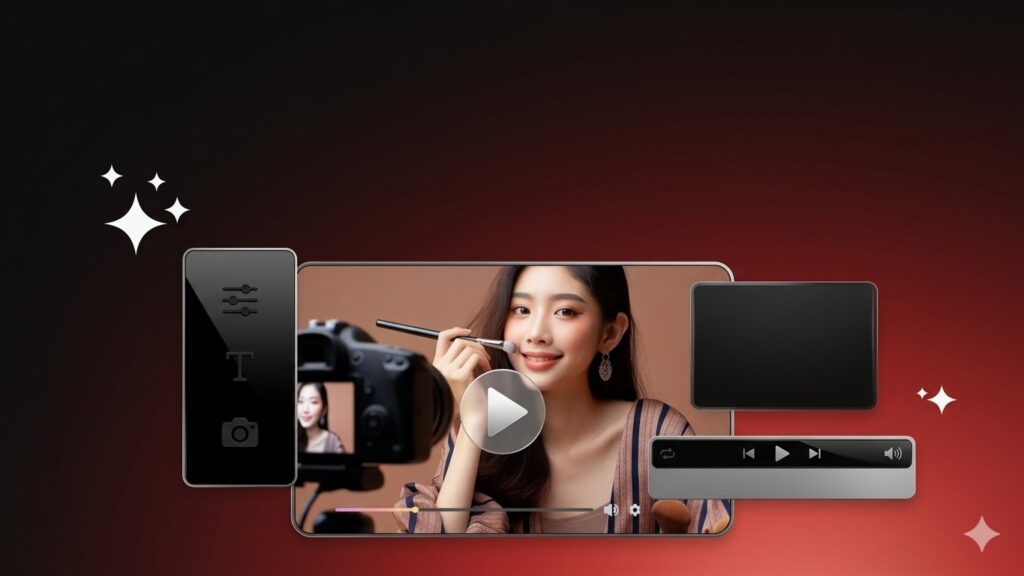
VidAU is the platform built specifically for short-form video production at scale. Rather than being locked into a single underlying model, VidAU’s image-to-video feature gives you access to multiple top-tier models — including Seedance 1.0, Kling 2.5, Minimax Hailuo 2.3, Wan 2.5, and Nano Banana — through a single interface optimized for TikTok, Instagram Reels, and YouTube Shorts output. Upload an image, add optional motion instructions or a voice script, select your aspect ratio and model, and export a finished video in minutes. VidAU is particularly strong for UGC-style avatar content (via its UGC Avatars feature), product-to-video workflows, and batch production where you need multiple clips from the same image set. The VidRemix tool lets you instantly reformat any generated clip for a different platform without re-editing.
Best for: Creators who want multiple models in one place, product ad production, UGC-style content, and consistent daily short-form output. The free tier is genuinely usable for testing before committing to a paid plan.
2. Kling 3.0 — #1 Benchmark Score, Best Physics Engine
Kling 3.0, released February 5, 2026 by Kuaishou, currently holds the #1 ELO benchmark score (1,243) among all AI video models on Artificial Analysis. Its image-to-video capability is widely regarded as its strongest feature — the 3D face and body reconstruction technology significantly reduces the warping distortion that plagues cheaper tools. Kling 3.0 introduced native 4K output, multi-language audio (English, Chinese, Japanese, Spanish), and clip lengths up to 15 seconds. Its Motion Control feature — where you draw custom motion paths directly on the image — gives a level of directorial precision that no competing tool currently matches. The free tier provides 66 credits per day (enough for 1–2 test clips) with a watermark; removing it requires the $6.99/month Standard plan, which also unlocks commercial use rights — the lowest entry price for commercial AI video in 2026.
Best for: Creators prioritizing raw visual quality, physics-accurate animations, and character consistency across shots. The lowest-cost commercial tier in the market. Note that customer support is limited for English-speaking users, and some interface elements are in Chinese.
3. Runway Gen-4.5 — Best Camera Control and Editing Suite
Runway Gen-4.5 is the professional filmmaker’s tool of choice in 2026. Its image-to-video output is cinematic and character-consistent — faces and objects maintain their appearance across different angles and lighting conditions better than any competing platform. The Motion Brush feature lets you paint motion paths onto specific regions of your image for frame-level directional control. Runway also offers Act-Two (motion capture from video reference) and Aleph (AI video editing). The Standard plan ($12/month) includes commercial use rights and removes the watermark. Note that the free tier provides 125 one-time credits with no daily refresh — enough to test but not to produce content consistently. For social media volume creators, Kling at $6.99/month offers better value; Runway excels on client projects and commercial work where cinematic quality is non-negotiable.
Best for: Professional filmmakers, agencies producing commercial video, and creators who need frame-level control over exactly how their images animate. The most complete post-generation editing suite of any tool on this list.
4. Pika 2.5 — Fastest Generation, Best Creative Effects
Pika 2.5 is the fastest and most beginner-friendly option on this list. Clips generate in 30–90 seconds on Turbo mode — three to six times faster than Runway or Kling. Its unique strength is the Pikaffects suite: physics-based transformation effects including Melt, Inflate, Crush, Pop, and Explode that make images behave in visually striking ways no other tool replicates. For TikTok-style viral content, these effects consistently outperform straightforward animation in engagement metrics. The Basic plan at $8/month removes the watermark but does not include commercial rights — you need the $28/month Pro plan for commercial use. Raw motion quality trails Runway and Kling for realistic animation, but for stylized and viral content, Pika’s output frequently outperforms both.
Best for: Social media creators who prioritize speed and creative effects over photorealism. Ideal for testing ideas quickly before committing to a more expensive tool. The fastest iteration cycle on the list.
5. Google Veo 3.1 — Best Native Audio, Best Photorealism
Google Veo 3.1 is the photorealism benchmark for AI video in 2026. It’s the only tool that generates dialogue, ambient sound, and Foley effects simultaneously with the video in a single inference pass — no separate audio workflow required. For image-to-video specifically, Veo 3.1 maintains the strongest identity preservation for portrait animation and brand asset motion. The Google Workspace integration means Veo 3.1 Lite is now available at no additional cost for Workspace subscribers, making it accessible to business users who are already in the Google ecosystem. The full model via Google AI Ultra ($249.99/month) is primarily justified for high-volume professional teams; for most short-form creators, Kling or Runway deliver comparable results at a fraction of the cost.
Best for: Professional production requiring native audio, brands already using Google Workspace, and content where maximum photorealism directly affects perceived quality. The most expensive option — best for agencies and enterprise teams with the budget to justify it.

6. Minimax Hailuo 2.3 — Best Speed-to-Quality Ratio
Hailuo 2.3 has become the “fast draft” choice for creators who need multiple iterations quickly without sacrificing output quality entirely. It completes 5-second clips in under 30 seconds — faster than any other production-grade tool — and the motion quality is strong enough for most social media use cases. It ranks in the top 5 on image-to-video with audio leaderboards on Artificial Analysis. VidAU users have direct access to Hailuo 2.3 via the Minimax Hailuo 2.3 model page without a separate account. Best used for rapid concept testing and high-volume social content where turnaround speed matters more than maximum visual fidelity.
Best for: High-volume short-form creators, rapid prototype testing, and anyone who needs to produce multiple clip variations quickly to A/B test before selecting a final version for polished production.
7. Wan 2.5 / 2.6 — Best Free Open-Source Option
target=”_blank” rel=”noopener noreferrer”>Wan 2.5 (and the updated 2.6/2.7 versions) from Alibaba is the strongest open-source image-to-video model available in 2026. Released under an Apache 2.0 license, it can be downloaded, self-hosted, fine-tuned, and used commercially without per-clip fees — provided you have a GPU with at least 24GB VRAM. For developers building applications on top of image-to-video technology, Wan is the most cost-effective foundation. Via cloud API providers, generation costs are approximately $0.018 per second — the cheapest pay-per-use rate for production-grade output. VidAU users can access Wan 2.5 directly via the Wan 2.5 model page. Motion quality is strong, though it doesn’t match Kling or Runway for absolute photorealism.
Best for: Developers building image-to-video into their own apps, self-hosted creators, and high-volume teams who need the lowest possible per-clip cost without subscriptions.
8. Luma Ray 3 — Best Cinematic Storytelling
Luma Ray 3 (formerly Dream Machine) excels at maintaining visual consistency and generating smooth, cinematic motion from images — particularly useful for storytelling sequences where multiple shots need to feel like they belong to the same scene. The keyframe feature — where you specify both a start and end image and let the AI fill the motion between them — is one of the most powerful creative tools in image-to-video. Cherry blossom effects, particle physics, and environmental textures are particularly strong. The Unlimited plan at $99.99/month is the best deal for creators who need to remove all per-clip anxiety and iterate freely. Luma’s Unlimited plan is cost-effective for power users; the base Explorer tier at $9.99/month is a strong entry point.
Best for: Narrative short-form content, storytelling sequences requiring shot-to-shot consistency, and creators who want keyframe control over image-to-image animation.
9. PixVerse V6 — Best for Character Consistency
PixVerse V6, the latest iteration as of April 2026, has ranked in the top 5 on image-to-video leaderboards specifically for its character consistency across multiple generations from the same source image. Where many tools produce slightly different-looking faces across different prompts, PixVerse maintains strong identity fidelity — making it particularly useful for creators building a consistent AI character across multiple short-form videos. It also supports scene linking, allowing consecutive clips to maintain visual continuity without manual stitching.
Best for: Creators building a faceless AI character brand, avatar-led short-form content where the same “character” appears across dozens of videos, and anyone needing shot-to-shot consistency above all else.
10. D-ID — Best for Talking Head Lip-Sync
D-ID specializes in a narrower but extremely high-demand use case: turning a portrait image into a realistic talking head video with accurate lip-sync. Upload any face photo, provide a script or audio track, and D-ID generates a video where the face speaks your content naturally. It supports dozens of languages, making it particularly powerful for multilingual content. For explainer videos, AI avatar ads, and educational content in multiple languages, D-ID’s output quality is consistently strong and the workflow is among the simplest on this list.
Best for: AI avatar content, multilingual talking head videos, tutorial creators who don’t want to appear on camera, and ad agencies who need spokesperson-style videos at scale.
11. HeyGen — Best Drag-and-Drop Avatar Video Editor
HeyGen is purpose-built for branded avatar video at scale. Its drag-and-drop editor makes it straightforward to produce platform-specific avatar videos from images — particularly for business content like product demos, training videos, and social media ads where a consistent AI spokesperson drives the narrative. HeyGen’s instant avatar feature can clone your appearance from a short video recording, creating a digital twin that presents your scripts without you needing to re-film anything. For short-form content creators producing high volumes of spokesperson-led clips, HeyGen’s template library and export presets significantly reduce per-video production time.
Best for: Business creators, agencies producing branded avatar content, and anyone building a library of spokesperson-led short videos across multiple topics or languages.
12. Synthesia — Best for Training and Tutorial Shorts
Synthesia is the enterprise standard for avatar-led video content. It excels at tutorial-style and training short videos where a consistent AI presenter delivers scripted information in a professional setting. Over 140 AI avatars are available, and custom avatar creation from your own likeness is offered on paid plans. For brands that need regular educational or onboarding content in video format, Synthesia’s quality and reliability are hard to match. It’s not the right tool for viral entertainment content, but for structured, professional short videos it remains the category leader.
Best for: Brands, training teams, and educational creators who need consistent professional avatar videos for onboarding, tutorials, and product explainers. Less suitable for entertainment-focused short-form content.
13. CapCut — Best Mobile-First Short-Form Editor
CapCut is the dominant mobile-first video creation tool for TikTok creators. Its AI image animation features — including AI photo enhancement, motion effects, and photo-to-video conversion — are more limited than dedicated generation platforms but are bundled into a complete editing environment that most creators already use. The AI “Animate” feature applies preset motion styles to uploaded images, and the results integrate directly into CapCut’s editing timeline. For creators who live in the CapCut ecosystem and want basic image animation without leaving the app, this is the most frictionless option.
Best for: Mobile-first TikTok creators who want image animation integrated directly into their existing editing workflow without managing a separate tool.
14. Filmora AI — Best Desktop Editor with AI Features
Filmora AI is a full desktop video editor that has integrated AI scene suggestion and short-form template features. Its image-to-video capabilities are template-driven rather than generative — you upload an image, apply a preset motion style, and export. The output quality is consistent and reliable for standard use cases. For creators who prefer a traditional editing environment with AI-assisted features rather than a pure generation platform, Filmora is the most accessible desktop option.
Best for: Creators who prefer desktop editing workflows and want AI-assisted image animation without the learning curve of pure generative platforms.
15. Kaiber — Best for Music-Reactive Visuals
Kaiber has carved out a specific niche: AI video generation that syncs automatically to audio beats. Upload an image and an audio track, and Kaiber generates a video where the animation style, transitions, and visual intensity react to the music’s rhythm and energy. For music creators producing visualizers, lyric videos, or music-reactive Reels, this is a genuinely distinctive capability that no other platform on this list replicates well. The pricing is among the most affordable on the list, with the Pro plan at $10/month providing a generous credit allocation.
Best for: Musicians, DJs, and creators producing music-driven visual content where beat-reactive animation adds production value that manual editing would take hours to achieve.
16. DeepMotion — Best for Body Motion Animation
DeepMotion uses motion capture AI to animate full-body movement from images or reference video. Unlike most tools on this list that focus on facial animation or environmental motion, DeepMotion specializes in realistic body tracking — walking, dancing, running, sports movements. For creators producing fitness content, dance videos, or any short-form content requiring realistic full-body animation, DeepMotion offers capabilities that general-purpose image-to-video tools don’t replicate well.
Best for: Fitness, dance, and sports content creators who need realistic full-body motion animation rather than facial or environmental effects.
17. Vyond — Best for Business Explainer Shorts
Vyond is a business-focused animated video platform with AI-assisted avatar creation. Its image-based approach uses customizable animated characters and templates rather than generative image animation — making it more predictable and brand-consistent but less visually impressive than generative tools. For companies producing regular explainer content, compliance training, and internal communications in short video format, Vyond’s template library and team collaboration features make it the most practical choice.
Best for: Corporate and enterprise teams producing branded explainer videos, training content, and internal short-form communications where brand consistency matters more than cutting-edge visual quality.
18. LeiaPix — Best for 3D Depth Effect Shorts
LeiaPix specializes in a single, specific effect: converting a 2D image into a 3D parallax depth animation. The result — a still image that appears to have genuine three-dimensional depth, with foreground and background moving at different rates — is visually striking in short-form feeds and requires zero prompt engineering. For portrait photographers, landscape creators, and anyone who wants to transform their best photography into scroll-stopping video content, LeiaPix is the simplest tool on this list. The free tier is genuinely useful, and the Premium plan at $4.99/month is the lowest paid tier of any tool here.
Best for: Photographers and visual creators who want to transform their existing photography into 3D parallax video without any generative AI complexity.
19. Higgsfield — Best for Cinematic Short-Film Style
Higgsfield is built on Sora 2’s architecture (before the March 2026 shutdown) and specializes in 50+ cinematic camera movement presets — dolly zoom, crane shots, FPV drone angles, handheld verité — applied to still images. For short-form creators who want their image-to-video output to feel genuinely filmed rather than generated, Higgsfield’s camera control library is the most comprehensive available. It generates 4 million videos per day on its platform, making it one of the highest-volume tools in this space. Lipsync features are purpose-built for UGC ad content.
Best for: Cinematic short-form creators, travel and lifestyle content, and UGC ad production where professional camera movement dramatically improves perceived production value.
OpenAI shut down Sora on March 24, 2026. If your current workflow depends on Sora, you need to migrate immediately. The best direct replacements for image-to-video work are Kling 3.0 (best quality, lowest commercial price), Google Veo 3.1 (best audio), and Runway Gen-4.5 (best camera control). VidAU gives you access to multiple replacement models under one account — see the VidAU model lineup for current availability.
Full Comparison: Pricing, Free Tiers & Best Use Case
Here’s the complete side-by-side view of every tool’s current pricing and primary strength as of April 16, 2026.
| Tool | Free Tier | Entry Paid | Commercial Rights | Best For |
|---|---|---|---|---|
| VidAU | Yes | ~$19/mo | Yes | All-in-one, multi-model, product ads |
| Kling 3.0 | 66 credits/day | $6.99/mo | From $6.99/mo | Best quality, physics, lowest commercial entry |
| Runway Gen-4.5 | 125 credits (one-time) | $12/mo | From $12/mo | Cinematic quality, camera control |
| Pika 2.5 | 80 credits | $8/mo | From $28/mo | Speed, creative effects, viral content |
| Google Veo 3.1 | Limited (AI Studio) | $249.99/mo (Ultra) | Yes | Native audio, photorealism, enterprise |
| Hailuo 2.3 | Yes | $14.99/mo | Yes | Fastest generation, high-volume drafts |
| Wan 2.5/2.6 | Yes (open-source) | ~$0.018/sec API | Yes (Apache 2.0) | Developers, self-hosted, lowest cost API |
| Luma Ray 3 | Limited | $9.99/mo | Yes | Keyframe animation, narrative shots |
| PixVerse V6 | Yes | ~$9/mo | Yes | Character consistency, scene linking |
| D-ID | Trial | $5.9/mo | From paid | Talking head lip-sync, multilingual avatars |
| HeyGen | 1 video/mo | $29/mo | Yes | Branded avatar videos, spokesperson content |
| Synthesia | No | $18/mo | Yes | Training videos, professional tutorials |
| CapCut | Yes | $7.99/mo | Check terms | Mobile TikTok creators |
| Filmora AI | Trial | $49.99/yr | Yes | Desktop editing with AI features |
| Kaiber | 7-day trial | $5/mo | Yes | Music-reactive visuals |
| DeepMotion | Trial | $12.5/mo | Yes | Full-body motion animation |
| Vyond | No | $25/mo | Yes | Corporate explainers, business content |
| LeiaPix | Yes | $4.99/mo | Check terms | 3D parallax depth effects |
| Higgsfield | Trial | ~$15/mo | Yes | Cinematic camera movements, UGC ads |
How to Choose the Right AI Image to Video Generator
With 18+ tools available, the right choice depends on five practical variables — not on which tool has the most impressive demo reel.
Free tier availability and daily credits. If you’re just starting, pick a tool with a genuine free tier that refreshes daily. Kling (66 credits/day) and Hailuo offer the best free tiers for ongoing testing without commitment. Runway’s 125 one-time credits disappear faster than most beginners expect.
Commercial rights threshold. This is the most commonly overlooked consideration. Pika’s $8/month Basic plan removes the watermark but doesn’t include commercial use rights — you need the $28/month Pro plan. Kling includes commercial rights from its $6.99/month Standard plan, making it the best entry point for creators who monetize their content. Always check the current terms on each platform before using output commercially.
Output format and aspect ratio. Every platform on this list supports 9:16 vertical video natively, which is the requirement for TikTok, Reels, and Shorts. But output resolution varies significantly — Kling 3.0 delivers 4K, most tools cap at 1080p on paid plans and 720p on free tiers.
Audio generation. If you need synchronized dialogue or sound effects in your final video, your realistic options as of April 2026 are Google Veo 3.1 (native audio-video joint generation), Kling 3.0 (native multilingual audio on paid plans), and Hailuo (audio generation available). Most other tools require separate audio production and post-sync.
Generation speed vs quality tradeoff. Pika generates in 30–90 seconds but trails on realism. Kling takes 5–10 minutes in Pro mode but delivers the highest quality. For most short-form creators, the right workflow is to draft quickly with Pika or Hailuo, then re-generate the hero clip in Kling or Runway for final output.

How to Use VidAU to Create Short AI Videos (Step by Step)
VidAU’s image-to-video workflow is designed to get you from a static image to a published short-form video in the shortest possible time. Here’s the exact process:
- 1Upload your image
Go to VidAU’s Image to Video tool. Upload any PNG or JPG — a product photo, a portrait, a brand asset, or an AI-generated image from the VidAU AI Image tool. Higher resolution input images produce sharper video output.
- 2Choose your AI model
Select from VidAU’s available models based on your priority. For maximum quality: Kling 2.5. For fastest generation: Hailuo 2.3. For open-source cost efficiency: Wan 2.5. For talking-head avatar content: use the UGC Avatar workflow instead.
- 3Add motion instructions (optional)
Enter a short motion prompt describing how you want the image to move. Examples: “slow zoom in,” “hair moves gently in wind,” “product rotates 360 degrees,” “face turns left and smiles.” Specific, concrete motion descriptions produce more controlled results than vague instructions.
- 4Set aspect ratio and duration
Select 9:16 vertical for TikTok, Reels, and Shorts. Choose 16:9 landscape for YouTube. Set clip duration — 5 seconds is standard for hook content; 10–15 seconds for product demos. Longer clips consume more credits.
- 5Generate and preview
Click generate. Generation time ranges from under a minute (Hailuo) to a few minutes (Kling). Preview the result before downloading. If the motion isn’t right, adjust your prompt and regenerate — iteration is fast.
- 6Enhance and export
Use VidAU’s Video Enhancer to upscale resolution if needed. Export as MP4 in the correct format for your target platform. Use VidRemix to instantly reformat the same clip for a different platform without re-generating.
Generate 3–5 quick variations of your image with slightly different motion prompts using Hailuo (fastest generation) before committing to a final version in Kling or Runway (highest quality). This costs minimal credits but dramatically improves your final output quality by letting you A/B test motion direction, speed, and style before the expensive generation.
What Types of Short-Form Video Can You Create?
Image-to-video generation supports a wider range of short-form content types than most creators initially realize. Here are the formats that consistently perform best across TikTok, Reels, and Shorts in 2026:
- Product demo clips: Animate a product photo with rotation, zoom, or contextual placement motion. Combine with a script or voiceover via VidAU’s URL to Video Ads tool for a complete product ad in minutes.
- AI avatar / talking head videos: Animate a portrait with lip-sync to a script. D-ID, HeyGen, and VidAU’s UGC Avatar feature all support this. Particularly effective for review-style and tutorial content.
- Reaction and emotion clips: Animate a face with an expressive reaction — surprise, laughter, excitement — to use as a hook or thumbnail in video content.
- 3D depth and parallax effects: Transform your best photography into dimensional video content using LeiaPix or depth-aware prompts in Kling and Runway.
- Music-reactive visuals: Synchronize image animation to an audio beat using Kaiber or Runway’s audio-reactive features for music content.
- Transformation effects: Apply Pika’s Pikaffects (Melt, Inflate, Crush) to images for viral transformation content that consistently outperforms standard animation in engagement.
Frequently Asked Questions
What is the best AI image to video generator for TikTok Shorts in 2026?
For most TikTok creators in 2026, Kling 3.0 offers the best combination of quality and price — commercial rights from $6.99/month, 4K output, and the highest benchmark quality score of any available tool. For creators prioritizing speed and creative effects over photorealism, Pika 2.5 at $8/month generates clips in under 90 seconds with distinctive Pikaffects that perform well in viral content formats. VidAU gives you access to both Kling and Hailuo (the fastest option) under one account without managing separate subscriptions.
Which AI image to video tools are actually free in 2026?
Several tools offer genuinely usable free tiers with daily credit refreshes. Kling provides 66 credits per day with no credit card required — enough for 1–2 test clips daily. Hailuo and PixVerse also offer free daily credits. Wan 2.6 is fully free as open-source software, though self-hosting requires a compatible GPU. LeiaPix has a useful free tier for parallax effects. Note that free tier output universally includes watermarks and is restricted from commercial use — removing both requires a paid plan on every platform.
Is Sora still available as an image to video generator?
No. OpenAI discontinued Sora on March 24, 2026. It is no longer accessible. The best replacements for Sora’s image-to-video capabilities are Kling 3.0 (best benchmark quality, lowest commercial entry price), Google Veo 3.1 (best audio integration and photorealism), and Runway Gen-4.5 (best camera control and editing suite). VidAU’s platform includes multiple Sora-replacement models — see the VidAU AI Video page for current availability.
How many images do I need to generate a short video?
One image is sufficient for most AI image-to-video tools — the AI generates motion, depth, and temporal frames from a single source image. Tools like Luma Ray 3 support keyframe animation where you specify both a start and end image, allowing the AI to generate the transition between them. Seedance 1.5 Pro accepts up to 9 reference images simultaneously for the most controlled multi-reference output. For standard short-form content, a single high-quality image is enough to produce a complete, publishable video clip.
Do I need prompts to use an AI image to video generator?
Not always, but prompts significantly improve output quality. Tools like LeiaPix and basic CapCut features work without any text input. For generative platforms like Kling, Runway, and Pika, short motion prompts — “slow zoom in,” “hair moves in wind,” “product rotates 360 degrees” — give the AI directional context that produces more controlled, intentional results. You don’t need complex sentences: 5–10 words describing the desired motion is typically enough to meaningfully improve output quality over prompt-free generation.
Can I use AI-generated videos commercially on TikTok and Instagram?
Yes — most major platforms allow AI-generated content with proper disclosure. TikTok, Instagram, and YouTube all require creators to disclose when content is AI-generated; each platform has its own disclosure mechanism. Always verify the commercial license terms of the specific AI tool you’re using: Kling includes commercial rights from $6.99/month, Pika requires the $28/month Pro plan for commercial use, and Runway includes commercial rights from the $12/month Standard plan. Using free tier output for commercial purposes typically violates platform terms.
What’s the difference between image-to-video and text-to-video AI?
Image-to-video (I2V) starts from a static image you provide — the AI animates what’s in the image into motion. Text-to-video (T2V) generates the entire visual from a written description with no image input. I2V gives you control over exactly what the first frame looks like and maintains visual consistency with your existing photography or brand assets. T2V gives you more creative flexibility but less predictable output. For creators using their own product photography, portraits, or brand visuals, image-to-video is the more practical workflow. Most platforms, including VidAU, support both approaches.
How does VidAU compare to using each AI tool directly?
VidAU gives you access to multiple underlying AI models — including Seedance 1.0, Kling 2.5, Minimax Hailuo 2.3, Wan 2.5, and Nano Banana — through one interface optimized for short-form video production. Instead of managing separate accounts, credit systems, and interfaces for each model, you pick the right model for each project from a single dashboard. VidAU also adds production features that individual model APIs don’t include: UGC Avatar creation, VidRemix for cross-platform reformatting, Video Enhancer for upscaling, and URL to Video Ads for product content automation. See VidAU’s pricing plans to find the right tier for your content volume.
The Right AI Image to Video Generator for Your Workflow
The best AI image to video generator isn’t the one with the highest benchmark score — it’s the one that fits your content type, budget, and publishing frequency. Kling 3.0 leads on quality and offers commercial rights at the lowest entry price in the market. Pika 2.5 is the fastest and most creative option for viral short-form content. Google Veo 3.1 is the enterprise standard for audio-native, photorealistic output. And for creators who want multiple models without managing multiple subscriptions, VidAU’s image-to-video platform consolidates the most useful options into one production-ready workflow.
The practical approach used by most experienced short-form creators in 2026 is a two-tier workflow: draft quickly with a fast model to find the right motion direction, then re-generate the hero clip with a higher-quality model for final publishing. This approach minimizes wasted credits and maximizes output quality without significantly increasing production time. Start with VidAU’s free tier, test with Hailuo for speed, and scale to Kling when you’re ready for maximum quality.