24/7 AI Assistants vs Chatbots: Complete Guide to Autonomous AI Workflows with MaxClaw and Continuous Automation
24/7 AI Assistants That Actually Work for You
What if your AI assistant never slept and handled tasks while you focus on what matters? The gap between conversational chatbots and truly autonomous AI assistants represents one of the most significant productivity opportunities in modern business—yet most entrepreneurs still don’t understand the fundamental architectural differences that make 24/7 automation possible.
Understanding the Architecture: 24/7 AI Assistants vs Traditional Chatbots
The State Machine Problem
Traditional chatbots operate on a request-response cycle—they wait for your input, process it, and return output. This synchronous architecture creates an inherent limitation: they cannot initiate actions, monitor conditions, or execute tasks without human prompting. Think of them as reactive systems with zero agency.
24/7 AI assistants, by contrast, function as autonomous agents with persistent state management. They maintain context across sessions, monitor triggers independently, and execute multi-step workflows without supervision. The technical distinction lies in their event-driven architecture:
– Persistent memory layers that track conversation history, user preferences, and task states across unlimited timeframes
– Scheduled execution engines that trigger actions based on time, conditions, or external events
– API orchestration capabilities that connect to external tools and services autonomously
– Decision trees with conditional logic that enable the agent to make choices without human intervention
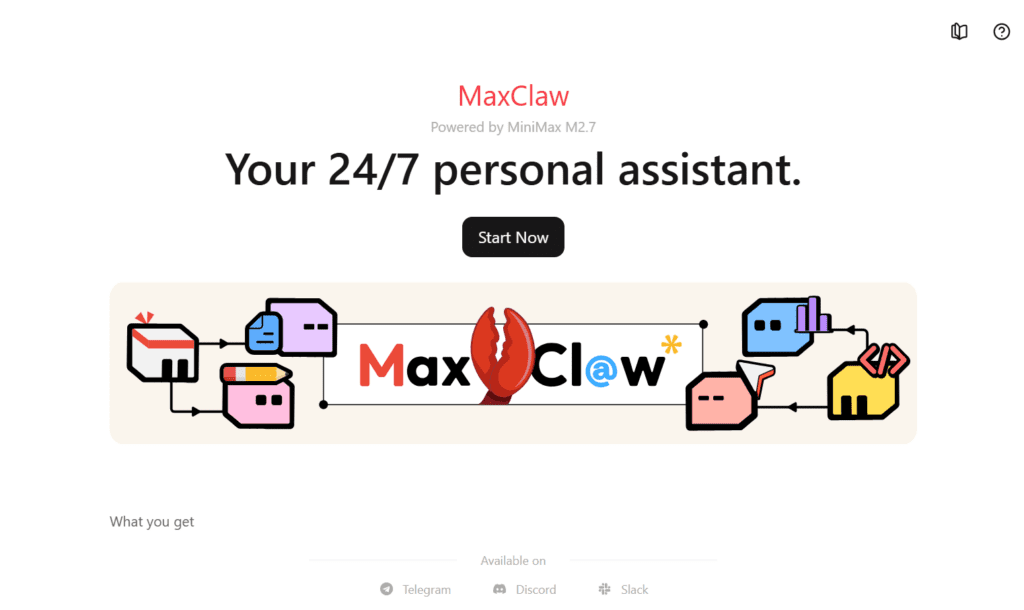
MaxClaw, one of the leading autonomous AI platforms, exemplifies this architecture through its agentic workflow system. Unlike ChatGPT or Claude that reset context after each conversation, MaxClaw maintains a continuous operational thread—monitoring your email, scheduling meetings, processing documents, and executing research tasks while you sleep.
The Context Window vs Memory Architecture
Chatbots are constrained by context window limitations—typically 8K to 128K tokens depending on the model. Once exceeded, earlier information gets truncated. This creates a fundamental ceiling on their utility for long-term projects.
Autonomous AI assistants implement external memory systems that bypass these limitations:
– Vector databases for semantic search across unlimited historical data
– Knowledge graphs that map relationships between entities, tasks, and outcomes
– State persistence layers that checkpoint progress and resume workflows across sessions
– Hierarchical task decomposition that breaks complex projects into manageable subtasks with independent memory allocation
This architectural difference transforms what’s possible. A chatbot can help you draft an email. An autonomous assistant can monitor your inbox 24/7, categorize incoming messages by priority using custom rules, draft context-aware responses based on your previous correspondence patterns, schedule follow-ups, and update your CRM—all without a single prompt from you.
Task Automation Capabilities: Workflow Integration and Autonomous Execution
The Automation Hierarchy
Effective 24/7 AI assistants operate across four levels of automation sophistication:
Level 1: Scheduled Tasks
Basic time-triggered actions like daily report generation, calendar summaries, or recurring reminders. These require minimal intelligence but provide immediate value for routine operations.
Level 2: Conditional Automation
Event-driven workflows that respond to specific triggers: “When a high-priority email arrives, send me a Slack notification with a summary.” This requires real-time monitoring and rule evaluation.
Level 3: Multi-Step Workflows
Complex sequences that chain multiple actions: “Research this topic → compile findings → create presentation → schedule review meeting → send reminder 24 hours before.” This demands state management and error handling.
Level 4: Adaptive Learning
Workflows that improve through observation: the assistant learns your approval patterns, anticipates needs, and suggests optimizations. This represents true autonomy.
MaxClaw and similar platforms like Lindy.ai, Relevance AI, and Bardeen demonstrate Level 3-4 capabilities through their workflow builder interfaces. You define the trigger conditions, specify the action sequence, and the system handles execution indefinitely.
Integration Ecosystem: The API Connectivity Matrix
The value of 24/7 AI assistants scales exponentially with their integration breadth. Leading platforms connect to:
Communication Tools: Gmail, Outlook, Slack, Discord, Telegram—enabling message monitoring, response generation, and notification management
Productivity Suites: Google Workspace, Microsoft 365, Notion, Airtable—allowing document creation, data manipulation, and knowledge base updates
Development Platforms: GitHub, Linear, Jira—for code monitoring, issue triage, and automated PR reviews
CRM & Sales: HubSpot, Salesforce, Pipedrive—enabling lead qualification, follow-up sequences, and pipeline management
Financial Systems: QuickBooks, Stripe, PayPal—for invoice processing, expense categorization, and financial reporting
The technical challenge lies in authentication persistence* and *rate limit management. Autonomous assistants must maintain valid OAuth tokens across extended periods and implement exponential backoff strategies to avoid API throttling during high-volume operations.
MaxClaw addresses this through credential vaulting* and *intelligent request batching—your assistant can execute hundreds of API calls daily while respecting service limits and maintaining security compliance.
Practical Workflow Examples
Content Research Pipeline
Your AI assistant monitors RSS feeds, news APIs, and academic databases for keywords relevant to your industry. It summarizes findings, extracts key statistics, identifies trending topics, and compiles weekly briefings—all deposited into your Notion workspace every Monday morning.
Client Onboarding Automation
When a new client signs a contract (detected via CRM webhook), the assistant creates a project folder structure, generates templated documents with client-specific details, schedules kickoff meetings across team calendars, sends welcome emails with access credentials, and adds tasks to your project management system.
Financial Intelligence
The assistant monitors your business accounts daily, categorizes transactions using custom rules, flags anomalies (“This software subscription increased 40%”), generates month-end reports, and prepares tax documentation quarterly.
ROI Analysis: Cost vs Productivity Gains for Continuous AI Assistance
The True Cost Structure
Autonomous AI assistants operate on consumption-based pricing models that differ fundamentally from flat-rate chatbot subscriptions:
Platform Fees: $20-$200/month depending on usage tiers (MaxClaw starts at $49/month for professional use)
API Costs: Language model API calls ($0.002-$0.06 per 1K tokens depending on model), external service API usage (variable)
Integration Overhead: Initial setup time (8-20 hours for complex workflows), ongoing maintenance (2-4 hours monthly)
Opportunity Cost: Learning curve and workflow design investment
For a typical professional implementation with 5-10 active workflows:
– Platform subscription: $80/month
– LLM API costs (assuming GPT-4 for 500K tokens monthly): $30/month
– External API costs: $15/month
– Total: ~$125/month
Productivity Value Calculation
The return equation depends on time reclamation and error reduction:
Email Management: 30 minutes daily saved through automated triage, response drafting, and follow-up scheduling = 10 hours/month
Research & Data Collection: 5 hours weekly saved through automated monitoring and synthesis = 20 hours/month
Scheduling & Coordination: 1 hour daily saved through autonomous calendar management = 20 hours/month
Report Generation: 4 hours weekly saved through automated data compilation = 16 hours/month
Total Time Reclaimed: ~66 hours monthly
At a professional billing rate of $150/hour, this represents $9,900 in reclaimed productivity for a $125 monthly investment—a 79x ROI.
But the true value extends beyond time:
Consistency Gains: Automated workflows eliminate human error in repetitive tasks, reducing costly mistakes
Competitive Advantage: 24/7 operation means faster client response times, market opportunity detection, and continuous progress
Cognitive Load Reduction: Offloading routine decisions preserves mental energy for high-value strategic work
Scalability: As your business grows, your assistant scales without proportional cost increases
The Break-Even Analysis
For entrepreneurs and professionals, the break-even threshold is remarkably low:
– If your hourly value is $50, you need to save just 2.5 hours monthly to justify the investment
– If your hourly value is $100, the threshold drops to 1.25 hours monthly
– Allso, if your hourly value is $200+, any measurable automation pays for itself
The question isn’t whether 24/7 AI assistants provide positive ROI—it’s whether you’re implementing them effectively enough to capture the available value.
MaxClaw and Autonomous AI Assistants: Comparative Technical Review
MaxClaw: The Agentic Workflow Specialist
Architecture: MaxClaw positions itself as a true autonomous agent platform rather than a workflow automation tool. Its core differentiator is the decision-making engine that allows the AI to evaluate conditions, choose between action paths, and adapt to unexpected situations.
Key Capabilities:
– Natural language workflow creation (“Every morning, summarize my calendar and email the team”)
– Multi-model support (GPT-4, Claude, Gemini) with automatic model selection based on task requirements
– Built-in web scraping and data extraction without additional tools
– Email client with autonomous drafting and sending capabilities
– Calendar intelligence that understands meeting context and suggests optimizations
Technical Strengths:
– Contextual memory persistence: MaxClaw maintains conversation threads indefinitely with semantic search across history
– Proactive suggestions: The system analyzes your patterns and recommends automation opportunities
– Error resilience: Built-in retry logic and fallback strategies when APIs fail or data is malformed
Limitations:
– Steeper learning curve for complex conditional logic
– Limited custom code execution (restricted to pre-built integrations)
– Higher cost for extensive automation ($99-$299/month for professional tiers)
Comparative Landscape
Lindy.ai*: Excels at *customer service automation with sophisticated conversation handling and CRM integration. Better for client-facing workflows than internal productivity.
Relevance AI*: Strongest for *data analysis workflows, with native support for processing large datasets, running batch operations, and generating insights. Ideal for research-heavy users.
Bardeen*: Browser-focused automation that captures web actions and replays them. Perfect for *scraping and data entry but lacks the reasoning capabilities of true AI agents.
Zapier with AI*: Traditional workflow automation enhanced with AI steps. Best for *connecting disparate tools but requires manual workflow design—not truly autonomous.
Custom LangChain/AutoGPT Implementations: Maximum flexibility for developers willing to build their own agent architecture. Requires significant technical expertise and ongoing maintenance.
Selection Criteria
Choose based on your primary use case:
– Email-centric professionals: MaxClaw or Superhuman AI
– Research and content creators: Relevance AI or custom LangChain agents
– Sales and customer success: Lindy.ai or Clay
– Data entry and web scraping: Bardeen or Browse AI
– General workflow automation: Zapier with AI or Make.com
Implementation Strategy: Building Your 24/7 AI Workflow

Phase 1: Audit and Identify (Week 1)
Task Inventory: Track your activities for one week, categorizing each task:
– Repetitive: Same steps every time (email triage, report generation)
– Rule-based: Clear decision criteria (prioritization, categorization)
– Time-sensitive: Requires immediate attention (high-priority alerts)
– Research-intensive: Information gathering and synthesis
Automation Potential Scoring: Rate each task on:
– Frequency (daily = 3, weekly = 2, monthly = 1)
– Time consumption (>30min = 3, 15-30min = 2, <15min = 1)
– Standardization (fully standardized = 3, mostly = 2, variable = 1)
Tasks scoring 7+ are prime automation candidates.
Phase 2: Infrastructure Setup (Week 2)
Platform Selection: Based on your audit, choose your primary autonomous AI platform
Integration Configuration: Connect critical tools in order of priority:
1. Email and calendar (highest impact)
2. Primary productivity suite (Notion, Google Workspace)
3. Communication tools (Slack, Teams)
4. Specialized tools (CRM, project management)
Security Architecture: Implement:
– OAuth connections (never share raw passwords)
– Scoped permissions (grant minimum necessary access)
– Audit logging (track what your AI actually does)
– Rollback procedures (document how to disable automation quickly)
Phase 3: Workflow Development (Weeks 3-4)
Start Simple: Build your first three workflows:
Workflow 1: Daily Digest
– Trigger: Every morning at 7 AM
– Actions: Summarize calendar, check high-priority emails, review task deadlines
– Output: Single consolidated message to Slack or email
Workflow 2: Email Triage
– Trigger: New email arrives
– Actions: Categorize by sender/content, flag urgent items, draft responses for routine queries
– Output: Organized inbox with suggested actions
Workflow 3: Research Monitor
– Trigger: Daily at 6 PM
– Actions: Check RSS feeds, search academic databases, summarize findings
– Output: Weekly compilation every Friday
Testing Protocol*: Run workflows in *observation mode for one week—the AI suggests actions but doesn’t execute them. Review outputs for accuracy and adjust rules.
Phase 4: Scaling and Optimization (Month 2+)
Expand Gradually: Add 1-2 workflows weekly based on your automation potential list
Performance Monitoring: Track metrics:
– Time saved per workflow (estimated vs actual)
– Error rate (how often does manual intervention occur?)
– Cost per workflow (API consumption analysis)
Refinement Cycle: Every two weeks:
– Review automation logs
– Identify failure patterns
– Update conditional logic
– Add exception handling
Advanced Techniques:
– Chain workflows: Output of one workflow triggers another
– Conditional branching: “If email is from VIP list, use GPT-4 and respond within 30 minutes; otherwise use GPT-3.5 and queue for batch processing”
– Learning from feedback: When you override an AI decision, document the reasoning so the assistant can incorporate it
The Maintenance Commitment
Expect to invest:
– Initial setup: 20-30 hours over first month
– Ongoing optimization: 2-3 hours monthly
– Major updates: 4-6 hours quarterly as your needs evolve
This is not “set and forget” technology—it’s a continuously improving system that becomes more valuable as you refine its understanding of your work patterns.
Conclusion: The Autonomous Advantage
The distinction between chatbots and 24/7 AI assistants isn’t incremental—it’s categorical. While chatbots extend your capabilities during active use, autonomous assistants multiply your effective working hours by operating continuously.
For entrepreneurs and professionals, the competitive moat is no longer just expertise or network—it’s operational leverage. Your AI assistant researches while you sleep, responds while you’re in meetings, and processes information while you focus on creative work.
The technology has matured beyond experimentation. Platforms like MaxClaw, Lindy.ai, and Relevance AI provide production-ready autonomous capabilities today. The question is whether you’ll adopt them before your competition does—because in a world where some professionals operate 24 hours daily and others just 8, the productivity gap becomes insurmountable.
Start with email and calendar automation. Add research workflows next. Scale to customer communication and data processing. Within three months, you’ll have an AI assistant that genuinely works for you—not just when you prompt it, but continuously, autonomously, and effectively.
The future of work isn’t human or AI—it’s human augmented by AI that never stops working.
Frequently Asked Questions
Q: What’s the fundamental difference between a chatbot like ChatGPT and a 24/7 AI assistant like MaxClaw?
A: Chatbots operate on a synchronous request-response cycle—they only act when you prompt them and lose context between sessions. 24/7 AI assistants use event-driven architecture with persistent memory, scheduled execution engines, and API orchestration capabilities that enable them to monitor conditions, execute multi-step workflows, and take autonomous actions without human intervention. They maintain continuous operational state across unlimited timeframes.
Q: How much does it actually cost to run a 24/7 AI assistant, and what ROI can I expect?
A: A typical professional implementation costs approximately $125/month including platform fees ($50-$100), LLM API costs ($20-$40), and external service APIs ($10-$20). For entrepreneurs billing at $150/hour, automating email management, research, scheduling, and reporting can reclaim 60+ hours monthly, representing roughly $9,000 in productivity value—an ROI of approximately 70-80x. Break-even occurs at just 1-2.5 hours saved monthly depending on your hourly rate.
Q: Which autonomous AI platform should I choose: MaxClaw, Lindy.ai, Relevance AI, or others?
A: Choose based on your primary use case: MaxClaw excels at email-centric workflows and calendar intelligence with strong decision-making capabilities; Lindy.ai is best for customer service automation and CRM integration; Relevance AI specializes in data analysis and research-heavy workflows; Bardeen focuses on browser automation and web scraping. For general professionals, MaxClaw or Zapier with AI provides the best balance of capability and ease-of-use.
Q: How do I ensure my 24/7 AI assistant doesn’t make costly mistakes while operating autonomously?
A: Implement a three-phase safety approach: (1) Start workflows in observation mode where the AI suggests actions but requires approval before execution; (2) Use scoped permissions and OAuth connections that grant minimum necessary access to external services; (3) Implement audit logging to track all autonomous actions and establish clear rollback procedures. Build complexity gradually, starting with low-risk workflows like daily digests before automating client-facing communications.
Q: Can autonomous AI assistants truly understand context and adapt to unexpected situations, or do they just follow rigid scripts?
A: Modern platforms like MaxClaw operate at Level 3-4 automation with conditional logic and adaptive learning capabilities. They use decision trees to evaluate situations and choose appropriate action paths, maintain contextual memory through vector databases and knowledge graphs, and can handle exceptions through retry logic and fallback strategies. However, they work best for rule-based and repetitive tasks—truly novel situations requiring creative problem-solving still benefit from human judgment.