Complete Meta Video Ads Setup Guide for Beginners
Introduction: Why Meta Video Ads Matter for Beginners
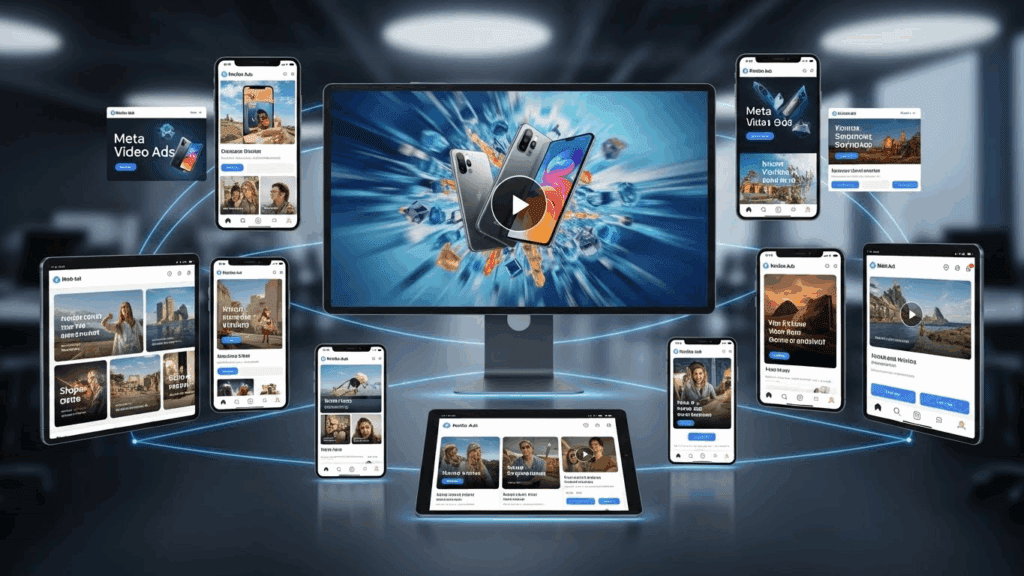
Never run Meta ads before? This free 2-hour course covers everything you need. Meta video ads are one of the fastest ways for beginners to reach targeted audiences on Facebook and Instagram. With billions of daily users and advanced targeting tools, Meta gives small businesses and first-time advertisers access to the same ad infrastructure used by global brands.
The challenge is not opportunity, it is complexity. Meta’s Ads Manager can feel overwhelming if you have never launched a campaign before. This guide simplifies the process into clear, actionable steps. By the end, you will understand how to set up your account, track conversions, choose the right campaign objective, and launch your first video ad with confidence.
Understanding the Meta Ads Ecosystem
Meta advertising runs through a centralized platform called Meta Business Manager. Inside it, you manage ad accounts, pixels, pages, audiences, and billing. Video ads appear across Facebook, Instagram, Messenger, and the Audience Network.
Key components you must understand:
– Business Manager: The control center for all assets
– Ad Account: Where campaigns, budgets, and billing live
– Pixel: Tracks user actions on your website
– Ads Manager: Tool for building and optimizing campaigns
Understanding this structure upfront prevents confusion later when you start scaling.
Step 1: Account Setup and Business Manager Configuration

Start by creating a Meta Business Manager account at business.facebook.com . Use a business email, not a personal one.
Required setup steps
1. Create Business Manager
2. Add your Facebook Page
3. Create or claim an Ad Account
4. Assign roles and permissions
5. Add a payment method
Best practices for beginners
– Use one ad account per business
– Assign admin access sparingly
– Verify your business when prompted
A clean setup ensures smoother ad approvals and fewer account restrictions.
Step 2: Meta Pixel Installation and Conversion Tracking
The Meta Pixel is a small piece of code that tracks user behavior on your website. Without it, you are advertising blind.
How to install the Meta Pixel
1. Go to Events Manager
2. Create a new Pixel
3. Choose manual install or partner integration
4. Install the code on every page of your website
If you use platforms like Shopify, WordPress, or Wix, use native integrations instead of manual code.
Setting up conversions
Conversions tell Meta what success looks like. Common beginner events include:
– View Content
– Add to Cart
– Lead
– Purchase
Set these events before launching conversion campaigns. This allows Meta’s algorithm to optimize delivery effectively.
Step 3: Campaign Structure Explained: Awareness vs Conversion
Meta video ads work best when aligned with the right campaign objective.
Awareness video campaigns
Use awareness objectives when:
– You are brand new
– You want maximum reach
– You are testing creatives
Recommended objectives:
– Video Views
– Reach
– Brand Awareness
These campaigns are cheaper and ideal for warming up audiences.
Conversion video campaigns
Use conversion objectives when:
– Your pixel is installed
– You have defined conversions
– You want leads or sales
Recommended objectives:
– Sales
– Leads
– Website Conversions
For beginners, start with video views, then retarget viewers with conversion campaigns.
Step 4: Creating Your First Video Ad
Your video does not need to be perfect. It needs to be clear, relevant, and engaging in the first three seconds.
Video ad structure
1. Hook: Capture attention immediately
2. Problem: Address the viewer’s pain point
3. Solution: Introduce your offer or brand
4. Proof: Social proof or credibility
5. Call to action: Tell them what to do next
Technical requirements
– Aspect ratios: 1:1 or 9:16
– Length: 15–45 seconds
– Captions: Always include subtitles
Upload multiple variations to let Meta optimize performance.
Step 5: Budget Recommendations for Beginners
Start small and scale based on data.
Recommended starting budgets
– Video views campaigns: $5–$10 per day
– Conversion campaigns: $10–$20 per day
Avoid launching multiple campaigns at once. Focus on one objective and one audience until you see consistent results.
Budget allocation tips
– Allocate 70% to core campaigns
– Allocate 30% to testing creatives
Consistency matters more than high spend when you are learning.
Step 6: Scaling Video Ads Safely and Effectively
Scaling too fast is the fastest way to lose money.
Safe scaling methods
– Increase budget by 20–30% every 48 hours
– Duplicate winning ad sets instead of editing them
– Scale audiences before creatives
Watch key metrics like cost per result, click-through rate, and frequency.
Common Mistakes New Advertisers Make
– Launching conversion ads without a pixel
– Using low-quality or generic videos
– Changing budgets too frequently
– Ignoring comments and engagement
– Expecting instant profitability
Avoid these mistakes to protect your ad account and budget.
Final Checklist for Launching Meta Video Ads
– Business Manager set up correctly
– Ad account verified and funded
– Meta Pixel installed and tested
– Conversion events configured
– Clear campaign objective selected
– High-quality video creative uploaded
– Budget set within beginner limits
– Ads reviewed before publishing
If every box is checked, you are ready to launch.
Meta video ads reward consistency, patience, and structure. Follow this step-by-step process, and you will build a strong foundation for profitable advertising without wasting budget or guesswork.
Frequently Asked Questions
1. Q: Do I need a website to run Meta video ads?
A: No, but having a website allows you to track conversions and optimize campaigns more effectively. Without one, you are limited to awareness and engagement objectives.
2. Q: How long does it take for Meta ads to start working?
A: Most campaigns need 3–7 days to exit the learning phase. Avoid making changes during this period.
3. Q: Can beginners compete with big brands on Meta?
A: Most campaigns need 3–7 days to exit the learning phase. Avoid making changes during this period.
4. Q: Can beginners compete with big brands on Meta?
A: A: For beginners, 15–30 seconds performs best, especially for mobile-first placements.