Nano Banana Pro vs. Sora 2 — Which AI Tool Fits Your Project in 2025
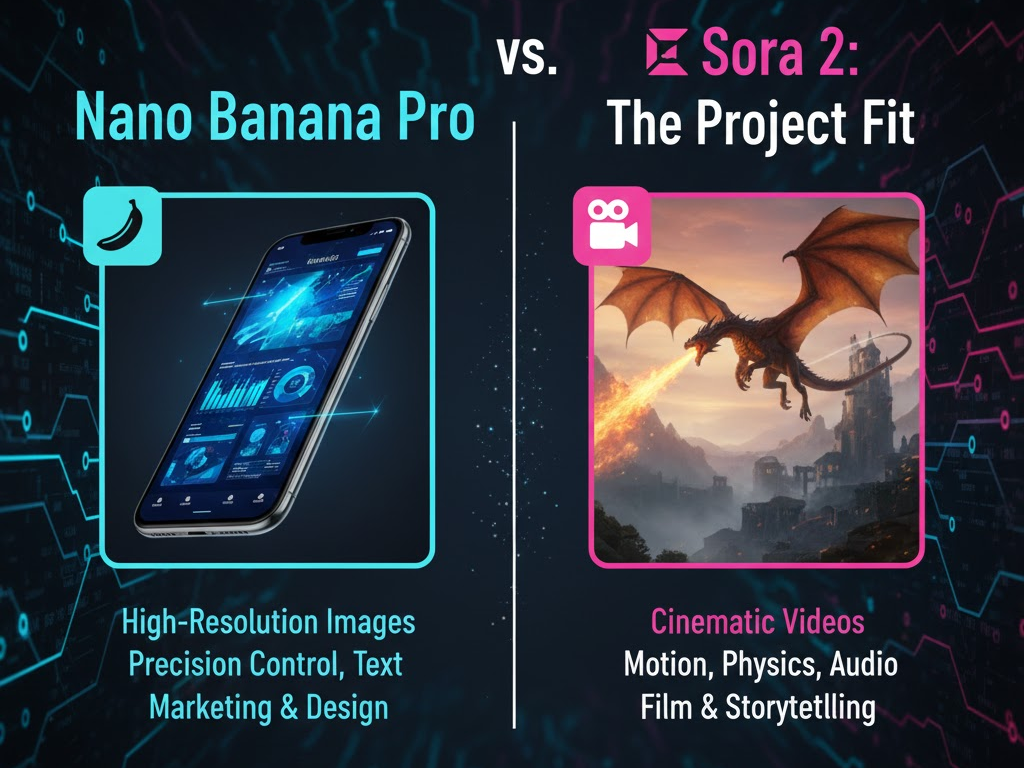
AI gives creators new ways to produce strong visual content without large budgets or complex setups. You no longer need lighting gear, expensive cameras or a full production team. Two tools lead this shift in 2025. Nano Banana Pro and Sora 2. They solve different problems for modern creators. Nano Banana Pro focuses on sharp, photorealistic images for branding, marketing and product work. Sora 2 focuses on cinematic video for ads, social clips and storytelling.
Both tools deliver fast results, simple controls and reliable output. The challenge is knowing which one matches your project. This article breaks down how each tool works, what they do best and when you should pick one over the other. You get a clear comparison that helps you make the right choice for your next campaign or creative task.
What Are These Tools
What is Nano Banana Pro
Nano Banana Pro is a generative AI image tool from Google. It builds on previous versions with more advanced editing controls, higher resolution output (up to 4K), better realistic rendering, and improved text and detail handling, ideal for professional-grade images.
Features include:
- Precise image generation and editing
- Strong control over lighting, camera angle, depth-of-field, color grade and focus
- Multi-image and multi-object fusion (you can merge multiple reference objects or images into one scene)
- Ability to generate clear text and multilingual typography inside visuals, useful for campaigns or infographic-style images.
- Reliable output for branding, e-commerce product photos, layouts, marketing assets, and design mockups.
Nano Banana Pro is accessible through the Gemini app, Google AI Studio, or via API, granting flexibility for both individual creators and developers.
What is Sora 2
Sora 2 is a generative AI video (and audiovisual) tool from OpenAI. It can turn text, images, or video inputs into cinematic clips. It simulates real-world physics for motion and interactions, and combines video with synchronized audio (speech, sound effects, ambience) for richer output.
Core strengths:
- Text-to-video, image-to-video, shot-to-shot generation for short clips and animations
- Physics-accurate motion, realistic object interactions, correct movement, believable dynamics in scenes
- Native audio, environmental sound, optional dialogue or speech, adding life to visuals.
- Support for storytelling, cinematic ads, social clips, animations, and dynamic visual media.
Sora 2 aims to deliver video that feels like real production output without needing cameras or editing software.
Side-by-Side Comparison
| Feature | Nano Banana Pro | Sora 2 |
| Output Type | High-resolution still images, photorealistic renders, editing outputs | Short motion video clips, animated scenes, audio + video output |
| Best For | Product visuals, branding assets, marketing materials, mockups, ad images | Story videos, social clips, cinematic ads, animations, video storytelling |
| Creative Control | Fine-grained control over lighting, focus, camera angle, composition, multi-image fusion, text rendering | Control over motion, pacing, physics, camera movement, scene dynamics, sound and audio |
| Realism / Style | Realistic and commercial-ready visuals; graphics and images made for clarity and polish | Cinematic or expressive video output; dynamic scenes with motion, atmosphere, sound |
| Editing / Flexibility | Strong editing and image-level adjustments; merging multiple elements; stable output across variations | Adds motion and temporal dimension, audio, continuity, but less granular image-level editing control |
| Ease of Use & Workflow | Easy for designers, marketers, agencies needing static visuals quickly | Ideal for video-focused creators, animators, marketers needing short clips or ads without shooting or manual editing |
| Use Cases | E-commerce product shots, ads, banners, brand visuals, layouts, infographics | Short ads, social videos, promos, cinematic storytelling, animated marketing content |
Real World Testing Scenarios
To study both tools, we tested them using simple prompts across common creator workflows. These tests measure clarity, realism, motion, style and difficulty handling. Below are the results.
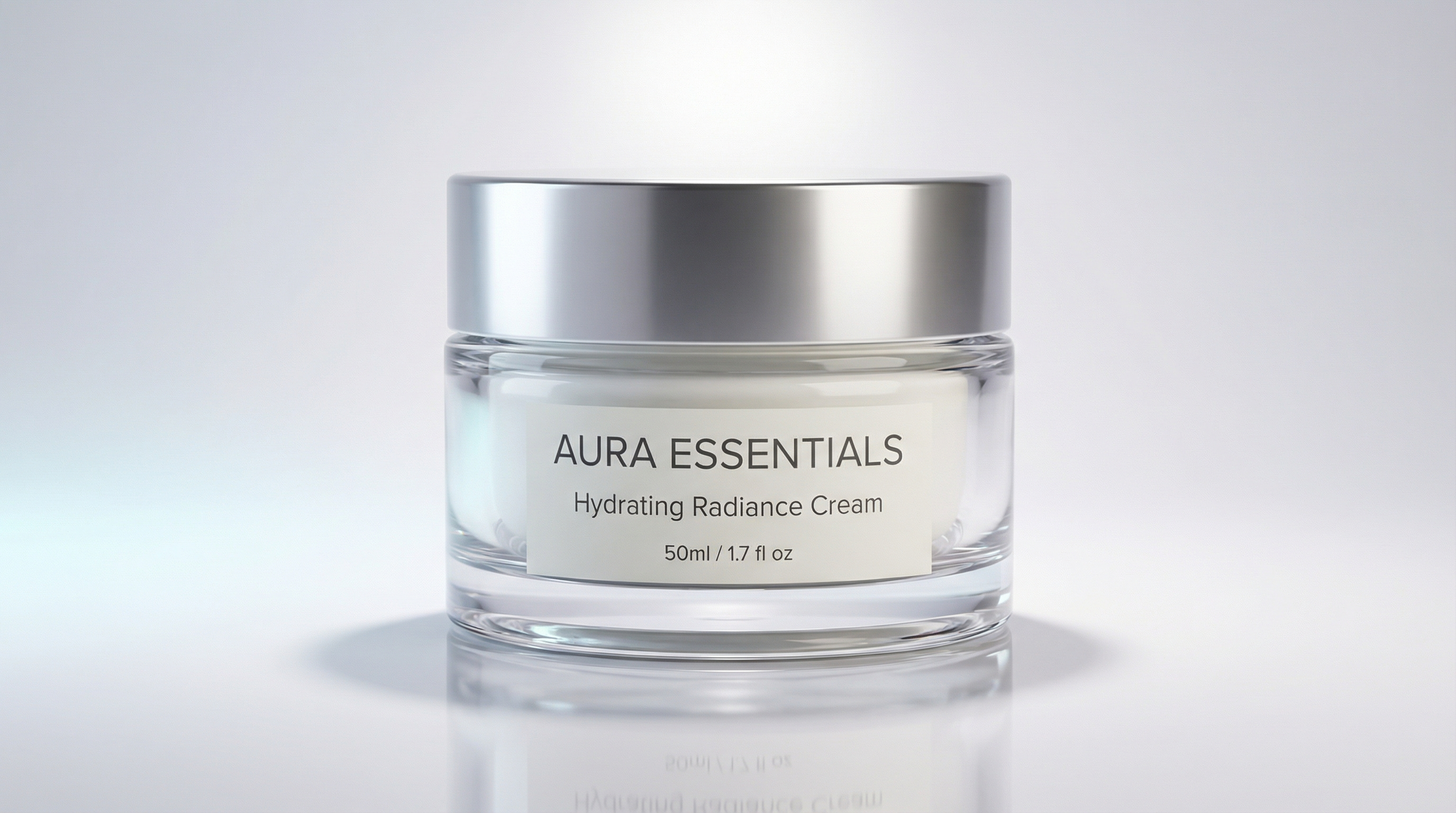
1. Realism and Texture Test Prompt
Create a close-up beauty image of a skincare cream jar placed on a glossy white table. Keep the jar centered in the frame. Show clean reflections on the table surface. Add soft studio lighting from above and a faint fill light from the left. Keep the label readable with sharp edges and clear typography. Show smooth textures on the lid and subtle highlights on the jar. Add a light shadow on the table to anchor the product. Maintain a polished, commercial look suitable for cosmetic marketing.
This prompt tests:
- surface reflection accuracy
- clean lighting control
- product detailing and clarity
- label sharpness and color balance
Nano Banana Result
Sora 2 Result
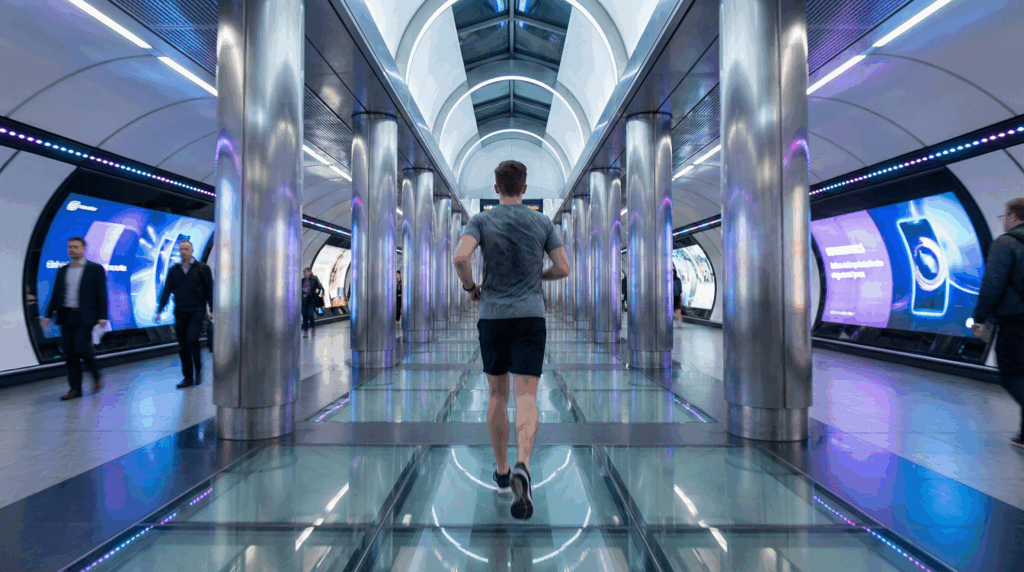
2. Storytelling and Motion Test Prompt
Produce a 12 second video of a young man running through a futuristic train station. Keep the environment bright with digital billboards, metallic surfaces and reflections on the floor. Add controlled camera motion that follows the subject from behind. Show other commuters walking across the frame. Include moving lights on the walls and soft glow effects from the screens. Add synced ambient audio with footsteps, crowd noise and faint station announcements. Keep the pacing smooth and cinematic.
This prompt tests:
- motion realism
- camera tracking
- environmental effects
- sound and pacing control
Nano Banana Result
Sora 2 Result
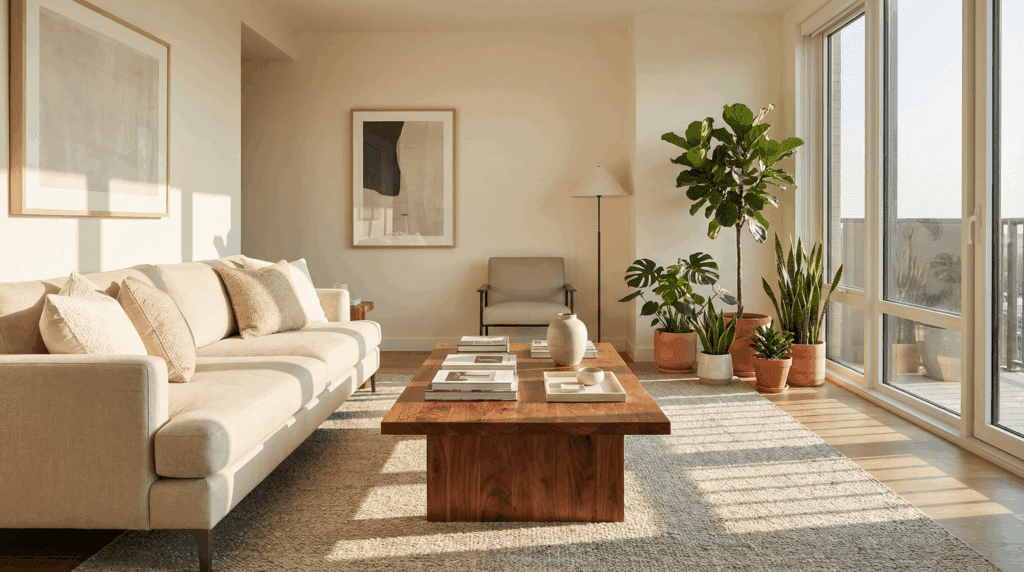
3. Complex Scene Composition Prompt
Create a full interior image of a modern living room. Place a beige sofa on the left, a wooden coffee table in the center and indoor plants near the window. Add natural sunlight entering from the right with soft shadows on the floor. Keep the textures on the sofa clean and the wood grain on the table visible. Add balanced colors, accurate object placement and realistic depth. Ensure the scene looks structured and ready for interior design marketing.
This prompt tests:
- multi object arrangement
- shadow accuracy
- depth, perspective and spacing
- interior lighting and realism
Nano Banana Result
Sora 2 Result
When You Should Use Each Tool
Use Nano Banana Pro When You Need:
- Clean, high-detail product photos or lifestyle images for e-commerce or marketing.
- Consistent visuals across multiple images with same objects/subjects.
- Designs involving text-in-image, layouts, posters, thumbnails.
- Quick, polished images without manual photography or photo editing.
Use Sora 2 When You Need:
- Video content , ads, social clips, short storytelling sequences.
- Motion, sound and cinematic style without shooting a video.
- Animated product demos, dynamic scene storytelling, or immersive visuals.
- Fast video production for campaigns with minimal resources.
Use Both Together When You Want:
- A full creative pipeline: design base visuals with Nano Banana Pro, then animate or bring them to life with Sora 2.
- Consistent brand visuals turned into dynamic video ads or reels.
- High-fidelity stills for thumbnails or posters + matching videos for social or marketing.
Limitations & What to Watch Out For
- Nano Banana Pro gives no motion, it is limited to static images. If you need video, you must use a separate tool.
- Sora 2 trades off fine-grained image editing control for motion, meaning deep image-level edits may be harder or less precise.
- Complex scenes or very long video sequences may exceed current generation limits for AI video tools ,output might degrade or require manual editing.
- For brand-sensitive work (text in image, product labels, precise logos), image generation tools often handle clarity better than video generation.
Conclusion
Nano Banana Pro and Sora 2 serve different ends of the visual creation spectrum. Choose Nano Banana Pro when you aim for polished still visuals, product shots and commercial-grade images. Choose Sora 2 when you need movement, story, cinematic style or video output.
For many creators, the best approach uses both: build strong visuals with Nano Banana Pro, then animate and bring them to life with Sora 2. For a tool like VidAU aiming to serve marketing or e-commerce creators, this combined workflow offers powerful advantage.
FAQ
1. What is the main difference between Nano Banana Pro and Sora 2
Nano Banana Pro creates high resolution still images with strong editing control. Sora 2 generates cinematic video clips with motion, pacing and synced audio. You choose Nano Banana Pro for images and Sora 2 for video.
2. Which tool is better for marketing and product visuals
Nano Banana Pro is stronger for marketing visuals because it produces clean, commercial grade images. It handles text, lighting, labels and detail with high accuracy. It suits ads, banners, product pages and brand assets.
3. Who should use Sora 2
Sora 2 suits creators who need video, motion and storytelling. It works well for ads, social clips, promotional videos and short cinematic scenes. It also helps teams produce video content without filming or editing.
4. Can both tools work together
Yes. You use Nano Banana Pro to create polished product images or brand visuals. You then send those visuals to Sora 2 to animate them. This gives you consistent images and dynamic videos for campaigns, reels or ads.
5. What are the limitations of Nano Banana Pro and Sora 2
Nano Banana Pro does not create video. It is limited to static images. Sora 2 focuses on motion, so detailed image level edits may be less precise. Very long video scenes may also show quality drops.
6. Which tool fits e commerce brands better
Both tools help, but for different tasks. Nano Banana Pro produces clean product shots and lifestyle photos for listings. Sora 2 creates motion driven ads and short social videos. Many brands use both for a full content pipeline.