Nano Banana Pro vs. Veo 3.1 – Which Gen AI Tool Should You Use
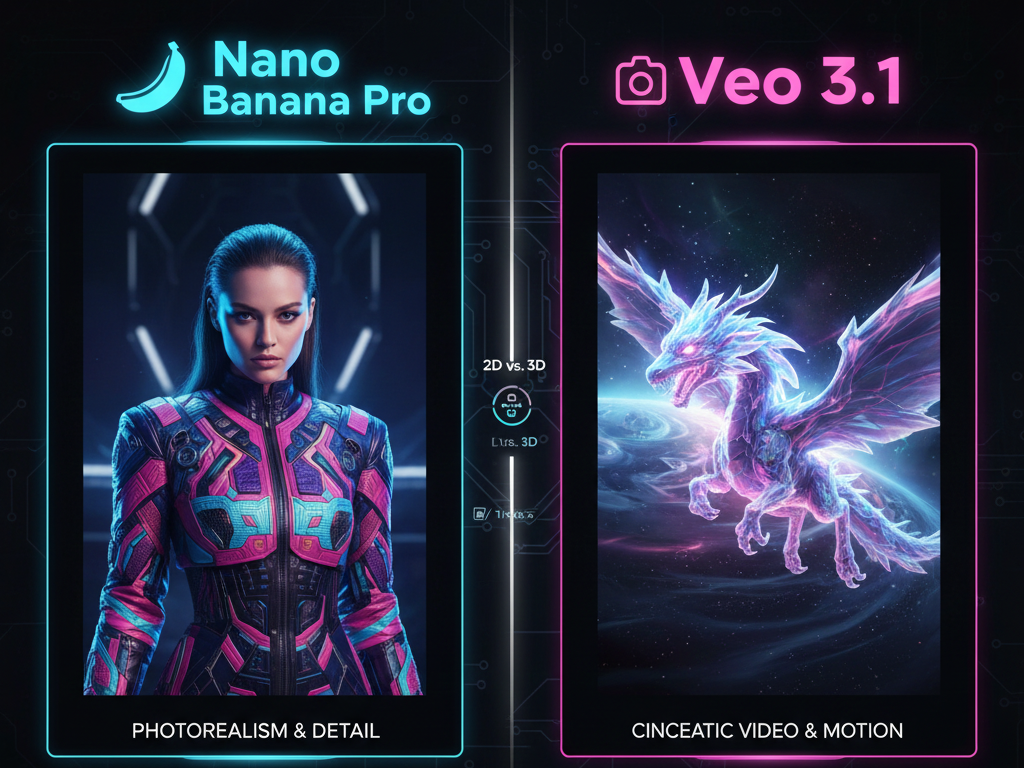
Complete breakdown of Nano Banana Pro vs Veo 3.1 to help you choose the right tool
AI production has reached a point where you no longer need a camera team, studio lights or a large budget to create strong visuals. New generation models deliver sharp images, clean edits and cinematic video clips in seconds. This shift changed how designers, marketers and creators work. It also raised an important question. Which tool should you use for your specific project?
Nano Banana Pro and Veo 3.1 are two of the most capable models released in 2025. They both support high output visual work, but they serve different needs. One focuses on precise, commercial ready images. The other focuses on fluid, cinematic video. Both deliver serious value, but your workflow decides which one you need.
You get fast results, simple controls and strong consistency from both models. Nano Banana Pro suits users who want realistic images for branding, marketing or product visuals. Veo 3.1 suits users who want dynamic movement, smooth transitions and story driven clips. When you understand these differences, you pick the tool that matches your target output.
This article breaks down Nano Banana Pro vs Veo 3.1 in full detail. You get a clear view of features, strengths, use cases and real world tests. You see how each model performs in tasks that creators face every day. The goal is to help you choose the tool that completes your work faster with stronger visual results.
What Are These Tools
Before you compare both models, you need a simple understanding of how each system works and the results they deliver.
What Is Nano Banana Pro
Nano Banana Pro is Google’s advanced image creation and editing model built for clean, photorealistic output. It handles image generation, multi image merging, background edits, object changes and character consistency across multiple images. You get reliable results for branding, marketing and commercial asset creation.
You can access it through the Vidau, Gemini app and APIs. It works with simple instructions, so you do not need technical prompts to get strong visuals.
Key Features
- Image editing precision
You remove objects, correct lighting or swap backgrounds with clean edges and strong detail. - Multi image fusion
You merge two or more images into one scene. Useful for e-commerce lifestyle photos or ad concepts. - Character and object consistency
You repeat the same subject across many images without losing key features. - Plain language prompting
You type simple sentences and get accurate scenes without expert level prompt work. - Realistic lighting and texture
You get clean shadows, smooth reflections and color balanced output that looks commercial ready. - Gemini ecosystem integration
You edit inside the app or build workflows with the API. This works for creators and developers.
What Is Veo 3.1
Veo 3.1 is Google’s advanced video generation model that builds full motion scenes from a prompt. You get simple text to video, image to video and shot to shot transitions. Veo 3.1 focuses on cinematic movement, camera angles, lighting and sound.
It supports short clips for ads, product demos, storytelling and social content. Veo 3.1 handles motion, pacing and continuity without editing software.
Key Features
- Text to video generation
You type a prompt and get a moving video scene. - Image to video
You upload one frame and turn it into a dynamic clip. - Multi scene transitions
You produce sequences with clear continuity. - Camera motion presets
You guide pans, zooms and angles with simple instructions. - Native audio
You get sound that matches the video scene. - Storyboard creation
You create structured frames for planning campaigns or films.
Side by Side Comparison Table
| Feature | Nano Banana Pro | Veo 3.1 |
| Interface | Works in the Gemini app, Google AI Studio and API. Suits creators who build images and need fast editing tools. | Works in Google Video Studio and API. Suits users who create video clips without editing software. |
| Learning Curve | Beginner friendly. Simple prompts produce clear images. No advanced prompt writing needed. | Beginner friendly. Natural language prompts produce smooth motion and clean scene flow. |
| Output Type | Photorealistic still images with sharp detail and balanced lighting. | Short video clips with motion, transitions, lighting control and native audio. |
| Editing Capabilities | Strong in object removal, background swaps, lighting edits and multi image fusion. Ideal for commercial images. | Strong in motion generation. You control camera movement, pacing and transitions. |
| Consistency | Keeps the same character, object or product across multiple images. Useful for branding and campaigns. | Keeps the same subject across frames. Maintains stable features and motion in a video sequence. |
| Creativity | Realistic and commercial focused. Produces clean images suited for marketing, ads and product work. | Cinematic, artistic and expressive. Produces rich colors and dynamic movement for story driven videos. |
| Accessibility | Available through the Google Gemini ecosystem on mobile, web and API. | Available through the Google Veo ecosystem in Google Video Studio and API. |
| Best For | Product shots, branding assets, ad visuals, campaign layouts and high quality still images. | Story videos, product demos, campaign clips, cinematic content and short form social videos. |
Real World Testing Scenarios
To study both tools, we tested them using simple prompts across common creator workflows. These tests measure clarity, realism, motion, style and difficulty handling. Below are the results.
1. Product Photography Test
Prompt
Create a lifestyle photo of a perfume bottle on a marble counter with soft natural light. Show clear reflections on the glass. Keep the label sharp. Add gentle shadows on the counter. Keep the background minimal with a warm tone. Maintain a clean, realistic commercial look suitable for product marketing.
Nano Banana Pro Result
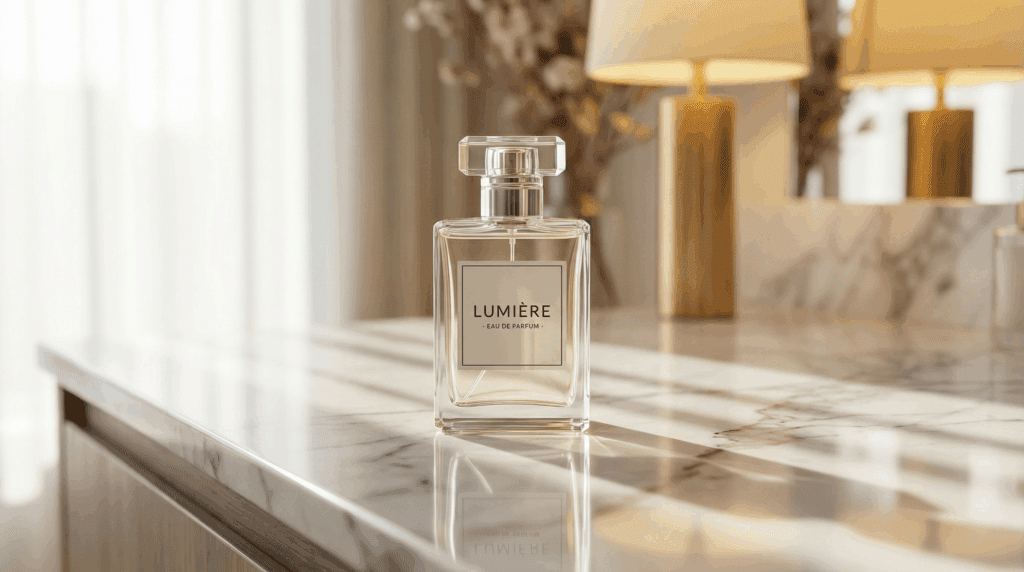
The model returned a clean, commercial style product shot. The lighting looked balanced with sharp reflections and natural shadows. The scene looked suitable for e commerce and brand campaigns. Output delivered within seconds.
Veo 3.1 Result
The model produced a short video sequence. The bottle stayed centered with soft camera movement. Lighting was rich and cinematic. The scene worked for luxury ads but leaned more artistic.
Verdict
Nano Banana Pro wins for product photos.
Veo 3.1 wins for motion driven product ads.
2. Character Consistency Test
Prompt
Generate two images of the same woman wearing a green jacket. Keep her face, hair and clothing consistent in both scenes. Show her walking outdoors in the first image. Show her sitting in an indoor cafe in the second image. Use natural lighting in both scenes. Maintain clear details so the subject looks like the same person.
Nano Banana Pro Result
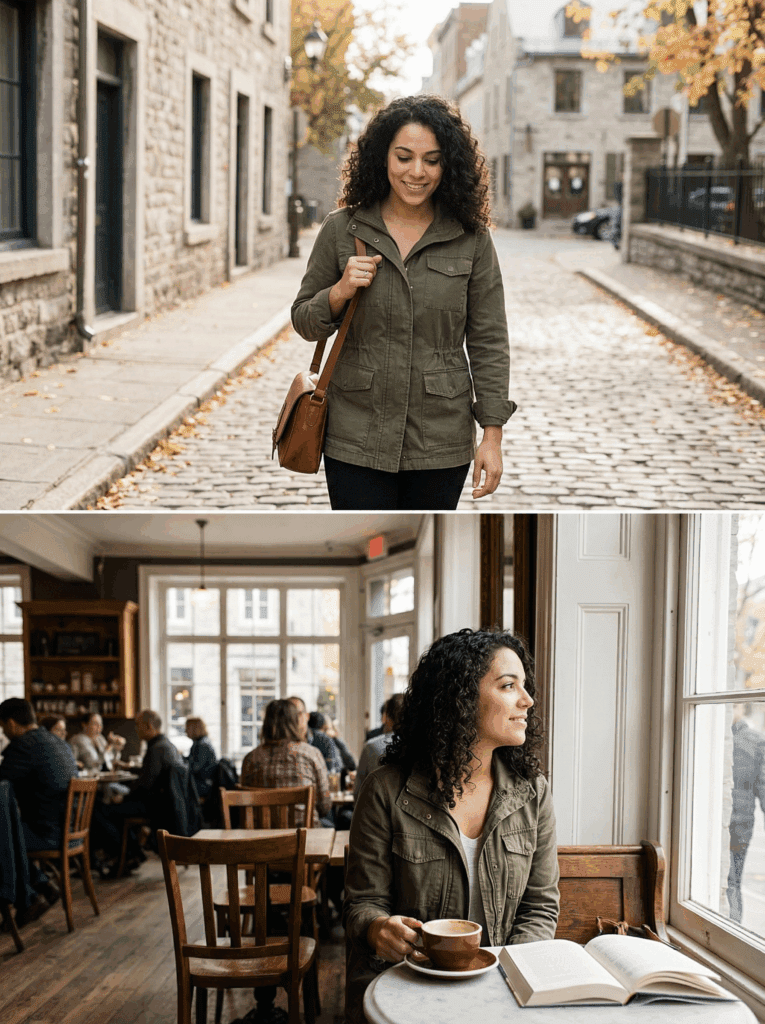
The results stayed consistent across both images. Facial features, jacket texture and lighting stayed stable.
Veo 3.1 Result
The model delivered video frames of the same character with matching facial structure and clothing. Movement stayed natural.
Verdict
Both tools perform well in consistency tasks.
3. Cinematic Video Test
Prompt
Produce a 10 second clip of a night city with neon lights and flying cars. Show bright reflections on the buildings. Keep the sky dark with clear contrast. Add smooth motion as the cars move through the scene. Maintain a cinematic look with steady camera movement and clean lighting.
Nano Banana Pro Result
Generated a still image only. Clear, sharp and visually strong but no motion.
Veo 3.1 Result
Delivered a smooth video clip with bright neon lights, moving cars and clear depth. The pacing felt natural and visually rich.
Verdict
Veo 3.1 wins for cinematic video creation.
4. Complex Editing Test
Prompt
Replace the background of this photo with a beach sunset scene. Keep the subject sharp. Match the lighting on the subject with the warm sunset colors. Remove all edges and outlines from the cutout. Blend the new background smoothly so the final image looks natural and clean.
Nano Banana Pro Result

Clean cutout, smooth blending and accurate lighting adjustments. The final image looked natural.
Veo 3.1 Result
Handled the edit but struggled with edges and lighting match.
Verdict
Nano Banana Pro wins for image editing and photo correction.
5. Artistic Flexibility Test
Prompt
Create an artistic scene of a tiger riding a bicycle in a fantasy forest. Use bright colors and detailed textures. Keep the tiger expressive and well posed on the bicycle. Add glowing plants and soft light in the background. Maintain a balanced composition that looks imaginative and visually rich.
Nano Banana Pro Result
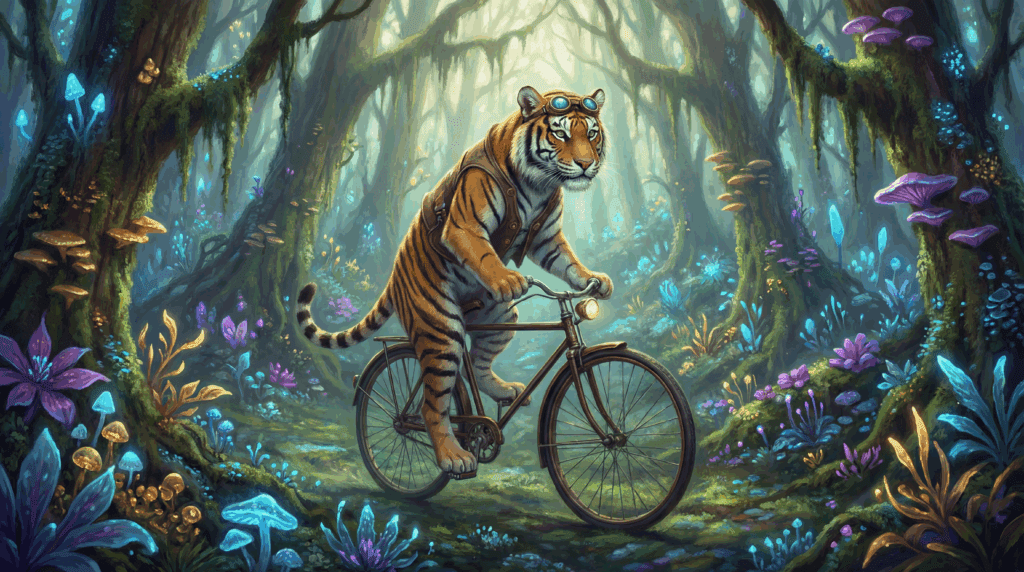
Produced a semi realistic image with rich detail and clear structure.
Veo 3.1 Result
Produced a more artistic, colorful and expressive scene with smoother stylistic elements.
Verdict
Nano Banana Pro suits realism.
Veo 3.1 suits artistic storytelling.
Conclusion
Nano Banana Pro suits users who need clean, consistent and commercial grade images. You use it when your project requires precise detail and realistic visuals. It works well for branding because it keeps product colors, textures and lighting stable across multiple images. It supports marketing teams that need fast image variations for ads, banners or landing pages. It also helps designers create layout mockups, product photos and campaign concepts without a full photo shoot. You get dependable results that match professional standards.
Veo 3.1 suits users who need cinematic video content. You use it when your project depends on motion, pacing and storytelling. It builds smooth scenes for ads, product demos and campaign videos. It handles camera movement, lighting and transitions with simple instructions. This makes it useful for social clips, pitch materials and short form content where strong visuals help you deliver a message fast.
Both tools support important creative workflows. They approach visual creation from different angles. One focuses on precision and still images. The other focuses on motion and narrative. Your choice depends on the final asset you need to produce. When you understand the strengths of each tool, you match them to your project and finish your work with better quality and less effort.
FAQ
1. What is the main difference between Nano Banana Pro and Veo 3.1
Nano Banana Pro focuses on creating photorealistic images with strong editing controls. Veo 3.1 focuses on generating cinematic video clips with motion, pacing and native audio. You choose Nano Banana Pro for still images and Veo 3.1 for video.
2. Which tool is better for product marketing
Nano Banana Pro is stronger for product marketing because it delivers clean, commercial grade images, sharp details and consistent visual output. It works well for ads, store listings and branding assets.
3. Which tool should I use for storytelling or campaign videos
Veo 3.1 is the better choice for story driven content. It creates smooth camera motion, rich lighting and cinematic scenes that fit ads, campaign videos and social clips.
4. Can both tools handle complex edits
Nano Banana Pro handles complex image edits with strong accuracy, including background swaps, object removal and multi image fusion. Veo 3.1 focuses on motion and scene flow, so it is not as precise for detailed photo edits.
5. Do Nano Banana Pro and Veo 3.1 deliver consistent results
Yes. Nano Banana Pro maintains the same character or object across multiple images. Veo 3.1 maintains consistency across video frames. Both models deliver stable results when you need visual continuity.