Nano Banana Pro vs Wan 2.5. The Simple Comparison for Image and Video Work
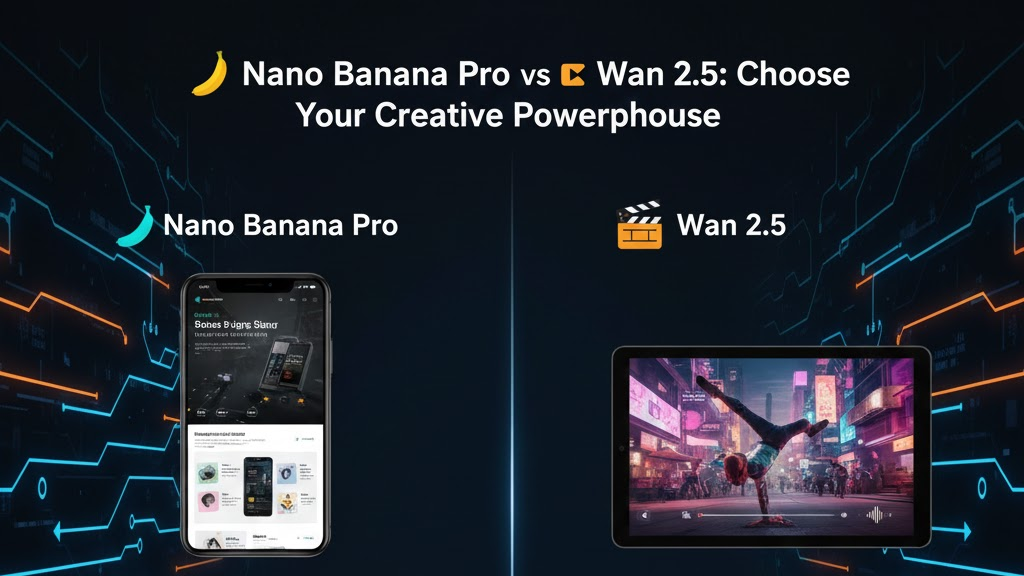
AI helps creators finish visual work fast without cameras, studio lighting or long editing cycles. Two tools stand out in 2025. Nano Banana Pro and Wan 2.5 on VidAU. Both deliver strong output, but they solve different problems. One creates high detail images. One creates cinematic videos with sound. This article explains how each tool works, where each tool shines and how to choose the right one based on your project.
What Are These Tools
You need a simple understanding of each system before comparing them. Both produce strong results, but each one supports a different part of visual production.
What Is Nano Banana Pro
Nano Banana Pro is Google’s advanced image model now available on VidAU, built for clean, photorealistic output. It generates static images with strong detail, accurate lighting and realistic textures. It also supports editing tasks such as object removal, background changes and merging multiple images into one scene.
You guide light, color, depth, camera angle and composition. You have enough control to produce product shots, branding assets and layout ready images without a photographer. You also get consistent results across variations, which helps marketers and designers who need many image options in one style.
Nano Banana Pro works in the Gemini app, Google AI Studio or API. This helps individuals, teams and developers integrate the model into their daily workflows.
What Is Wan 2.5
Wan 2.5 is a video generation model from ByteDance now available on VidAU. It creates short cinematic videos from text prompts or reference images. It focuses on motion, camera flow, timing and sound. It can add ambient audio, simple effects or music that matches the scene. This lets creators produce finished clips without filming or using an editing timeline.
Wan 2.5 builds scenes that move smoothly with realistic or stylized motion. It also supports transitions between shots, which helps with storytelling and promo content. It suits creators who produce ads, reels, story scenes or animated marketing videos.
Wan 2.5 is the better choice when your final output needs movement, pacing and sound.
Side by Side Comparison
This section breaks down how both tools differ in output, workflow and purpose. Each tool supports a different part of the creative process, so understanding these points helps you choose the right one fast.
Output
Nano Banana Pro produces sharp still images with accurate detail, controlled lighting and realistic textures. It delivers static visuals that look commercial ready for product or branding work.
Wan 2.5 produces video clips with motion, atmosphere and sound. It focuses on storytelling and viewer engagement through pacing, camera movement and audio.
Best Use
Nano Banana Pro suits product work, static ads, banners, thumbnails and polished visual layouts. It gives marketers and designers clean images that match branding standards.
Wan 2.5 suits short video ads, animated scenes, social clips and cinematic storytelling. It helps creators publish fast video content without filming or editing software.
Creative Control
Nano Banana Pro gives full control over image structure, lighting and composition. You guide texture, focus, depth, angles and overall visual balance.
Wan 2.5 gives full control over movement, pacing and camera direction. You guide how the shot moves, how characters act and how sound supports the scene.
Strength
Nano Banana Pro delivers reliable detail, sharp clarity and commercial ready images. The output works well for ecommerce, ads and visual design.
Wan 2.5 delivers smooth video flow, synced audio and dynamic storytelling. It builds clips that attract viewers with motion and cinematic style.
Weakness
Nano Banana Pro produces no video. You must use another tool if you need motion or audio.
Wan 2.5 offers less precision for still image detail when compared to a dedicated image model. Individual frames may not match the clarity of Nano Banana Pro.
Workflow Role
Nano Banana Pro fits the early visual development stage and final image output. You use it for concept images, product shots, layout frames or finished branding visuals.
Wan 2.5 fits the video creation stage and campaign amplification tasks. You use it for animated ads, social clips, motion concepts and promotional content.
Prompt 1.
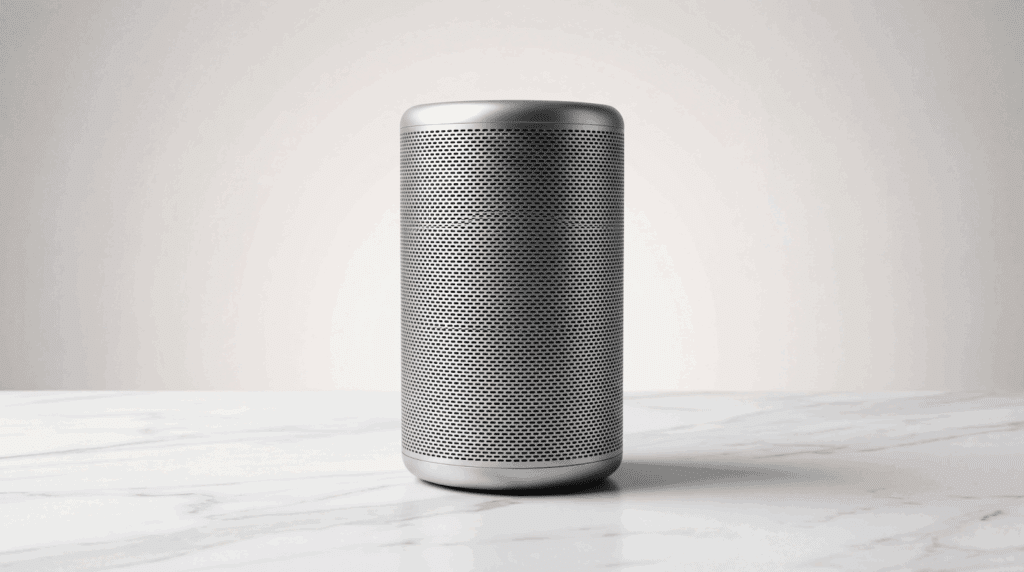
Nano Banana Pro Output for Product Shot
Create a clean product image of a silver smart speaker placed on a white marble surface. Add soft studio lighting from the left. Highlight the texture on the speaker grille. Keep shadows controlled under the base. Use a minimal background with a light gradient. Maintain a commercial look suitable for ads or product pages.
Wan 2.5 Version for Animated Product Clip
Produce a 7 second video of the same silver smart speaker rotating slowly on a white marble surface. Add soft studio lighting that moves slightly as the speaker turns. Highlight reflections on the metal edge. Keep the background minimal with a smooth gradient. Add subtle ambient sound. Maintain a clean, premium style suited for marketing videos.
Prompt 2.
Nano Banana Pro Output for Lifestyle Scene
Create a lifestyle image of a young woman working on a laptop near a window. Add soft natural light entering from the right. Keep the desk minimal with a notebook and a cup of tea. Show balanced shadows and clean textures. Maintain a warm, realistic look suitable for brand storytelling.

Wan 2.5 Version for Story Clip
Produce an 8 second video of the same young woman typing on her laptop near a window. Add soft natural light that shifts gently as the scene moves. Show small motions such as her hands typing and steam rising from the tea cup. Add faint ambient room sound. Keep the clip warm and calm for lifestyle marketing.
Comparison Table
| Feature | Nano Banana Pro | Wan 2.5 |
| Output Type | High detail still images, photorealistic visuals, image edits | Short video clips with motion, effects and audio |
| Best For | Product shots, branding, ads, layouts, design mockups | Video ads, social clips, animated scenes, storytelling |
| Creative Focus | Lighting control, texture detail, composition, object accuracy | Motion, pacing, camera movement, scene flow, sound |
| Editing Strength | Clean background swaps, object removal, color and lighting corrections | Smooth transitions, synced audio, dynamic movement |
| Consistency | Repeats characters, products and styles across multiple images | Keeps subjects stable across frames in video clips |
| Realism Level | High clarity, strong reflections, sharp textures, commercial ready | Cinematic motion, believable physics, ambient sound |
| Ease of Use | Simple prompt based controls for image work | Simple prompt based controls for video work |
| Workflow Role | Static visuals for ads, listings, banners, thumbnails | Motion content for campaigns, reels, promos |
| Strength | Precision, detail, text clarity, stable output | Motion, atmosphere, audio, dynamic storytelling |
| Limitation | No motion or audio | Less detail per frame, shorter clip length |
| Ideal Users | Designers, marketers, product teams, ecommerce brands | Creators, advertisers, social teams, storytellers |
When You Should Use Each Tool
Use Nano Banana Pro When You Need
- High detail product photos
- Clean lifestyle visuals
- Branding images with sharp lines and stable lighting
- Graphics that need text clarity and layout framing
- Fast image variations for ads or store listings
Nano Banana Pro supports any project that depends on realistic and consistent still visuals.
Use Wan 2.5 When You Need
- Short video ads with motion
- Simple social reels with sound
- Animated storytelling scenes
- Animated product videos for campaigns
- Fast video creation without production equipment
Wan 2.5 supports projects that depend on motion and audiovisual impact.
How Both Tools Work in One Workflow
Many creators use both tools because each solves a different stage of visual production. Nano Banana Pro builds the base visuals with clean detail. Wan 2.5 adds motion, sound and atmosphere. When you combine both, you create a full content pipeline that covers images and video without extra equipment.
Step 1. Create static visuals with Nano Banana Pro
You start with Nano Banana Pro to produce product shots, lifestyle images, character concepts or layout frames. These images stay clean, sharp and consistent. They match the brand look and set the foundation for any campaign.
Step 2. Animate or extend the visuals with Wan 2.5
You then send those images into Wan 2.5 to build short videos, animated sequences or promo clips. Wan 2.5 adds camera movement, pacing, light changes and audio. This transforms the static visual into a dynamic video that works for ads, reels or social posts.
Why this workflow works
This approach gives you one consistent style across still images and video. You reduce production time because you avoid cameras, lighting setups and manual video editing. You maintain brand control because your visuals all come from the same source image. The combined workflow suits marketing teams, ecommerce brands and creators who publish across multiple platforms and need both images and video for one campaign.
Real Use Cases
Here are expanded examples of how both tools support one project.
Product Launch Campaign
Nano Banana Pro creates hero shots, lifestyle photos and layout ready product images.
Wan 2.5 creates animated promos, rotation videos and short clips that highlight product features.
Social Media Campaign
Nano Banana Pro creates static posts, banners, carousels and thumbnails.
Wan 2.5 creates motion reels, story clips and promotional videos that match the brand style.
Concept and Story Development
Nano Banana Pro creates character concepts, environment stills and key frames.
Wan 2.5 animates those scenes into short sequences for presentations, mood clips or early story tests.
Limitations and What to Expect
Nano Banana Pro
Nano Banana Pro focuses on still images. It delivers clean, realistic and commercial grade visuals, but it offers no movement or sound. You cannot build animated clips or storytelling sequences with it. If your project needs motion, pacing or audio, you must switch to a video tool. You also handle frame by frame control manually if you plan to animate the images later. Nano Banana Pro works best when your project stays within static design work.
Wan 2.5
Wan 2.5 produces video, but it trades precision for motion. The detail in each frame may not match the clarity of a dedicated image model. You may see softer textures or slight variation in complex scenes. Longer clips can lose sharpness or structure, so you may need to shorten or refine them. Fast motion or wide camera moves might also need trimming to keep the output smooth.
How to Decide
Both tools perform well when used for their intended purpose. Nano Banana Pro handles still images at a high professional level. Wan 2.5 handles motion and sound for quick video creation. You pick the tool based on your final asset. Use Nano Banana Pro for any project that depends on image clarity. Use Wan 2.5 when your message depends on movement, atmosphere or pacing.
Final Take
Nano Banana Pro suits creators who need clean, realistic images for marketing, product work and branding.
Wan 2.5 suits creators who need dynamic video, movement and audio for ads and storytelling.
The best results come from using both tools in one pipeline.
You create the base visual with Nano Banana Pro.
You animate it with Wan 2.5.
This workflow delivers strong stills and strong video for one campaign, with less time and lower production cost.
FAQ
1. What is the main difference between Nano Banana Pro and Wan 2.5
Nano Banana Pro creates high detail still images with strong control over lighting and composition. Wan 2.5 creates short videos with motion and sound. You use Nano Banana Pro for images and Wan 2.5 for video.
2. Who should use Nano Banana Pro
Nano Banana Pro suits creators who need polished product photos, branding visuals, marketing images or layout ready designs. It delivers clean, realistic results fast.
3. Who should use Wan 2.5
Wan 2.5 suits creators who need video ads, social clips, animated promos or story scenes. It produces motion and audio without a camera or editing software.
4. Can both tools work in one project
Yes. You use Nano Banana Pro to create the base image or concept. You use Wan 2.5 to animate it. This creates a consistent look across image and video assets for campaigns.
5. What are the limits of Nano Banana Pro
Nano Banana Pro does not create video. It focuses on still images only. For motion or sound, you must switch to another tool.
6. What are the limits of Wan 2.5
Wan 2.5 offers less detail per frame compared to an image model. Very long clips or complex scenes may need refining. It focuses on motion, not pixel level precision.
7. Which tool is better for e commerce
7. Which tool is better for e commerce