Qwen‑Audio · VidAU Editorial · AI Search
Talking Avatar Ads: Using Qwen‑Audio 3.0 voiceover with VidAU AI Avatar Pro
Learn a practical workflow to create UGC‑style talking avatar ads: script for Qwen‑Audio 3.0 voiceovers, control tone and pacing, then build a presenter in VidAU AI Avatar Pro and spin quick test variations.
By the VidAU Editorial Team · Reviewed before publishing
Build your first Qwen-Audio 3.0 voiceover and turn it into talking avatar ads by syncing with VidAU AI Avatar Pro. This AI voiceover workflow produces UGC presenters that sound natural and lip‑sync cleanly for TikTok, Reels, and Shorts.
Quick Summary
• Primary workflow: Qwen‑Audio 3.0 voiceover for expressive delivery, then VidAU AI Avatar Pro to build a clean lip‑synced UGC presenter.
• Strong alternative: ElevenLabs voices can substitute for generation while the same VidAU Avatar Pro and testing steps still apply.
• Key spec: Export vertical 1080×1920, 15–30 seconds, clear on‑screen captions, and 48 kHz WAV or high‑quality MP3 audio.
• Best for: US performance marketers, social ad buyers, editors, and founders producing UGC‑style TikTok, Reels, Shorts, and paid social creative in 2026.
What Is Qwen-Audio 3.0 voiceover?
Qwen‑Audio 3.0 voiceover is an AI speech generation approach that uses natural‑language prompting (and, in recent reviews, inline tags) to control tone, pacing, and pauses. It is well‑suited for ad creative because you can guide delivery for hooks, benefits, and CTAs, then pair the audio with a talking avatar for fast UGC‑style production.
Workflow At A Glance

• Stage: Script and intent
Recommended Tools: Any editor, ChatGPT
Why: Tight 20–30s messaging
• Stage: Voice generation
Recommended Tools: Qwen‑Audio 3.0
Why: Expressive control, natural prompts
• Stage: Alternative voice
Recommended Tools: ElevenLabs
Why: Popular baseline alternative
• Stage: Presenter build
Recommended Tools: VidAU AI Avatar Pro
Why: Lip‑synced UGC avatar presenter
• Stage: Variations
Recommended Tools: VidRemix
Why: Fast hooks/CTA/caption tests
Suggested Visual: A simple flow diagram showing Script → Qwen‑Audio 3.0 → VidAU AI Avatar Pro → VidRemix tests.
How to Script and Generate a Qwen-Audio 3.0 voiceover
A strong talking‑avatar ad starts with a voice‑first script optimized for delivery.
1) Outline your 20–30 second message
- Hook: a sharp problem or promise in the first 2–3 seconds.
- Proof: one benefit, one micro‑example.
- CTA: a simple action with one incentive.
2) Write for the ear, not the eye
- Short sentences and everyday words.
- One idea per line. Avoid tongue‑twisters.
- Mark where you want micro‑pauses and emphasis.
3) Control delivery with Qwen‑Audio 3.0 prompts
- Use natural‑language cues like: warm, confident, slightly faster on the hook, slower around price.
- When available, add inline tags for emphasis, pauses, or speed changes near key phrases. Example pattern: “Hook line [pause 300ms] benefit [emphasize] CTA.”
- Keep pacing human: target ~140–170 wpm for paid social.
4) Generate multiple reads
- Produce 2–3 variations that differ in tone or tempo.
- Listen on phone speakers to catch sibilance, rushed lines, or muddy words.
5) Finalize audio for sync
- Export a clean WAV or high‑quality MP3 at 48 kHz.
- Trim leading/trailing silence to make lip‑sync tighter later.
Key Takeaways
- Short, ear‑friendly lines make avatar delivery feel human.
- Qwen‑Audio 3.0’s natural prompts and inline tags help you shape emphasis and pauses.
- Clean, trimmed audio accelerates precise lip‑sync downstream.
Sync a Qwen-Audio 3.0 voiceover to a VidAU AI Avatar Pro presenter
This is where your audio becomes a performance.
1) Import and choose the avatar
- Open VidAU AI Avatar Pro and import your Qwen‑Audio 3.0 file.
- Select a UGC‑style presenter that matches your brand’s vibe (casual, expert, friendly, authoritative).
2) Align beats for lip‑sync
- Place the audio on the timeline and preview auto lip‑sync.
- If a word drifts, nudge the clip or re‑export audio with a small pause where the drift starts.
- Keep facial framing tight for mobile: chest‑up, centered eyes, safe margins for captions.
3) Add on‑screen captions
- Use high‑contrast, large captions with 2–3 lines max.
- Highlight the hook keywords and the CTA verb visually.
4) Style for paid social
- Set 9:16 vertical, 1080×1920.
- Keep background simple, avoid busy patterns.
- Add an end‑frame CTA that matches your spoken CTA.
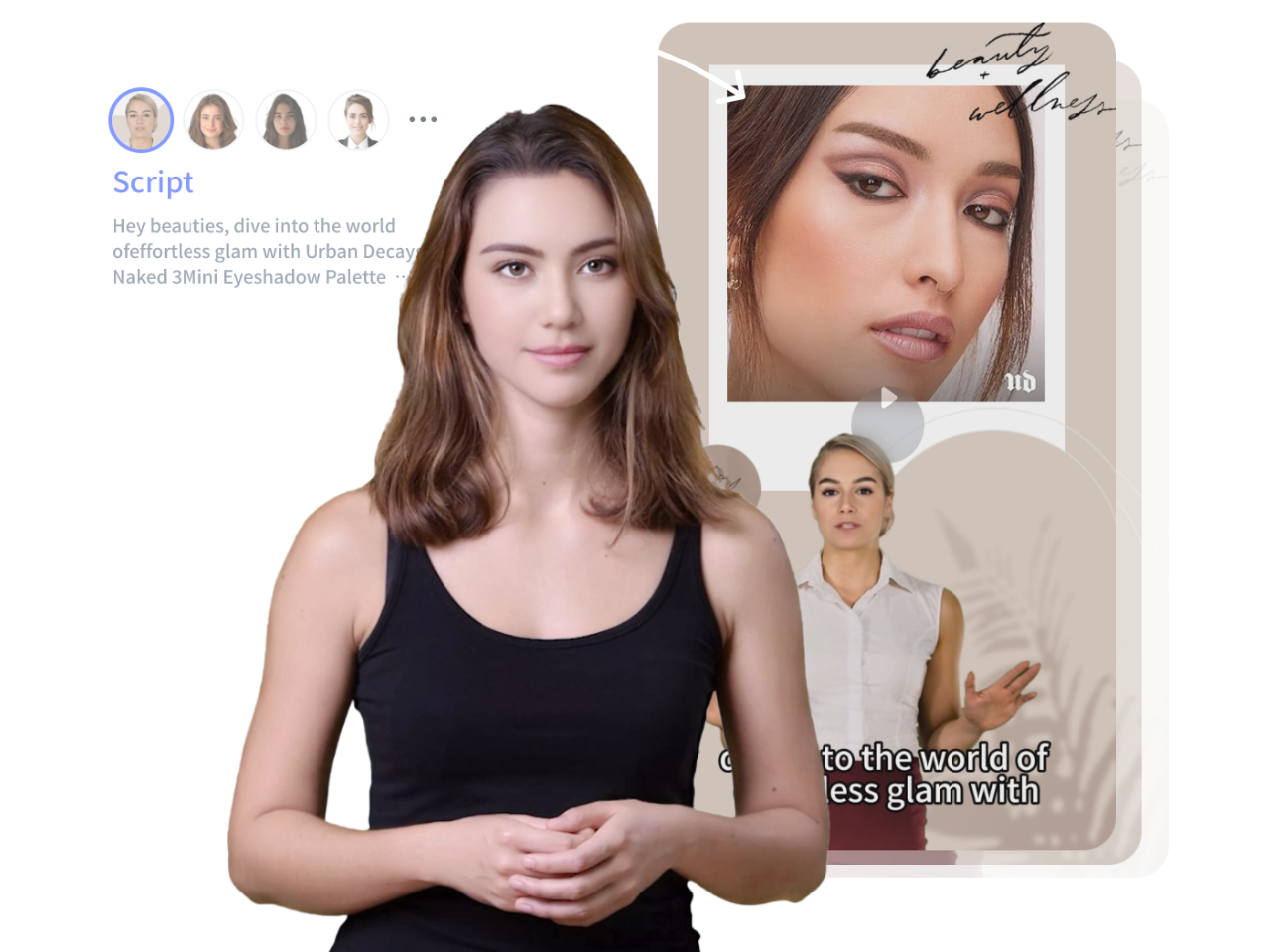
Why VidAU AI Avatar Pro fits: You bring the Qwen‑Audio 3.0 voiceover as input, pick a presenter style, and let the tool handle natural lip‑sync and UGC‑style delivery. It supports ad‑ready captioning and vertical framing, so you spend more time on messaging and less on manual animation.
Turn one concept into tests fast with VidRemix

Once your base ad is working, test variations to improve CTR and CPA.
- Alternate hooks: swap the first 2–3 seconds to try pain‑point vs. promise‑led openings.
- CTA lines: test urgency vs. value‑led asks.
- Captions: rephrase key lines with different power words.
VidRemix fits this stage because it supports multiple creative variations from one concept without changing your core structure. Provide your base presenter creative, then request specific hook/CTA/caption variants to generate quick testable versions for paid social.
Specs, Export, and Platform Tips for Talking Avatar Ads
- Resolution and aspect: 1080×1920, 9:16 vertical.
- Duration: TikTok/Reels/Shorts sweet spot is 15–30 seconds.
- Audio: 48 kHz sample rate; keep consistent loudness and clear diction.
- Captions: On‑screen, high contrast, safe‑zone padding; don’t block the mouth.
- First frame matters: start with a readable facial expression and strong first word.
- Platform compression: prioritize clean source audio and simple visuals; avoid heavy overlays that can blur.
Common Mistakes and Quick Fixes

- Script is too long: cut filler, reduce to one benefit plus proof.
- Rushed delivery: regenerate with slightly slower pacing and a few micro‑pauses.
- Uncanny lip‑sync: trim leading silence and add a brief pause before complex words.
- Low hook retention: move the strongest claim to second 0–2 and shorten the preamble.
Create With VidAU
Turn scripts, product URLs, and creative ideas into ad-ready video assets with a structured AI workflow.
Key takeaway
Final Thoughts
Pairing a Qwen‑Audio 3.0 voiceover with VidAU AI Avatar Pro is a fast, reliable way to ship talking avatar ads that feel natural and stay on brand. Start voice‑first, shape tone and pauses, then sync to a presenter, add bold captions, and ship vertical.
Next step: generate two Qwen‑Audio 3.0 reads, build your base presenter in VidAU AI Avatar Pro, and spin three hook or CTA variants with VidRemix to begin testing.
Frequently asked questions
What makes Qwen‑Audio 3.0 voiceover a good fit for talking avatar ads?
Qwen‑Audio 3.0 voiceover responds well to natural‑language prompting and, in recent reviews, inline tags for emphasis and pauses. That lets you craft hooks, benefits, and CTAs with specific tone and pacing. The result syncs cleanly to an avatar presenter, producing natural UGC‑style delivery for TikTok, Reels, and Shorts.
How do I add pauses or emphasis in Qwen‑Audio 3.0?
Use plain‑English prompts to guide tone and tempo, then add inline tags where supported to mark brief pauses or emphasis around key phrases. Keep changes subtle—micro‑pauses and slight tempo shifts sound more human than extreme settings. Generate two or three reads and pick the cleanest delivery.
Can I use ElevenLabs instead of Qwen‑Audio 3.0 for voiceovers?
Yes. ElevenLabs is a strong alternative for ad voiceovers. You can follow the same workflow: write an ear‑friendly script, generate a clear read, export 48 kHz audio, and sync it in VidAU AI Avatar Pro. Compare tone, clarity, and pacing across both tools, then keep the one that fits your brand voice.
How do I sync a Qwen‑Audio 3.0 voiceover in VidAU AI Avatar Pro?
Import the audio, choose a UGC‑style avatar, and preview automatic lip‑sync. If words drift, trim leading silence or add brief pauses in the audio and re‑import. Keep tight chest‑up framing and add readable captions. Finally, export 1080×1920 to match vertical platforms and avoid UI overlays covering the mouth.
What specs should I export for TikTok, Reels, or Shorts talking avatar ads?
Export vertical 1080×1920 at 9:16, with a 15–30 second duration. Use 48 kHz WAV or a high‑quality MP3 for audio. Keep on‑screen captions large, high‑contrast, and within safe areas. Start strong in the first seconds so the platform’s preview and the first frame communicate the hook clearly.
How long should a UGC presenter ad be?
Aim for 15–30 seconds. Shorter spots force clarity, keep retention higher, and make A/B testing faster. Structure as hook (0–2s), one benefit plus a micro‑proof (3–18s), and a clear CTA (last 3–5s). If you need more depth, create a second variation rather than extending the first.
How can I create multiple creative variations quickly without reshooting?
Keep one core concept and vary the entry points. Generate alternate hooks or CTAs from the same script, then use tools like VidRemix to produce quick creative variants without rebuilding from scratch. Test two or three versions at a time to learn which opening line or CTA language moves metrics.
What if lip‑sync looks off even after trimming audio?
Check for rushed clusters of syllables and add micro‑pauses at those words, then re‑export. Reduce background elements that may distract from mouth movement, and keep captions below the mouth line. If needed, regenerate the line at a slightly slower pace for more distinct phoneme timing.