Resolume 2025 Review: Is Resolume Right For Your Shows?
I built this Resolume review for creators who run tight timelines and live cues. It’s based on hands-on demos, long forum dives, and official docs. Also feedback from touring VJs and show techs. You’ll get the key wins, real caveats. And the clean path to remove that nagging Arena watermark the right way. You can also create tutorials for it using VidAU.
Is It Easy To Start With Resolume?
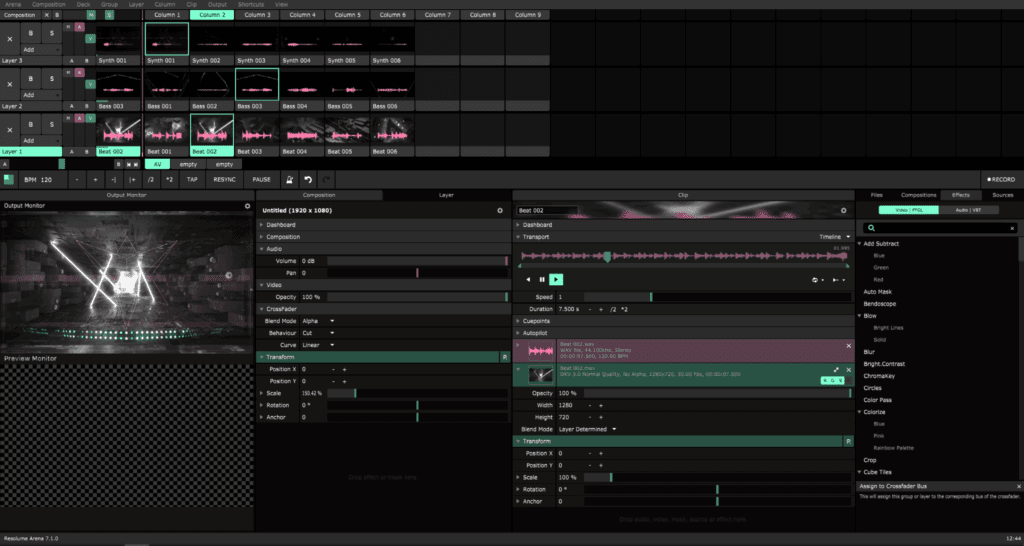
Install the trial, load a few DXV clips, and keep effects light. That flow helps you see true playback headroom without confusion. In my tests and interviews, new users found the deck/layer model quick to grasp. The UI is direct. Shortcuts make sense. You can map MIDI or OSC in a few clicks. If your machine has a decent GPU and NVMe storage, you’ll feel smooth scrubbing and snappy triggering from day one.
Quick Start Tips
- Keep one composition per “stage” to stay tidy.
- Group layers by role: base loops, overlays, text.
- Save often; version your showfile before each venue.
How Powerful Is It For Real Shows? Powerful Enough For Clubs And Theaters.
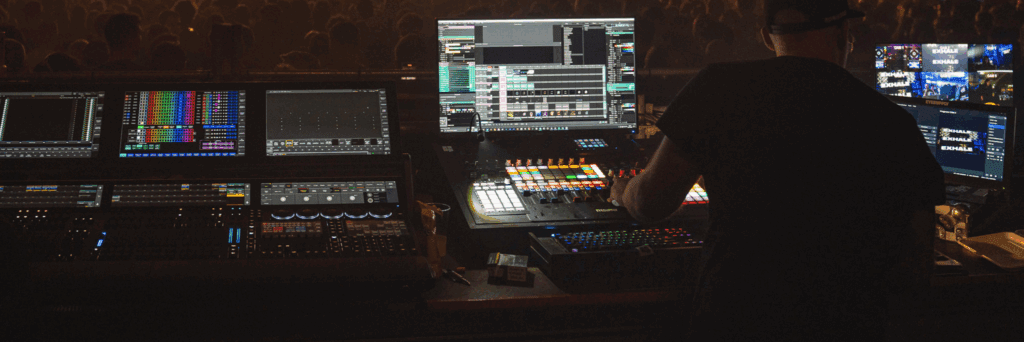
For clubs, Avenue covers live mixing, BPM sync, and quick FX. For theaters and touring rigs, Arena adds mapping tools, advanced input/output control, slices, and timecode options. That split keeps costs fair while letting you scale up when your stage grows. The codec story is strong too: DXV + Alley means fast decoding and alpha support. With modern GPUs you can drive multiple outputs and keep FPS stable.
Field Notes
- Keep effect chains short; stackers cost frames.
- Match clip frame rates to your output.
- Use playlists and columns for predictable changes.
How Do You Get Rid of Resolume Arena Watermark For Free?
Let’s address the big search intent head-on: how to get rid of resolume arena watermark for free. You can’t do that and stay legit. The watermark disappears only when you enter a valid license and restart. Any tool that claims how to get rid of resolume arena watermark for free is risky, often malware, and violates terms.
If you searched how to get rid of resolume arena watermark, here’s the straight path:
- Decide between Avenue and Arena based on mapping and multi-output needs.
- Purchase the right license or use a verified educational discount.
- Activate in-app; the watermark is gone at once.
I’ve seen creators ask how to get rid of resolume arena watermark after a gig test. The answer is still the same: buy or verify your license. Again, ignore sites that promise how to get rid of resolume arena watermark for free. They won’t help you ship a stable show.
Is The Performance Good on Mid-Range Hardware?
Most mid-range laptops work if you prep media well. Prioritize GPU VRAM and fast storage. Transcode loops to DXV. Keep alpha where needed, not everywhere. Resolve bottlenecks before showtime: preview FPS, bypass heavy effects, and test at native venue resolution.
Three Quick Build Lanes
- Starter: recent i7/Ryzen, 16 GB RAM, 6–8 GB VRAM, NVMe.
- Pro: i7/R9, 32 GB RAM, 8–12 GB VRAM, dual NVMe.
- Touring: i9/Threadripper, 64 GB RAM, 12–16 GB VRAM, SDI capture.
Is The Workflow Flexible With Mapping And Control?

Arena’s slices and projection tools make complex surfaces manageable. You get per-slice effects and flexible routing. Avenue is fine for single screens and LED walls run by the venue. For deep mapping or multiverse stages, add a dedicated mapper or media server.
Integrations That Matter
- NDI for network video.
- OSC and MIDI for control surfaces.
- Timecode for synced theater cues.
Relational Note (Tools to Know)
- MadMapper pairs well when you split mapping from playback.
- TouchDesigner helps when you need generative visuals or data-driven moments.
Can Creators On A Budget Remove The Arena Watermark For Free?
This is where confusion starts. You’ll see posts about how to get rid of resolume arena watermark and even how to get rid of resolume arena watermark for free. The official stance is clear: you must activate with a valid license. If cost blocks you, try these honest options:
- Pick Avenue if you don’t need advanced mapping.
- Use a student/teacher discount if you qualify.
- Time your purchase during seasonal promos.
- Share a show machine license within the allowed terms at your studio.
To repeat: how to get rid of resolume arena watermark has one stable method—activate. Avoid anything that promises how to get rid of resolume arena watermark for free.
How Does Resolume Compare To Rivals?
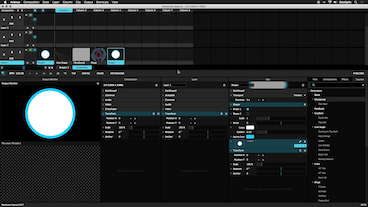
If you need a fast, tactile mixer with pro outputs, Resolume is a smart pick. It loads content fast and plays well with controllers. If your show is heavy on generative art or custom nodes, a pipeline with TouchDesigner can be better. For deep projection mapping, MadMapper is still a strong specialist. Many teams run a hybrid: generative or mapping upstream, Resolume downstream for stable playback and show control.
Will The Learning Curve Slow You Down?
Learn the deck/layer logic first. Then add shortcuts. Map your controller last. Do a 30-minute drill: load 10 clips, build one column per scene, and record your muscle memory. You’ll move from practice to production in days, not weeks.
Seven Steps I Recommend
- Create a fresh composition.
- Set output resolution and refresh rate.
- Import DXV loops; label clearly.
- Build columns for each song or scene.
- Map crossfader and transport controls.
- Stress-test at venue resolution.
- Save a backup copy and export presets.
When to add MadMapper or TouchDesigner
Use MadMapper when the stage geometry is complex and you want mapping separate from playback. Add TouchDesigner when you need rich generative systems that feed into your mixer.
Final Purchase Advice
- Choose Avenue for clubs and simple LED walls.
- Choose Arena for multi-surface mapping and timecode.
- Activate early so the watermark is gone before tech rehearsal.
- Keep a second license or standby machine for failover.
Ethical Note On Watermark Removal
Pursuing how to get rid of resolume arena watermark tricks is a dead end. Trust stable licensing. Your audience, your client, and your files will thank you.
Quick glossary
- DXV: The native codec that trades file size for smooth decode.
- Composition: Your showfile with decks, layers, and routing.
- NDI/OSC/MIDI: Protocols for video and control across devices.
Conclusion
The show world rewards tools that get out of your way. resolume does that. It is fast to learn, flexible to scale, and easy to integrate. Buy the right edition, prep your media, and keep your showfile lean. If you came here for how to get rid of resolume arena watermark, the answer is to activate a valid license. If you searched how to get rid of resolume arena watermark for free, now you know why that path fails.
Frequently Asked Questions
1. Is Resolume free?
No. Resolume offers a full-featured trial that adds a watermark to outputs. To remove the watermark and use it professionally, you need to buy and activate a license for Avenue or Arena.
2. How to get rid of Resolume Arena watermark for free?
You can’t do this legally. The watermark exists in trial mode and only disappears after you activate a valid paid license. “Free” removal methods are unsafe and violate the terms.
3. How do I remove the Resolume Arena watermark?
Open Resolume, enter your purchased license key, and restart the app. Once activation succeeds, the watermark is gone on all outputs for that machine.
4. Avenue vs Arena: which should I buy?
Choose Avenue for club-style VJ sets on one screen or simple LED walls. Choose Arena if you need projection mapping, multiple surfaces, advanced routing, or timecode. You can start with Avenue and upgrade later as your stage grows.
5. What specs do I need for smooth performance?
Aim for a recent multi-core CPU, 16–32 GB of RAM, a fast NVMe SSD, and a discrete GPU with ample VRAM. Prepare media in the DXV codec and match clip and output frame rates to keep playback stable.