AI Video Creation · Seedance 2.0
How to Use Seedance 2.0 with VidAU to Create High-Quality AI Videos
Learn how to use Seedance 2.0 inside VidAU, control AI video outputs, and turn generated clips into complete video content.
By the VidAU Editorial Team · Updated 2026 · 10 min read
AI video creation continues to evolve, yet one challenge remains clear. With Seedance 2.0, an AI video model in VidAU, creators now have better control, but many tools still struggle to maintain consistency and narrative flow across scenes. As a result, creators often spend more time fixing outputs than using them.
Seedance 2.0 addresses this gap directly. It is built for structured motion, stable visuals, and controlled scene generation. Instead of producing random outputs, it interprets prompts with precision and delivers clips that follow a clear visual direction.
This guide explains how to use Seedance 2.0 inside VidAU, how to control outputs, and how to turn generated clips into complete video content.
Quick summary
- Core benefit: Seedance 2.0 focuses on structured motion, stable visuals, controlled scene generation, and clearer visual direction.
- VidAU workflow: You can move through prompt input, reference guidance, generation, refinement, and export inside one interface.
- Best results: Clear visual prompts, first frame images, and careful video options help improve consistency and accuracy.
- Content use: Seedance 2.0 is useful for product videos, ads, social content, UGC-style videos, and scalable brand workflows.
Why Seedance 2.0 stands out for AI video creation
SEEDANCE 2.0 LIVE ON VIDAU
Seedance 2.0 is designed to solve one core problem in AI video generation. Most models struggle with consistency. Objects shift, lighting changes, and motion feels disconnected. This creates extra editing work and slows production.
Seedance 2.0 improves this by focusing on structured generation. It processes prompts with attention to scene continuity, motion flow, and visual balance. Instead of isolated frames, it produces connected sequences.
You benefit from this in several ways:
- It reduces the number of regenerations
- Access to cleaner outputs from the first attempt
- You spend less time fixing errors in editing
This level of control makes Seedance 2.0 useful for product videos, ads, and social content where consistency matters.
How Seedance 2.0 works inside VidAU
Seedance 2.0 operates as a built-in model within VidAU. You do not need external tools or separate workflows. Everything happens inside one interface.
The process follows a clear structure. You start by defining your scene using a prompt. You can then guide the model further with a reference image. Once generated, VidAU allows you to refine and structure the output into a complete video.
This creates a full production pipeline:
- Input stage with prompts and references
- Generation stage powered by Seedance 2.0
- Refinement stage inside VidAU
- Export stage for final content
This structure removes friction. You move from idea to final video without breaking your workflow.
Step-by-step guide to using Seedance 2.0 with VidAU
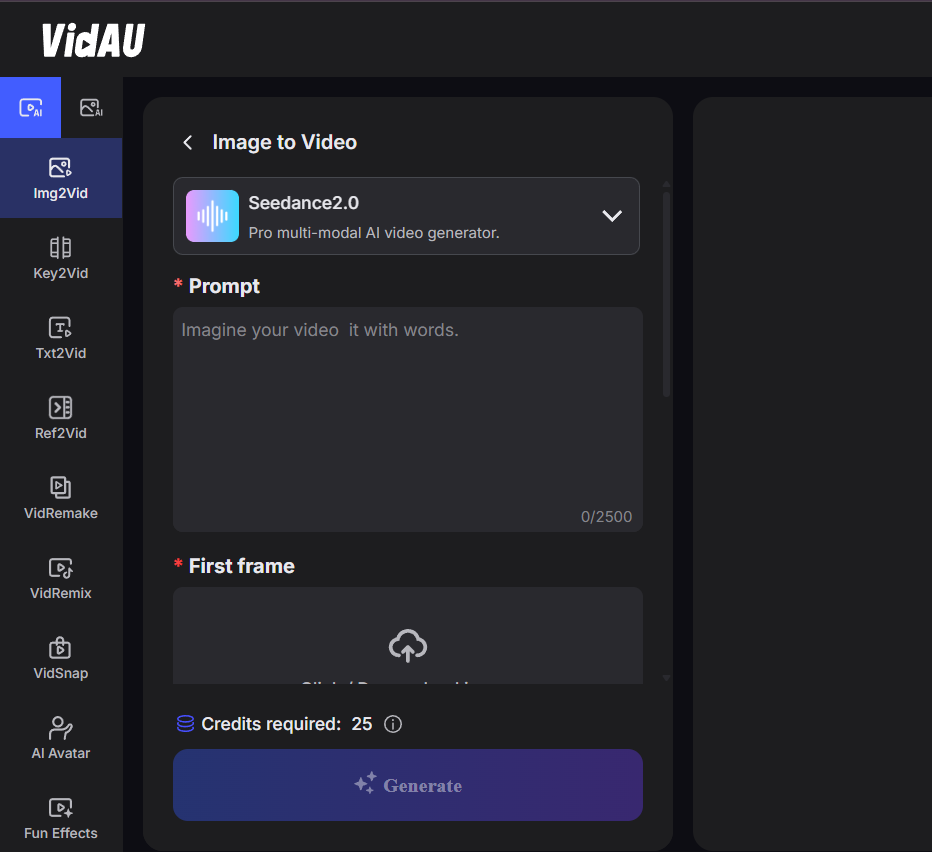
To get consistent results, you need a structured approach. Each step plays a role in how the final video turns out.
1
Open Seedance 2.0 on VidAU
Sign in to your VidAU dashboard. Open a new project and select Seedance 2.0 from the model list. This activates the workspace where your generation begins.
2
Write your prompt
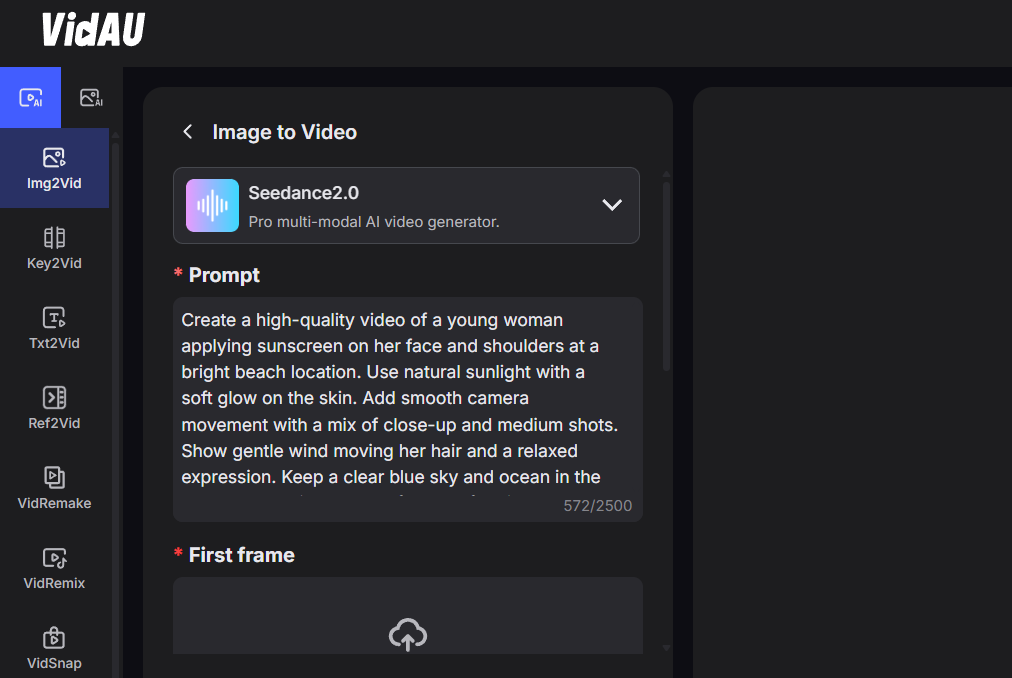
The prompt box tells Seedance 2.0 what to create. Keep your wording clear and visual. Describe exactly what should appear on screen. Focus on the subject, the setting, the lighting, and the camera movement. Avoid abstract descriptions. A direct scene works better than long explanations. Once your idea is clear, type it in and let Seedance 2.0 handle the generation.
Prompt Example
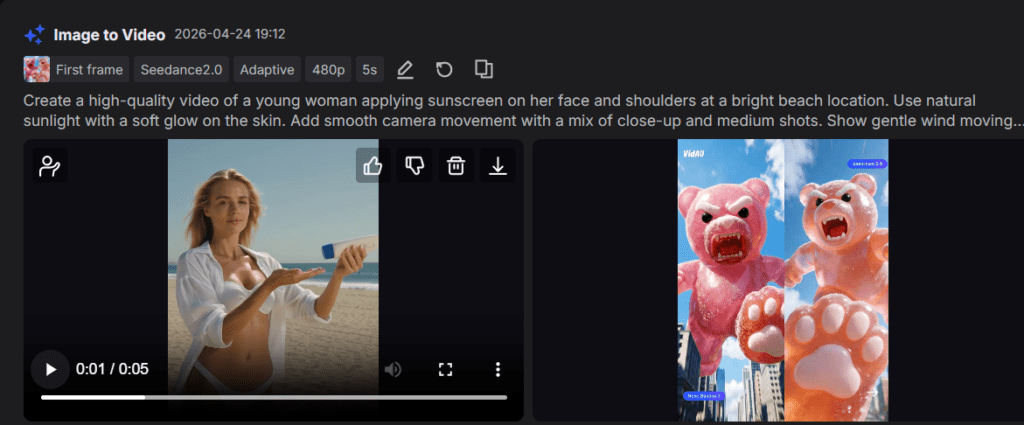
Create a high-quality video of a young woman applying sunscreen on her face and shoulders at a bright beach location. Use natural sunlight with a soft glow on the skin. Add smooth camera movement with a mix of close-up and medium shots. Show gentle wind moving her hair and a relaxed expression. Keep a clear blue sky and ocean in the background with product-focused framing. Use cinematic lighting, realistic skin texture, and warm tones. Include slow motion segments with a clean composition and modern skincare ad style. Ensure sharp focus, high detail, and 4K quality.
Result:
3
Set the First Frame
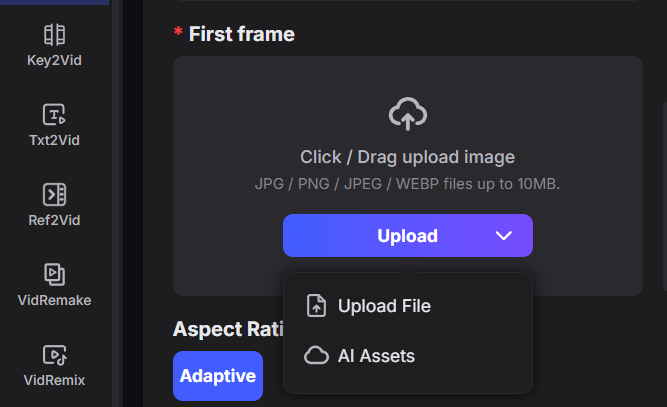
Upload an image to define how your video starts. This first frame guides the model to match your product, colors, and overall look from the beginning, so the output stays accurate and consistent.
4
Set your Video Options
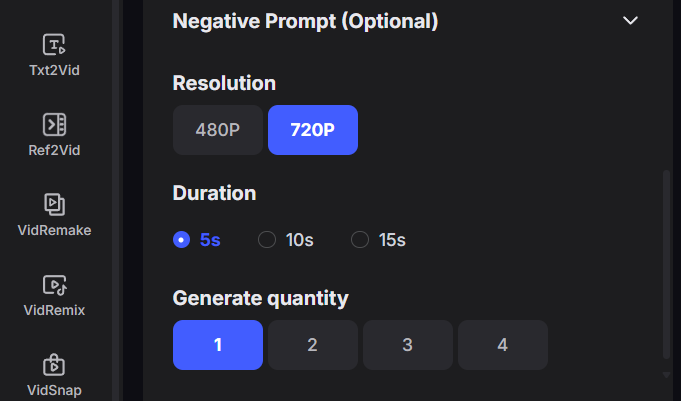
Choose your resolution, duration, and number of outputs. These settings control the quality, length, and how many variations the model generates. Higher settings improve clarity and give you more options to choose from.
5
Generate your video
Click generate and allow the model to process your request. Review each output carefully, check motion flow, visual consistency, and pick the version that best matches your goal.
6
Refine inside VidAU
After generation, use VidAU tools to improve the video. Adjust timing, add captions, and structure the clip into a complete piece of content.
How to write prompts that work with Seedance 2.0
Seedance 2.0 responds best to clear and structured prompts. It focuses on visual interpretation rather than abstract ideas. This means your prompt should describe what the viewer sees, not what the scene should feel like.
Prompt writing determines the quality of your output. Many users struggle because they write prompts that are too long or unclear. Seedance 2.0 performs best with simple, structured prompts.
You should always focus on visual clarity. Think about what the viewer should see on the screen.
A strong prompt usually includes:
- A clear subject
- A defined environment
- A simple action
- Camera movement
- Lighting style
Tip
When you follow this structure, the model produces cleaner and more usable results.
How to use the first frame image for better accuracy
The first frame image helps you control how your video starts and keeps the output visually consistent.
When you upload a first frame, Seadance 2.0 uses it as the visual anchor for the entire video. This improves alignment between your prompt and the final result, especially for product shots and branded content.
You should use a first frame image when:
- You want your product to appear exactly as it is
- Need consistent brand colors and layout
- You want to keep the same character or scene design
- You need a clean starting point for ads or social videos
Watch out
Avoid using a first frame image when you want more variation or creative exploration, since the model will follow the uploaded image closely.
Common mistakes to avoid when using Seedance 2.0
Many creators waste time because they ignore simple workflow rules. These mistakes reduce output quality and increase production time.
Here are common issues you should avoid:
- Writing overly complex prompts
- Ignoring aspect ratio settings
- Skipping reference images when needed
- Expecting perfect output without refinement
Fixing these issues improves both speed and quality.
Comparison overview
Below is a simplified comparison to help you understand positioning.
| Feature | Seedance 2.0 | Other Models |
|---|---|---|
| Prompt control | High | Medium |
| Output consistency | High | Varies |
| Motion handling | Strong | Moderate |
| Editing requirement | Low with VidAU | High |
This comparison shows why Seedance 2.0 works better when combined with VidAU.
How VidAU improves Seedance 2.0 video workflows
Seedance 2.0 focuses on generation, but video production requires more than that. VidAU completes the workflow by adding structure and editing tools.
Instead of exporting your video to another platform, you finish everything inside VidAU. This includes editing, formatting, and preparing content for different platforms.
This approach reduces delays and allows you to scale your content production faster.
Generate Video on Seedance 2.0
Use Seedance 2.0 inside VidAU to move from prompt to refined video without breaking your workflow.
Who benefits most from using Seadance 2.0 in real content workflows?
Seadance 2.0 benefits creators and brands who focus on clear visuals, structured storytelling, and consistent video output.
It works best for users who need repeatable results without losing quality or control across multiple videos.
You will gain the most value from Seadance 2.0 if you fall into these groups:
🎬
Brand storytellers
You create structured video campaigns that need consistent visuals and strong product focus across ads.
📱
Social media creators
You produce short-form videos and need steady output for TikTok, Instagram, or daily content.
📦
Product marketers
You build product videos where accuracy, color consistency, and presentation matter.
🧩
Content teams and agencies
You manage multiple projects and need a reliable system to scale video production.
🤳
UGC-style creators
You produce relatable content that feels natural while maintaining visual consistency.
Seadance 2.0 fits anyone who wants to move from scattered video creation to a clear, repeatable system that delivers results faster.
How to turn Seedance 2.0 outputs into ads using VidAU
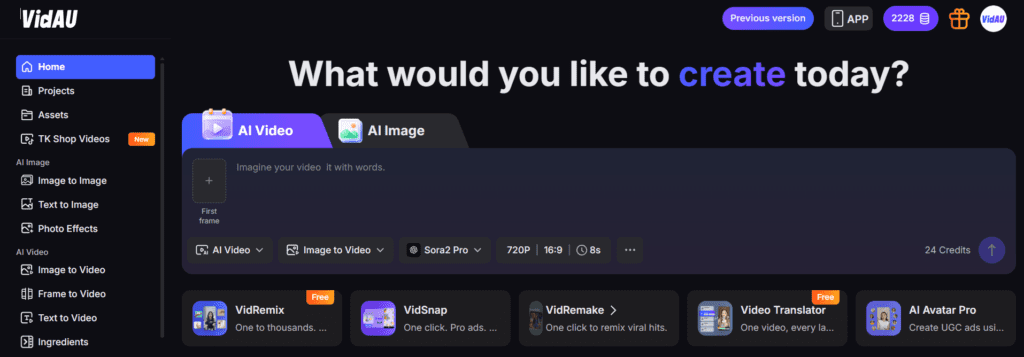
Generated clips become more valuable when you convert them into usable content. VidAU allows you to take raw outputs and structure them into ads.
You can refine your videos by:
- Adding captions and text overlays
- Adjusting pacing and timing
- Creating multiple variations for testing
This helps you move from simple generation to real content production that performs on platforms.
VidAU workflow
From generated clip to finished content
- Define the scene: Start with a clear visual prompt and, when needed, a first frame image.
- Generate with Seedance 2.0: Review the outputs for motion flow, visual consistency, and fit with your goal.
- Refine inside VidAU: Adjust timing, add captions and text overlays, structure the clip, and prepare platform-ready content.
- Export final content: Finish the video inside VidAU without needing to move the project into another tool.
Key takeaway
Final thoughts
Seedance 2.0 improves how you generate video content. VidAU improves how you finish it. Together, they create a complete system for AI video production.
You move from idea to final video without delays, extra tools, or repeated edits. This makes your workflow faster, more consistent, and easier to scale.
If you want better results from AI video tools, this combination gives you a clear advantage.
Frequently Asked Questions
Here are answers to common questions about using Seedance 2.0 inside VidAU for AI video generation, editing, and scalable content production.
What is Seedance 2.0 on VidAU?
Seedance 2.0 is an AI video model available inside VidAU. It generates structured video clips based on prompts and reference inputs, with a focus on consistency and motion control.
How does Seedance 2.0 work within VidAU?
It works as the generation engine inside VidAU. You input prompts, generate clips, and then refine them using VidAU tools to create final video content.
What makes Seedance 2.0 different from other models?
It focuses on structured scenes and consistent visuals. Many tools generate fast results but lack stability. Seedance 2.0 prioritizes control and usable output.
Can Seedance 2.0 create content for ads?
Yes. It is suitable for product videos, promotional clips, and social content. When combined with VidAU, you can structure outputs into full ads.
Do I need editing tools after using Seedance 2.0?
No. VidAU provides editing and refinement tools inside the platform. You complete your workflow without external software.
What type of prompts produce the best results?
Clear and visual prompts work best. Focus on subject, setting, and movement. Avoid long or complex descriptions.
How important are reference images?
They improve accuracy and consistency. Use them when working with products or branding.
Why do some outputs look inconsistent?
This usually comes from unclear prompts or missing structure. Simplifying your prompt improves results.
Can I edit videos after generation?
Yes. VidAU allows you to refine timing, add captions, and adjust structure after generation.
How fast is Seedance 2.0 video generation?
Most clips generate within minutes, depending on prompt complexity and system load.
Is Seedance 2.0 suitable for beginners?
Yes. The workflow is simple. Clear prompts and basic settings are enough to start generating usable content.
Can I scale content production with Seedance 2.0?
Yes. You can reuse prompt structures, generate variations, and refine outputs quickly inside VidAU.