VidAU Editorial · AI Search
Social Media Video Ads: Step-by-Step Guide to Create High-Converting Ads (with AI and UGC)
Learn how to create social media video ads that convert. Step-by-step workflow, mobile templates, AI tools, and UGC ideas—plus testing and optimization tips.
By the VidAU Editorial Team · Reviewed before publishing
Turn scattered ideas into a 2026 AI creative system for social media video ads. In this guide, I show you how to plan, produce, and test high-converting ads with mobile-first templates, AI tools, and UGC-native formats across Instagram, TikTok, Facebook, and YouTube. VidAU is an AI video ad platform that generates video ads from product URLs, images, or scripts in 49 languages.
Social media video ads work best when you use a repeatable system: plan on mobile, generate with AI, keep a UGC-native feel, then test small and iterate weekly. VidAU is an AI video ad platform that generates video ads from product URLs, images, or scripts in 49 languages.
This playbook is for Instagram, TikTok, Facebook, and YouTube. I reviewed current creator threads and found export choices and platform compression often decide perceived quality more than editing tricks, so we’ll lock in smart specs while building an AI creative flywheel you can run every week.
Quick Summary
• A 2026 AI creative flywheel using ArcAds, Runway ML, Descript, VEED, and Submagic is the fastest path to consistent, converting social media video ads.
• A mobile-first template stack in PowerDirector, AdDirector, Canva, InVideo, or Biteable is the strongest alternative for quick, on-brand variants.
• Export in 9:16, 1:1, and 16:9 and, when your source supports it, favor 4K, 60fps, and the highest bitrate to fight platform compression.
• US small businesses, DTC brands, social managers, and creators who need fast iteration and UGC-style authenticity benefit most.
In This Guide
- What Is Social Media Video Ads?
- Who should use this workflow?
- How do I create social media video ads step by step?
- How do I keep the UGC feel while using AI at scale?
- What are the best tools by stage?
- Which formats and export settings protect quality on each platform?
- What common mistakes should I avoid with social media video ads?
- How do I test and optimize social media video ads each week?

1. What social media video ads are and how they work
2. Who this workflow is for
3. Step-by-step workflow to produce social media video ads
4. How to keep a UGC-native feel at scale
5. Best tools by stage (AI, mobile templates, captions)
6. Platform formats and export settings that protect quality
7. Common mistakes and quick fixes
8. Advanced testing and weekly iteration
What Is Social Media Video Ads?
Social media video ads are paid short videos designed to drive attention and action on platforms like Instagram, TikTok, Facebook, and YouTube. They usually combine a fast hook, proof, captions, and a direct CTA, and they win when they feel native to the feed and match each platform’s formats and viewing behavior.
Who should use this workflow?
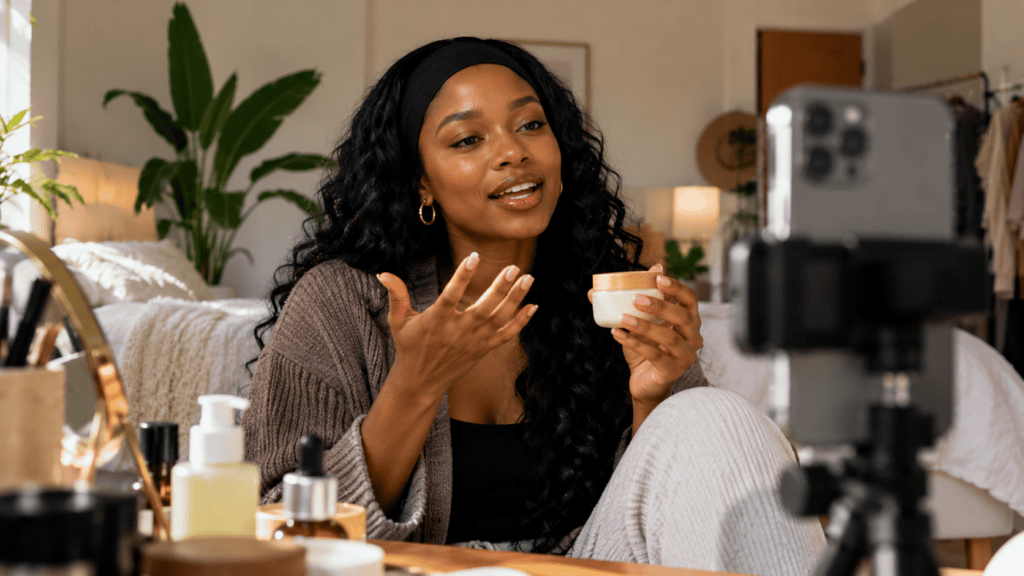
Visual for: Who should use this workflow?
This is built for US small business owners, social media managers, ecommerce/DTC marketers, and creators who need a reliable way to ship ads weekly. If you want the best AI videos for social media ads without juggling complex timelines, this system uses mobile-friendly inputs, AI assistants, and UGC-style production that scales.
How do I create social media video ads step by step?
1) Build a swipe file and concept bank
• Save 20–30 winning creatives from Instagram, TikTok, Facebook, and YouTube that match your category.
• Tag each by hook pattern (question, POV, demo, unboxing), angle (pain-point, transformation, social proof), and offer.
2) Write a mini-brief and script formula
• Mini-brief: product, one problem, one promise, one proof, one CTA, target audience.
• Script formula: Hook (2–3s) → Problem (1 line) → Proof/Demo (2–3 shots) → Offer (1 line) → CTA (1 line).
3) Generate variants with AI
• Use ArcAds to create 5–10 on-brief variants per concept; keep each under 20 seconds for cold traffic.
• Use Runway ML to fill B‑roll or backgrounds without reshoots when a shot is missing.
Use Descript to swap hooks and lines by editing text, creating instant A/B versions.
4) Preserve UGC authenticity
• Record quick UGC clips on phone: front camera, natural light, hand-held framing, jump cuts.
• Layer brand assets minimally; keep first 3 seconds looking native to the platform.
5) Add captions and remix aspect ratios
• Use Submagic or VEED for burned-in captions in platform-friendly styles; highlight key words for skimmers.
• Batch remixes: 9:16 for vertical (TikTok, Reels, Shorts), 1:1 for some Facebook placements, 16:9 for YouTube.
6) Export with quality that survives compression
• From our review of creator threads, match export to source: if your footage supports it, export 4K, 60fps, highest bitrate; avoid HDR unless all sources support it.
• I analysed common CapCut pain points and found upscaling non‑4K sources won’t add detail; prioritize source capture, lighting, and sharp audio first.
7) Publish small-batch tests by concept
• Launch 3–5 variants grouped by concept (not all mixed together) to see which idea wins.
• Track: hook rate (first 2–3 seconds), 3‑sec hold, CTR, and cost per add-to-cart/lead.
8) Iterate weekly
• Pause losers fast; take the winner’s hook and remake 3 new versions with different intros, captions, or offers.
• Log what worked: hook wording, first frame, on-screen proof, CTA phrasing.
Key Takeaways
• Concepts win more often than minor edits; group tests by angle.
• Captions, first frame, and offer drive the biggest swings.
• Protect quality at the source; export settings can’t fix soft footage.
Suggested Visual: Flowchart of the 8-step flywheel with tools mapped to each step.
How do I keep the UGC feel while using AI at scale?
Keep the camera casual, the copy conversational, and the first frame human. Automation should assist, not over-polish. Use Submagic or VEED for captions that match TikTok/IG norms, batch ratio remixes for placements, and use Runway ML only to fill gaps. Record at least one fresh human shot per ad to anchor authenticity.
What are the best tools by stage?

Visual for: What are the best tools by stage?
• Stage: Concepts & variants
Recommended Tools: ArcAds
Why: Rapid on-brief ad variants
• Stage: Script swaps
Recommended Tools: Descript
Why: Edit by text, fast hook tests
• Stage: B‑roll/gaps
Recommended Tools: Runway ML
Why: Generate fills, avoid reshoots
• Stage: Captions
Recommended Tools: Submagic, VEED
Why: Native styles, batch output
• Stage: Mobile templates
Recommended Tools: PowerDirector, AdDirector
Why: Quick ads from phone
• Stage: Design overlays
Recommended Tools: Canva, InVideo, Biteable
Why: Branded templates fast
Mid-article CTA: If you need product demos from a URL in minutes, try VidAU AI for fast, multilingual product video ads you can test the same day.
Which formats and export settings protect quality on each platform?
Protect quality with native ratios and strong exports:
• Ratios: 9:16 for TikTok/Reels/Shorts, 1:1 for some Facebook placements, 16:9 for YouTube feeds.
• Lengths: 6–20 seconds for prospecting; longer for retargeting when needed.
• Export: when your source allows it, 4K, 60fps, highest bitrate; keep HDR off unless all footage is HDR.
Suggested Visual: One-page spec card showing ratios, length ranges, and export tips.
What common mistakes should I avoid with social media video ads?
• Dumping 20 creatives into one ad set; group by concept to identify winners.
• Chasing export settings while filming soft, dim footage; fix lighting and audio first.
• Over-designing intros; the first frame should look native, not like a banner.
• Forgetting captions; most feeds start muted and skimmed.
• Ignoring comments; questions often reveal offer or proof gaps.
How do I test and optimize social media video ads each week?

Visual for: How do I test and optimize social media video ads each week?
Run a tight loop: launch small-batch concept tests, track hook rate, 3‑sec hold, and CTR, then iterate only the winners. Duplicate the winning hook across new offers, captions, or first frames. Log insights in a shared sheet to guide the next prompts and templates. Pause stale winners before fatigue sets in.
Suggested Visual: Simple dashboard mock-up with hook rate, 3‑sec hold, CTR columns.
Create With VidAU
Turn scripts, product URLs, and creative ideas into ad-ready video assets with a structured AI workflow.
Key takeaway
Final Thoughts
A consistent 2026 system beats sporadic creativity. Use AI to multiply concepts, keep the first frame human and native, export with care, and run weekly concept tests. When you find a winner, spin three more riffs immediately.
If you want product URL to ad-ready video in minutes plus multilingual options, try VidAU AI and plug it into the flywheel above.
Frequently asked questions
What is the fastest way to produce social media video ads?
Use a weekly flywheel: bank concepts, generate 5–10 variants with ArcAds, swap hooks in Descript, caption in Submagic or VEED, export in 9:16, and test small batches by concept. This balances speed with control and lets you identify winning ideas before scaling spend.
What length works best for social media video ads?
For cold traffic, 6–20 seconds usually performs well because it forces a crisp hook, quick proof, and clear CTA. Save longer cuts for retargeting or YouTube placements where viewers expect more context. Always test two lengths of the same concept to see which holds attention.
Which tools make the best ai videos for social media ads?
For AI-driven production, ArcAds (variants), Runway ML (B‑roll fills), Descript (script swaps), and Submagic or VEED (captions) cover most needs. For mobile templates, PowerDirector, AdDirector, Canva, InVideo, and Biteable are strong. VidAU AI helps turn a product URL into testable ad videos quickly.
How do I make video ads for social media on mobile?
Start with mobile templates in PowerDirector or AdDirector, add quick UGC clips, layer captions via VEED or Submagic, and export 9:16. Keep the first frame human, highlight one benefit, and add a tap-friendly CTA. This approach lets beginners ship quality ads fast from a phone.
What export settings should I use for quality?
Match export to your source. If your footage supports it, export 4K at 60fps with the highest bitrate, and avoid HDR unless all sources are HDR. This helps counter platform compression. If your source is 1080p, don’t upscale hoping for sharpness; focus on lighting and clean audio.
How do I test UGC ads without wasting budget?
Group ads by concept and launch 3–5 variants at low spend to measure hook rate, 3‑sec hold, and CTR. Pause losers quickly, duplicate the winning hook with a new first frame or offer, and relaunch. Keep a weekly log of insights so each new batch improves based on evidence.