Ecommerce Video Ads · Vidmake Viral Cloning
Vidmake Viral Cloning for Ecommerce: Turn Competitor Ads Into Your Product Videos in Minutes
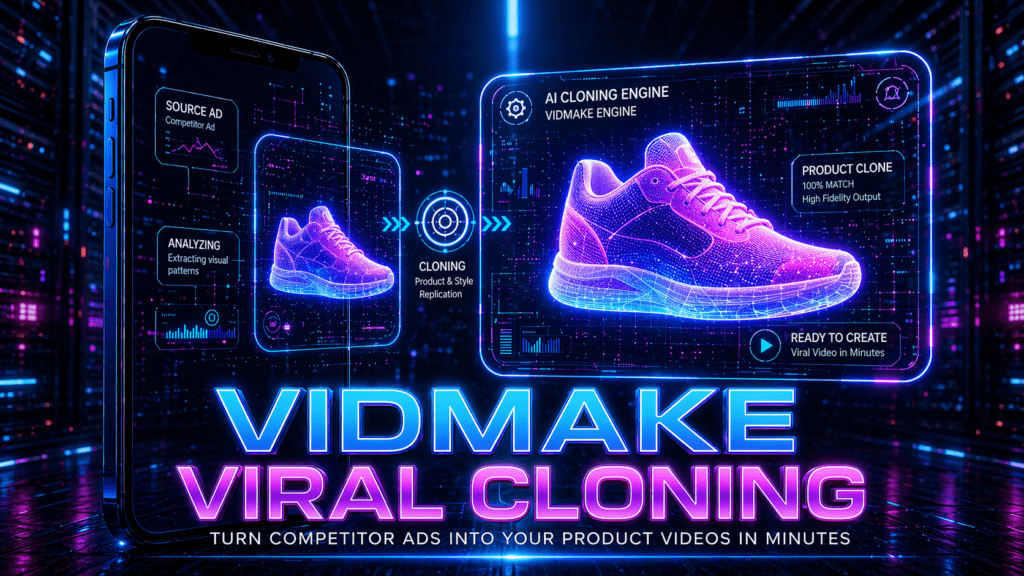
Vidmake Viral Cloning helps ecommerce brands turn viral ad structures from their market into polished product videos without filming, scripting, prompting, or manual editing.
By Akinosi Olakunle · Updated April 2026 · 9 min read
Vidmake Viral Cloning gives ecommerce brands a fast way to build winning ads without filming, scripting or prompting. Online stores compete in an environment where trends change fast and attention drops in seconds. The brands that grow are the ones that launch new creatives every day, not every month.
Vidmake voice cloning solves this by turning viral ads from your market into ready-to-use ads for your own products. You upload a competitor’s video ad and your product images. The platform clones the pacing, structure and storytelling style and replaces the product with yours. You get the same winning format without copying scripts or paying for production.
Quick summary
- Core function: Vidmake Viral Cloning replaces products inside video ads with your own items and branding while preserving the original ad’s scene flow, transitions and energy.
- Ad formats: The tool builds 12-second TikTok style videos and 25-second longer video formats.
- Production benefit: You can export platform-ready ads without filming, scripting, prompting, editing, color grading, resizing or applying motion effects manually.
- Best use case: Ecommerce teams can model ads on viral formats already validated by competitors and the market.
Contents
What Vidmake Viral Cloning does
- Replaces products inside any video ad with your own items and branding
- Preserves the original ad’s scene flow, transitions and energy
- Builds 12-second TikTok style videos or 25-second longer video formats
- Exports platform-ready ads without editing
You get polished videos from content already validated in your market.
What Vidmake Viral Cloning does
Replaces the product shown inside any video ad with your own item.
Your uploaded images take the exact position of the original product. Hands, backgrounds, tables and surfaces adjust automatically. Brand labels and packaging from the old ad are removed so viewers only see your product.
Keeps the original scene flow of the viral ad.
Camera movements, pacing, angles, jump cuts and transitions stay intact. You do not rebuild the storyline from scratch. You benefit from the emotional beats and selling rhythm that already worked in the market.
Why this matters
You receive a completed video based on a structure that already proved it converts. You are not gambling with experimental creative ideas. You are launching ads modeled on videos already validated by your competitors and the market.
Build two video lengths for you.
The 12-second version is optimized for TikTok and high-velocity social ads. The 25-second version gives more room to show benefits and before-and-after storytelling. Both formats keep the attention pattern of the source ad so viewers stay engaged.
The system exports a polished, ad-ready file.
You do not add text manually. You do not apply motion effects. You do not color correct or resize anything. The final video is ready for TikTok Ads, Meta Ads, YouTube Ads, Amazon product pages and Shopify PDP sections.
You receive a completed video based on a structure that already proved it converts.
You are not gambling with experimental creative ideas. You are launching ads modeled on videos already validated by your competitors and the market.
Why Ecommerce Brands Use Viral Cloning
- Launch ads fast when a new trend starts
- Repurpose a competitor’s best video style and turn it into yours
- Follow storytelling formulas proven to convert buyers
- Scale creative volume without recording content
- Remove guesswork and reduce testing costs
You avoid slow production. You follow the templates that already work.
How Vidmake Viral Cloning Works in Simple Step
Step 1 — Open Vidmake Viral Cloning
Log in to your VidAU dashboard. Scroll through the tool list under Video Ads AI and select Vidmake Viral Cloning. The page loads with three core blocks: Upload Viral Video. There is no timeline and no editing panel. You do not build scenes yourself. You begin the ad-creation process immediately. The purpose of this step is to load the viral video you want to recreate for your product.
Step 2 — Add Your Viral Video
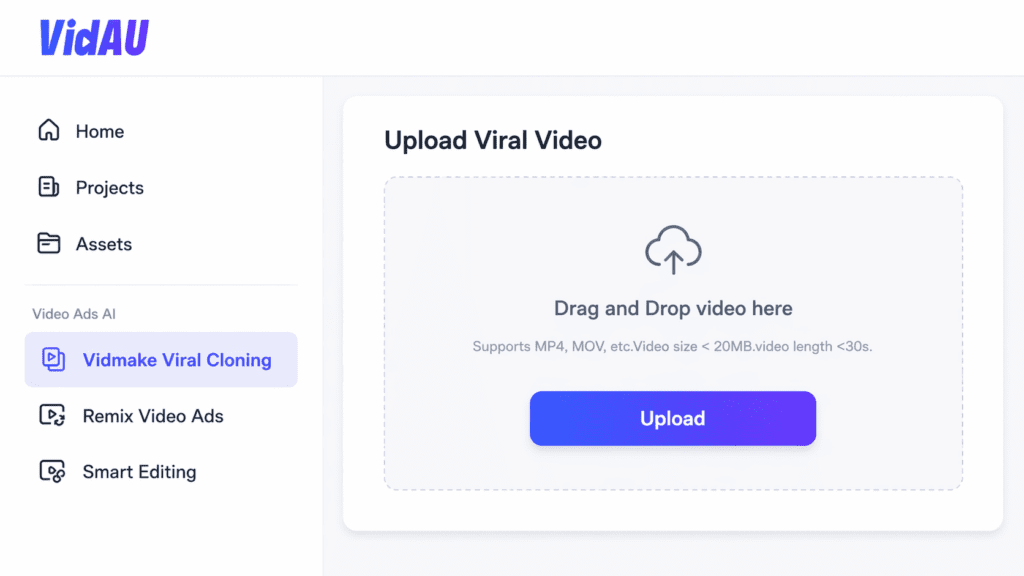
Vidmake Viral Cloning accepts one upload method: a short viral video file from your device.
Supported formats: MP4 and MOV, Recommended specs: under 20MB and under 30 seconds
Once uploaded, the thumbnail appears and confirms the video has been scanned. This step gives VidAU the structure, pacing and creative style the final video will follow.
Step 3 — Add Your Product Images
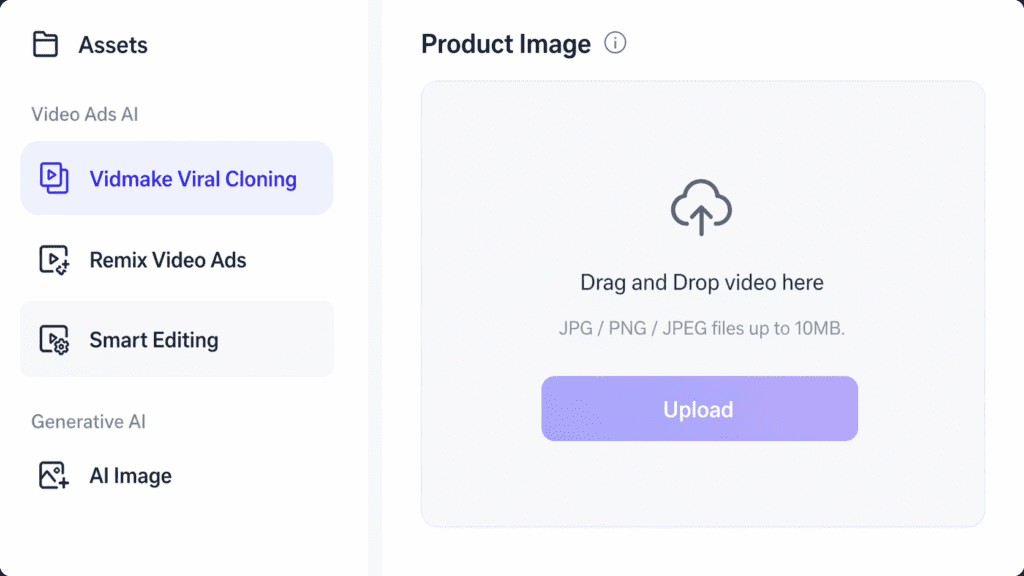
Scroll to the Product Image block and upload clear JPG or PNG files. VidAU detects the visual attributes of the product such as shape, texture and color. Multiple images improve accuracy. Lifestyle photos and close-ups work well. This step gives the system the product it will insert into the viral video template.
Step 4 — Refine the Prompt Draft
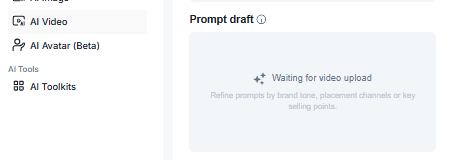
When the viral video finishes uploading, the Prompt Draft box activates. VidAU analyzes the video and auto-builds a script outline based on the structure of the ad you selected. You do not write a full script from scratch. You only refine small details so the voice and message match your brand.
What you update inside the prompt:
- Product name
- Brand name
- One core benefit
- One or two supporting features
- Call to action
You keep sentences short because short lines read better inside fast social ads. You avoid long paragraphs because they reduce clarity on mobile screens.
Examples of quick edits for the prompt:
- “Introducing the new NanoBlend Bottle”
- “Keeps drinks cold for 24 hours”
- “Leak-proof design for travel and gym”
- “Order now before stock runs out”
The prompt does not control the placement of the product in the scenes. The prompt controls the tone and messaging overlays that appear in the intro, mid-scene and final CTA. This step helps the cloned video sound like your brand without changing the structure that makes the viral ad perform well.
Once the prompt draft looks right, you scroll down to format selection and continue.
Step 5 — Let Vidmake Clone the Ad
Once uploads are confirmed, Vidmake starts automatic viral cloning. No prompts are required. No scripts are needed.
The system performs three actions:
- Removes the original product and brand assets
- Maps your product into hands, surfaces and backgrounds inside the scenes
- Matches the pacing, transitions and camera movement of the viral video
You do not edit anything manually. You do not make keyframe adjustments. You do not design motion paths. This step updates the viral structure with your product visually placed inside the footage.
Step 6 — Choose Video Format and Look
Before generation, select the format that matches your campaign placement.
- 12 seconds for TikTok, Instagram Reels and direct response ads
- 25 seconds for product benefits, seasonal storytelling and upsells
You also choose aspect ratio:
- 9:16 for mobile platforms
- 16:9 for YouTube feed and desktop placements
This step ensures the final video exports at the right size for your ad channel.
Step 7 — Generate and Export

Click Generate to begin rendering.
The platform creates a finished ad based on the viral template and your product shots. When the preview is ready, you export the final file in one click. No color grading. No text animation. No timeline editing. You download the completed creative and publish it directly to TikTok Ads, Meta Ads, YouTube Ads, Amazon listings or Shopify product pages.
Tip
Multiple images improve accuracy. Lifestyle photos and close-ups work well because VidAU detects the visual attributes of the product such as shape, texture and color.
Turn viral ad structures into your own product videos
Upload the viral video, add your product images, generate the finished creative, and publish it directly to your ad channels.
Where Ecommerce Teams Use Viral Cloning
- TikTok Ads and Instagram Reels
- Meta Ads and YouTube Shorts
- Shopify and Amazon PDP video banners
- Seasonal campaign ads for Valentine’s, Black Friday, Christmas
- Bundle and upsell videos across checkout pages
You keep the winning structure of the original ad while showcasing your brand.
Short And Long Format Control
- 12-second videos for scroll-stopping creative
- 25-second videos for storytelling and selling points
- Both formats export ready for publishing without editing.
| Format | Best use | Publishing fit |
|---|---|---|
| 12 seconds | Scroll-stopping creative, TikTok, Instagram Reels, high-velocity social ads and direct response ads | Built for fast conversions and attention patterns that move quickly |
| 25 seconds | Product benefits, seasonal storytelling, upsells and before-and-after storytelling | Gives more room to show benefits while keeping the source ad’s engagement pattern |
| 9:16 | Mobile platforms | Useful for TikTok, Reels, Shorts and vertical ad placements |
| 16:9 | YouTube feed and desktop placements | Useful when the final video needs a wider desktop or feed format |
What Makes Vidmake Stand Out
- Accurate product placement even in fast-moving shots
- Natural reflections, shadows and hand interactions
- Works with all major ecommerce niches
- Maintains the viral pacing of the original video
You get ads that look native instead of AI-stitched.
Watch out
Videos with clear product shots, simple backgrounds and strong pacing create the most accurate outputs.
Who Gains The Most Value
- Dropshipping stores scaling winners fast
- POD brands testing new catalog items weekly
- Amazon and Shopify sellers building trust with native videos
- Beauty, gadget and lifestyle brands with visual-driven products
- Teams advertising without an in-house creative department
If your product sells on video, Vidmake helps you produce ads at scale.
VidAU workflow fit
How ecommerce teams use Vidmake inside ad production
📹
Upload a viral video
Use a short viral video file from your device so VidAU can scan the structure, pacing and creative style the final video will follow.
📦
Add product images
Upload clear JPG or PNG files. Multiple angles, lifestyle photos and close-ups help the system understand product shape, texture and color.
✍️
Refine the prompt draft
Adjust product name, brand name, core benefit, supporting features and call to action so the video sounds like your brand.
🚀
Generate and publish
Generate the finished ad, export the final file in one click and publish it to TikTok Ads, Meta Ads, YouTube Ads, Amazon listings or Shopify product pages.
Key takeaway
Final Takeaway
Vidmake Viral Cloning removes the biggest pain point for ecommerce growth: making fresh, converting creatives every week. The tool turns proven viral ads into your own product videos in minutes. You upload the assets and publish the finished ad. No filming. No editing. No prompts. No delay.
FAQ: Vidmake Viral Cloning
Here are quick answers to common questions about using Vidmake Viral Cloning for ecommerce product ads.
Does Vidmake copy the brand or watermark from the competitor’s video?
No. Vidmake removes brand labels, watermarks, product logos and packaging from the uploaded viral ad. The final video contains only your product and your branding.
Do I need to write a script or prompts?
No. Vidmake generates a prompt draft automatically based on the viral video you upload. You only adjust brand name, benefit and CTA if needed.
Can I use multiple product images?
Yes. You get better accuracy with multiple angles of the product. Close-up, lifestyle and plain background images work well.
Does the tool keep the same actors or hands in the video?
Yes. Actors, hands and backgrounds stay the same. Only the original product is replaced with your uploaded images.
Can I change text overlays and CTA?
Yes. You edit these inside the Prompt Draft before generating the final version.
Which platforms do the videos support?
You export files ready for TikTok Ads, Meta Ads, YouTube Ads, Snapchat, Amazon PDP videos and Shopify product pages.
What is the best video length to choose?
12 seconds works best for TikTok and fast conversions. 25 seconds works best for storytelling and benefit-driven ads.
What type of viral video should I upload for the best results?
Videos with clear product shots, simple backgrounds and strong pacing create the most accurate outputs.
Does Vidmake work for all ecommerce categories?
Yes. It works for beauty, fashion, gadgets, kitchen items, fitness gear, home decor and most consumer products.
How long does rendering take?
Most videos complete in under 2 minutes depending on length and complexity.
Can I generate multiple variations of the same viral ad?
Yes. You swap product images, hooks or CTA text and click Generate again. This helps reduce ad fatigue and improve A/B testing.