

AI UGC Ads · Creator Workflow Guide
How to Create AI UGC Ads for Every UGC Content Creator: Tools, Workflows, and Best Practices
Learn how every UGC content creator can make realistic AI UGC ads with brand DNA, AI characters, product placement, voice-over, editing workflows, and scalable product ad systems.
By the VidAU Editorial Team · Updated 2026 · 18 min read
Want to create realistic AI UGC ads as a UGC content creator without hiring a full production team? This guide shows every ugc content creator how to build professional AI video ads using Higgsfield, ElevenLabs, and Claude Code from start to finish.
User-generated content (UGC) style ads have become one of the most effective formats for social media marketing. They feel authentic, relatable, and drive higher engagement than traditional advertisements. But hiring actors, coordinating production teams, and managing multiple rounds of edits can drain budgets and slow down campaigns.
AI tools now make it possible to create UGC-style video ads at scale without traditional production requirements. The key difference is moving from isolated tool experimentation to complete end-to-end workflows that connect brand research, character generation, scripting, product placement, and video editing into a single automated pipeline.
This guide walks through proven workflows for creating AI UGC ads using the latest tools and techniques, with specific attention to realistic character generation, natural product integration, and production quality that matches professional standards.
Summary
Creating AI UGC ads works best when you build complete end-to-end workflows instead of relying on isolated tools.
Start by building your brand foundation through automated DNA extraction or manual brand documentation.
Generate realistic AI characters using tools like Nano Banana Pro with attention to natural lighting, skin texture, and realistic facial details.
Build your video pipeline with Higgsfield and Seedance 2.0 using detailed prompts for camera angles, character performance, and product placement.
Improve character realism and movement using Veo 3.1 for better facial expressions and natural body language.
Create polished end screens and motion graphics with Kling 2.6 to improve branding and call-to-action presentation.
Add professional AI voice-over using ElevenLabs for natural narration and audio consistency.
Teams producing content at scale should automate workflows using Claude MCP integration to generate multiple ad variations with minimal manual work.
Focus on authenticity instead of over-polished visuals to maintain the natural feel that makes UGC ads effective.
Test multiple ad variations regularly and improve workflows using engagement and performance data.
AI UGC technology continues improving rapidly, making high-quality video production more accessible for creators and brands.
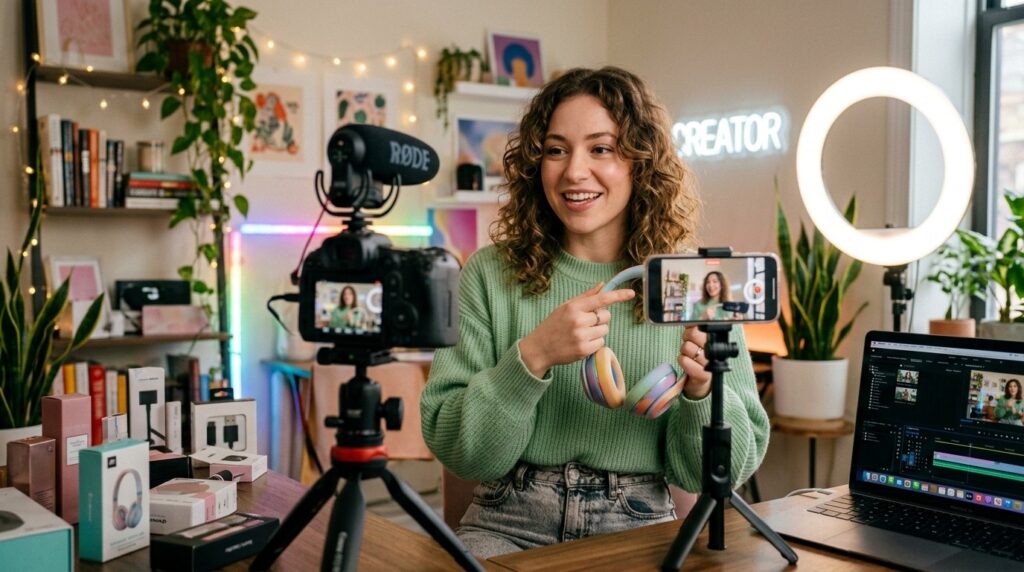
Understanding AI UGC Ad Workflows
The shift toward AI UGC creation is not about replacing one tool with another. It’s about building connected workflows where each step feeds into the next with minimal manual intervention.
Traditional UGC production requires casting, scripting, filming, editing, and post-production. AI workflows replicate these stages digitally. Instead of hiring an actor, you generate a character. And, Instead of booking a studio, you create the scene. Instead of directing performance, you control prompts.
The most effective AI UGC workflows operate in three stages:
- Brand and character setup
- Content generation and product integration
- Editing, voice-over, and final assembly
Each stage requires specific tools and techniques. The goal is to move from concept to finished ad with the fewest possible friction points.
Key takeaway
AI UGC creation works best as a connected production pipeline, not as isolated tool testing. Brand setup, character generation, product integration, editing, and voice-over need to feed into one another.
Setting Up Your Brand DNA
Before creating any content, you need a structured understanding of your brand identity. This includes visual style, tone of voice, color palette, product imagery, and target audience.
Brand DNA extraction automates this process. Instead of manually documenting brand guidelines, AI tools analyze your website, social profiles, and existing content to build a structured brand profile.
Building Brand DNA with Claude
Claude Code can analyze your website URL and automatically extract brand elements including:
- Color system and visual hierarchy
- Tone of voice patterns
- Photography and design style
- Product catalog and imagery
- Target audience characteristics
This information gets saved into a single brand file that every subsequent workflow step references. When you generate a character, it aligns with your brand and you write a script, it matches your tone. While designing a scene, it reflects your visual style.
The advantage is consistency. Every ad you create pulls from the same brand foundation, ensuring visual and tonal alignment across campaigns.
Manual Brand Setup Alternative
If you prefer manual control, document these elements yourself:
- Primary and secondary brand colors
- Preferred fonts and typography style
- Common image treatments (bright, moody, high contrast)
- Voice characteristics (casual, professional, energetic)
- Key product features and benefits
- Target demographic details
Organize this information into a simple document or spreadsheet that you can reference when setting up each tool.
| Brand DNA element | What it controls in AI UGC ads |
|---|---|
| Color system and visual hierarchy | Keeps scenes, graphics, and end screens aligned with brand identity. |
| Tone of voice patterns | Helps scripts sound consistent across product ads and UGC variations. |
| Photography and design style | Guides scene composition, lighting, and visual treatment. |
| Product catalog and imagery | Gives AI workflows accurate product references for product ads. |
| Target audience characteristics | Helps match characters, scripts, voice-over, and campaign angles to the intended viewer. |
Creating Realistic AI Characters
Character quality determines whether your AI UGC ad feels authentic or artificial. Poor character generation results in stiff expressions, unnatural skin textures, and obvious CGI tells.
Recent advancements in character generation focus on realistic skin detail, natural eye movement, and believable facial expressions. The goal is creating characters that could pass for real people in selfie-style video formats.
Using Nano Banana Pro for Character Generation
Nano Banana Pro specializes in generating photorealistic characters with natural skin textures and realistic lighting. The tool works best when you provide specific direction about:
- Age range and demographic
- Ethnicity and appearance
- Clothing style
- Environmental context
- Lighting setup
For UGC-style content, specify selfie camera angles and natural indoor lighting. Avoid studio-perfect setups that feel too polished.
A good character prompt might look like this:
“Generate a 28-year-old woman with natural skin texture, wearing casual clothing, shot in soft indoor window light from a slightly elevated selfie angle. Relaxed expression, no makeup exaggeration, realistic pores and skin detail.”
The more specific you are about natural imperfections and realistic lighting, the more authentic your character will appear.
Generating Multiple Character Options
Create several character variations during initial setup. This gives you flexibility when matching characters to different products or campaign angles. Generate characters that represent your target demographic but show diversity in age, style, and presentation.
Save high-resolution versions of each character (2K minimum) for use in multiple projects. You’ll reference these images when generating video clips, so quality matters.
Tip
UGC-style characters should not look studio-perfect. Natural skin texture, soft indoor light, relaxed expression, and selfie-style framing help AI UGC ads feel more authentic.
Building Your UGC Video Pipeline with Higgsfield
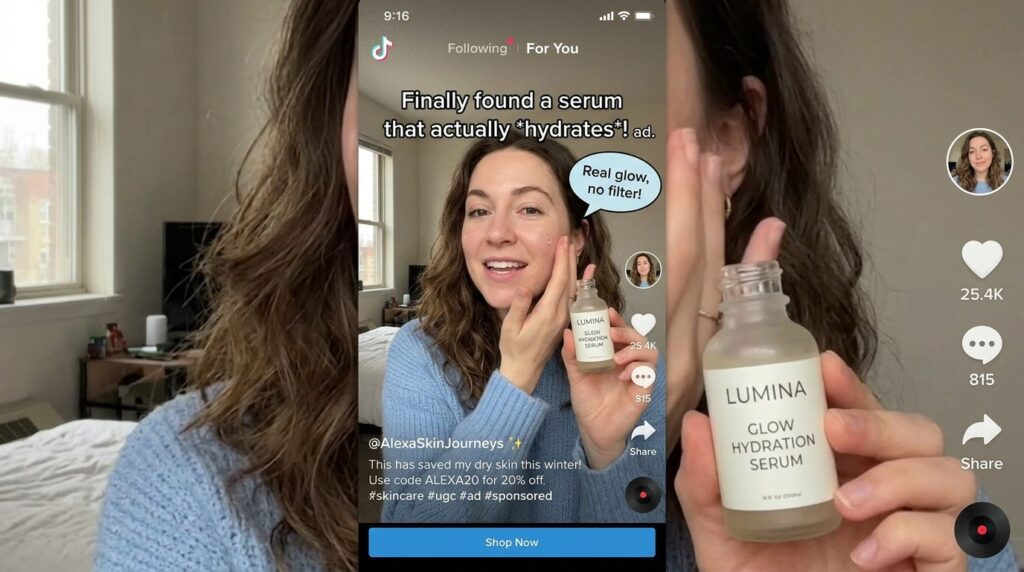
Higgsfield has become a primary tool for AI UGC ad creation, particularly when combined with Seedance 2.0 integration. The platform handles character animation, scene generation, and multi-angle content creation within a single interface.
Setting Up Higgsfield with Seedance 2.0
Seedance 2.0 enhances Higgsfield’s video generation capabilities, providing more realistic character movement and better product integration. The combination allows you to create scroll-stopping UGC content that maintains visual consistency across multiple clips.
The workflow starts with uploading your character images and product references. Higgsfield analyzes these inputs and generates video clips based on your script and scene direction.
Key features include:
- Multi-angle scene generation
- Realistic character lip-sync
- Product placement control
- Scene transition automation
- Brand-consistent visual styling
The platform works best when you provide clear scene descriptions and specific camera direction. Vague prompts produce generic results. Detailed prompts create targeted, usable content.
Scripting for AI UGC Ads
Script structure for AI UGC follows the same principles as traditional UGC but requires additional attention to technical constraints. AI-generated characters handle some speech patterns better than others.
Effective AI UGC scripts include:
- Short, direct sentences
- Natural conversational language
- Clear product mentions
- Specific actions and gestures
- Simple scene transitions
Avoid complex sentence structures, rapid dialogue changes, or technical jargon that disrupts natural flow. The goal is content that sounds like authentic user testimony, not a rehearsed sales pitch.
| AI UGC script element | Why it matters |
|---|---|
| Short, direct sentences | Helps AI characters deliver lines more naturally. |
| Natural conversational language | Makes the ad feel like user testimony instead of a sales pitch. |
| Clear product mentions | Ensures the product and benefit are easy to understand. |
| Specific actions and gestures | Gives the video generator clearer performance direction. |
| Simple scene transitions | Reduces awkward jumps and improves editing flow. |
Product Placement and Integration Techniques
Getting products to appear naturally in AI-generated hands remains one of the biggest technical challenges. Poor product integration creates obvious artificial tells that undermine authenticity.
The product grid technique addresses this challenge by creating reference images that show your product from multiple angles with consistent lighting and scale.
Creating Product Grid References
A product grid is a single image showing your product from 6-12 different angles arranged in a grid layout. This gives AI tools consistent reference points for understanding product dimensions, texture, and appearance.
To create an effective product grid:
- Photograph your product from front, side, back, and angled views
- Use consistent lighting across all shots
- Include scale reference (hand holding product if applicable)
- Maintain sharp focus and high resolution
- Arrange images in a clean grid layout
Upload this grid as your primary product reference when generating scenes. The AI tool pulls from multiple angles simultaneously, improving placement accuracy and lighting consistency.
Enhancing Product-to-Hand Placement
When characters need to hold products, pay special attention to hand positioning, grip, and product scale. Use these techniques:
- Specify exact hand position in prompts (“holding product in right hand at chest height”)
- Reference real product photography showing natural grip
- Generate multiple takes and select the most natural placement
- Use post-generation editing to refine small positioning issues
Product placement improves with iteration. Generate several versions of each scene and evaluate which placements look most natural before moving to editing.
Watch out
Product placement is one of the easiest places for AI UGC ads to look artificial. Use product grids, clear hand-position prompts, real grip references, and multiple takes before selecting final scenes.
Using Veo 3.1 for Character Performance
Veo 3.1 specializes in realistic character performance and natural movement. The tool excels at generating believable facial expressions, body language, and gesture sequences that match your script.
Prompting for Natural Performance
Veo 3.1 responds well to performance-focused prompts that specify emotional tone, gesture type, and pacing. Instead of describing what you want to see, describe how the character should act.
For example:
“Character speaks enthusiastically about the product, using natural hand gestures to emphasize key points. Relaxed posture, genuine smile, making eye contact with camera. Pacing is conversational, not rushed.”
This approach gives the AI tool behavioral direction rather than just visual instruction, resulting in more authentic performance.
Generating Dynamic Scenes
Veo 3.1 handles dynamic camera movement and scene transitions effectively. Use this for B-roll footage, product reveal sequences, and transition shots between main speaking segments.
Specify camera movement explicitly: “Slow push-in on product,” “Gentle pan from left to right,” or “Slight handheld camera shake for authentic feel.” These details create visual variety that keeps viewers engaged.
Creating Motion Design End Screens with Kling 2.6
Every UGC ad needs a strong closing. Motion design end screens provide visual polish and clear call-to-action without disrupting the authentic feel of the main content.
Kling 2.6 generates motion graphics, animated text, and product showcases suitable for 3-5 second end screens. The tool works best when you provide specific layout direction and brand color references.
Designing Effective End Screens
An effective AI UGC end screen includes:
- Product image or logo
- Clear call-to-action text
- Brand colors and styling
- Subtle animation or movement
- Clean, uncluttered layout
Keep text minimal. Use 5-7 words maximum. The end screen should feel like a natural extension of the ad content, not a jarring transition to traditional advertising.
Voice-Over Generation with ElevenLabs
Voice-over quality often determines whether AI content feels authentic or artificial. ElevenLabs provides natural-sounding AI voices with realistic intonation, pacing, and emotional range.
Selecting the Right Voice
ElevenLabs offers extensive voice options across age ranges, accents, and tonal qualities. For UGC content, select voices that match your character’s demographic and your brand’s personality.
Test several voice options with the same script. Natural speech patterns matter more than perfect pronunciation. Look for voices that include natural pauses, slight inflection variations, and conversational rhythm.
Generating Background Music
ElevenLabs also creates original AI-generated music tracks. For UGC ads, use minimal ambient tracks that support without overwhelming.
A good prompt for UGC background music:
“Minimalist ambient underscore for modern product ad: slow tempo, subtle synth pad, clean bass, no vocals, no percussion, neutral but confident tone, suitable for 15-second social media ad.”
Keep music volume low in the final mix. Voice should remain the primary audio focus.
Generate UGC Ads Now
Use VidAU AI to create UGC-style product ads with scripts, AI avatars, voiceovers, captions, product visuals, and platform-ready video formats for influencer marketing and social campaigns.
VidAU workflow
From product concept to AI UGC ad
- Start with brand and product inputs: Add product visuals, target audience notes, brand tone, campaign goal, and product benefits.
- Create a UGC-style script: Build a short, conversational hook, product mention, relatable problem, benefit, and call to action.
- Add creator-style presentation: Use AI avatars, voice-over, captions, selfie-style framing, and product visuals to create a believable UGC ad structure.
- Generate product ad variations: Test different hooks, voices, characters, CTAs, and product angles for influencer-style marketing campaigns.
- Export for social platforms: Create 9:16 product ads for TikTok, Instagram Reels, YouTube Shorts, Facebook, and paid social campaigns.
Final Assembly in ElevenLabs Studio
ElevenLabs Studio provides a complete editing environment for assembling all generated assets into a finished ad. The platform handles video clips, voice-over sync, background music, and basic color correction.
Editing Workflow
- Import all video clips generated from Higgsfield, Veo, and Kling
- Arrange clips in sequence according to your script
- Add voice-over track and sync with character lip movement
- Layer background music at appropriate volume
- Add end screen with call-to-action
- Apply consistent color grading across all clips
- Export final video in platform-specific formats
Pay attention to pacing. UGC content works best with quick cuts and dynamic editing that maintains energy throughout.
| Workflow stage | Tools mentioned | Primary purpose |
|---|---|---|
| Brand DNA setup | Claude Code | Extract brand voice, visual style, audience, and product details. |
| Character generation | Nano Banana Pro | Create realistic AI characters with natural skin texture and lighting. |
| Video generation | Higgsfield + Seedance 2.0 | Generate UGC-style scenes, character animation, product placement, and multi-angle clips. |
| Performance generation | Veo 3.1 | Create natural body language, facial expression, gestures, and dynamic B-roll. |
| End screens | Kling 2.6 | Create motion graphics, CTA screens, product showcases, and animated text. |
| Voice-over and music | ElevenLabs | Add natural voice, background music, sync, and final assembly. |
| Automation | Claude MCP + Higgsfield MCP | Connect brand files, scripts, scene generation, and output organization. |
| AI product ad creation | VidAU AI | Create UGC-style product ads with AI avatars, voiceover, captions, and social-ready formats. |
Automating the Workflow with Claude MCP
For teams creating multiple ads regularly, automation becomes essential. Claude MCP integration with Higgsfield creates agentic workflows that reduce manual steps significantly.
Setting Up Higgsfield MCP Integration
Connect Higgsfield to Claude through MCP by accessing Settings → Connectors → Add Higgsfield MCP Connector. This connection allows Claude to access Higgsfield’s generation capabilities directly.
Once connected, Claude can:
- Read your brand DNA file
- Generate appropriate characters
- Write scripts based on product information
- Create scene descriptions
- Trigger video generation
- Organize output files
The result is a system where you input product details and receive finished video clips with minimal intervention.
Building Agentic AI Workflows
Agentic workflows use AI to make creative decisions within parameters you define. Instead of manually writing each script, you establish guidelines and let the AI agent generate variations.
Set up an agentic workflow by defining:
- Brand voice guidelines
- Product benefit hierarchy
- Target audience characteristics
- Preferred ad formats and lengths
- Visual style requirements
The AI agent references these guidelines when creating content, ensuring consistency while allowing creative variation.
For advanced users, agentic workflows can run continuously, generating new ad variations as you add products or update campaign parameters. This transforms ad creation from project-based work to system operation.
Alternative Tools and Platforms
While this guide focuses on Higgsfield, ElevenLabs, and Claude Code, several alternative platforms serve similar functions. The workflow principles remain consistent across tools.
Make UGC provides a different approach with pre-built actor libraries and hook templates. The platform includes over 150 AI actors and 500 viral hook videos updated monthly, offering a template-based alternative to fully custom generation.
Platforms like VidAU AI also offer AI video generation capabilities suitable for creating product ads and marketing content. When evaluating any AI video platform, assess how well it handles character realism, product integration, and workflow automation.
The best tool depends on your specific needs, technical comfort level, and production volume. Test multiple platforms with the same project to compare output quality and workflow efficiency.
Best Practices for AI UGC Ad Creation
Successful AI UGC creation requires attention to both technical execution and strategic content decisions.
Focus on Authenticity
The most effective UGC content feels genuine rather than polished. Avoid over-editing, perfect lighting, or studio-quality production values that contradict the UGC format. Some imperfection enhances authenticity.
Test Multiple Variations
Generate several versions of each ad with different characters, scripts, or scene treatments. AI tools make variation inexpensive. Use this advantage to test what resonates with your audience.
Match Platform Requirements
Different social platforms favor different video formats, lengths, and styles. Create platform-specific versions rather than using the same ad everywhere. Instagram Reels, TikTok, and Facebook feed require different optimization.
Iterate Based on Performance
Track which AI UGC ads drive the best engagement and conversion. Identify common elements across successful ads and incorporate those patterns into future projects. AI workflows improve through systematic iteration.
Maintain Consistent Brand Identity
Even while testing variations, maintain consistent brand voice and visual identity. Your Brand DNA foundation should be present in every ad, regardless of specific character or format choices.
CTA: Create Product Ads with VidAU
Tip
AI tools make variation inexpensive. Test multiple hooks, scripts, characters, scenes, CTAs, and formats, then use performance data to identify what should become part of your repeatable UGC content creator workflow.
Common Challenges and Solutions
Character Consistency Across Clips
Maintaining the same character appearance across multiple generated clips can be difficult. Solution: Save high-resolution character references and use identical prompts when generating each scene. Some tools offer character locking features that maintain appearance automatically.
Unnatural Product Placement
Products appearing in wrong positions or with incorrect lighting. Solution: Use the product grid technique and generate multiple takes for each scene. Select the most natural placement rather than accepting the first result.
Voice Sync Issues
Voice-over not matching character lip movement. Solution: Use tools with built-in lip-sync capabilities like ElevenLabs Studio or Higgsfield. If sync issues occur, slightly adjust voice pacing or regenerate the video clip.
Inconsistent Visual Quality
Some clips look more polished than others. Solution: Apply consistent color grading in post-production. Use the same filter or adjustment preset across all clips to create visual continuity.
| Challenge | Solution |
|---|---|
| Character consistency across clips | Save high-resolution character references, use identical prompts, and use character locking where available. |
| Unnatural product placement | Use the product grid technique, generate multiple takes, and choose the most natural placement. |
| Voice sync issues | Use tools with built-in lip-sync, adjust voice pacing, or regenerate the affected clip. |
| Inconsistent visual quality | Apply consistent color grading, filters, or adjustment presets across all clips. |
Watch out
Complete hands-off automation typically produces lower quality results. The article recommends using automation to reduce repetitive work while keeping manual control over final approval, editing, and quality checks.
Key takeaway
Conclusion
For every ugc content creator, AI UGC ads work best when they are built as complete workflows rather than one-off experiments. The article’s core process starts with brand DNA, then moves through realistic character generation, script writing, product reference grids, video generation, character performance, end screens, voice-over, editing, and automation.
The strongest results come from balancing automation with creative control. AI can help make UGC content and product ads faster, but authenticity still depends on natural characters, realistic product placement, conversational scripts, platform-specific formatting, and performance-based iteration.
Tools such as Higgsfield, ElevenLabs, Claude Code, Nano Banana Pro, Veo 3.1, Kling 2.6, MakeUGC, and VidAU AI all support different parts of the workflow. For creators and teams producing product ads at scale, the most useful system is one that connects these stages into a repeatable pipeline while keeping quality review and brand consistency at the center.
FAQ
Here are answers to common questions about AI UGC ads, UGC content creator workflows, product ads, brand DNA, Higgsfield, ElevenLabs, Nano Banana Pro, Veo 3.1, Kling 2.6, Claude MCP, product grid references, and agentic AI workflows.
What are AI UGC ads?
AI UGC ads are user-generated content style video advertisements created using artificial intelligence tools instead of hiring actors and production crews. They replicate the authentic, relatable feel of traditional UGC while allowing faster production and easier scaling.
Which AI tools are best for creating UGC video ads?
Higgsfield with Seedance 2.0, ElevenLabs Studio, Nano Banana Pro, Veo 3.1, and Kling 2.6 are currently among the most effective tools for complete AI UGC workflows. Each handles specific stages from character creation to video generation and editing.
How do I make AI-generated characters look realistic?
Focus on natural skin texture, realistic lighting, and selfie-style camera angles. Use detailed prompts that specify imperfections and natural lighting rather than studio-perfect conditions. Tools like Nano Banana Pro specialize in photorealistic character generation when prompted correctly.
What is the product grid technique?
The product grid technique involves creating a reference image showing your product from multiple angles in a single grid layout. This helps AI tools understand product dimensions and appearance from different perspectives, improving placement accuracy in generated videos.
Can I automate AI UGC ad creation completely?
Partial automation is possible using Claude MCP integration with tools like Higgsfield. You can automate brand DNA extraction, script generation, and video creation while maintaining manual control over final approval and editing. Complete hands-off automation typically produces lower quality results.
How long does it take to create an AI UGC ad?
Using established workflows and tools, a single AI UGC ad can be created in 30-60 minutes from concept to finished video. Initial setup including brand DNA building and character creation adds 2-3 hours but only needs to be done once.
Do AI UGC ads perform as well as real UGC content?
Performance varies by execution quality. Well-crafted AI UGC that maintains authenticity can perform comparably to real UGC. The key is avoiding obvious artificial tells and matching the natural, relatable tone that makes UGC effective.
What is Brand DNA and why does it matter?
Brand DNA is a structured profile of your brand’s visual style, tone of voice, color system, and target audience. It ensures consistency across all generated content by giving AI tools a foundation to reference when creating characters, writing scripts, and designing scenes.
How do I add voice-overs to AI UGC videos?
Use AI voice generation tools like ElevenLabs to create natural-sounding voice-overs that match your character demographics and brand personality. Select conversational voice styles and sync the audio with character lip movement during editing.
What video formats work best for AI UGC ads?
Vertical 9:16 format works best for social platforms like Instagram Reels, TikTok, and YouTube Shorts. Keep videos between 15-30 seconds for optimal engagement. Export at 1080p resolution minimum for quality across platforms.
Can I use the same AI character across multiple ads?
Yes, save high-resolution character images and use consistent prompts when generating new videos. This maintains character consistency across campaigns while allowing different scenes, products, and scripts.
What are agentic AI workflows for UGC creation?
Agentic AI workflows use artificial intelligence to make creative decisions within parameters you define. Instead of manually creating each ad, you establish guidelines and let AI agents generate variations automatically, significantly reducing manual work for teams producing content at scale.


