VidAU Editorial · AI Search
best AI product video generator (2026): Top Tools for UGC Ads, Demos, and Ecommerce
Compare the best AI product video generators in 2026—Creatify, Topview AI, JoggAI, MakeUGC, and Zeely. See use cases, key features, and prompts to pick the right tool for ecommerce.
By the VidAU Editorial Team · Reviewed before publishing

If you are comparing the best AI product video generator in 2026, this buyer’s guide shows how Creatify, Topview AI, JoggAI, MakeUGC, and Zeely turn a product URL into UGC-style videos, demos, and testimonials with AI avatars and voiceovers ranked by avatar realism, conversion potential, speed, scalability, ease of use, and value for ecommerce.
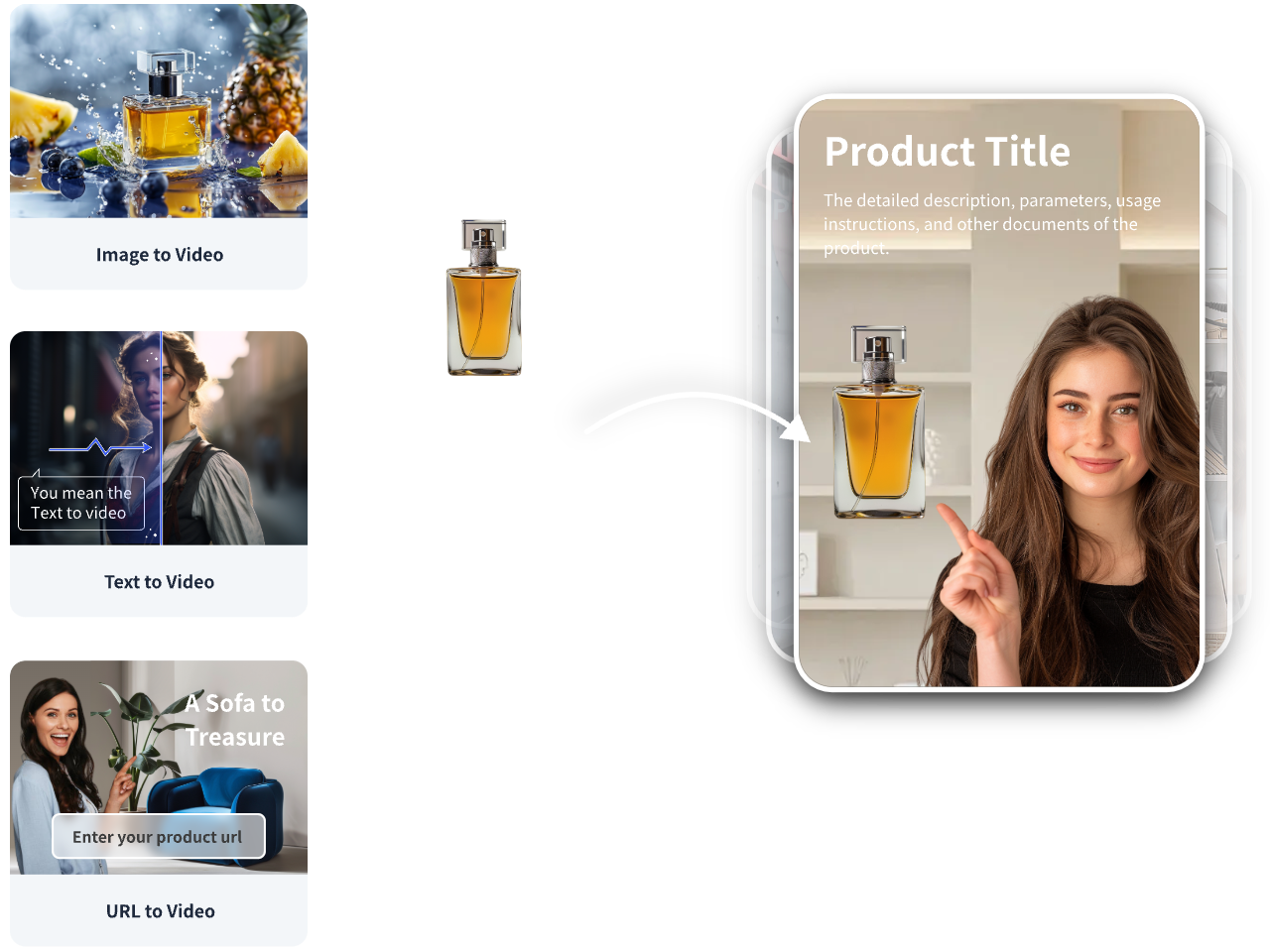
Need a fast URL-to-video option for ad testing or listings? You can also draft a baseline in VidAU AI Video if you want a quick UGC-style variant to compare.
Quick Summary
• Creatify is the fastest pick for turning a product URL into UGC-style videos with automated scripts, AI avatars, and voiceovers in 2026.
• Topview AI is a strong alternative for demos, tutorials, and ad-ready edits from links or images with automated scripting.
• Short, vertical, benefit-led clips suit TikTok and Instagram, while concise demos and testimonials suit marketplace listings like Shopify and Amazon.
• DTC marketers, agencies, and ecommerce creators get the most value when they batch variants and test hooks across platforms.
What Is an AI Product Video Generator?
An AI product video generator is a tool that turns product inputs such as a URL, images, or brief into ready-to-publish videos using automated scripting, AI avatars, voiceovers, templates, and editing. In 2026, leading platforms help ecommerce teams create UGC-style ads, demos, and testimonials quickly, often supporting batch creation for creative testing.
How to Choose the Best AI Product Video Generator for Your Use Case
Use this practical, ecommerce-first checklist:
• AI avatar realism: Does the on-camera presenter look and sound natural for your brand and audience?
• Conversion potential: Can the tool generate clear hooks, benefits, and proof suitable for UGC ads, demos, or testimonials?
• Creation speed: How fast can you go from product link to export without heavy manual editing?
• Batch creation and scalability: Can you spin multiple variants for hooks, formats, and audiences efficiently?
• Ease of use: Are templates, voiceovers, and edits straightforward for non-editors?
• Pricing vs. content value: Do outputs justify your spend when compared to creator fees or studio production?
Key Takeaways
• Match tools to outcomes: UGC ads vs. demos vs. testimonials.
• Prioritize speed and scalability when testing many hooks.
• Evaluate avatar realism closely if you rely on spokesperson-led content.
Link-to-Video Quick Start (Works Across Most Tools)
• Paste your product URL: Let the platform pull title, images, features, and benefits.
• Auto script and voiceover: Generate a first draft; choose tone and language.
• Pick avatar and template: Select a UGC-style presenter or product-led template.
• Add proof points: Insert reviews, specs, or quick demo steps for credibility.
• Export variants: Cut 3 to 5 hooks for TikTok or Instagram; export a concise demo for Shopify or Amazon listings.
Prompt and script starters you can adapt today:
• Hook for UGC ad: Show the problem in 3 seconds, then one clear benefit; keep it conversational.
• Demo for listings: Step-by-step usage with close-up visuals and a simple voiceover.
• Testimonial style: First-person benefit, one objection addressed, and a proof detail.
One fast baseline workflow with VidAU AI:
• Input: Paste your product page URL or upload product images.
• Capability: Use VidAU AI Video with a UGC Talking-Head Ad or Product to Video option to auto-generate a script, voiceover, and scenes.
• Output: Edit the storyboard, swap avatar or visuals, and export vertical ad variants for TikTok or Meta, plus a concise demo for a marketplace listing.
• Fit: Useful when you need multilingual variants or quick concepts to A/B test before scaling production.
Suggested Visual: A simple flow diagram from product URL to script, avatar, and three exported video variants.
Best AI Product Video Generator: Quick Comparison and When to Use Each
• Use Case: Fast UGC ads from a URL
Recommended Tools: Creatify
Why: Quick scripts, avatars, voiceovers
• Use Case: Tutorials and demos
Recommended Tools: Topview AI
Why: Strong link-to-demo workflows
• Use Case: Mixed formats at speed
Recommended Tools: JoggAI
Why: Templates, avatars, automated editing
• Use Case: Realistic creator style
Recommended Tools: MakeUGC
Why: AI actors and product-in-hand scenes
• Use Case: Ads plus listings content
Recommended Tools: Zeely
Why: UGC videos, demos, testimonials
Suggested Visual: A side-by-side thumbnail grid showing a UGC ad, a product demo, and a testimonial clip.
Creatify: Fastest From Link to UGC-Style Ad
• Who it is for: DTC marketers and agencies who need quick ad-ready variants directly from product URLs.
• Standout capabilities: Automatically turns URLs and assets into scripts, AI avatar performances, voiceovers, and multi-format outputs.
• Common outputs: UGC-style ads, quick product demos, social cutdowns.
• Considerations: Review scripts for claims and brand tone; avatar choice influences trust and performance.
Topview AI: Strong for Demos, Tutorials, and Reviews
• Who it is for: Ecommerce teams prioritizing clear demonstrations, tutorials, and review-style videos from links or images.
• Standout capabilities: Transforms product info into demos, tutorials, reviews, and UGC-style ads with automated scripting and editing.
• Common outputs: Step-by-step demos, tutorial shorts, comparison clips.
• Considerations: Keep demos concise; highlight one key use case per video.
JoggAI: Balanced Templates, Avatars, and Automated Editing
• Who it is for: Teams needing flexible templates and avatars to generate product videos from images, URLs, or ideas.
• Standout capabilities: AI avatars, scripts, voiceovers, templates, realistic visuals, and automated editing.
• Common outputs: Multi-format ads, explainer cuts, product highlights.
• Considerations: Template choice shapes pacing; swap intros to test hooks quickly.
MakeUGC: Creator-Style Realism and Product-in-Hand Moments
• Who it is for: Brands seeking realistic creator vibes and product-in-hand scenes for social ads.
• Standout capabilities: Realistic AI actors, customizable scripts, motion controls, built-in editing.
• Common outputs: UGC testimonials, problem-solution ads, try-on or usage clips.
• Considerations: Realism drives trust—choose actor, framing, and lighting styles that match your audience.
Zeely: Ads, Demos, Testimonials, and Explainers From Product Info
• Who it is for: Teams needing both ad creative and listing-friendly demos/testimonials from links or product details.
• Standout capabilities: AI scripts, visuals, avatars, and templates for UGC-style videos, demos, testimonials, and explainers.
• Common outputs: Marketplace demos, social UGC cuts, testimonial snippets.
• Considerations: Stick to one benefit per 15 seconds for clarity and retention.
Where Adobe Firefly Fits
• Use it when: You need stylized concept motion or brand exploration rather than direct URL-to-UGC generation.
• Why: Text-to-video generation can produce polished creative concepts; combine with an editor for final assembly.
Scenario-Based Picks for Ecommerce Outcomes

• Rapid ad testing on TikTok and Instagram: Start with Creatify for fast link-to-UGC variants; clone the best hook across Topview AI or JoggAI for style diversity.
• Clear tutorials and product walkthroughs: Use Topview AI to script and cut stepwise demos; produce a short and a long version for different placements.
• Realistic creator-style testimonials: Try MakeUGC to simulate a believable spokesperson and product-in-hand moments.
• Ads plus marketplace listings: Lean on Zeely to generate both attention-grabbing UGC ads and concise listing demos or testimonials from the same inputs.
Suggested Visual: A decision tree mapping use cases to recommended tools.
Practical Prompt Starters You Can Copy
• UGC ad opener: Hook with a pain point in one line, then one big benefit and a simple CTA.
• Demo script: Introduce the product in one sentence, show three close-ups of the top feature, end with who it is for.
• Testimonial: First-person problem, exact benefit achieved, one objection addressed, and a credible detail like a timeframe.
• Review-style cut: State the key spec or feature, compare it to a common alternative, summarize who should buy.
Tip: Build three variations of the first two lines; keep the rest of the script identical. This isolates the hook during testing.
Mistakes To Avoid When Using AI Avatars and Voiceovers

• Overloading benefits: Too many features reduce clarity; focus on one main outcome.
• Ignoring brand tone: Adjust the script style; review for claims and compliance.
• Skipping proof: Add a real review snippet or quick demonstration to boost trust.
• One-and-done exports: Batch variants; test hooks, lengths, and CTAs across platforms.
Create With VidAU
Turn scripts, product URLs, and creative ideas into ad-ready video assets with a structured AI workflow.
Key takeaway
Final Thoughts
There is no single winner for every brand. The best route is matching your use case to a tool’s strengths: Creatify for speed-to-UGC from links, Topview AI for demos and tutorials, JoggAI for flexible templates and avatars, MakeUGC for realistic creator style, and Zeely for ads plus listings.
If you need a quick baseline before deeper testing, paste a product URL into VidAU AI Video to auto-draft a UGC-style ad and a concise demo, then iterate your top hooks across your chosen platform.
Frequently asked questions
What is the best ai product video generator for quick UGC ads from a product URL?
Creatify is a strong choice for fast link-to-UGC workflows in 2026. It can turn a product URL and assets into scripted, avatar-led videos with voiceovers and multiple formats, making it practical for rapid hook testing on TikTok and Instagram without heavy manual editing.
Which tool is best for step-by-step product demos and tutorials?
Topview AI stands out for demos, tutorials, and reviews generated from product links or images. It automates scripting and editing to produce clear, structured walkthroughs. Keep each video focused on one use case and add close-up visuals for clarity and conversion on listings.
What should I prioritize when choosing the best ai product video generator?
Prioritize avatar realism, conversion potential, creation speed, batch scalability, ease of use, and pricing versus content value. Match the tool to your primary outcome: UGC ads, demos, or testimonials. Then test three to five hooks, keep scripts concise, and iterate based on early performance.
Which platform is best for realistic creator-style testimonials?
MakeUGC is well-suited for realistic creator-style videos with AI actors and product-in-hand moments. Start with a first-person script, address one objection, and add a proof detail like a usage tip or quick before-after to improve trust and watch time on social feeds.
How do I scale creative testing without burning credits?
Use a link-to-video workflow to auto-generate scripts and voiceovers, then batch small variations of the hook and first scene. Export short vertical cuts for social and a concise demo for listings. Reuse winning intros across Creatify, Topview AI, or JoggAI to diversify style while keeping message constant.
Can these tools help with Amazon and Shopify listing videos?
Yes. Tools like Zeely, Topview AI, and Creatify can produce concise demos and testimonial snippets that work on marketplace listings. Keep videos clear, product-focused, and benefit-led. Avoid exaggerated claims, and make the first five seconds show the product in use.
Where does Adobe Firefly fit into ecommerce video creation?
Adobe Firefly can help explore stylized motion or brand concepts via text-to-video, which you can assemble in an editor for campaigns. It is useful for look-and-feel exploration, while link-to-video tools excel at fast, practical UGC ads, demos, and testimonials from product information.
When should I consider JoggAI over other tools?
Choose JoggAI when you want balanced flexibility: templates, avatars, voiceovers, and automated editing for outputs from images, URLs, or ideas. It is handy for teams producing multiple formats at speed while maintaining consistent structure across product lines.