Veo 3 Consistency Secrets: Advanced Workflow for Long-Form AI Video Character & Voice Stability
The hidden Veo 3 settings that keep characters consistent across entire scenes are not in the UI, they’re buried in how you structure prompts, control latent space, and chain generations.
If you’re creating narrative AI films longer than 30 seconds, you’ve already seen the problem:
- Faces subtly morph between cuts
- Hair changes length or color
- Wardrobe drifts
- Voice tone shifts mid-sequence
- Emotional intensity resets randomly
Veo 3 is incredibly powerful, but it is still a probabilistic generative system. Without constraint, it drifts. The solution isn’t luck, it’s controlled generation architecture.
This guide breaks down the technical workflow professional AI filmmakers use to maintain character and voice consistency across extended Veo 3 sequences.
Why Veo 3 Struggles With Long-Form Consistency
Veo 3 generates each clip as a semi-independent diffusion process operating in latent space. Even when prompts are identical, small differences in:
- Seed initialization
- Noise schedule
- Frame conditioning
- Motion priors
- Audio generation randomness
can produce identity drift.
In diffusion-based video models, consistency is not automatic. It must be engineered through:
- Latent anchoring
- Seed parity control
- Reference reinforcement
- Voice parameter locking
- Clip overlap continuity design
Let’s break down the system.
Pillar 1: Reference Anchors and Latent Consistency Setup
The Concept of Reference Anchors
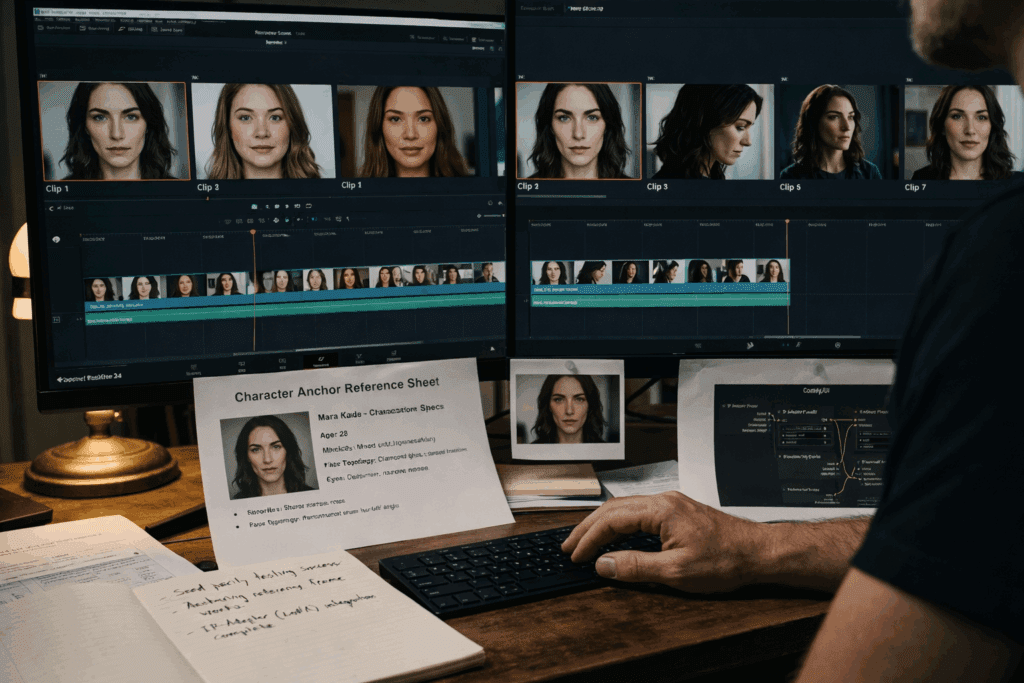
A reference anchor is a structured identity block embedded in your initial prompt that stabilizes character features across generations.
Instead of writing:
> A woman walking through a neon-lit alley
You define a persistent identity structure:
Character Anchor:
Name: Mara Kade
Age: 32
Ethnicity: Mixed Asian-European
Face: sharp jawline, narrow nose bridge, almond-shaped green eyes
Hair: shoulder-length black hair with silver streak on right side
Wardrobe: matte black leather jacket, dark grey tactical shirt
Voice: calm, low-register, slight rasp
Lighting Preference: cool blue rim light, soft frontal key
Camera Bias: 50mm cinematic depth compression
Then every generation references this block explicitly:
> Mara Kade (as previously defined), walking through a neon-lit alley…
Why This Works
Diffusion models respond strongly to repeated token structure. By consistently reinforcing facial topology, hair details, and wardrobe markers, you reduce latent variance.
This increases Latent Identity Cohesion (LIC) – an informal but practical metric measuring how tightly a character clusters in embedding space across generations.
Seed Parity Strategy
If Veo 3 allows seed control, use it intentionally.
- Keep the same base seed for sequential shots of the same scene.
- Change seeds only when transitioning location or lighting environment.
When seed control is unavailable, simulate seed parity by:
- Reusing identical prompt headers
- Maintaining identical sentence order
- Avoiding synonym swapping
Minor linguistic changes alter token weights, which shift latent trajectory.
Pro Tip: Never rewrite a character description mid-sequence. Even improving grammar can cause identity drift.
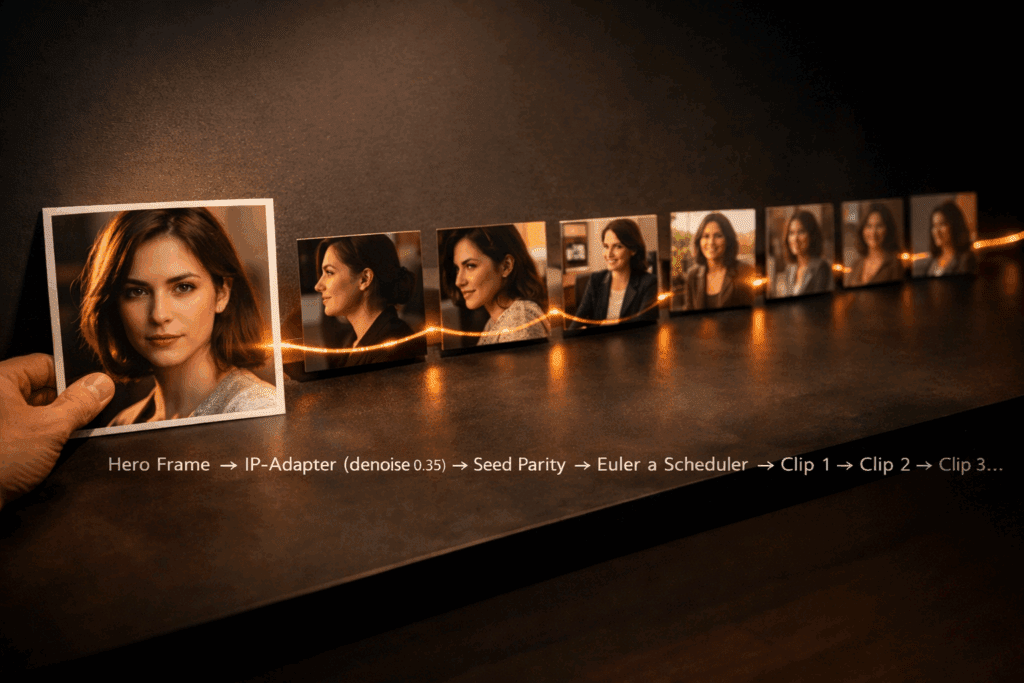
Reference Frame Injection (Hybrid Workflow)
For higher-end control, use an external pipeline:
- Export strongest frame from Clip A
- Feed it into Runway, Kling, or ComfyUI as an image reference
- Generate Clip B using image-to-video conditioning
In ComfyUI, this involves:
- IP-Adapter or FaceID node
- Low denoise strength (0.25–0.45)
- Euler a scheduler for identity preservation
Lower denoise = stronger identity lock.
This dramatically reduces facial mutation across scenes.
Pillar 2: Voice Parameter Locking and Acoustic Identity Control
Visual consistency means nothing if the voice shifts every clip.
Most creators ignore this.
The Core Problem
Voice generation systems often randomize:
- Micro-prosody
- Breath spacing
- Pitch contour
- Emotional amplitude
Over multiple clips, the character begins to sound like different people.
Voice Parameter Locking Strategy
When Veo 3 supports voice conditioning, lock:
- Speaker ID
- Pitch baseline (Hz range)
- Speech rate (words per minute)
- Emotional variance range
If these are not exposed directly, simulate locking by:
1. Generating a master voice sample (30–60 seconds).
2. Extracting a voiceprint using external TTS tools.
3. Reusing that voice ID across every dialogue clip.
Avoid regenerating voice from scratch per shot.
Prosody Matching Across Clips
Advanced technique:
- Measure average pitch of Clip A.
- Keep Clip B within ±5% range.
Large pitch jumps signal subconscious identity change to viewers.
Also maintain consistent:
- Reverb environment
- Mic distance simulation
- Noise floor
If Scene 1 has tight indoor acoustics and Scene 2 suddenly sounds like a studio recording, immersion breaks.
Acoustic continuity = narrative continuity.
Pillar 3: Seamless Multi-Clip Stitching Workflow
Long-form Veo 3 storytelling is built from multiple short clips. The trick is making them feel like one continuous shot.
The Overlap Method
Never hard-cut between independently generated clips.
Instead:
1. Generate Clip A (8 seconds).
2. Generate Clip B starting from the last 1–2 seconds of Clip A’s action.
3. Overlap them in your editor.
This creates motion continuity.
Latent Motion Bridging
When possible:
- Use identical motion descriptors
- Maintain camera vector direction
- Keep lighting temperature constant
For example:
Do NOT switch from:
> slow cinematic push-in
To:
> handheld dynamic camera
unless narratively justified.
Camera language is part of character identity.
Workflow Example (Professional Stack)
Step 1: Master Identity Creation
Generate strongest hero close-up of character.
Step 2: Export Frame Anchor
Use it in ComfyUI with FaceID/IP-Adapter.
Step 3: Scene Block Generation
Create 6–8 second segments with:
- Identical character anchor block
- Same seed (if available)
- Euler a scheduler
- Low denoise for facial stability
Step 4: Voice Pass
Generate dialogue separately with locked voice ID.
Step 5: Acoustic Matching
Apply consistent reverb profile in post.
Step 6: Stitch with Overlap
Crossfade 6–12 frames between clips.
Result: 45–60 seconds of seamless narrative flow.
Advanced Debugging: Fixing Drift, Facial Mutation, and Tonal Shift
Problem: Face Changes Slightly Each Cut
Solution:
- Reduce prompt variability
- Add 3 persistent facial markers
- Use image conditioning at 0.35 denoise
Problem: Hair Length Changes
Hair is high-variance in diffusion models.
Fix by specifying:
- Exact length
- Part direction
- Texture
- Movement behavior
Example:
> Shoulder-length straight black hair, parted left, does not move in wind
Constraining motion reduces reinterpretation.
Problem: Voice Sounds Emotionally Different
Emotion drift happens when dialogue prompts vary tone.
Instead of:
> She says angrily
Keep tone locked in anchor:
> Emotional baseline: restrained intensity, controlled delivery
Consistency beats drama when building identity.
Production Blueprint for 30+ Second Narrative Scenes
Here’s the professional structure:
Phase 1 – Identity Lock
- Build character anchor
- Generate hero frame
- Extract reference
Phase 2 – Controlled Scene Generation
- Keep seed parity
- Maintain lighting bias
- Avoid lexical drift
- Use low denoise reference injection
Phase 3 – Audio Stabilization
- Lock voiceprint
- Match pitch range
- Apply consistent acoustic space
Phase 4 – Editorial Continuity
- Overlap motion
- Match color grade LUT
- Crossfade micro-frames
The Core Principle
Veo 3 does not maintain identity.
You do.
Long-form AI filmmaking is not about generating longer clips.
It’s about constructing a controlled generative ecosystem where:
- Latent space is anchored
- Seeds are managed
- References are injected
- Voiceprints are locked
- Motion is bridged
When you stop treating each clip as a standalone generation and start treating your film as a connected diffusion chain, consistency stops being luck, and becomes engineering.
That’s the real Veo 3 secret.
Frequently Asked Questions
Q: How do I stop Veo 3 from changing my character’s face between clips?
A: Use a persistent character anchor block, avoid rewriting descriptions, maintain seed parity, and inject a reference frame using low-denoise image conditioning (0.25–0.45) in tools like ComfyUI with IP-Adapter or FaceID.
Q: What’s the best scheduler for identity preservation in hybrid workflows?
A: Euler a is commonly preferred for identity stability because it preserves structure better at lower denoise strengths, reducing facial mutation across sequential generations.
Q: How can I keep voice consistent across multiple Veo 3 clips?
A: Generate a master voice sample, extract or lock the speaker ID, maintain consistent pitch range and speech rate, and avoid regenerating voice from scratch per scene. Apply consistent reverb and acoustic settings in post.
Q: Is seed control necessary for long-form AI storytelling?
A: While not strictly required, seed control dramatically improves consistency. If direct seed input isn’t available, simulate seed parity by keeping prompt structure, wording, and ordering identical across sequential generations.