
AI Phone Agent Guide · Sales Calls
Virtual AI Agents for Sales Calls: A Practical 24/7 Phone Agent Guide
Build a phone agent that sounds human, routes calls cleanly, preserves context during handoffs, and supports sales and service around the clock.
By the VidAU Editorial Team · Updated July 2026 · 9 min read
US teams keep asking how to stand up Virtual AI agents that sound human, route calls cleanly, and hand off to reps without dropping context. I reviewed public demos of human-like AI phone agents and common US consent practices to assemble a blueprint you can follow without guesswork.
US teams keep asking how to stand up virtual AI agents that sound human, route calls cleanly, and hand off to reps without dropping context. I reviewed public demos of human-like AI phone agents and common US consent practices to assemble a blueprint you can follow without guesswork.
Quick summary
- A virtual AI agent combining STT, LLM+RAG, and TTS on your VoIP/telephony stack can field sales and support calls 24/7 with live transfer and CRM logging.
- A narrow-scope virtual AI agent for sales calls that qualifies leads and books appointments is the fastest, lowest-risk place to start before expanding to support.
- US readiness means TCPA and DNC handling, clear call recording consent, and PII/PCI redaction, plus confidence-based routing to a human on request or low certainty.
- SMBs, e-commerce, home services, healthcare practices, and SaaS teams with after-hours volume and simple qualification flows see the quickest wins.
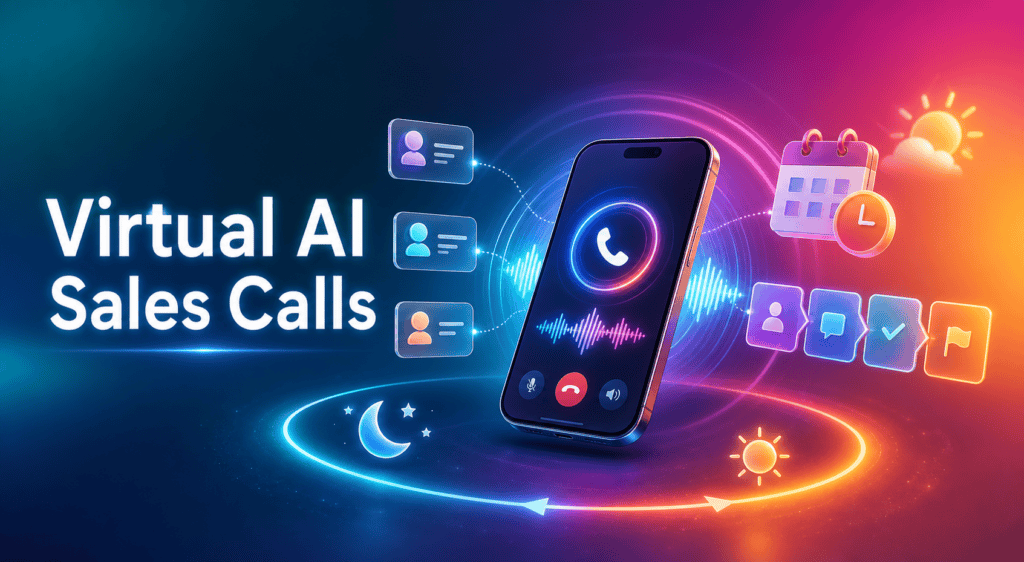
What Is a Virtual AI Agent for Sales Calls?
A virtual AI agent for sales calls is a phone-based conversational system that answers and places calls using speech-to-text, a large language model, and text-to-speech to hold human-like conversations. It qualifies leads, handles objection handling, books appointments, answers FAQs, and escalates to a human with call context preserved.
Core role
The agent’s job is to understand natural speech, use approved knowledge and workflows, complete routine actions, and transfer nuanced or risky conversations to a person without losing context.
Who Should Use Virtual AI Agents Now?
Teams with consistent inbound volume, repeatable qualification or triage, and after-hours gaps benefit quickly. Good fits include e-commerce pre-sales, home services intake, clinics and practices scheduling, B2B meeting setting, and SaaS support FAQs and account routing. Use a live transfer path for complex pricing, contracts, medical advice, or sensitive billing.
How Do Virtual AI Agents Work on Sales and Support Calls?
They work by chaining core components on your telephony layer:
- Speech-to-text (STT) captures the caller’s words in real time.
- An LLM, optionally with retrieval-augmented generation (RAG), interprets intent from your knowledge base, policies, and offers.
- Text-to-speech (TTS) speaks natural, brand-aligned responses.
- VoIP/telephony routes calls, enables call routing and live transfer, voicemail fallback, and recording.
- CRM integration and helpdesk integration log call outcomes, update records, and create cases or opportunities.
- Calendaring and appointment scheduling APIs confirm times, send invitations, and tag no-shows.
How to Deploy a Virtual AI Agent for Sales Calls Step-by-Step
Step 1
Define scope and success
Pick one use case: qualification + appointment scheduling or tier-1 support FAQs. Set target metrics like faster AHT, higher FCR, or booked meetings per day.
Step 2
Map intents and call flows
List top intents: pricing, availability, service area, returns, appointment scheduling, and objection handling. Design flows for live transfer and voicemail fallback, plus escalation rules.
Step 3
Prepare knowledge and guardrails
Write short, factual answers; load policies into RAG. Flag off-limits topics and escalation triggers (e.g., medical, legal, cancellations beyond policy).
Step 4
Connect telephony
Attach the agent to your VoIP/telephony number(s). Set business hours, after-hours routing, and failover to a human queue.
Step 5
Wire the core stack
Configure STT, TTS voice, and LLM prompts. Add RAG over FAQs, product docs, and policy pages. Tune for latency and barge-in so callers can interrupt.
Step 6
Integrate CRM/helpdesk and calendar
Push transcripts, tags, and outcomes to CRM. Auto-create tickets for support. Enable appointment scheduling with confirmations and reminders.
Step 7
Configure US compliance
Enable TCPA and DNC handling for outbound or call-back flows. Collect call recording consent up front where required. Turn on PII/PCI redaction.
Step 8
Test with scripts and real calls
Run internal pilots with edge cases and accents. Validate live transfer preserves context and caller history.
Step 9
Launch in phases
Start after-hours only, then expand to peak hours for specific lines. Announce human handoff availability in every interaction.
Step 10
Iterate with QA and A/B tests
Review calls, tag outcomes, and test alternative openings, objection handling, and transfer thresholds.
Suggested visual
A simple call-flow diagram showing STT → LLM+RAG → TTS with branches to appointment scheduling, FAQ answers, and live transfer.
What US Compliance Settings Should You Enable?
Compliance note
You should implement cautious defaults and consult counsel for specifics in your jurisdiction. For most US businesses:
- TCPA and DNC handling: Respect national and state Do Not Call lists and consent rules, especially for outbound and call-backs.
- Call recording consent: Play a brief consent message at the start; some states require two-party consent.
- PII/PCI redaction: Mask payment data, SSNs, and other sensitive fields in logs and transcripts.
- Opt-out and live agent requests: Honor “stop,” “do not call,” and immediate human handoff requests.
- Data retention: Set sane retention windows for recordings and transcripts; restrict access and audit usage.
Suggested visual
A one-line consent script example with highlights for recording notice and opt-out.
Explore VidAU Agent
Create clear sales, support, and follow-up content that complements your virtual AI phone workflows.
What KPIs, QA, and A/B Tests Prove Impact?
Track both efficiency and experience:
- AHT (average handle time) and hold time
- FCR (first contact resolution) and transfer rate
- CSAT/NPS via post-call prompts or follow-up SMS/email
- Conversion metrics for sales: qualified rates, appointments booked, show rates, revenue attribution
- Containment: percent of calls fully handled without human intervention
Quality assurance (QA)
- Tag outcomes by intent; review flagged calls weekly.
- Score clarity, accuracy, compliance, empathy, and escalation timing.
A/B testing ideas
- Different opening lines and consent phrasing
- Confidence thresholds for live transfer
- Alternative objection handling snippets
- Appointment offer timing and confirmation wording
Mid-article CTA
Turn call deflection into helpful content
Create quick explainer clips with VidAU AI Video, record prompts with VidAU Text to Speech, and auto-generate product walkthroughs from pages using URL to Video. For human-style help content, try UGC Avatars.
Build vs Buy: Which Path Fits Your Team?
| Option | Recommended tools | Why |
|---|---|---|
| Buy platform | Managed agent + integrations | Fastest deployment, less upkeep |
| Custom stack | STT, TTS, LLM, RAG, VoIP APIs | Full control, more engineering |
| Hybrid | Platform + custom RAG/CRM | Balance speed and flexibility |
Key takeaways
- Start with a narrow sales or support scope.
- Prioritize integrations and compliance before scaling.
- Iterate with outcome tagging and A/B tests.
Common Mistakes and How to Avoid Them
Watch out
- Launching without live transfer: Always provide an immediate path to a person.
- Overloading the agent: Start with the top 10 intents; expand later.
- Ignoring consent: Record consent early; keep scripts short and clear.
- Weak knowledge base: Short, policy-backed answers beat long, fuzzy text.
- No CRM/helpdesk logging: If it is not logged, it did not happen.
- No QA loop: Review calls weekly and tag recurring failure patterns.
- Skipping appointment scheduling: Connect calendars to convert qualified interest.
- Forgetting content: Publish short videos and guides the agent can reference with Text to Video, repurpose webinars via VidAU Vid Remix, and extract audio for on-hold with Video to Audio. Enhance clarity with Video Enhancer.
Key takeaway
Final Thoughts
Virtual AI agents work best when they focus on a clear job: qualify, answer the top FAQs, schedule, and escalate fast. Map intents, wire core integrations, enable US compliance, then iterate with QA and A/B tests. If you also need clear follow-up content, produce short explainers with VidAU AI Video and natural voice prompts via VidAU Text to Speech.
Frequently asked questions
FAQ
These answers cover the most common questions about virtual AI agents for sales calls, integrations, consent, handoffs, KPIs, and launch planning.
What is the difference between virtual AI agents and IVR menus?
Traditional IVR is a keypad tree with fixed prompts. Virtual AI agents use STT, an LLM, and TTS to understand natural speech, answer questions, qualify leads, and take actions like appointment scheduling. They can also hand off to a human with context, transcripts, and CRM updates.
Can a virtual AI agent for sales calls handle credit card payments?
It is safer to avoid collecting full card data by voice. If you must, enable PII/PCI redaction and route payments to a secure portal or human agent trained for PCI compliance. Many teams send a one-time payment link and confirm completion rather than recording sensitive data.
How do I make sure the AI hands off to a human at the right time?
Use confidence thresholds, explicit trigger phrases, and limits on back-and-forth turns. If confidence is low, the caller asks for a person, or the topic touches restricted categories, transfer to a live agent. Send the transcript and intent tags to preserve context on transfer.
Which integrations matter most for sales use cases?
Start with VoIP/telephony, CRM integration, and calendar scheduling. Then add helpdesk integration for hybrid sales-support lines, knowledge base RAG for accurate answers, and messaging follow-up via email or SMS. Ensure call outcomes, transcripts, and appointments update contact records automatically.
What KPIs should I track first for virtual AI agents?
Track containment rate, AHT, FCR, transfer rate, appointment-booked rate, and CSAT/NPS. For sales, monitor qualified opportunity creation and show rates. Tag each call with the resolved intent and run A/B tests on openings, objection handling snippets, and transfer thresholds to improve outcomes.
How do I handle call recording consent in the US?
Play a short consent message at the start, e.g., that the call may be recorded and a human is available on request. Some states require two-party consent, so follow your counsel’s guidance. Store recordings securely, restrict access, and define a clear retention window.
Will a virtual AI agent replace my sales reps?
It should not. The agent handles repetitive intake, qualification, FAQs, and scheduling, then escalates nuanced negotiations, complex pricing, and relationship-building to humans. In practice, teams use AI agents to extend coverage and free reps to focus on higher-value conversations.
How fast can I launch a limited-scope agent?
Timelines vary with your telephony setup and integrations. Most teams can pilot a narrow scope—like qualification and appointment scheduling—once knowledge, consent scripts, CRM logging, and transfer paths are ready. Start after-hours, validate performance, then expand to selected daytime lines.






