ai image to video generator Guide · 2026
Best AI Image to Video Generators in 2026 (Free & Unlimited Options)
Compare the best AI image to video generators for creating TikTok clips, Instagram Reels, YouTube Shorts, product videos, and cinematic AI animations without expensive subscriptions.
By the Sarah Iruoje · Updated May 2026 · 18 min read
Are expensive paywalls and watermarks hindering your creativity? Discover the best AI image to video generators in 2025 that offer free and unlimited access. Transform static images into dynamic videos without breaking the bank.
The landscape of AI image to video generation has transformed dramatically in 2026. Content creators no longer need expensive subscriptions or watermarked outputs to bring static images to life. This guide tests and compares the best AI image to video generators available today, focusing on free and unlimited options that deliver professional results.
The demand for converting images into video content has exploded across social media platforms. Instagram Reels, TikTok, and YouTube Shorts require constant video content, but not every creator has the budget for premium tools or the time to learn complex video editing software. AI image to video generators solve this problem by automating the animation process while maintaining creative control.
This comprehensive comparison examines platforms like Supawork AI, Higgsfield AI, Flixier, Vidnoz, and other emerging tools. Each platform offers distinct advantages depending on your specific needs, technical skill level, and budget constraints. Some excel at cinematic camera movements, while others prioritize speed and simplicity. Understanding these differences helps you choose the right tool for your content creation workflow.
What Is an AI Image-to-Video Generator?
An AI image-to-video generator turns a static photo, illustration or product image into a short animated video clip. Upload an image, describe the movement you want, choose settings such as aspect ratio and duration, then generate the result. The right tool depends on whether you need cinematic motion, social-media clips, editing features or a complete product-ad workflow.
For marketers and ecommerce sellers, image-to-video AI is especially useful when strong product photos already exist but new video content is needed for TikTok, Instagram Reels, YouTube Shorts or paid campaigns. Instead of filming every variation, creators can animate existing visuals and adapt the results for different platforms.
This definition mirrors the task-focused language used by current product-led competitors, which emphasize converting static images into moving scenes with an upload, prompt and generation process.
Quick summary
- AI image to video generators transform static photos into animated clips for TikTok, Instagram Reels, YouTube Shorts, ads, and product videos.
- Supawork AI works best for unlimited free generation without watermarks.
- Higgsfield AI delivers cinematic motion and advanced camera effects for premium-looking content.
- Flixier, Vidnoz, and Vheer offer editing integration, AI model testing, and advanced camera movement controls.
- Prompt quality and source image setup strongly affect final AI video quality.
Understanding AI Image to Video Technology
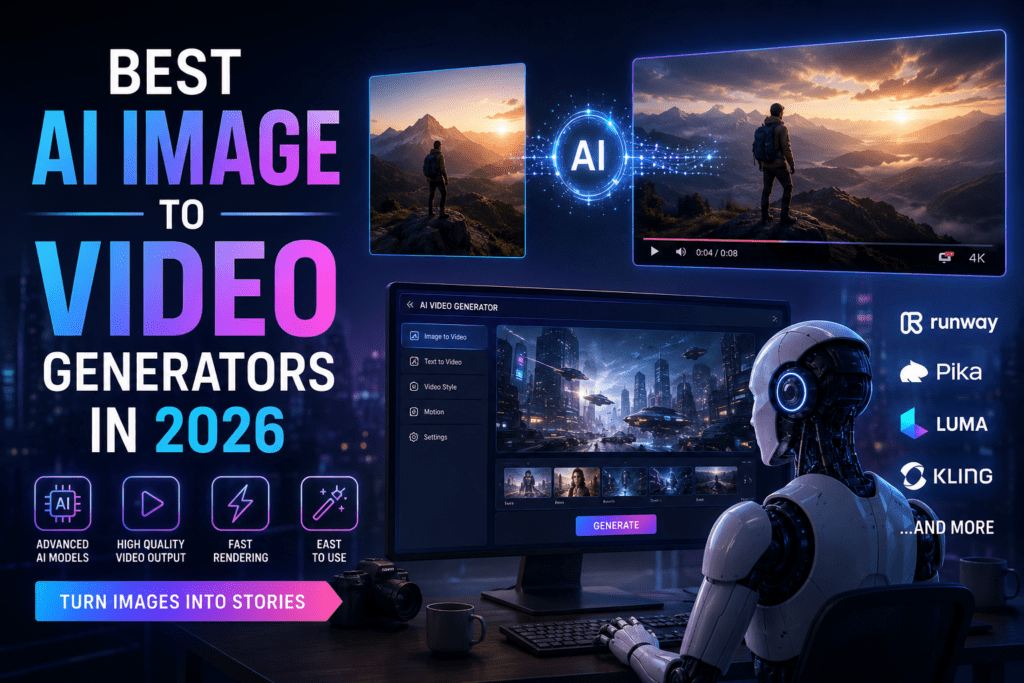
AI image to video generators use advanced machine learning models to analyze static images and generate motion between frames. These tools interpret visual elements, depth information, and compositional structure to create realistic movement. The technology has evolved from simple zoom effects to sophisticated camera movements, character animation, and background dynamics.
The underlying AI models vary significantly between platforms. Some tools like Higgsfield use proprietary models optimized for cinematic quality, while others integrate multiple open-source models like Kling AI, Runway, and MiniMax to provide variety. The model choice affects output quality, processing speed, and the types of motion the tool can generate.
Most platforms now offer text prompts to guide the animation. You describe the desired motion, camera angle, or scene transformation, and the AI interprets your instructions. Advanced platforms support negative prompts to exclude unwanted elements and reference images to maintain style consistency across multiple clips.
Processing times range from seconds to minutes depending on video length, resolution, and server load. Free tiers typically limit video length to 4–6 seconds, while paid plans extend to 10 seconds or more. Resolution options usually include 720p and 1080p, with some platforms offering 4K upscaling.
Key insight
The best AI image to video generator depends on your priorities: cinematic quality, unlimited access, editing integration, prompt control, or social media optimization.
How to Turn an Image Into a Video With AI
Turning a still image into a video usually takes four steps:
- Upload a clear source image. Use a sharp JPG or PNG with a visible subject and enough space around the main object or person.
- Describe the motion. Explain what should move, how fast it should move and whether the camera should zoom, pan, orbit or remain fixed.
- Choose the video settings. Select the aspect ratio, duration and output format that match your intended platform.
- Generate, review and refine. Check the clip for distorted details, unnatural motion or inconsistent backgrounds. Adjust the prompt or source image when needed.
A simple prompt often works better than a vague request. Describe one clear camera action, one subject action and one environmental detail.
Image-to-Video Prompt Examples
| Goal | Prompt example |
|---|---|
| Product showcase | Slow 180-degree camera orbit around the product, soft studio lighting, subtle reflections, clean background, smooth motion. |
| Portrait animation | Subtle head movement, natural blinking, gentle hair movement, soft camera push-in, realistic lighting. |
| Food or lifestyle visual | Slow camera pan from left to right, light steam rising, natural highlights, shallow depth of field. |
| Landscape image | Cinematic dolly forward, gentle cloud movement, leaves moving slightly in the breeze, warm evening light. |
| Social-media hook | Fast push-in during the first second, subtle subject movement, high-energy reveal, vertical composition. |
VidAU AI Image-to-Video: Free Access, Limits and Best Use Cases
VidAU is free to start and is designed for creators, ecommerce sellers and marketing teams that want to turn ideas or existing visual assets into usable video content. For image-led workflows, users can upload a product photo or begin with a generated first frame, animate the scene and continue building campaign-ready content.
VidAU is especially useful when the final goal is more than a short animated clip. Its broader workflow can help creators turn product assets into structured video ads, add captions or voiceovers and prepare content for different social-media formats.
VidAU Image-to-Video Review: What to Check
| Question | Practical answer |
|---|---|
| Can I start using VidAU for free? | Yes. VidAU is free to start. Check the current dashboard for the available complimentary credits and model-specific usage costs. |
| Can I upload a product image? | Yes. The VidAU AI Video workflow can start from an uploaded product photo. |
| Can VidAU turn product photos into complete videos? | Yes. Product Sample to Video is designed to turn product photos, names and descriptions into ready-to-post clips. |
| Which limits should I confirm before generating in bulk? | Review the available credits, selected AI model, output duration, resolution, aspect ratio and export settings in the current product dashboard. |
| Is VidAU suited to ecommerce content? | Yes. Its product-led workflow is designed for TikTok, Reels, Shorts and ad campaigns. |
| Can I use any uploaded image? | Upload only images that you own or have permission to use. VidAU’s terms require users to have the necessary rights and authorization for uploaded materials. |
Supawork AI: Unlimited Access Without Watermarks
Supawork AI has emerged as a top choice for creators seeking unlimited video generation without watermarks. The platform positions itself as a free alternative to paid tools, making it accessible for creators at any budget level.
The interface is straightforward. Upload your image, write a descriptive prompt explaining the desired motion, and generate your video. Supawork processes most requests within 30–60 seconds, making it suitable for batch content creation.
- Unlimited free generations
- No watermarks on exports
- Supports multiple aspect ratios
- Fast generation speed
- Strong social media workflow support
The quality output compares favorably to paid alternatives. Motion appears smooth and natural, with minimal artifacts or distortions. Camera movements follow prompts accurately, and the AI maintains image composition throughout the animation.
The platform’s main limitation is video length. Free generations typically cap at 5 seconds, which works well for social media clips but may feel restrictive for longer content.
Higgsfield AI: Cinematic Quality with 50+ Effects
Higgsfield AI distinguishes itself through cinematic quality and an extensive library of over 50 camera effects. The platform targets creators seeking film-quality animations from static images, making it ideal for product videos, brand content, and storytelling projects.
The user interface emphasizes visual clarity. Higgsfield displays available effects as preview thumbnails, showing exactly how each effect transforms your image before you commit to rendering.
- Dolly zoom effects
- Parallax scrolling
- Orbital camera movements
- Dramatic lighting shifts
- Integrated AI image generation
Higgsfield’s motion quality stands out in side-by-side comparisons. Camera movements appear smooth and natural, matching professional cinematography techniques.
The platform offers both free and premium tiers. Free accounts include daily generation limits and longer processing times during peak hours, while premium plans unlock extended video lengths and priority processing.
Best use case
Higgsfield AI works especially well for polished product videos, cinematic brand content, and storytelling-focused social media campaigns.
Flixier: Browser-Based Editing Integration
Flixier combines AI image to video generation with a full-featured browser-based video editor. This integration creates a seamless workflow from static image to finished video project without switching platforms or downloading software.
The image-to-video tool sits within Flixier’s larger editing suite. Upload your image directly into the editor timeline, then access the AI generation feature through the effects menu.
- Browser-based editing workflow
- Integrated AI image-to-video tools
- Export presets for TikTok, Instagram Reels, and YouTube Shorts
- Cloud-based project syncing
- Team-friendly collaboration
Flixier’s AI understands context from prompts. You can specify camera movements, subject actions, and scene transitions while editing directly inside the timeline.
The browser-based architecture eliminates installation requirements, making it useful for creators working across multiple devices.
Choosing the Right AI Model in Vidnoz
Selecting the optimal AI model depends on your content goals and aesthetic preferences.
| AI Model | Best For | Style Characteristics |
|---|---|---|
| Kling AI | Product demonstrations and realistic scenes | Natural motion and physical realism |
| Runway | Creative projects and music videos | Cinematic movement and stylized visuals |
| Zhipu | Mixed content types | Balanced realism and creativity |
Experimenting with multiple AI models using identical source images and prompts helps creators understand how each model handles motion, style, and scene interpretation.
Creating Complex Camera Movements in Vheer
Complex camera movements require planning before generation. Vheer gives users greater control over camera paths and cinematic movement using keyframes and motion curves.
- Upload a source image
- Define the starting camera position
- Add multiple keyframes
- Adjust motion curves
- Preview movement before rendering
Vheer interpolates smooth movement between keyframes automatically, allowing creators to simulate cinematic tracking shots and parallax effects from a single image.
Understanding Generation Limits and Daily Caps
Most free AI image to video generators implement daily generation limits to manage server costs and prevent abuse. Understanding these restrictions helps creators plan content production workflows more efficiently.
- Supawork → Unlimited generations
- Vidnoz → Limited daily videos
- Higgsfield → Daily caps on free accounts
- Premium plans → Higher limits and faster processing
Many creators use multiple platforms together to avoid hitting generation limits on any single service.
What to Check Before Choosing a Free AI Image-to-Video Generator
A free AI image-to-video generator can be useful for testing ideas, but “free” does not always mean unlimited exports or production-ready output. Before choosing a platform, review the practical restrictions that affect your workflow.
| Factor | Why it matters | Question to ask before generating |
|---|---|---|
| Free credits | Some tools provide trial credits or daily replenishment rather than unlimited use | How many generations can I complete before upgrading? |
| Clip duration | Short clips may work for social posts but not for longer campaigns | Is the output long enough for my intended platform? |
| Watermarks | A visible watermark can limit commercial use | Can I export a clean version on the available plan? |
| Resolution | Low-resolution video may not be suitable for ads or product pages | Does the tool support 1080p output or an upscale option? |
| Aspect ratio | Social platforms require different formats | Can I generate vertical, square and landscape versions? |
| Motion control | Generic movement may not suit product videos or cinematic scenes | Can I describe camera motion, subject movement and pacing? |
| Editing workflow | A generated clip often needs captions, music or transitions | Can I edit, caption and export without switching platforms? |
| Commercial use | Usage rights vary by platform and plan | Can I legally use the output for ads, client work or monetized content? |
| Source-image rights | Uploading unauthorized images can create legal risk | Do I own the image or have permission to use it? |
| Content-policy rules | Some requests may violate platform terms | Does the intended project comply with the platform’s rules? |
Section takeaway
Choose a generator based on the complete workflow, not only the first free render. A tool that produces a usable clip, supports the right format and reduces editing time may be more valuable than a tool with a larger free allowance.
Comparing Output Quality Across Platforms
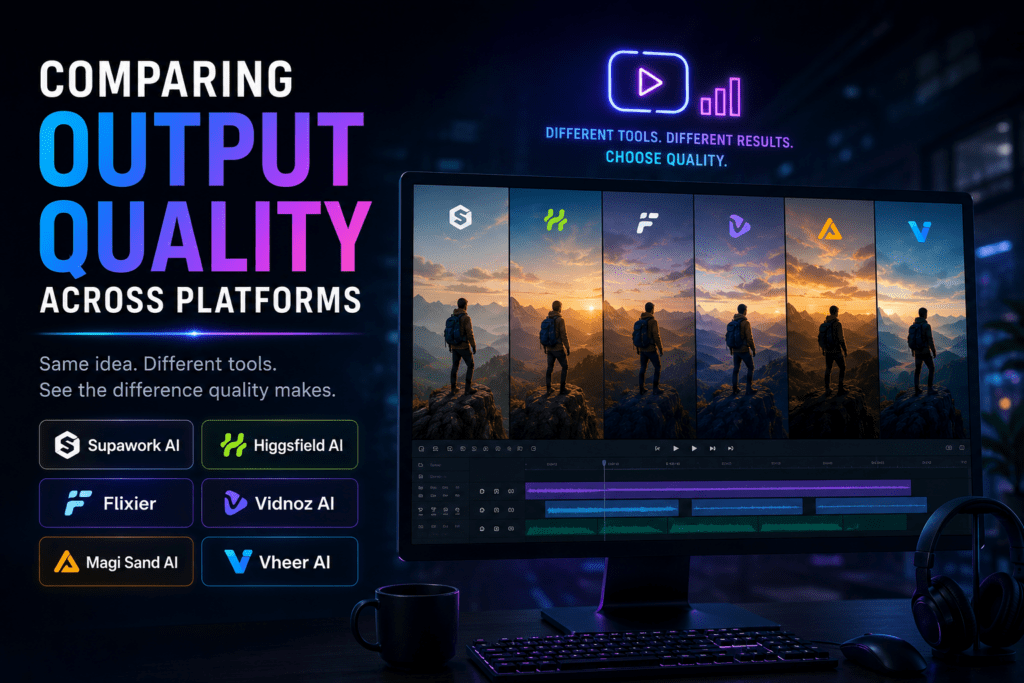
Output quality varies between AI image to video generators based on underlying AI models, rendering quality, processing power, and optimization techniques.
Motion Smoothness
High-quality generators create fluid movement without stuttering or unnatural transitions.
Artifact Reduction
Better platforms minimize distortion, warping, and visual glitches during motion.
Cinematic Feel
Advanced platforms simulate realistic camera physics and cinematic motion techniques.
Resolution Quality
1080p exports generally work best for social media, while some platforms support 4K upscaling.
Writing Effective Motion Prompts
Prompt quality directly affects output results. Well-crafted prompts guide the AI toward your creative vision, while vague instructions produce generic or inconsistent motion.
Strong prompts often include:
- Specific camera movements
- Subject actions
- Environmental movement
- Lighting changes
- Motion speed descriptions
- Cinematic terminology
“Slow cinematic dolly forward through a neon-lit alley, subtle rain movement, glowing reflections on wet pavement, atmospheric lighting, shallow depth of field.”
Using negative prompts like “no distortion” or “no warping” can also reduce common AI video artifacts.
Optimizing Source Images for Conversion
Source image quality strongly affects final video quality. Optimized images help AI video generators create smoother motion, stronger depth effects, and fewer visual distortions.
- Use high-resolution images (at least 1920×1080)
- Maintain clear foreground/background separation
- Use sharp, well-lit photos
- Avoid heavily compressed source images
- Use PNG for graphics and high-quality JPG for photographs
Product photography works especially well when images include clean backgrounds, visible depth, and strong lighting.
Important
Low-quality source images often produce distorted movement, blurry textures, and unrealistic AI animation.
Social Media Format Optimization
| Platform | Recommended Format | Best Resolution | Optimization Tips |
|---|---|---|---|
| Instagram Reels | 9:16 Vertical | 1080×1920 | Use strong hooks and fast pacing |
| TikTok | 9:16 Vertical | 1080×1920 | Lead with the most dynamic animation |
| YouTube Shorts | 9:16 Vertical | 1080×1920 | Build narrative structure across clips |
| Facebook Feed | 16:9 Landscape | 1920×1080 | Use captions for silent viewing |
| 16:9 Landscape | 1920×1080 | Prioritize professional visual style |
Combining Multiple AI Tools for Better Results
Many creators combine multiple AI tools together to improve production quality and workflow flexibility.
- Generate source images with Midjourney or Stable Diffusion
- Animate the image using Higgsfield, Supawork, or Vheer
- Edit clips together in Flixier or CapCut
- Upscale final videos using AI upscaling tools
- Add AI voiceovers or music for complete multimedia content
This layered workflow helps creators combine cinematic animation, editing flexibility, and AI automation into one scalable production process.
Cost Analysis: Free vs Paid Platforms
Free platforms work well for creators with smaller production needs, while paid tools become valuable when daily limits, longer videos, or premium quality matter.
- Free tools → Great for testing and casual content creation
- Paid tools → Better for businesses, agencies, and large-scale content production
- Hybrid workflows → Use free tools for experimentation and paid tools for final production
Many creators balance multiple platforms together to reduce costs while maintaining flexibility and quality.
What Are the Most Recent Updates to AI Image-to-Video Generators in 2026?
The current generation of AI image-to-video tools is moving beyond basic photo animation. The most useful improvements focus on better motion control, stronger output quality and more complete publishing workflows.
1. More Precise Camera and Subject Motion
Modern tools increasingly allow creators to describe camera movement, subject actions and environmental details in a prompt. Instead of applying a generic zoom effect, creators can request a slow push-in, an orbit around a product or subtle movement in the background.
2. Editing Is Becoming Part of the Generation Workflow
Creators increasingly expect to animate, edit, caption and export without moving between several platforms. VEED combines image animation with editing, captions and export tools, while Renderforest positions image-to-video generation within a broader creation workflow.
3. Full-HD Output Is More Common
Higher-quality output is becoming easier to access. Adobe Firefly promotes image-to-video generation up to 1080p, which is useful for social posts, presentations and marketing assets that need cleaner visual detail.
4. Multiple Models Can Be Accessed From One Platform
Creators no longer need to rely on one model for every use case. Some platforms now provide access to several AI video models so users can choose a workflow based on speed, visual style or motion quality. VidAU’s AI Video product page presents multiple models within one platform.
5. Product Photos Are Becoming a Practical Starting Point
Image-to-video tools are increasingly useful for ecommerce workflows. Instead of filming every product variation, sellers can upload product photos and generate clips for social feeds, ads and product campaigns. VidAU Product Sample to Video is designed around this asset-to-video process.
Section takeaway
The biggest update is not a single model or effect. Image-to-video tools are becoming complete production workflows. The best choice is the platform that helps you animate, refine, format and publish content with the least friction.
Future Trends in AI Image to Video Generation
- Longer AI-generated video clips
- Faster real-time rendering
- More realistic cinematic motion
- Integrated AI audio generation
- Collaborative AI video workflows
- Expanded commercial production use cases
As AI video generation evolves, creators will gain access to more powerful tools capable of producing increasingly professional video content with less manual editing.
Create cinematic AI videos
Transform images into AI-powered videos with VidAU
Create product videos, AI-generated ads, cinematic clips, and social media content using powerful AI workflows optimized for creators and marketers.
Key takeaway
AI image to video generation is becoming faster, cheaper, and more cinematic
Modern AI image to video generators now make it possible to create cinematic clips, social media videos, and product content without expensive production tools. Platforms like Supawork AI, Higgsfield AI, Flixier, Vidnoz, and Vheer each offer different strengths depending on your workflow, quality requirements, and budget.
By improving prompt writing, optimizing source images, and combining multiple AI tools together, creators can build more professional AI-generated videos for TikTok, Instagram Reels, YouTube Shorts, marketing campaigns, and branded storytelling.
FAQ
Frequently asked questions
What is an AI image to video generator?
An AI image to video generator transforms static images into animated video clips by using AI to create motion, camera movement, and environmental effects.
Are there truly unlimited free AI image to video generators?
Supawork AI currently offers free unlimited video generation without watermarks, while most other platforms use daily limits or credit systems.
How long are AI-generated videos on free plans?
Most free AI video generators create clips between 4–6 seconds long, though some premium plans support longer durations.
Which AI image to video generator has the best quality?
Higgsfield AI consistently delivers cinematic-quality motion and advanced camera effects, though the best platform depends on your specific content goals.
Can AI-generated videos be used commercially?
Many platforms allow commercial use, but creators should always review each platform’s terms of service and confirm rights to their source images.
What image format works best for AI video conversion?
High-resolution PNG files work well for graphics, while high-quality JPG files are ideal for photographs and realistic imagery.
How do I write better AI video prompts?
Use specific cinematography language such as camera movement, motion speed, lighting, and subject actions instead of vague descriptions.
What aspect ratio should I use for TikTok and Instagram Reels?
Both TikTok and Instagram Reels use a 9:16 vertical format at 1080×1920 resolution.
Can AI tools animate different parts of an image independently?
Yes. Advanced AI models can create parallax effects and animate foreground and background elements separately when images contain clear depth information.
How can I create longer AI-generated videos?
Most creators generate multiple shorter clips and combine them using editing tools like Flixier, CapCut, or Premiere Pro.
Key takeaway
Conclusion
The best AI image to video generator depends on your workflow. Supawork AI is positioned as the strongest free unlimited option without watermarks, Higgsfield AI stands out for cinematic quality and more than 50 effects, Flixier is useful when editing and export presets matter, Vidnoz helps creators test multiple models, Magi Sand AI favors speed and simplicity, and Vheer AI supports creators who need detailed camera control.
The article’s broader recommendation is to test tools with your own images, compare motion smoothness, artifacts, resolution, prompt accuracy, platform limits, and commercial permissions, then build a workflow around the tools that match your content goals. For creators who want to turn AI-generated clips into finished campaigns, VidAU AI can support the next stage: adding voiceover, avatars, text overlays, localization, transitions, and campaign-ready video structure.
FAQ
Here are answers to common questions about AI image to video generators, unlimited free tools, watermark-free exports, commercial use, prompt writing, output quality, social media aspect ratios, video length, model selection, and platform differences.
What is an AI image to video generator?
An AI image to video generator is a tool that uses artificial intelligence to transform static images into short animated video clips by analyzing the image and generating motion. These tools interpret depth, structure, and composition to create camera movements, subject animation, and environmental effects that bring photos to life.
Are there truly unlimited free AI image to video generators?
Supawork AI currently offers free unlimited video generation without watermarks, making it the closest to truly unlimited free access. However, most platforms implement some form of limitation such as daily generation caps, video length restrictions, or processing priority queues during peak usage times.
How long are videos generated by free AI tools?
Most free AI image to video generators produce clips between 4-6 seconds in length, with some platforms extending to 10 seconds. Paid tiers typically unlock longer durations, though exact lengths vary by platform. For longer content, creators generate multiple clips and edit them together using video editing software.
Do AI-generated videos include watermarks on free accounts?
Watermark policies vary by platform. Supawork, Magi Sand AI, and Vheer provide watermark-free exports on free accounts. Other platforms like Vidnoz offer watermark-free content but with daily generation limits. Always check current platform terms as policies change over time.
Which AI image to video generator produces the best quality?
Higgsfield AI consistently produces top-tier cinematic quality with over 50 specialized camera effects, making it ideal for professional content. However, quality depends on your specific needs—Vheer excels at precise camera control, while Supawork balances quality with unlimited free access. Testing multiple platforms with your specific content type reveals which works best for your situation.
Can I use AI-generated videos for commercial purposes?
Commercial use permissions depend on each platform’s terms of service. Most tools including Supawork, Higgsfield, and Flixier allow commercial use even on free tiers, but some platforms restrict free accounts to personal use only. Always review terms of service and ensure you have rights to source images before commercial deployment.
What image formats work best for AI video conversion?
High-resolution PNG files work best for graphics and images with transparency, while high-quality JPG files suit photographs. Upload images at least 1920×1080 pixels with clear subject-background separation and good lighting. Avoid heavily compressed images as quality degradation affects AI processing accuracy.
How do I write effective prompts for AI video generation?
Effective prompts use specific cinematography terms like “slow dolly forward” or “orbital camera rotation” rather than vague descriptions. Include details about desired camera movement, subject actions, lighting changes, and motion speed. Test prompt variations systematically to understand how each platform interprets different instruction styles.
Can AI tools animate specific parts of an image independently?
Advanced AI models can identify and animate different image elements independently, creating parallax effects where foreground and background move at different rates. However, success depends on image complexity and the AI’s ability to interpret depth correctly. Images with clear layering produce better multi-element animation than flat compositions.
What aspect ratio should I use for social media videos?
Instagram Reels and TikTok require vertical 9:16 aspect ratio at 1080×1920 resolution. YouTube Shorts uses the same vertical format. Facebook and LinkedIn prefer horizontal 16:9 for feed posts. Many AI platforms offer aspect ratio selection during generation, or you can crop videos during editing to match platform requirements.
How can I extend video length beyond platform limits?
Generate multiple clips from different images or angles of the same subject, then combine them using video editing software like Flixier, CapCut, or Adobe Premiere Pro. Add transitions between clips to create smooth sequences. This approach builds longer videos while working within individual platform length restrictions.
What are the main differences between platforms like Supawork and Higgsfield?
Supawork prioritizes unlimited free access with straightforward generation, making it ideal for high-volume content creation without budget constraints. Higgsfield emphasizes cinematic quality with over 50 specialized effects and integrated image generation, better suited for premium content requiring professional production values. Supawork excels at speed and accessibility while Higgsfield focuses on artistic control and visual sophistication.