VidAU Editorial · AI Search
AI Video Editing News: Free AI Video Generation Tools Are Booming in 2026
Stay on top of AI video editing news in 2026. See why free AI video generation tools are trending, how beginners create videos without filming, and practical steps for YouTube, TikTok, and Instagram.
By the VidAU Editorial Team · Reviewed before publishing
The headline in AI video editing news this year: free AI video generation tools 2026 are letting beginners publish faceless videos on YouTube, TikTok, and Instagram without filming. Here’s what’s working now and how to start today at zero cost.
Free, beginner-friendly AI video generation is rewriting how content creators produce Shorts, Reels, and vertical videos in 2026. Faceless channels are scaling without cameras, relying on AI image generation, text-to-video, and auto-captions to deliver daily clips on YouTube, TikTok, and Instagram.
Use the 5-step, zero-cost workflow below to publish your first faceless short today.
Quick Summary
• A 5-step zero-cost workflow using AI image generation, AI video generation, and auto-captions is the fastest path to publish faceless Shorts and Reels in 2026.
• Template-driven vertical editors and B-roll-first scripting are the strongest alternate methods when prompt-based tools feel slow or inconsistent.
• Export 9:16 at 1080×1920, watch watermark policies, and plan around daily caps typical of free plans in 2026.
• Beginners, faceless channels, and US creators on YouTube, TikTok, and Instagram benefit most from today’s free AI video workflows.
What is AI video editing news?
AI Video Editing News is a practical update stream on the latest advances in AI video editing and AI video generation. In 2026, it centres on free, beginner-friendly tools that turn outlines into vertical videos, combine AI image generation with text-to-video, auto-caption clips, and export for YouTube, TikTok, and Instagram without filming.
AI video editing news: 2026 Trend at a Glance

Free AI video generation tools are exploding in popularity, driven by faceless-channel creators who need quick, repeatable workflows. Tutorials trending in 2026 emphasize zero-cost pipelines, speed-to-publish, and vertical-first output. The playbook is simple: outline, generate visuals, assemble clips, add captions or voice, and ship to Shorts, TikTok, and Reels.
What creators report they value now:
• No filming required: AI image generation and stock-like B-roll replace camera footage.
• Vertical-first defaults: 9:16 exports with safe-zone text placement reduce rework.
• Simple narration layers: AI voice or on-screen captions carry the story.
• Batch creation: Free plans with daily caps still support weekly content calendars.
Suggested Visual: Line chart showing rising search interest for free AI video generation tools across 2026.
The 5-Step Zero-Cost Workflow for Beginners
This starter workflow is designed for faceless channels and new content creators publishing on YouTube, TikTok, and Instagram. It prioritises AI video generation and AI image generation with minimal manual editing.
Step 1: Outline a 30–45 second story.
• Structure: Hook (0–3s) → 3–4 quick points (3–30s) → Call to action (30–45s).
• Keep the hook specific: Start with a bold claim, a number, or a mistake to avoid.
• Write in short lines so each sentence can map to a visual beat.
Step 2: Generate images for your scenes
• Create 4–6 scene visuals that match your outline’s beats.
• Aim for visual clarity and contrast; strong subjects read well on mobile.
• Keep composition simple for text overlays; avoid busy backgrounds.
Step 3: Turn images and beats into short video clips
• Use AI video generation to animate key images or create B-roll motions.
• Match clip length to your script lines: most beats run 3–6 seconds.
• Maintain vertical 9:16 throughout so you do not need to crop later.
Step 4: Add captions and optional AI voice
• Auto-captions improve watch time on silent autoplay feeds.
• Use large, high-contrast fonts; keep 120–160 characters on screen at once.
• If adding AI voice, keep pacing brisk; trim pauses between lines.
Step 5: Export for Shorts and Reels
• Export specs: 9:16, 1080×1920, h.264 or HEVC, 20–40 Mbps for clean text.
• Keep text within safe zones: 250 px margins top and bottom to avoid UI.
• Save a 16:9 master only if you plan a YouTube long-form cut later.
Mini checklist for quality control
• Hook clarity: Does the first 3 seconds promise a concrete outcome?
• Visual legibility: Is the main subject large and clear on a phone screen?
• Caption rhythm: Are lines synced to cuts and easy to scan?
• Ending CTA: Is there a next step like watch part 2 or follow for more?
Key Takeaways
• Outline first, then generate images and clips to match.
• Keep everything vertical 9:16 and caption-led for mobile.
• Use batch creation to overcome free-plan daily caps.
When to Layer in Product-to-Video with VidAU AI
If you sell products or run ecommerce content, replace Step 2–3 with a product-to-video workflow to move faster and stay on brand.
Simple workflow using VidAU AI
• Your input: Product URL, images, or a short script.
• Platform capability: Generates vertical, ad-ready video scenes with text beats.
• Your edit: Tweak copy, add auto-captions, and set 9:16 for TikTok, Instagram, or YouTube.
• Publish step: Export and A/B test hooks across Shorts, Reels, and TikTok.
Why it fits: It compresses scripting, scene selection, and assembly into one pass, ideal when you need shoppable short videos or UGC-style demos quickly.
Practical CTA: If you run a product-led channel, drop a URL into VidAU AI to render a 9:16 draft, add your captions, and publish a test clip within an hour.
Best AI Video Editing Tools 2026: How To Choose
Instead of chasing tool lists, rate options using this selection checklist. It works for both best ai video editing tools 2026 and best ai video creation tools 2026.
Output quality
• Does motion look stable and artifact-free on a phone?
• Are faces, hands, and text clean enough for 1080×1920?
Daily caps and queues
• Free plans often limit generations or length per day.
• Confirm average queue times during US peak hours.
Watermark policies
• Can you toggle watermarks off on free plans?
• If not, are placements easy to crop without harming composition?
Captioning and voice
• Auto-captions save time and boost retention; confirm font control.
• Optional AI voice should support clear, natural pacing.
Aspect ratios and templates
• Vertical 9:16 is essential; 16:9 and square help with cross-posts.
• Check template libraries for hooks, lists, and before-after beats.
Mobile vs desktop
• Mobile-first editors make on-the-go posts easier.
• Desktop gives finer control over cuts, layers, and brand elements.
Export control
• Target 1080×1920, h.264/HEVC, 20–40 Mbps, and AAC audio.
• Confirm color consistency and text sharpness after export.
• Use case: Faceless Shorts
Recommended approach: Image-to-video plus auto-captions
Why: Fast, clear storytelling
• Use case: Product demo
Recommended approach: Product-to-video generator
Why: Scenes align to key benefits
• Use case: Listicle Reels
Recommended approach: Template with timed captions
Why: Crisp pacing and legibility
• Use case: Quote reels
Recommended approach: Static-to-animated text
Why: Minimal motion, high clarity
• Use case: Tutorial bits
Recommended approach: Script-to-video beats
Why: Maps lines to scenes quickly
Free AI Video Generation Tools 2026: What To Expect

Free plans are strong for learning and publishing consistently, but they come with trade-offs you should plan around.
• Watermarks: Expect visible branding on some exports. Design compositions so text and key subjects avoid watermark areas if you plan to crop.
• Daily caps: Many tools limit length, renders, or upscales per day. Batch scripts and image prompts to use your daily budget efficiently.
• Queue delays: Peak US hours can slow generations. Schedule runs early morning or late evening to dodge backlogs.
• Aspect ratio limits: Some free tiers lock 1:1 or 16:9. Favor platforms that always offer 9:16 for Shorts and Reels.
• Audio quality: AI voice on free plans may sound robotic. Prefer caption-led delivery until you upgrade or refine TTS settings.
• Content policies: Tools restrict certain topics. Keep ideas broad and educational to avoid rejections.
Faceless-Channel Playbook for YouTube, TikTok, and Instagram
Your aim is consistent, high-clarity storytelling that earns quick watch time. Use this playbook to turn the zero-cost workflow into a repeatable system.
Idea banks and hooks
• Build idea lists around X mistakes, Y tips, Z myths, or This vs That.
• Hook formats that work: If you do X, stop scrolling; Before you buy X; 3 shortcuts for X; I tested X so you do not have to.
• Tie each idea to a visual: bar chart, side-by-side, checklist, or demo steps.
B-roll-first storytelling
• Treat visuals as the driver: each sentence maps to a cut, not vice versa.
• Prefer close shots, bold shapes, and contrast that read on small screens.
• Reveal information beat by beat to earn continued attention.
Platform-specific cadence
• YouTube Shorts: 3–5 posts per week; lean on serial formats that viewers can binge.
• TikTok: 3–7 posts per week; test 2–3 hook variants on the same topic.
• Instagram Reels: 3–5 posts per week; remix top TikToks with platform-native text.
Retention boosters
• Use a visual countdown or progress bar to promise payoffs.
• Place mini payoffs every 3–5 seconds: a reveal, tip, or punchline.
• Keep captions tight: one sentence per line, bold keywords in color.
Monetization readiness
• For Shorts and Reels, clarity beats complexity; favor readable text and clean exports.
• Build series that align to revenue paths like lead magnets, affiliate explainers, or product demos.
Suggested Visual: Storyboard grid showing hook, payoff beats, and CTA frame for a 30-second Short.
From Draft to Publish: Export Specs and Upload Tips
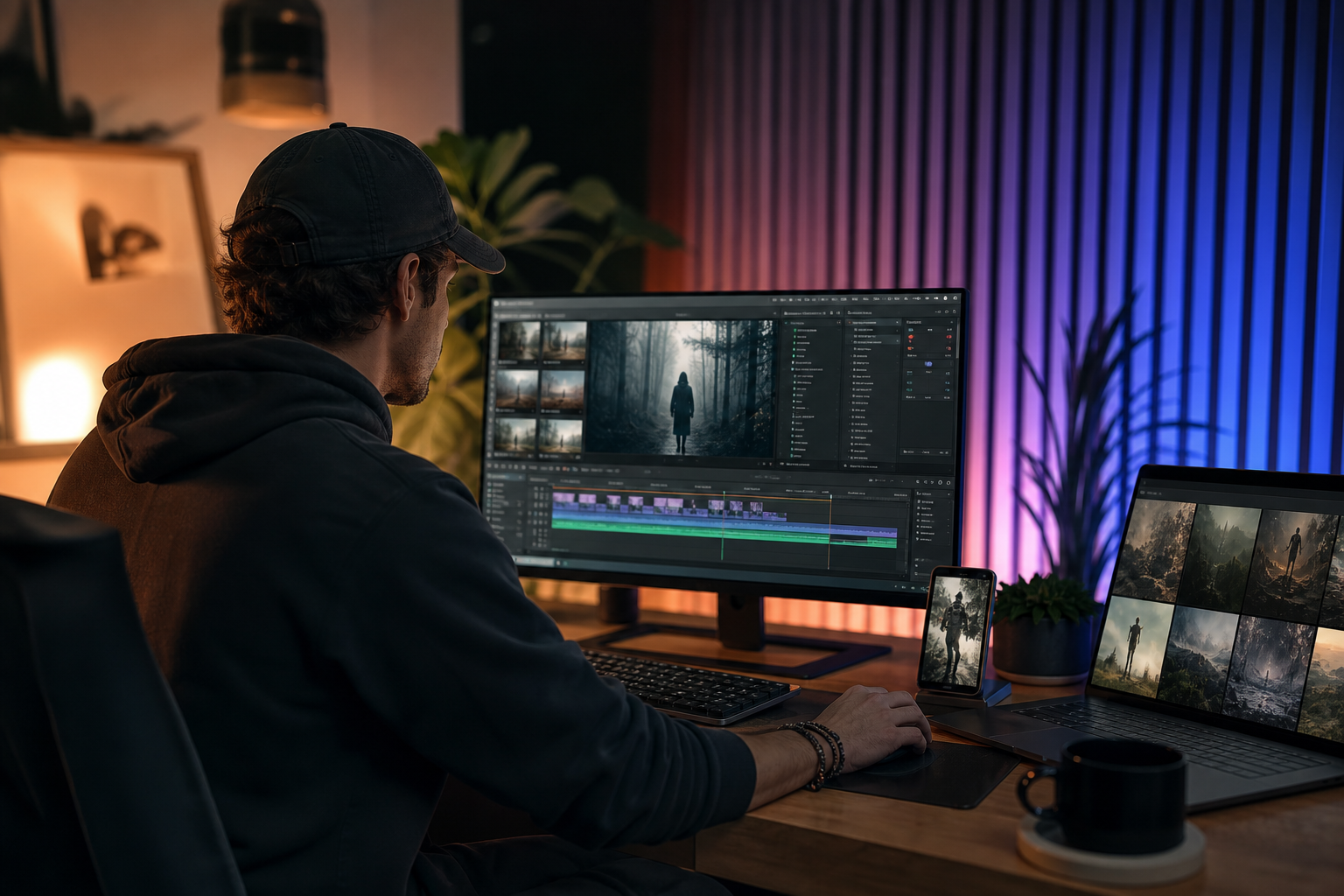
Export
• 9:16 at 1080×1920, h.264 or HEVC, 20–40 Mbps.
• Keep text away from bottom and top UI zones by roughly 250 px.
• Loudness target around -14 LUFS for consistent playback.
Upload
• YouTube Shorts: Add a keyword in the first 60 characters; keep titles simple and specific.
• TikTok: Front-load the first line of the description with the video’s payoff.
• Instagram Reels: Use a cover frame with legible text; add a carousel with steps for saves.
Testing
• Publish two hook variants across platforms within 24 hours.
• Track 3-second hold, average watch time, and completion rate.
• Double down on hooks that produce above-baseline holds in the first 100 impressions.
Create With VidAU
Turn scripts, product URLs, and creative ideas into ad-ready video assets with a structured AI workflow.
Key takeaway
Final Thoughts
The clear headline in ai video editing news for 2026 is that free AI video generation tools now let beginners create faceless, vertical-first content fast. Start with the 5-step zero-cost workflow, keep exports crisp at 9:16, and build a repeatable hook-to-CTA rhythm.
If you run product-led content, accelerate Steps 2–3 by turning a URL, images, or a short script into scenes with VidAU AI, then add captions and publish across YouTube, TikTok, and Instagram. The best next step is simple: outline one 30–45 second script and ship your first test clip today.
Frequently asked questions
What does ai video editing news focus on in 2026?
It centers on free, beginner-friendly AI video generation and AI image generation that enable faceless channels to produce vertical videos for YouTube, TikTok, and Instagram. The emphasis is speed-to-publish, mobile-first design, and practical workflows that use captions, short beats, and 9:16 exports without filming.
How can I make faceless videos for YouTube Shorts, TikTok, or Instagram without filming?
Use a zero-cost pipeline: outline a 30–45 second script, generate images for each beat, convert them into short clips with AI video generation, add auto-captions and optional AI voice, then export 9:16 at 1080×1920. Keep hooks specific, cuts fast, and captions large for mobile viewing.
What are the best ai video editing tools 2026 for beginners?
The best options offer clean 9:16 exports, stable motion, auto-captions, and reasonable daily caps on free plans. Favor editors with vertical-first templates, simple text controls, and clear watermark policies. Mobile-friendly tools help you post quickly; desktop gives finer timing and export control.
What are the best ai video creation tools 2026 for social platforms?
Look for tools that map scripts to timed scenes, support AI image generation, and provide vertical-friendly templates. Essential features include caption styling, fast exports, and reliable 1080×1920 output. For product-led content, product-to-video platforms can compress scripting, storyboarding, and scene building.
Are free ai video generation tools 2026 good enough for monetization?
Yes, if your content is clear, vertical, and watchable on mobile. Many faceless channels start with free plans and upgrade as they scale. Prioritize strong hooks, readable captions, and consistent posting. Watch watermark rules and daily caps, then iterate based on retention metrics.
How do I handle watermarks and daily caps on free AI tools?
Design compositions that keep key text and subjects away from watermark areas, and consider smart cropping if allowed. For daily caps, batch prompts and scripts, schedule generations during off-peak hours, and maintain a weekly content pipeline so you always have posts ready to go.
What export settings should I use for Shorts, TikTok, and Reels?
Export 9:16 at 1080×1920 using h.264 or HEVC, with 20–40 Mbps video and AAC audio. Keep captions within safe zones, avoid cluttered backgrounds, and ensure text contrast is high. If you post across platforms, test a second export at slightly lower bitrate for faster uploads.
What posting cadence works in 2026 for beginners?
Start with 3–5 YouTube Shorts per week, 3–7 TikToks per week, and 3–5 Instagram Reels per week. Use serial formats, test multiple hooks on the same topic, and track early hold metrics. Consistency and watchability matter more than fancy visuals when you are starting.
How can I improve retention on faceless videos without a voiceover?
Lead with a strong hook line in captions, use fast, meaningful cuts every 3–5 seconds, and add micro-payoffs like reveals or numbered tips. Keep fonts large and high contrast, and align each line of text to a clear visual change so viewers feel steady progress.
When should I consider a product-to-video workflow?
Use product-to-video when you need shoppable or demo content quickly, especially for ecommerce. Input a URL, images, or a short script, generate vertical scenes aligned to benefits, then add captions and export. It shortens the path from idea to publish across YouTube, TikTok, and Instagram.