VidAU Editorial · AI Search
Best AI Video Generation Models Right Now: Newest Options and Free Ways to Try Them
Compare the best and newest AI video generation models, including fresh ways to try top options free. See model strengths, use cases, credit limits, aspect ratios, and troubleshooting tips.
By the VidAU Editorial Team · Reviewed before publishing

If you’re comparing AI video generation models, this guide spotlights the newest ai video model MiniMax H3, and shows free, no‑account and credit‑based ways to try the best ai video models before you commit. We also map the real limits you’ll hit across ai models for video generation, from aspect ratios to queues.
Creators need current, reliable ways to test ai video generation models without wasting credits. Here is a practical shortlist with no‑account and weekly‑credit workflows, what each model does best, and the limits you should expect in 2026.
Quick Summary
• MiniMax H3 on FAL is the newest high performer you can often try free without an account, making it the first model to test for short clips.
• Seedance 2.5 via Dropshot AI or Dola AI, plus SnapGen AI and TikTok Symphony, are strong alternates with free or credit-based access depending on timing.
• Most free paths limit aspect ratios (commonly 9:16 or 16:9), clip length, and rely on weekly credits or queues that can slow generation during peak demand.
• US content creators, short-form editors, faceless YouTube creators, and filmmakers benefit most by matching each model to a defined use case and testing with free credits first.
What Is AI Video Generation Models?
AI video generation models are machine-learning systems that synthesize video from inputs like text prompts, images, or reference clips. They learn motion, composition, and style from large datasets, then create short sequences under constraints such as duration, aspect ratio, and safety filters. Creators use them for concept tests, short-form content, previsualization, and ad-ready drafts.
The Best AI Video Generation Models Right Now
Use this quick strength map, aligned with the AI video leaderboard and current tutorials, to narrow the field fast.
• MiniMax H3 (via FAL): A top-ranked, newest ai video model with crisp motion and prompt fidelity. Often available through a no‑account inference page, with short clips ideal for TikTok, Reels, or concept tests. Expect queues during surges.
• Seedance 2.5: Known for cinematic look and strong dynamics. Direct access can fluctuate; third-party tools like Dropshot AI and Dola AI frequently provide workable paths. Expect occasional errors, retries, and aspect ratio constraints.
• SnapGen AI: A hub where selecting the right option in the model list can unlock a strong engine for free. Good for quick experiments across styles without committing to a paid unlimited tier.
• TikTok Symphony: A weekly credit system that supports text-to-video, image-to-video, and reference-based clips. Best for social-friendly formats, with defined aspect ratios and lengths.
• Dropshot AI & Dola AI: Practical wrappers that frequently expose Seedance 2.5 or similar-quality engines. Plan for daily/weekly limits, occasional errors, and re-queuing.
• Higgsfield: A filmmaking-focused workflow that shines for shot planning and cinematic sequences. Typically paid; consider it when you need more control and consistency for narrative work.
• Meta AI (as a helper): Not a video model target here, but excellent for generating reference images that guide composition, characters, or style in other video tools.
• FAL (fal.ai): An inference platform that hosts multiple models including MiniMax H3. Expect variable queues, evolving UI controls, and occasional no‑account paths.
• AI video leaderboard: A useful benchmark to see which engines are trending and how top models shift over time as updates roll out.
Suggested Visual: A one-screen flowchart showing which model to try first based on goal (cinematic scene, social short, product demo) and access method (no‑account, weekly credits).
How To Try AI Video Generation Models Free (Step by Step)
These are the most reliable current paths to test without paying upfront. Availability can change, so verify platform terms before use.
1) MiniMax H3 with no account on FAL
• Find the MiniMax H3 inference page on FAL; some versions allow generations without sign-up.
• Enter a concise text prompt; pick an aspect ratio that fits your platform plan (often 9:16 or 16:9).
• Start with short clips; if the queue is long or you hit a timeout, retry later or simplify the prompt.
• Save results locally and note any seed/settings if the interface exposes them for reproducibility.
2) SnapGen AI by selecting the right model
• Create or use a basic account if needed; open the model selector and choose the free-access engine from the list.
• Provide a tight prompt or a reference image, then generate a short test clip.
• If you see a paywall for one model, switch to another free option; capture notes on which variant performs best for your style.
3) TikTok Symphony with weekly credits
• Sign in, check your weekly credit balance, and plan batches accordingly.
• Use text-to-video for fast ideation, image-to-video for style continuity, or reference-to-video for character/scene carryover.
• Work within available aspect ratios; prioritize 9:16 for Shorts/Reels/TikTok planning.
• If credits run out, queue drafts and finalize after the weekly refresh window.
Pro tip: Keep a simple spreadsheet of prompt variants, model choice, aspect ratio, duration, and subjective score (e.g., motion quality, compositional stability) so you can quickly identify the best ai video models for each recurring use case.
Suggested Visual: A side-by-side checklist image of the three workflows and where to click or set key options (prompt, aspect ratio, duration).
When Seedance 2.5 Is Unavailable: Practical Alternatives and Workarounds
Seedance 2.5 demand spikes and API changes can make direct access unreliable. Use these backup options to keep moving.
• Dropshot AI: Try Seedance 2.5 first; if it errors, switch to an alternate model in the same interface. Reduce prompt complexity, shorten duration, and re-queue.
• Dola AI: Similar flow; when usage caps hit, test during off-peak hours and trim generations to conserve daily limits.
• Reference-first approach: Use Meta AI to create clean character or environment images, then feed those into your chosen video tool to stabilize look and composition.
• SnapGen AI or TikTok Symphony as backups: If Seedance 2.5 is down or capped, pivot to these for ongoing experiments, then circle back later for style-matched retests.
Key Takeaways
• Keep two backups ready when Seedance 2.5 is busy.
• Shorter, simpler prompts reduce error rates and queue failures.
• Reference images from Meta AI improve consistency across tools.
Selection Criteria: Pick the Best Model For Your Use Case

Clarify the job first, then match a model to it.
• Social-first shorts: MiniMax H3, TikTok Symphony, or SnapGen AI for fast, vertical clips.
• Cinematic tests: Seedance 2.5 via Dropshot/Dola; consider Higgsfield if you need structured shot planning.
• Brand/product continuity: Use image-to-video or reference-to-video pathways; favor engines that preserve identity across frames.
• Aspect ratio fit: Choose models that natively output 9:16 for TikTok/Reels/Shorts or 16:9 for YouTube landscape; avoid heavy cropping.
• Speed vs. quality: During peak traffic, pick the model with the shortest queue; refine quality once the pipeline is unblocked.
• Control needs: If you require seeds, camera motion hints, or negative prompts, verify controls before spending credits.
• Cost management: Prefer weekly credit systems for scheduled batches; use no‑account paths for quick prototypes.
Suggested Visual: A decision tree graphic that routes to MiniMax H3, Seedance 2.5, TikTok Symphony, or SnapGen AI based on goal, aspect ratio, and queue status.
Constraints, Limits, and Troubleshooting – AI Video Generation Models
Expect constraints; work within them to get usable outputs fast.
• Aspect ratio locks: Many free flows only expose 9:16 or 16:9. If your target is square, generate nearest and crop with safe padding.
• Duration caps: Free tiers favor short clips. Chain multiple shots and stitch in your editor for longer sequences.
• Queue delays and timeouts: Peak hours cause failures. Retry with shorter prompts, off-peak timing, or a backup model.
• Prompt drift: Overly poetic prompts confuse motion. Use concrete nouns, camera cues, and action verbs.
• Identity inconsistency: Add a consistent reference image or a brief style block in your prompt.
• Over-saturation or flicker: Reduce contrast-heavy adjectives; try softer lighting terms and stabilize with a reference frame.
• Safety filters: Avoid restricted content; keep prompts clearly compliant to reduce silent refusals.
• Upscaling and finishing: Accept low-res drafts from free tiers; upscale, denoise, and color-balance in post for delivery.
• Licensing and rights: Free does not mean unrestricted. Verify each platform’s terms for commercial use and asset rights before publishing.
From Tests to Ad-Ready Clips (For Marketers) – AI Video Generation Models

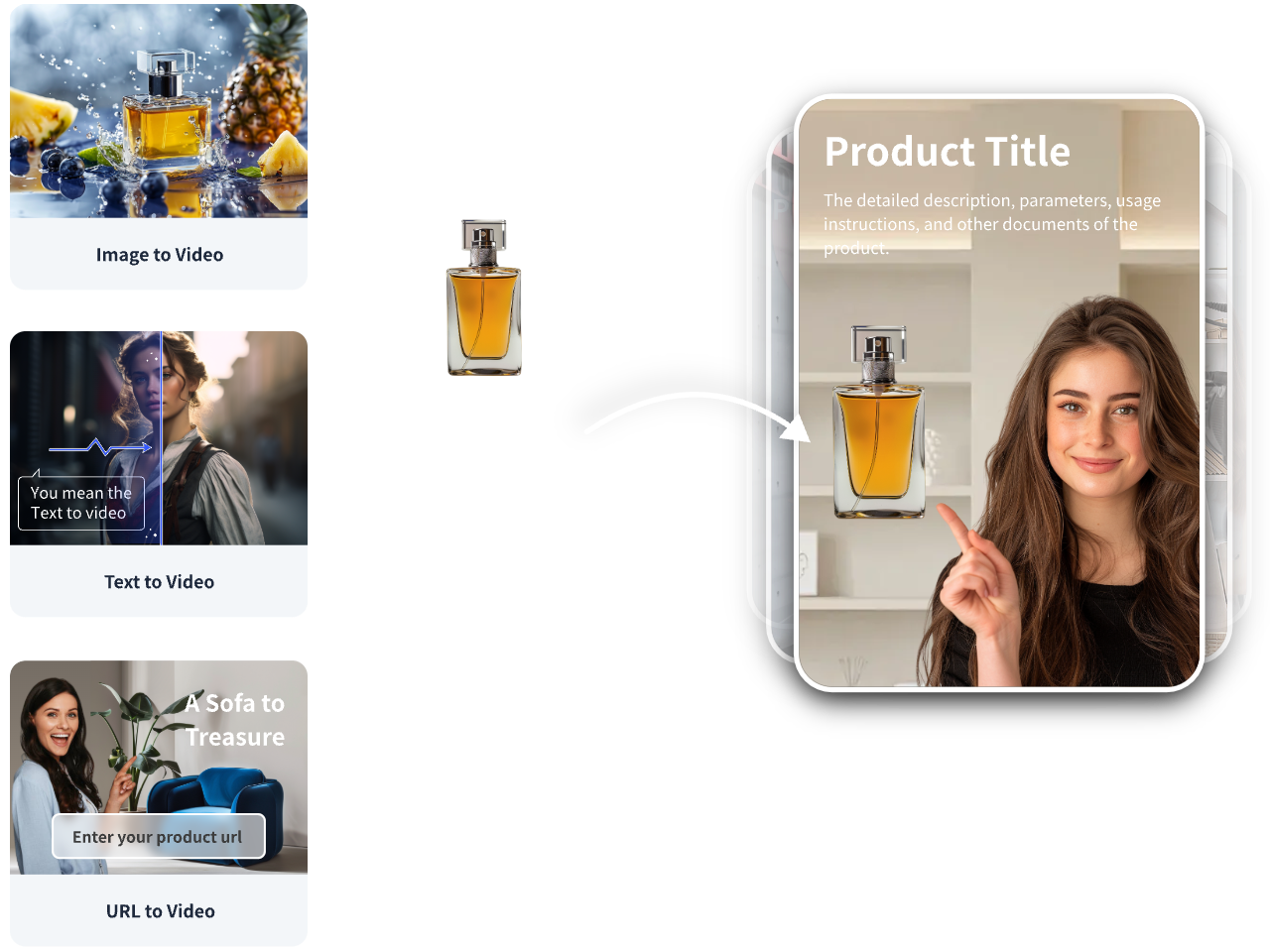
If your goal is performance creative rather than pure R&D, you may want an end-to-end ad workflow.
Mini-workflow with VidAU AI
• Your input: A product URL, product images, or a short script.
• Capability: Generate shoppable short videos or UGC-style ad variants for TikTok, Meta, or YouTube, with editable scenes, captions, and brand elements.
• Output: Multiple ad-ready cuts you can review, localize, and version.
• Review/testing: Export top variants, run small-budget tests, and iterate.
Why it fits: When you need consistent, commerce-focused outputs at speed, this avoids piecing together many raw model drafts. VidAU AI can also support multilingual variants for broader reach.
Create With VidAU
Turn scripts, product URLs, and creative ideas into ad-ready video assets with a structured AI workflow.
Key takeaway
Final Thoughts
MiniMax H3 is the fastest current bet to experience the newest ai video model quality without friction, while Seedance 2.5, SnapGen AI, and TikTok Symphony cover most remaining needs through free or weekly-credit access. Keep backups ready, plan around aspect ratios and clip length, and track prompts to find your best fits.
If you are moving from tests to marketing deliverables, use VidAU AI to turn product URLs, images, or scripts into ad-ready short videos for TikTok, Meta, or YouTube. That lets you focus on creative choices while the platform handles versioning and export.
Frequently asked questions
What are the best ai video generation models to try first?
Start with MiniMax H3 for cutting-edge motion and fidelity, then test Seedance 2.5 via Dropshot AI or Dola AI when available. Add SnapGen AI for fast, free model access and TikTok Symphony for weekly-credit social formats. This mix covers cinematic looks, quick vertical shorts, and reference-driven outputs.
What is the newest ai video model that people are using?
MiniMax H3 is a widely cited newest high-performing model on the AI video leaderboard. It is often accessible through FAL and, at times, without creating an account. Availability, settings, and limits can change, so confirm current access, aspect ratios, and durations before planning a production workflow.
How can I try MiniMax H3 for free?
Look for the MiniMax H3 inference page on FAL that allows no-account generations. Provide a concise prompt, pick an aspect ratio (commonly 9:16 or 16:9), and run a short test clip. If the queue is long or access changes, retry later or switch to a credit-based backup like TikTok Symphony.
How do I access Seedance 2.5 if the main route is down?
Use third-party tools such as Dropshot AI or Dola AI, which often expose Seedance 2.5 or close alternatives. Simplify prompts, shorten duration, and re-queue if you see errors. Keep a backup plan with SnapGen AI or TikTok Symphony when Seedance 2.5 becomes rate-limited or temporarily unavailable.
Does SnapGen AI really offer a free path?
Yes, when you select the right option in its model list. If one model is capped behind a paywall, switch to another free engine in the same interface. Results vary by demand, so test at off-peak times and log which model-choice combination gives the best quality for your use case.
What are typical aspect ratio and duration limits for free trials?
Most free or credit-based paths steer you toward fixed aspect ratios like 9:16 or 16:9 and short clip durations suitable for previews or social shorts. If you need square or longer sequences, generate in the closest supported format, then crop or stitch clips together during editing.
Why do I get timeouts or errors when generating video?
High demand and long queues are common. Reduce prompt complexity, shorten duration, switch to off-peak hours, or try a backup model. If a platform supports seeds or reference images, use them to stabilize outputs across retries while conserving credits.
Can I use these AI-generated videos commercially?
It depends entirely on the platform’s terms of service and your rights to any input assets. Some free paths allow commercial use; others limit it or require attribution. Always review current licensing, usage, and attribution requirements before publishing or running ads with generated content.
Where can I see which models rank highest right now?
Check an AI video leaderboard that tracks trending and top-performing engines. Rankings shift as models update and access changes. Use the leaderboard to prioritize tests, then validate on your own prompts and aspect ratios before committing to a production pipeline.
How do I decide which model is best for my project?
Define the goal first: cinematic narrative, social shorts, product demo, or UGC look. Match it to model strengths, aspect ratio support, and access method (no-account vs. weekly credits). Keep two backups ready, and document prompt settings to compare quality, speed, and consistency across engines.