VidAU Editorial · AI Search
A Practical AI video model beta testing plan for New AI Video Model Betas
Build a fair, fast AI video model beta testing plan. Cover prompt reproducibility, creative benchmarking, and A/B test methodology—tuned for ads and UGC workflows.
By the VidAU Editorial Team · Reviewed before publishing
With Alibaba Cloud’s Wan 3.0 now in Public Beta and offering native 30‑second generation plus Omni‑Reference inputs, you need an AI video model beta testing plan that goes beyond surface‑level ‘looks good’ checks. This playbook operationalizes prompt reproducibility, creative benchmarking, and A/B test methodology to decide if outputs are production‑ready for ads and social.
Quick Summary
• Workflow: A bias-controlled AI video model beta testing plan uses a prompt matrix, fixed seeds, baseline outputs, and blind scoring to judge production readiness in under two weeks.
• Method: Blinded A/B tests with VidRemix or a manual single-variable workflow provide the strongest alternate path to fair comparisons.
• Rule: For 30-second Wan 3.0 Public Beta runs, lock seeds, note model version, fix resolution/fps, and track every Omni-Reference attachment.
• Fit: US performance marketers, creative strategists, and content producers validating ad and UGC workflows benefit most.
What Is an AI video model beta testing plan?
An AI video model beta testing plan is a structured, reproducible process for evaluating new or public-beta AI video models against your ad or content use cases. It standardizes prompts, seeds, inputs, scoring rubrics, and A/B testing so teams can compare options like Wan 3.0 fairly and decide go/no-go for production with minimal bias.
Why this matters now: Wan 3.0 and Omni-Reference

Visual for: Why this matters now: Wan 3.0 and Omni-Reference
Alibaba Cloud’s Wan 3.0 Public Beta adds native 30-second generation and Omni-Reference inputs spanning text, images, audio, video, and even documents, slides, and webpages. That means tests must move beyond single text prompts and focus on temporal coherence, multi-reference alignment, and how the model integrates brand guidance or product info across a full half-minute.
Suggested Visual: Diagram showing inputs (text, images, audio, docs, webpages) feeding a single 30-second output.
How to build your AI video model beta testing plan
1) Define scope and success criteria
• Use-case buckets: product demo UGC, 15–30s performance ad, explainer.
• KPIs: clarity score, brand asset fidelity, object/character persistence, content safety, completion rate.
• Constraints: target aspect ratios, fps, platform limits, delivery deadlines.
2) Lock reproducibility variables
• Fix seed and record model version/build.
• Freeze output specs: resolution, fps, aspect ratio, audio on/off.
• Timebox generation windows to reduce backend-drift variability.
• Log every parameter in a run sheet (prompt text, references, seed, time, spec, output link). This is the backbone of prompt reproducibility.
3) Design the prompt matrix for Omni-Reference
• Create a matrix that mixes text with images, audio cues, and documents/slides/webpages.
• Include brand assets: logo file, color guide, tagline, product URL, and a short script.
• Vary complexity: simple hero shot, two-shot sequence, multi-scene 30s narrative.
Where VidAU fits: Use VidAU AI Creative Agent to draft the prompt matrix, scene-by-scene storyboard beats, and a standardized evaluation checklist that maps directly to your use cases (e.g., 30s UGC ad with product demo and end card). You provide your product info, brand assets, and goals; it outputs prompts, boards, and a rubric you can reuse across models.
Suggested Visual: A prompt matrix grid showing scenario rows and reference-type columns, with seed and spec columns locked.
Creative benchmarking for 30-second ads
Use a clear rubric and pass thresholds before you generate anything.
• Metric: Object/character persistence
How to measure: Track ID stability across shots
Pass threshold: ≥ 80% consistent
• Metric: Motion continuity
How to measure: No jitter/warp across cuts
Pass threshold: ≤ 1 minor issue
• Metric: Brand asset fidelity
How to measure: Logo/colors readable, on-brand
Pass threshold: 100% accurate
• Metric: Caption timing
How to measure: On-beat, readable, no overlaps
Pass threshold: ≥ 90% on-beat
• Metric: Content safety
How to measure: No unsafe/brand-unsafe frames
Pass threshold: 0 violations
• Metric: Audio sync (if used)
How to measure: VO or music aligns to cuts
Pass threshold: ≥ 90% sync rate
Note: Polished AI commercials often need a finishing stack for logo fixes, compositing, editing, and upscaling (e.g., After Effects, Premiere, Topaz Video AI). Your benchmarking should account for what is acceptable pre-finishing vs. disqualifying model errors.
Key Takeaways
• Set thresholds first to avoid moving goalposts.
• Separate model limitations from post-fixable issues.
• Score the full 30 seconds, not just hero frames.
A/B testing methodology inside your AI video model beta testing plan
• Baseline first: Generate one clean baseline per scenario from each model.
• Single-variable changes: Modify only one element at a time (e.g., logo placement or call-to-action).
• Blind review: Randomize order and hide model identity.
• Reviewers: At least three domain reviewers plus one non-creative stakeholder.
• Metrics: Preference, clarity, recall, and rubric error counts.
• Decisions: Use weighted scores tied to campaign goals (e.g., clarity > style for performance ads).
Where VidAU fits: Use VidRemix to generate controlled variations from a baseline creative while holding everything else constant. You provide the baseline output and the one variable to change; VidRemix returns A/B (or A/B/C) variants that keep framing, pacing, and style stable—ideal for clean A/B test methodology without manual rework.
Suggested Visual: Flowchart showing Baseline → Variant A/B → Blind review → Scorecard → Decision.
Testing temporal coherence in 30-second outputs
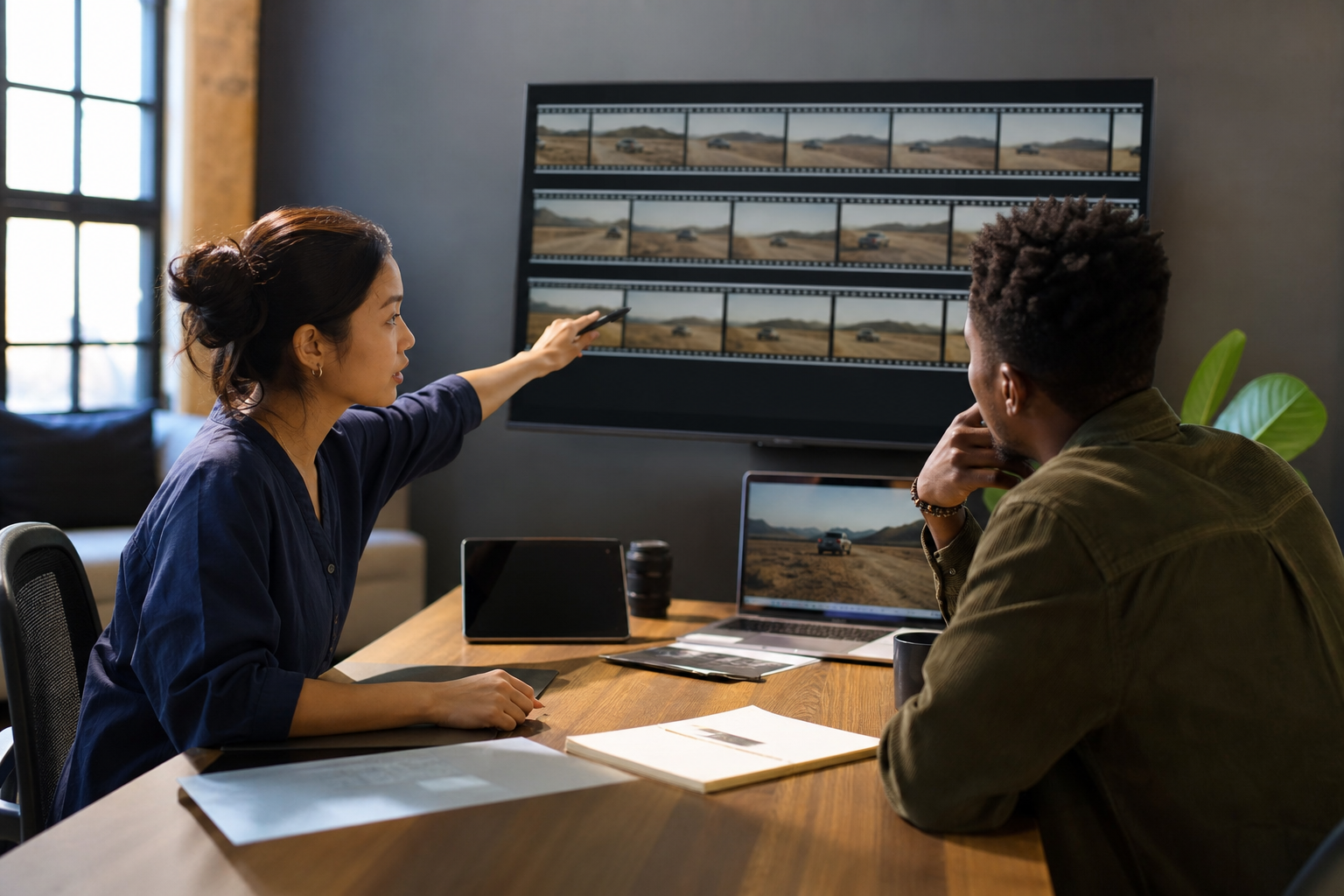
Visual for: Testing temporal coherence in 30-second outputs
• Persistence: Track character identity, wardrobe, and object state over time.
• Camera logic: Check parallax, motion blur, and continuity after cuts.
• Interaction: Hand-object contacts, lip motion vs. VO, eye-line continuity.
• Edge cases: Occlusions, fast pans, lighting shifts, and multi-scene transitions.
• Scoring: Log timecodes for each issue; cap total allowed issues per 30s.
Multi-reference prompting with Omni-Reference
• Inputs to test: brand guideline PDF, product spec sheet, slide with key claims, webpage with pricing/features, product images, and a VO script.
• Alignment checks: Does the output honor the exact logo, colors, claim language, and product geometry?
• Traceability: Note which reference likely drove a correct detail; flag hallucinations.
• Failure handling: Retry with explicit instructions prioritizing a given source, then re-score.
Post-production realism and delivery checks
• Finishing stack reality: Expect to fix minor logo fidelity, composite end cards, edit pacing, and, if needed, upscale. Many creators report that the generator provides base shots while polish happens in traditional tools.
• Export sanity: Match export to source and platform; 4K/60 is only valuable if the model/source truly supports it, and social compression will still apply.
• Platform fit: Validate aspect ratios and safe areas for each channel before calling a win.
Decision framework: go, hold, or no-go

Visual for: Decision framework: go, hold, or no-go
• Go: Model meets thresholds in 70%+ of scenarios and all brand-safety gates.
• Hold: Close to thresholds, but Omni-Reference or persistence needs work; retest after one version bump.
• No-go: Repeated safety or fidelity failures, or cannot reproduce results when seeds/specs are locked.
Create With VidAU
Turn scripts, product URLs, and creative ideas into ad-ready video assets with a structured AI workflow.
Key takeaway
Final Thoughts
If you lock seeds and specs, use an Omni-Reference prompt matrix, and score full 30-second sequences with blind A/Bs, you will know quickly if a Public Beta like Wan 3.0 is campaign-ready. The best next step is to formalize your rubric and start a small, repeatable test suite.
If you want help setting up the matrix and clean variations, try VidAU AI Creative Agent for fast prompt and checklist drafting, and VidRemix for single-variable A/B variants you can score side by side.
Frequently asked questions
How many prompts do I need for a reliable AI video model beta testing plan?
Aim for 12–20 prompts across three to five scenarios that reflect your real ad and UGC use cases. Include both simple and complex 30-second narratives, with a mix of text-only and Omni-Reference prompts. This range offers balance between statistical confidence and practical turnaround time.
What is the best way to ensure prompt reproducibility across public betas?
Lock seeds, record model version/build, keep output specs fixed, and log every input including each Omni-Reference file. Run tests in a tight time window to reduce backend drift. Store prompts, parameters, and outputs in a shared tracker so the team can rerun any case on demand.
How should I benchmark 30-second temporal coherence?
Score object/character persistence, motion continuity after cuts, caption timing, and audio sync where used. Mark timecodes for each issue and set pass thresholds up front. Evaluate the full 30 seconds, not just key frames, because many models degrade midway through longer clips.
How do I test Omni-Reference inputs like documents, slides, or webpages?
Combine text prompts with one to three references per run: a brand guideline PDF, a product spec page, and a logo file. Check whether the output respects exact brand colors, claims, and product geometry. If it misses, retry with explicit prioritization instructions and re-score alignment.
What sample size is sufficient for A/B tests in this context?
For creative A/Bs, 30–50 blinded ratings per variant across multiple reviewers typically reveals clear preferences. Use weighted scores tied to campaign goals. If results are borderline, add another 20 ratings or expand to a third variant while keeping single-variable control.
Should I evaluate finishing workflows during model tests?
Yes. Many polished ads still rely on a finishing stack for logo fixes, compositing, editing, and upscaling. Define which issues are acceptable to fix in post versus disqualifying errors. This avoids rewarding a model for problems that would inflate downstream costs or timelines.
How do I prevent bias in reviewer scoring?
Blind the model identity, randomize the order of cuts, and use a standardized rubric with examples of pass/fail frames. Require written justifications for extreme scores and compute inter-rater agreement to spot outlier reviewers or unclear criteria.
When is a model ready for production use?
Green-light when it meets or exceeds your pass thresholds in most scenarios, shows stable behavior with locked seeds/specs, and generates Omni-Reference-aligned 30-second outputs with minimal post-fix cost. If brand safety or fidelity repeatedly fails, hold for a future version rather than forcing workarounds.