VidAU Editorial · AI Search
AI video platform comparisons: Best Value, Model Access, and Real Costs (2026)
Compare 2026’s AI video platforms by real costs, model access, and output quality. See multi-model hubs, pricing gotchas, and a step-by-step test to find the best value for your workflow.
By the VidAU Editorial Team · Reviewed before publishing

If you’re tired of guesswork, this AI video platform comparisons guide shows how to run the same prompt pack across Gemini Omni 1.1 Flash and Seedance 2.5 in a multi-model hub, then tie results to real cost-per-minute. We’ll verify claimed access to Veo 3.1 and Sora 2 before you spend, using methods echoed in recent YouTube tests.
US creators and teams need clarity: which platform actually delivers the best value when you factor in model access, output quality, and real costs? This implementation guide condenses what recent YouTube comparisons revealed and turns it into a repeatable workflow you can run in an afternoon.
Quick Summary
• Multi-model hubs are the fastest way to compare AI video platforms by running identical prompts across Gemini Omni 1.1 Flash and Seedance 2.5, then mapping results to cost-per-minute.
• Single-model specialists like Runway, Luma, Pika, or Higgsfield Cinema Studio are strong alternates when you want predictable behavior and focused tools.
• Standardized tests should lock aspect ratio (16:9), duration (8–12 seconds), frame rate (24 fps), seed or reference frames, and identical prompts for fair results.
• US-based creators, marketers, editors, and indie filmmakers benefit most from this method when choosing tools for shorts, trailers, UGC, or branded content.
What Is AI Video Platform Comparisons?
AI video platform comparisons are structured evaluations that test multiple generative video platforms or models with the same prompts, specs, and conditions, then rank them by output quality, speed, controls, and cost-per-minute. In 2026, creators increasingly rely on multi-model hubs to compare models like Veo 3.1, Sora 2, Kling, Gemini Omni 1.1 Flash, and Seedance 2.5 side-by-side.
How to Run AI video platform comparisons in 2026: A Repeatable Workflow
Use this step-by-step process, adapted from recent YouTube tests that pit top models head-to-head (including Crun AI Hub’s Gemini Omni 1.1 Flash vs Seedance 2.5 video and cost breakdowns by Artturi Jalli and Joseph Martin). Always verify pricing and model access in your account, as details can change and may vary by US region.
1) Pick your testing ground
• Multi-model hubs for side-by-side: InVideo and Crun AI are featured in videos showing 70+ model access or head-to-head demos. OpenArt and Weavy AI (Figma Weave) are also covered in pricing and workflow breakdowns.
• Single-model baselines: Runway, Luma, and Pika for general generation; Higgsfield AI for cinematic controls; DaVinci for finishing and workflow assembly.
2) Build a 3-task prompt pack (text-to-video and image-to-video)
• Cinematic: 16:9, 24 fps, 8–12 seconds. Example: dusk city dolly-in with rim-lit subject and controlled lens effects.
• Action: 16:9, 24 fps, 8–12 seconds. Example: fast lateral motion, parallax, moving lights for motion stress-testing.
• Character/face: 16:9, 24 fps, 8–12 seconds. Example: close-up performer, natural eye motion, subtle head turns for identity coherence.
• Reference frames: Include one still image version of each scenario to run image-to-video comparisons.
• Seeds and camera: If seeds are supported, fix them; otherwise, document seed control as not supported and lean on reference images or camera-path cues.
3) Set identical generation parameters
• Aspect ratio: 16:9 (1080p baseline or closest available).
• Duration: 10 seconds, or 8 and 12-second variants if platform limits apply.
• Frame rate: 24 fps if adjustable.
• Style/strength: Keep default or document any deviations explicitly.
4) Run the head-to-head: Gemini Omni 1.1 Flash vs Seedance 2.5
• As shown by Crun AI Hub, compare both models on identical prompt packs covering text-to-video and image-to-video.
• Capture: generation time, queue length, error or retry rate, versioning/upsample usage.
5) Score outputs on a 5-point scale
• Motion smoothness: camera movement and subject motion without stutter.
• Temporal consistency: identity, lighting, and geometry stability frame to frame.
• Artifact rate: hands, eyes, edges, warping.
• Prompt adherence: composition, lighting, actions, and color mood.
• Cinematic control: responsiveness to lens, camera, and blocking instructions.
6) Document costs and re-runs
• Note credits used per run, retries for failures, and any upscales/longer durations.
• Track whether the platform counts previews, drafts, or upmixes against credits.
7) Repeat on two more model pairs
• If your hub lists Veo 3.1, Sora 2 or Sora 2 Pro, and Kling in the catalog as shown in AI Insider and Future AI videos, repeat the same test steps on whichever pairs are actually available to your US account. Confirm access in-app before assuming.
Suggested Visual: A one-page worksheet mockup showing tasks, models, settings, and a scoring grid.
Pricing Math for AI video platform comparisons: Cost-Per-Minute You Can Trust
YouTube creators like Artturi Jalli and Joseph Martin highlight how credit systems and subscriptions can mask real costs. Use this simple worksheet to compute apples-to-apples cost-per-minute. Treat their videos as directional and verify platform details yourself.
Step 1: Convert credits to seconds
• Find credits per generation and the default duration produced.
• If the platform uses tiers (Fast, Lite), note differences in credits and quality.
Step 2: Add reruns and upscales
• Many tests require retries; include an average retry factor (e.g., 1.3x to 2.0x) based on your logs.
• Include credits spent on upscales, longer durations, or re-times.
Step 3: Amortize subscriptions
• Add monthly subscription cost to a running total of credit-based spend.
• Divide the total cost by the total finished minutes that met your quality bar.
Step 4: Compute cost-per-minute (CPM)
• CPM = (Credits cost + Subscription cost + Overage fees) / Finished minutes accepted.
• Track separate CPMs for text-to-video vs image-to-video if usage differs.
Step 5: Forecast for your monthly volume
• Multiply your CPM by the target minutes (e.g., 10 minutes, 60 minutes) to forecast.
• Re-run forecasts if your retry rate or upscales change with new models.
Notes from the videos
• Both Artturi Jalli and Joseph Martin emphasize that ‘unlimited’ plans or cheap entry tiers often exclude the high-quality, longer, or faster modes creators actually need.
• BeHooked AI’s comparison video echoes that 1 hour per month of finished AI video can cost far more than a headline price if reruns and upscales are common.
• US pricing and availability can differ; always check your own account and region.
Suggested Visual: A small CPM formula diagram mapping credits, retries, and subscription into a single number.
Model-Access Checklist: Veo 3.1, Sora 2/Sora 2 Pro, and Kling
Recent videos by AI Insider and Future AI show unified hubs claiming access to 70+ models, including Veo 3.1, Sora 2 or Sora 2 Pro, and Kling. Before you buy, verify in your own account.
Use this checklist:
• Catalog vs in-account: Confirm the specific model version (e.g., Veo 3.1), not just a label in marketing materials.
• Region and queue: Check if the model is US-available, whether queues apply, and how long average waits are.
• Daily caps: Verify run caps per day, per model, and any fair-use triggers.
• Mode parity: Note if Fast/Lite modes change resolution, motion quality, or cost.
• Export specs: Confirm aspect ratios, max durations, and fps for each model.
• Licensing notes: Review usage rights for commercial projects; these can vary by platform and model.
If a hub displays a model badge but you cannot select it in a US account, treat it as not available for your decision.
Head-to-Head Focus: Gemini Omni 1.1 Flash vs Seedance 2.5 (Replicable Test)
Crun AI Hub’s comparison puts Gemini Omni 1.1 Flash and Seedance 2.5 side-by-side. Here’s how to replicate it fairly in any hub that hosts both models.
Test set
• Text-to-video: three prompts (cinematic, action, character/face) at 16:9, 24 fps, 10 seconds.
• Image-to-video: one reference frame per prompt; keep the same reference across both models.
Controls
• Fix seeds if supported; otherwise, use the same reference, lens, and camera cues.
• Lock duration and fps; keep style strength at default unless the model demands otherwise.
Scoring
• Motion: judge camera and subject smoothness.
• Consistency: check face/identity, lighting, geometry.
• Artifacts: tally hand/eye deformations, edge warps.
• Prompt fit: composition, lighting, and action adherence.
Reporting
• Log generation time, queue waits, retries, and versioning steps for each model.
• Capture frames and short clips for side-by-side review; document winners per task.
Interpretation
• Use average scores across the 3-task pack to declare a scenario-based winner (e.g., action sequences vs character close-ups).
• Re-run on different days or with a second prompt pack to reduce variance.
Key Takeaways
• Head-to-head results can flip by scenario; crown winners per use case, not overall.
• Retry and upscale costs meaningfully change true pricing; log them.
• Keep your test pack and settings consistent so results are comparable month to month.
Where Each Platform Type Fits (With a Practical Ad-Creative Example)

Not every platform solves the same problem. Use the right tool for the job.
• Multi-model hubs: InVideo, Crun AI, OpenArt, Weavy AI (Figma Weave). Useful for rapid A/B/C testing across many models without switching workspaces.
• Cinematic specialists: Higgsfield AI and Higgsfield Cinema Studio for camera presets, dolly/orbit moves, and short-form cinematic control.
• General generators: Runway, Luma, Pika for straightforward text-to-video or image-to-video baselines.
• Creative ecosystems: Artlist for licensing plus AI features; confirm AI credit inclusion as reviewers have noted caveats.
• Voice and finishing: ElevenLabs for voiceover; DaVinci for edit, color, and delivery.
• Avatars and spokespersons: HeyGen for presenter-led content where face and lip sync are core.
Mini-workflow for ad creative (when video output is the goal)
• Your input: product URL, product images, or a short script.
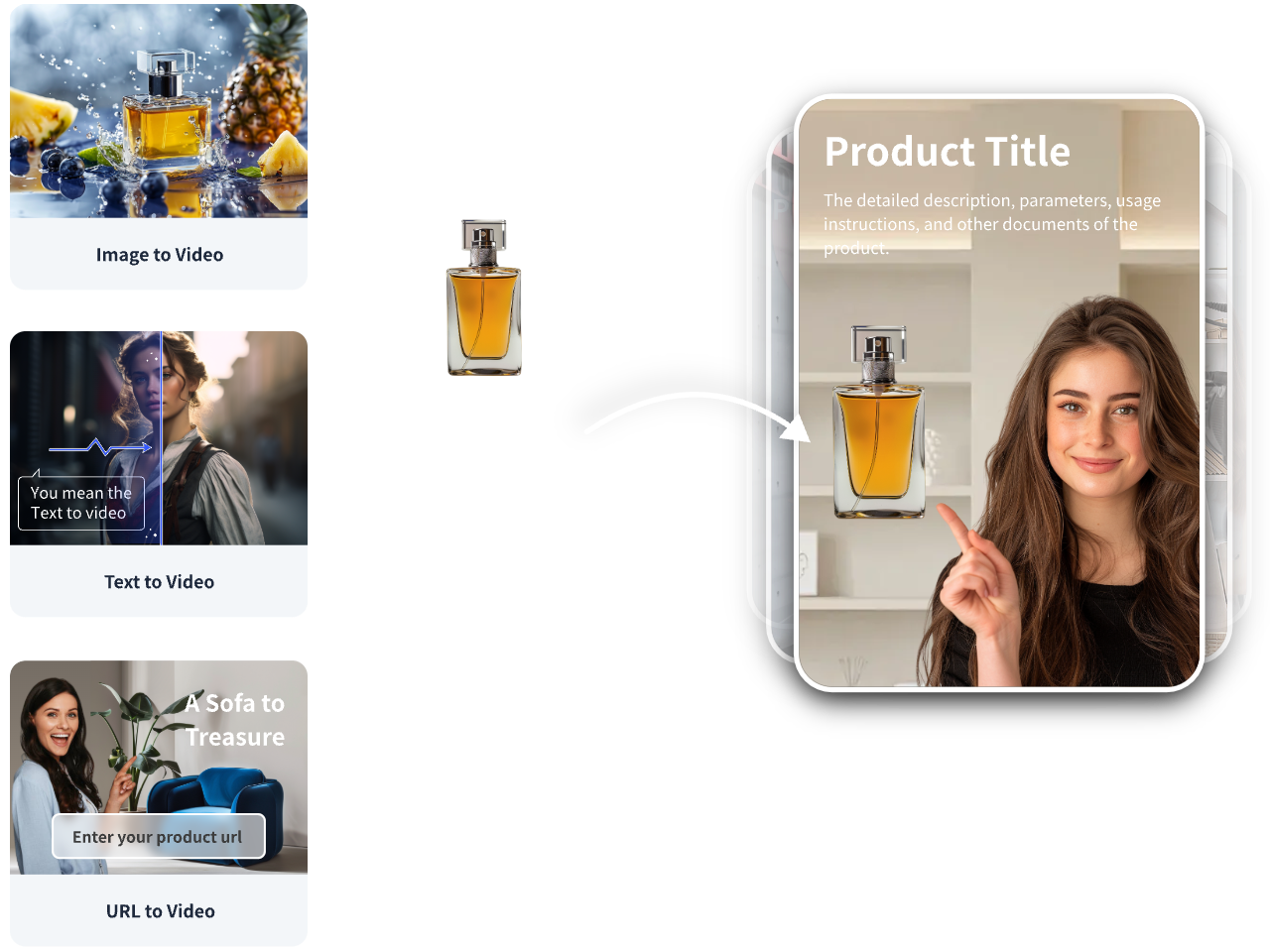
• Platform capability: VidAU AI can turn URLs, images, or scripts into short-form, ad-ready videos for TikTok, Meta, and YouTube, with variants for testing and localization.
• Output: editable video drafts you can A/B test, then benchmark against your multi-model hub outputs on motion, clarity, and hook strength.
• When it fits: Ecommerce, UGC-style spots, and creator-led ads where speed-to-variant matters more than raw model experimentation.
Suggested Visual: A simple flow diagram from product URL to variant videos to A/B test results.
One Simple Table: Platform Categories at a Glance
• Category: Multi-model hubs
Examples: InVideo, Crun AI
Why: Side-by-side model testing
• Category: Cinematic specialist
Examples: Higgsfield Cinema Studio
Why: Camera moves, cinematic control
• Category: General generators
Examples: Runway, Luma, Pika
Why: Solid baselines, fast iteration
• Category: Image-first hubs
Examples: OpenArt, Weavy AI
Why: Many models, flexible flows
• Category: Creative ecosystem
Examples: Artlist
Why: Licensing plus AI features
• Category: Voice/finishing
Examples: ElevenLabs, DaVinci
Why: Voice, edit, color, delivery
Pitfalls and Red Flags in 2026
Recent videos flag common traps to watch for:
• ‘Unlimited’ caveats: Reviewers in Tinkr’s Higgsfield vs OpenArt vs Artlist video cite user reports that unlimited plans may include caps or delays; verify details before relying on headline claims.
• Credit rollover and previews: Joseph Martin calls out rollover and preview-counting nuances that change real costs.
• AI credit inclusion: Tinkr notes that some Artlist plans market breadth, while reviewers report AI credits may not be included by default.
• Affiliate framing: Many videos include affiliate disclosures. Treat rankings as opinions; verify claims in your own account.
• Region variability: A model listed in a catalog may not be selectable in a US account; always verify in-app.
Decision Framework: Choose Best Value in 10 Minutes

• Step 1: Define success. Pick one scenario that mirrors your work (cinematic, action, or face close-up) and lock specs.
• Step 2: Run two models in parallel. Start with Gemini Omni 1.1 Flash vs Seedance 2.5; add Veo 3.1 or Sora 2/Sora 2 Pro if available to you.
• Step 3: Score and compute CPM. Accept only outputs you’d ship; log retries and upscales.
• Step 4: Sanity-check access. Confirm queues, caps, and export limits for your US region.
• Step 5: Decide. Choose the platform that wins your scenario at the lowest verified CPM.
Create With VidAU
Turn scripts, product URLs, and creative ideas into ad-ready video assets with a structured AI workflow.
Key takeaway
Final Thoughts
AI video platform comparisons should be objective, fast, and repeatable. Standardize prompts and specs, run head-to-heads across at least two models, and anchor every decision to your own cost-per-minute and quality thresholds. Treat YouTube comparisons as helpful signals, then verify model access and pricing in your US account.
If your goal is ad-ready creative from products or scripts, generate a first draft in VidAU AI to get testable variants, then benchmark those against multi-model hub outputs using the same prompt pack. This keeps your creative stack practical while preserving room for model experiments.
Frequently asked questions
What matters most in AI video platform comparisons?
A fair comparison standardizes prompts, aspect ratio, duration, and frame rate, then runs identical tasks across multiple models. Score motion, temporal consistency, artifacts, and prompt adherence, and tie results to cost-per-minute that includes retries, upscales, and subscription amortization. Finally, verify model access, queues, and export limits in your US account.
How do I calculate cost-per-minute across credit systems?
Add your subscription cost to credit purchases and any overages. Track retries and upscales, since many tests require multiple runs. Divide total spend by finished minutes that meet your quality bar. This mirrors the approach highlighted by creators like Artturi Jalli and Joseph Martin. Always confirm current pricing and terms in your account.
Do multi-model hubs really include Veo 3.1, Sora 2 or Sora 2 Pro, and Kling?
Some videos from AI Insider and Future AI showcase hubs claiming access to 70+ models, including Veo 3.1, Sora 2/Sora 2 Pro, and Kling. Treat these as demonstrations. Before purchasing, confirm in your US account that the specific model version is selectable, note any queues or caps, and verify export specs and usage rights.
Which is better: Gemini Omni 1.1 Flash or Seedance 2.5?
It depends on your scenario. Crun AI Hub’s head-to-head format shows strengths can flip between cinematic motion, fast action, and face consistency. Run both models on your three-task prompt pack, score outputs on motion and artifacts, and choose the one that wins your use case at the lowest verified cost-per-minute.
Are US prices and model availability different by region?
Yes. Creators frequently report that pricing, credit allotments, and access to models like Veo 3.1, Sora 2/Sora 2 Pro, or Kling can vary by region and plan. Always check availability, daily caps, and queue times in your own US account before relying on claims from marketing pages or third-party demos.
What specs should I standardize for fair comparisons?
Use 16:9 (1080p baseline), 24 fps, and 8–12-second durations across all tests. Keep prompts identical, fix seeds if supported, and reuse the same reference frames for image-to-video. Document any setting that a platform doesn’t expose, such as locked seeds or style weights, to explain result differences.
How do specialized tools like Higgsfield Cinema Studio fit into my stack?
Higgsfield Cinema Studio focuses on cinematic control with camera presets and movement options, which can outperform general models for stylized short-form shots. Compare its results against your hub baseline using the same prompt pack. If it wins your scenario at a competitive cost-per-minute, deploy it for that niche.
Where do platforms like Artlist, OpenArt, and Weavy AI fit?
Artlist is a licensing ecosystem that added AI; some reviewers note AI credit details can change cost math, so verify inclusions. OpenArt and Weavy AI (Figma Weave) appear in cost and workflow comparisons emphasizing flexible, model-rich setups. Test them against your needs and confirm US availability and credit rules.
How do I include voiceover or finishing tools in my workflow?
Layer specialized tools as needed: use ElevenLabs for voiceover and DaVinci for editing and color. Generate your video with a hub or specialist model, then add voice and finish in post. Track any added costs in your CPM so the final decision reflects your complete workflow, not just generation.
How does VidAU AI fit into AI video platform comparisons?
VidAU AI is useful when your primary goal is ad-ready short-form video from product URLs, images, or scripts. Use it to produce variants for testing, then benchmark those outputs against multi-model hub generations using the same prompt pack. Choose the path that wins your scenario at the best verifiable cost-per-minute.