Vidu Review: How It Stacks Up, and Why VidAU Is the Better Choice
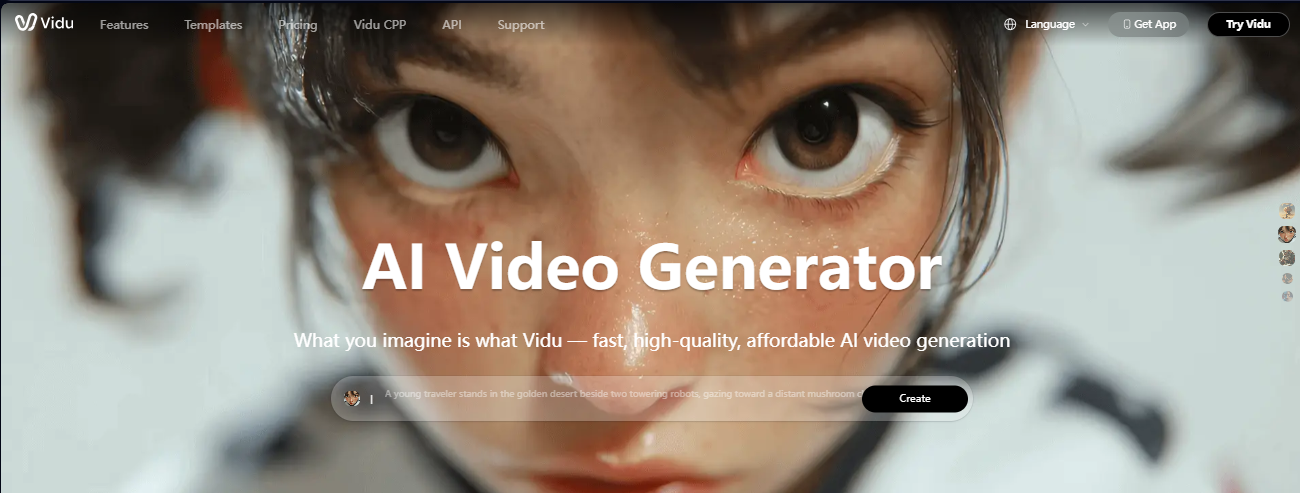
After testing both, here’s the verdict.
AI video generators are improving fast, but many still struggle with motion consistency, prompt accuracy, and realistic scene transitions. That’s where Vidu AI enters the conversation.
In this hands-on Vidu review, we tested the platform’s:
- text-to-video generation,
- image animation,
- rendering speed,
- cinematic quality,
- prompt understanding,
- and overall creator usability.
We also compare Vidu against tools like Runway, Kling, Pika, and other AI video generators to see whether it genuinely stands out in 2026.
Quick Verdict
| Category | Rating |
|---|---|
| Ease of Use | 8.5/10 |
| Video Quality | 8/10 |
| Motion Consistency | 7.5/10 |
| Render Speed | 8/10 |
| Pricing Value | 7/10 |
| Best For | Cinematic short AI videos |
| Biggest Weakness | Prompt inconsistency in complex scenes |
What is Vidu (vidu.ai)?
Vidu AI is an AI video generator that converts text prompts and images into short cinematic videos using generative AI models. It supports text-to-video, image-to-video, and reference-based animation workflows for creators, marketers, and content teams.
Unlike older AI video tools that generate chaotic movement, Vidu focuses heavily on:
- smoother motion,
- cinematic camera movement,
- anime-style generation,
- and consistent scene transitions.
The platform is primarily used for:
- TikTok content,
- YouTube Shorts,
- AI ads,
- cinematic storytelling,
- anime clips,
- and social media marketing videos.
Testing Vidu AI: My Hands-On Test of Vidu AI
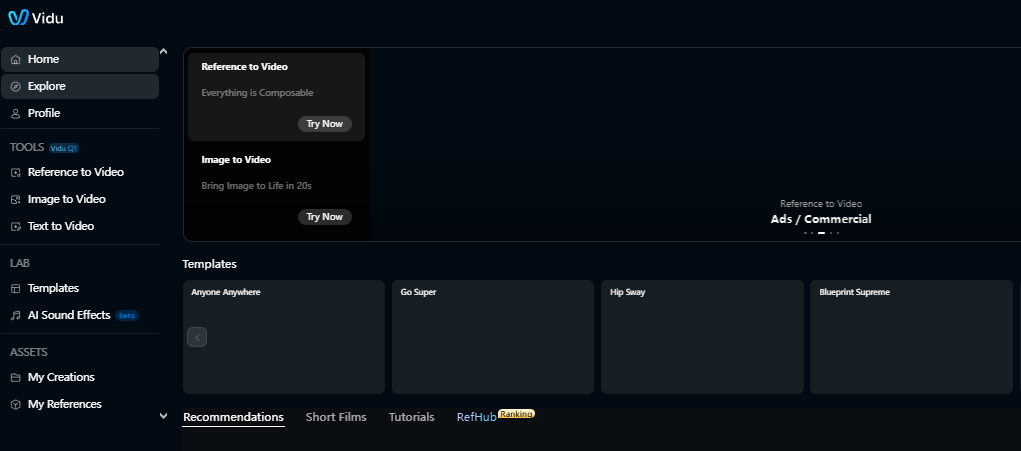
On the Vidu dashboard, you’ll find three main creation options: Text-to-Video, Image-to-Video, and Reference-to-Video.
I tried the Text-to-Video feature using this prompt:
“A vibrant cyberpunk city at dusk, with neon lights reflecting off wet streets, flying cars, and a figure in a glowing trench coat.”
The results were visually rich, featuring neon lights and cyberpunk themes, but the “walking” action didn’t happen. The character just stood still. While Vidu.ai delivered strong visuals, the motion didn’t match the prompt. This inconsistency repeated across different generationsIn a second test with a new prompt featuring a flying dragon and glowing mountains, Vidu performed better. But even then, processing took around 7 minutes, and some output inconsistencies remained.
To properly evaluate Vidu AI, we tested multiple workflows using realistic creator scenarios.
Test #1 — Text-to-Video Generation
Prompt Used
“A cinematic drone shot flying through a futuristic Tokyo street at night with neon reflections and rain.”
Results
- Strong cinematic lighting
- Impressive camera motion
- Good atmospheric consistency
- Some object warping during transitions
Render Time
- Approximately 1–2 minutes per clip
Verdict
Vidu performs surprisingly well for cinematic prompts and stylized scenes.
Test #2 — Image-to-Video Animation
We uploaded:
- product photos,
- anime illustrations,
- and portrait images.
Results
The image animation feature was one of the strongest areas of the platform.
Best outcomes included:
- facial motion,
- slow cinematic zoom,
- environmental animation.
Weaknesses appeared during:
- hand movement,
- complex object interactions,
- crowded scenes.
Test #3 — Marketing Video Workflow
We tested Vidu for:
- short product ads,
- TikTok creatives,
- ecommerce clips.
Findings
While Vidu creates visually impressive clips, editing workflows still require external tools for:
- subtitles,
- voiceovers,
- CTA overlays,
- multi-scene editing.
This means creators may still need a secondary platform for full ad production.
Internal Link Opportunity:
Link here to:
- “AI Ad Generator”
- “Text to Video AI”
- “AI Product Video Maker”
Suggested anchor text:
- AI ad generator
- text to video AI
- ecommerce video creator
Pros and Cons of Vidu.ai
Pros:
- Free to test with initial credits
- High-quality visuals in ideal scenarios
- Basic customization (style, length, resolution)
- Good for experimentation
Cons:
- Limited motion accuracy
- Processing can be slow
- Struggles with complex or dynamic prompts
- No voiceover, subtitle, or platform export options
- Lacks branding tools for creators and marketers
What Vidu Pricing Doesn’t Include
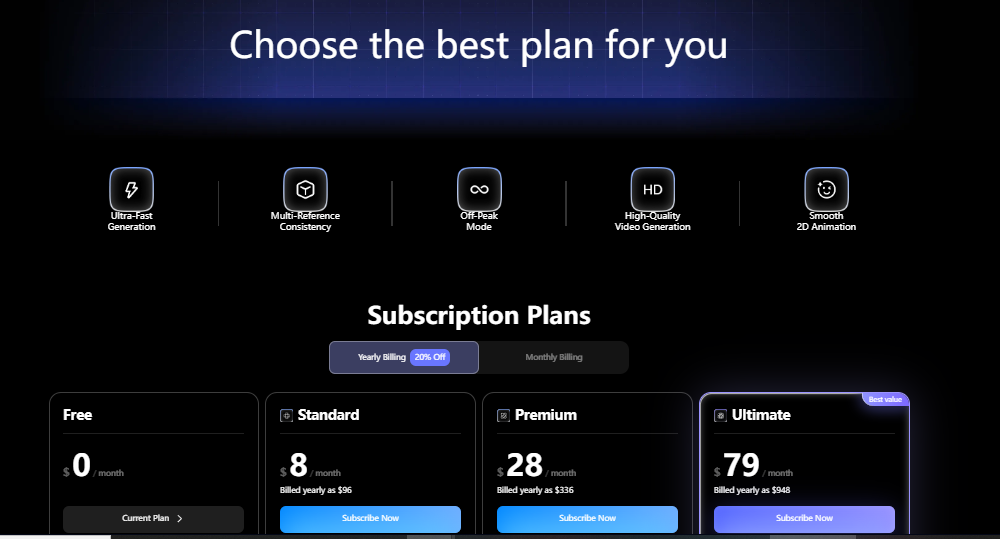
While Vidu pricing offers a “freemium” entry with limited credits, advanced features or higher-resolution videos may require premium access down the line. But even with paid access, you won’t get features like:
- Multilingual voiceovers
- Subtitles or auto captions
- Platform-specific video formatting (Reels, TikToks, etc.)
- Full branding controls (logos, fonts, transitions)
Why VidAU Is a Smarter Alternative to Vidu AI

If you’re comparing AI like Vidu, VidAU stands out as a platform optimized for speed, ease, and real-world use cases.
- Turn images into videos instantly, perfect for product photos, ads, and more
- Built-invoiceovers in 49+ languages
- Auto subtitles for global campaigns
- Export-ready formats for TikTok, Instagram, YouTube, etc.
- No learning curve or prompt tuning needed
- Fast rendering and higher motion consistency
- Flexible pricing, with free access and affordable paid tiers
Vidu vs VidAU: Which One Wins?
| Feature | Vidu AI | VidAU |
| Text-to-Video | ✅ | ✅ |
| Image-to-Video | ✅ | ✅ |
| Multilingual Voiceovers | ❌ | ✅ |
| Platform-Ready Exports | ❌ | ✅ |
| Branded Templates | ❌ | ✅ |
| Fast Rendering | ❌ | ✅ |
| Free Plan | ✅ | ✅ |
| Subtitles & Captions | ❌ | ✅ |
If you’re a content creator, marketer, or e-commerce brand, VidAU delivers more value, faster results, and a smoother workflow.
Is Vidu AI Worth It?
Vidu Is Worth It If You:
- create short-form content,
- make TikTok ads,
- experiment with cinematic AI visuals,
- produce anime-inspired clips,
- need fast social media assets.
Vidu Is NOT Ideal If You:
- need long-form editing,
- require frame-perfect consistency,
- want advanced timeline editing,
- create production-level commercial films.
Vidu vs Runway vs Kling vs Pika
| Tool | Best For | Weakness |
|---|---|---|
| Vidu | Cinematic AI clips | Scene consistency |
| Runway | Professional workflows | More expensive |
| Kling | Realistic motion | Slower access |
| Pika | Fast social content | Less cinematic depth |
Final Thoughts
Vidu AI is one of the more visually impressive AI video generators currently available, especially for:
- cinematic scenes,
- anime aesthetics,
- short-form content creation.
Its strongest advantage is visual style and motion quality.
However, it still has limitations in:
- scene consistency,
- advanced editing,
- long-form workflows.
For creators focused on visually engaging short-form content, Vidu is absolutely worth testing.
For marketers needing complete ad production workflows, combining Vidu with broader AI video platforms may produce better results overall.
FAQs
1. Is Vidu AI free?
Vidu usually offers limited free credits for testing, though advanced generation often requires paid plans.
2. Is Vidu better than Runway?
It depends on your goal. Vidu is better for cinematic AI visuals, while Runway offers stronger professional editing workflows.
. Is there an AI like Vidu with more features?
Yes. VidAU offers similar functionality plus extras like voiceovers, auto subtitles, platform exports, and faster processing.
3. How does Vidu pricing work?
Vidu provides free credits to start, but premium features and high-res output may require payment. VidAU offers both free and low-cost plans with more features included.
4. Is Vidu AI good for making product videos?
It can be used for visuals, but lacks branding tools and output controls. VidAU is better for product videos with full editing and export options.
5. Can I use Vidu to turn an image into a video?
Yes, but if you want motion control, music, subtitles, and voiceovers, try VidAU’s image-to-video feature instead.
6. What are the limitations of Vidu AI?
Vidu struggles with complex prompts, lacks voice support, and doesn’t offer branded exports. VidAU fills those gaps.
7. Is VidAU easier to use than Vidu?
Absolutely. VidAU is designed for speed, simplicity, and scale; no prompt engineering or editing skills required.