
AI AGENT DEVELOPMENT GUIDE · 2026
Principles of Building AI Agents: Fundamentals, Frameworks, and a Practical Blueprint
A fundamentals-first blueprint for building grounded, production-ready agents with LLMs, embeddings, RAG, LangChain, LangGraph, MCP, safety controls, and evaluation loops.
By the VidAU Editorial Team · 2026 edition · 9 min read
Before you stack multi-agent complexity, master the principles of building AI agents: start with LLM mechanics, embeddings, and Retrieval Augmented Generation (RAG) to anchor reliability. This hands-on blueprint maps each principle to concrete component choices vector databases, LangChain/LangGraph for orchestration, and MCP for tool integration so you can ship a stable, production-ready agent.
If you are evaluating frameworks for building AI agents or prepping for a certificate in building autonomous AI agents, use this fundamentals-first plan. It prioritizes grounded answers, predictable latency, and controllable spend over novelty.
Quick summary
- A single grounded agent: using LLMs, embeddings, and Retrieval Augmented Generation (RAG) is the most reliable starting point for production.
- MCP-based tool access: In 2026, MCP-based tool access is accelerating across ecosystems; design your agent to call tools via Model Context Protocol rather than hardwired SDKs.
- Context and token limits: Context windows and token budgets set your hard limits, so tune chunking, overlap, and re-ranking in RAG and keep citations in responses for auditability.
- Who this fits: This blueprint fits developer teams building production agents or those pursuing a certificate in building autonomous AI agents who want practical evaluation and safety habits.
What Are the Principles of Building AI Agents?
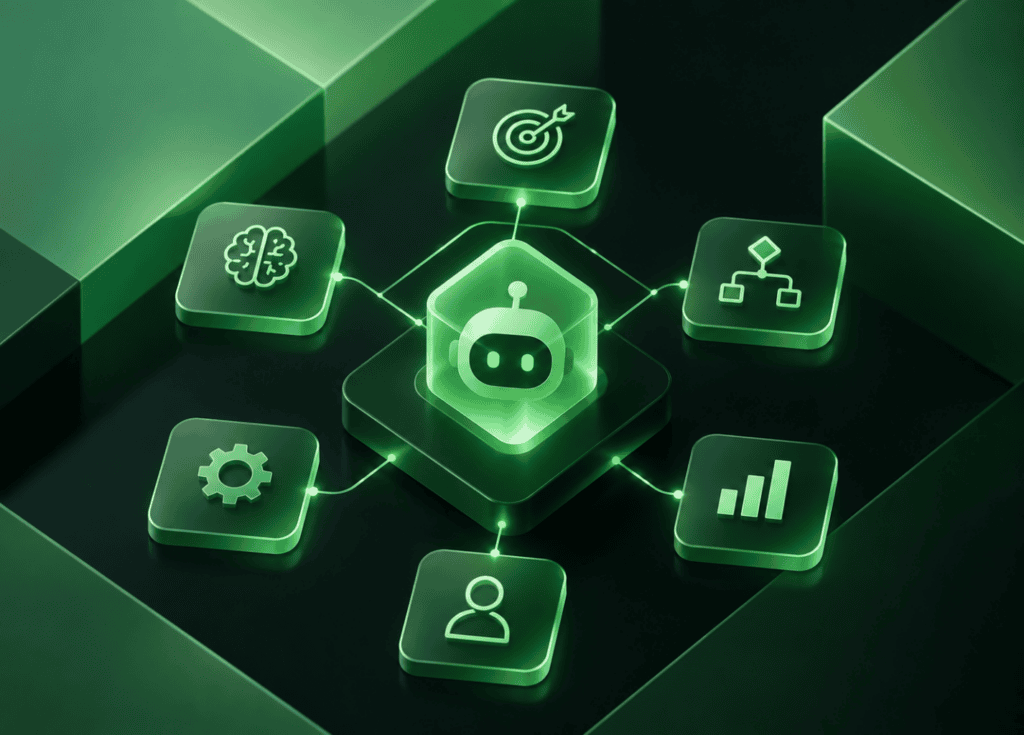
The principles of building AI agents are fundamentals-first habits that make agents reliable: understand LLMs and tokens, represent knowledge with embeddings, ground outputs with RAG, orchestrate state with LangGraph, and call tools safely via MCP with evaluation loops for quality, latency, and cost.
I reviewed and analysed a fundamentals-first tutorial series that teaches exactly this path—LLMs → embeddings → vector databases → RAG → LangChain/LangGraph → MCP and it consistently outperforms multi-agent detours early on.
Who Should Use This Blueprint?
This blueprint is for developers, data scientists, ML engineers, and technical PMs building production-ready agents or pursuing a certificate in building autonomous AI agents. If you’ve skimmed “building effective AI agents (Anthropic)” advice and want an implementation guide that reduces hallucinations and surprise costs, start here.
How Do LLMs, Tokens, Embeddings, and Context Windows Shape Design?
LLMs generate text by predicting tokens, and the context window caps how much prompt plus retrieved context you can fit. Embeddings map text to vectors so semantically related content can be retrieved from a vector database.
Key choices:
- LLM: Pick for quality/latency/cost; measure on your domain tasks.
- Token budgets: Set hard caps on prompt + retrieved context + tool results.
- Embedding model: Choose for domain similarity; keep dimensionality compatible with your vector DB.
- Vector database: Balance latency, filter features, and cost as your corpus grows.
What RAG Patterns Reduce Hallucination?
RAG (Retrieval Augmented Generation) reduces hallucinations by retrieving relevant documents and citing them in outputs. Start with chunking that respects context windows, overlap enough to avoid boundary loss, and add a re-ranker to promote the most useful passages.
Core patterns that work:
- Chunking and overlap: Tune to keep each chunk self-contained yet not bloated.
- Re-ranking: Use a cross-encoder or LLM re-ranker to improve top-k precision.
- Structured prompts: Ask for citations and quote spans; reject low-confidence answers.
- Caching: Cache retrieval and final answers when safe to control spend.
Vector DB Choice: ChromaDB vs Pinecone
| Decision factor | ChromaDB | Pinecone |
|---|---|---|
| Corpus size | Small to mid | Mid to very large |
| Hosting | Local/self-host | Managed cloud |
| Latency target | Lab/dev quick wins | Low-latency at scale |
| Cost profile | Minimal infra | Usage-based managed |
| Maturity & ops | Simple to start | Production SLAs |
Talking point in practice: choose ChromaDB for fast prototyping or single-machine deployments; choose Pinecone when you need managed scale, strict latency SLOs, and operational features.
Key takeaways
- RAG reliability depends more on retrieval quality than on agent count.
- Re-ranking and citations provide measurable gains and auditability.
- Vector DB choice follows corpus size, latency SLOs, and budget.
How Do I Orchestrate with LangChain and LangGraph?
Use LangChain for composable primitives (prompt templates, retrievers, tools) and LangGraph when your workflow needs state, branching, retries, and tool call scheduling. LangGraph makes multi-step plans explicit, so you can track inputs, outputs, and timing for each node.
Practical tips:
- Keep a single-agent graph until your evaluation proves bottlenecks.
- Model nodes as: retrieve → reason → decide → act → verify → answer.
- Add guards: timeouts, retries, deterministic tools for critical paths.
How Should I Integrate Tools with MCP and Safety Controls?
Definition
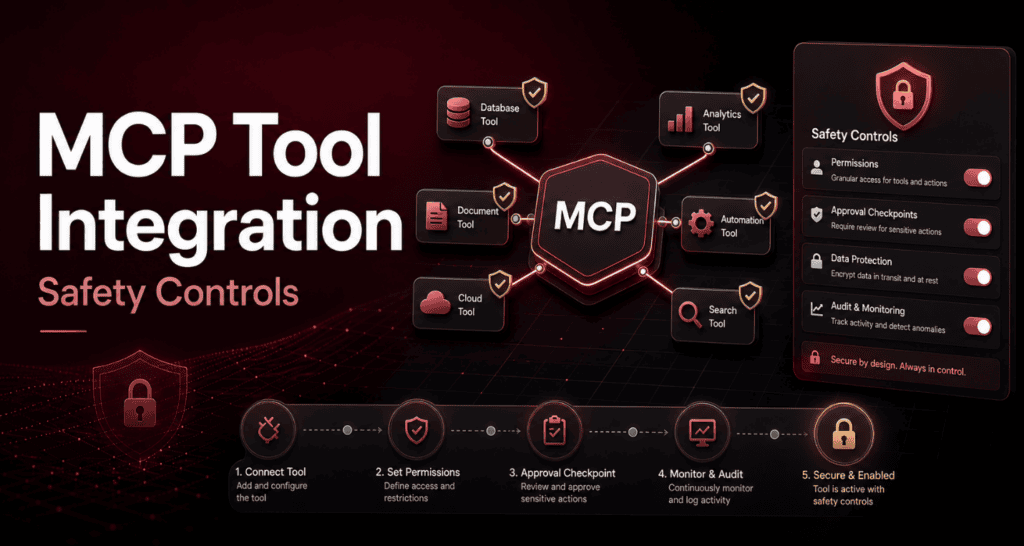
MCP (Model Context Protocol) standardizes how assistants discover and call tools. It reduces brittle SDK glue and improves auditability because tools are described and permissioned explicitly.
Our team reviewed recent public moves toward MCP—including a post showing video generation callable from assistants—evidence that tool ecosystems are shifting into agent workflows. Design a tool layer with:
- Explicit schemas and idempotent operations
- Budget and time limits per call
- Input sanitization and output validation
- Allow/deny lists and human-in-the-loop escalation for risky actions
Creative tool layer
Plan media tools as permissioned agent operations
Mid-workflow creative needs are common in marketing agents; if your stack includes external services for text-to-speech, video creation, remixing, or enhancement, plan your tool layer similarly. Useful references for those tasks include VidAU AI Video, URL to Video, Text to Speech, VidAU Vid Remix, Video Enhancer, UGC Avatars, and Text to Video.
- VidAU AI Video
- URL to Video
- Text to Speech
- VidAU Vid Remix
- Video Enhancer
- UGC Avatars
- Text to Video
How Do I Apply the Principles of Building AI Agents Step by Step?
This numbered flow keeps reliability, latency, and cost in balance.
STEP 1
Define tasks and constraints
Specify inputs, forbidden actions, SLAs, and budgets; write acceptance tests.
STEP 2
Choose the LLM and embeddings
Select models for quality and latency; align embedding dims with your vector DB.
STEP 3
Build retrieval
Ingest text, chunk with overlap, index in ChromaDB or Pinecone, test k values.
STEP 4
Add re-ranking and citations
Promote top passages with a re-ranker; require sources in outputs.
STEP 6
Add state with LangGraph
Implement nodes for retrieve → reason → act; add retries and timeouts.
STEP 7
Integrate tools via MCP
Register tools with schemas, rate limits, and allow/deny policies.
STEP 8
Evaluate and tune
Run evals for answer quality, groundedness, latency p95, and token spend; adjust chunk size, top-k, re-ranker, and prompt instructions.
STEP 9
Ship with observability
Log prompts, retrieved docs, tool calls, and costs; alert on error spikes.
I reviewed public labs showing that large-corpus performance is gated by retrieval latency and re-ranking more than by adding agents. Prioritize those knobs before complexity.
Build a grounded AI agent workflow
Start small: one grounded agent with clean retrieval, citations, and stateful orchestration.
Common Mistakes That Break Agents
Watch out
- Skipping fundamentals: Adding multi-agent workflows before fixing retrieval.
- Oversized chunks: Blowing the context window and degrading answer focus.
- Missing re-ranking: Returning top-k by cosine alone and amplifying noise.
- No citations: Losing auditability and trust with stakeholders.
- Unbounded tools: Allowing long or expensive calls without limits.
- No eval loop: Shipping without quality/latency/spend regression tests.
Key takeaway
Final Thoughts
Start small: one grounded agent with clean retrieval, citations, and stateful orchestration. Add tools via MCP only after you can measure quality, latency, and spend with confidence. When your workflows involve media tasks, plan tool calls as first-class, permissioned operations; for inspiration on creative tasks, see VidAU AI Video or URL to Video.
If your goal is production reliability—or preparing for a certificate in building autonomous AI agents—this fundamentals-first blueprint will carry you further than multi-agent experiments done too early.
FAQ
These questions cover the article’s core principles, framework choices, vector databases, MCP, hallucination reduction, architecture, evaluation, and certification.
What are the core principles of building AI agents?
Start with LLM mechanics and tokens, represent knowledge with embeddings, ground outputs with RAG, orchestrate multi-step state with LangGraph, and integrate tools through MCP with strict safety and budgets. Evaluate continuously for quality, latency, and cost, and add multi-agent complexity only when metrics demand it.
Which frameworks for building AI agents should I learn first?
Begin with LangChain for components (retrievers, prompts, tools), then use LangGraph when you need stateful, branching workflows. Learn RAG patterns with a vector database such as ChromaDB or Pinecone, and adopt MCP for standardized, permissioned tool calls that assistants can discover and execute safely.
How do I choose between ChromaDB and Pinecone for my vector database?
Use ChromaDB for local development, small-to-mid corpora, and quick iteration with minimal ops. Choose Pinecone when you need managed scale, low-latency queries at volume, and production-ready operations. Match the choice to corpus size, target latency, filtering needs, and your team’s operational capacity.
What is MCP and why does it matter for agents?
The Model Context Protocol (MCP) standardizes how assistants discover, describe, and call tools. It reduces brittle SDK coupling, improves security with permissions and schemas, and aligns with an ecosystem trend toward assistant-callable services. Design your tool layer around MCP to simplify integration and auditing.
How do I reduce hallucinations in agent outputs?
Use RAG with tuned chunking and overlap, add a re-ranker to improve top-k precision, and require citations with quoted spans. Constrain the agent’s operating domain, validate tool outputs, and reject or abstain when confidence is low. These steps consistently improve factuality and trust.
Do I really need a multi-agent architecture?
Not at first. A single, well-orchestrated agent with solid retrieval, citations, and tool guards often meets production needs. Only introduce additional agents when evaluation shows clear, repeatable gains that justify the added complexity, latency, and cost.
How should I evaluate latency and cost for an agent?
Track p50/p95 latency for retrieval, reasoning, and tool calls, plus token spend per request and per successful completion. Set budgets and SLAs, then tune chunk size, top-k, re-ranking, and prompts. Add timeouts and caching where appropriate, and alert on regressions after releases.
How does this help with a certificate in building autonomous AI agents?
Certificates often emphasize fundamentals and safe deployment. This blueprint maps directly to those outcomes: LLMs and tokens, embeddings and vector databases, RAG grounding, LangChain/LangGraph orchestration, MCP-based tool calls, and evaluation for quality, latency, and cost—skills you can demonstrate with a working agent.






