AI Avatar App Review · Mobile Talking Avatar Tools
Reviews of AI Avatar Generators with Mobile Apps: Best Tools for Talking Avatars
Explore reviews of AI avatar generators with mobile apps. Compare DreamFace, Captions AI Twin, BIGVU, RoboNeo, pricing, value for money, and fast mobile export options.
By the VidAU Editorial Team · AI avatar app review · 2026 mobile guide
If you’re looking for reliable reviews of AI avatar generators with mobile apps, this guide compares the tools that deliver the most realistic talking avatars directly from your smartphone.
If you’re searching for AI avatar generators that can create lifelike talking avatars directly from your phone, the short answer is this: DreamFace and Captions AI Twin are the strongest mobile-first picks in 2026, with BIGVU and RoboNeo close behind. This guide covers the best reviews of ai avatar generators with mobile apps, focused on realism, value, and how fast each app exports finished video.
This is for content creators, YouTubers, and social media marketers who want a phone-only workflow instead of desktop software. We compared lip-sync quality, free vs paid trade-offs, and export speed, then flagged where each app falls short so you can pick the right tool for short-form video and faceless channels.
Quick Summary
- DreamFace is the best all-in-one mobile app for creating realistic talking avatars with lip-sync directly on iOS and Android.
- Captions AI Twin is the strongest alternative for cloning yourself into a digital twin that mirrors your expressions and voice from a phone recording.
- Most free plans export watermarked video, so the real cost is the upgrade you need to remove watermarks and unlock faster, longer exports.
- Creators building faceless channels and short-form ads benefit most, since these apps skip cameras, recording, and desktop editing entirely.
In This Guide
- What an AI avatar generator with a mobile app is
- Why mobile-first avatar creation matters for creators
- DreamFace and RoboNeo reviewed for realistic avatars on the go
- Captions AI Twin and BIGVU reviewed as digital twin apps
- Where HeyGen and Synthesia fit for mobile users
- Pricing, value for money, and hidden costs compared
- Fast video export options and mobile rendering speed
- Common mistakes creators make with mobile avatar apps
- Final Thoughts
- FAQ
What Is an AI Avatar Generator with a Mobile App?
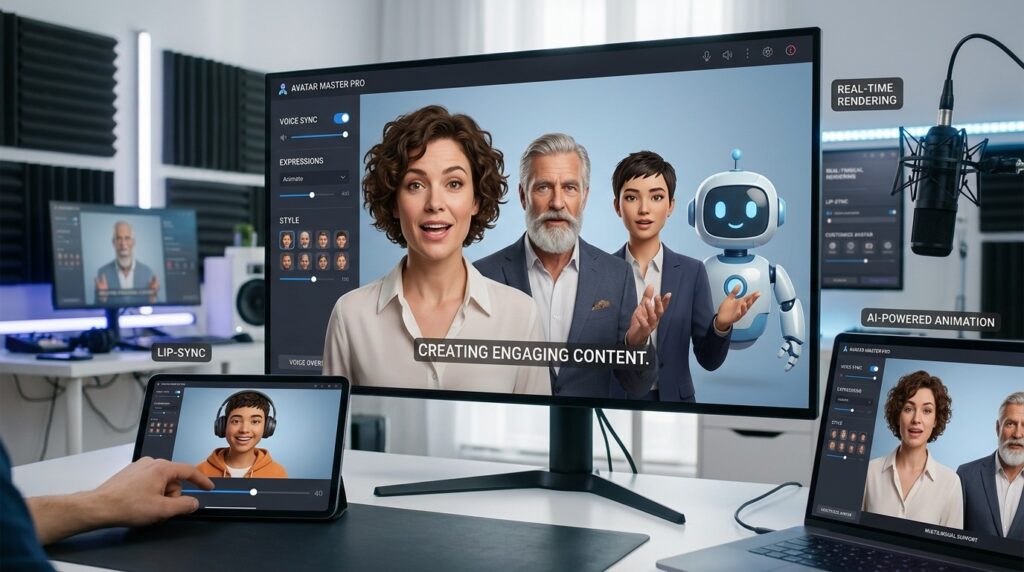
An AI avatar generator with a mobile app is software that creates a talking, animated digital character from a photo, recording, or script, with full creation and export running on your phone. The best mobile apps handle avatar generation, lip-sync, voice, and rendering without a desktop.
These tools sit in the wider AI video category alongside text to video and UGC video tools. Some, like VidAU AI, work as an AI video ad platform that generates video ads from product URLs, images, or scripts in 49 languages, while dedicated avatar apps focus on a single talking character per video.
Key Takeaways
- Mobile avatar apps cover generation, lip-sync, voice, and export in one place.
- Talking avatars and digital twins are different: one builds a character, the other clones you.
- Faceless channels and short-form ads are the most common use cases.
Why Mobile-First Avatar Creation Matters for Creators
Mobile-first avatar creation matters because most short-form video is now planned, shot, and published from a phone. The freshest 2026 and late-2025 tutorials show creators building, animating, and exporting talking avatars without ever opening a laptop.
That shift changes how you should compare tools. When everything runs on your phone, processing power, app stability, and export speed matter as much as raw realism. A clip that renders fast and posts cleanly beats a slightly sharper avatar that freezes mid-generation.
For faceless creators, the appeal is obvious: no camera, no on-screen presence, and a repeatable workflow. If you want a broader option for ad-style content, UGC Avatars (https://www.vidau.ai/ugc-avatars/) and VidAU AI Video (https://www.vidau.ai/vidau-ai-video/) cover spokesperson and product video angles that pure avatar apps usually skip.
Mobile workflow note
When everything runs on your phone, processing power, app stability, and export speed matter as much as raw realism. A fast, reliable export can beat a sharper avatar that freezes mid-generation.
DreamFace and RoboNeo Reviewed for Realistic Avatars on the Go
DreamFace is the most complete mobile app in this group for turning a still image into a talking, blinking avatar with natural lip-sync. Recent tutorials show a three-step flow: generate or upload a face, add a script or voice, then export, all inside the app.
DreamFace also includes an Act feature for adding motion and a built-in option creators use to handle watermarks on paid tiers. I reviewed and analysed the available tutorials, and the practical takeaway is that DreamFace covers the full mobile loop better than most single-purpose tools.
Verdict: Best mobile pick for realistic talking avatars with the fewest app-switches.
RoboNeo works best as part of a free, multi-app workflow rather than a standalone solution. In the most-viewed mobile tutorials, creators pair RoboNeo with Google Gemini for image generation, DreamFace for animation, and VN Editor for final touches.
That stack is genuinely free, but it is also more fiddly. You move files between apps, which slows you down and uses more phone storage.
Verdict: Good for budget-only, zero-cost workflows if you accept extra steps.
If your real goal is short-form ad video rather than a single talking head, text to video and URL to video can replace several of these steps with one input.
Tip
Choose DreamFace when you want the full mobile loop in one app. Choose RoboNeo only when a free multi-app stack matters more than speed and convenience.
Captions AI Twin and BIGVU Reviewed as Digital Twin Apps
Captions AI Twin is the strongest mobile app for cloning yourself into a digital avatar that mirrors your real expressions and voice. The setup is short: download the app, record a brief sample to create your AI Twin, then generate videos from text.
This is the right tool when you want your own face on camera without filming every time. It is less useful if you want a fictional or stylized character, since the whole point is replicating you.
Verdict: Best mobile digital twin for creators who want their own likeness.
BIGVU AI Avatar Twin targets a similar digital-twin use case with iOS and Android apps and a teleprompter-style workflow. It leans toward marketers and talking-head video makers who want a realistic twin plus script tools in one place.
BIGVU is solid but more business-leaning than playful. For faceless or character-based content, DreamFace fits better; for spokesperson-style marketing clips, BIGVU is a reasonable mobile option.
Verdict: Practical for marketers, less suited to faceless character channels.
Digital twin note
Captions AI Twin and BIGVU are strongest when you want your own likeness. DreamFace and RoboNeo fit better when you want fictional, stylized, faceless, or character-based avatar content.
Where Do HeyGen and Synthesia Fit for Mobile Users?
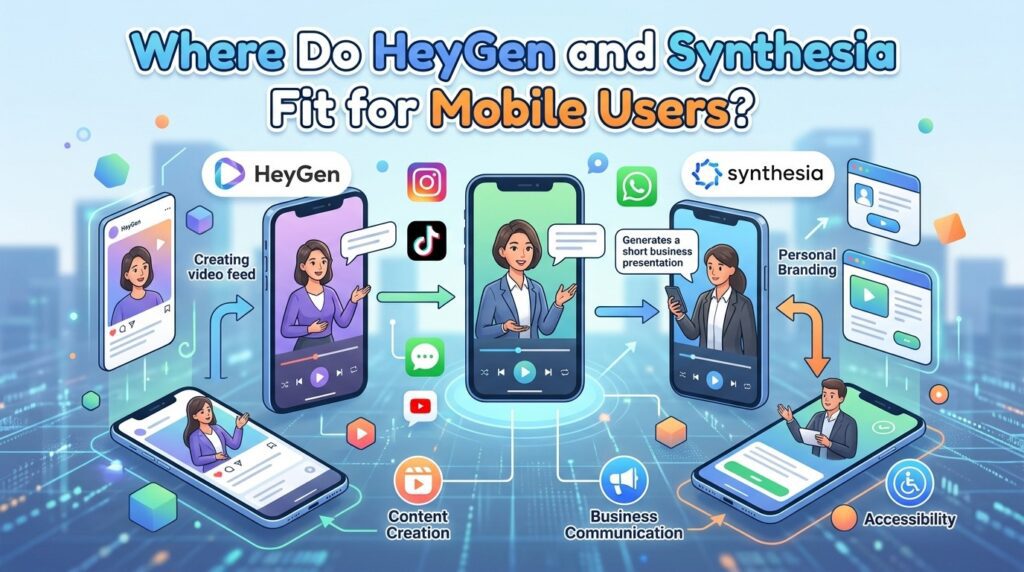
HeyGen and Synthesia produce excellent avatar quality, but both are desktop-first platforms with limited mobile workflows. Most beginner tutorials, including 2026 walkthroughs, demonstrate them on a computer rather than a phone-only flow.
That matters for this comparison. If your requirement is a complete mobile workflow, these tools are not the natural fit, even though their output can look more polished. Treat them as quality references, not phone-first apps.
| Tool | Mobile Workflow | Best For |
|---|---|---|
| DreamFace | Strong, full in-app | Realistic talking avatars |
| Captions AI Twin | Strong, phone-recorded | Cloning your own likeness |
| BIGVU | Good, app-based | Marketing talking heads |
| RoboNeo | Partial, multi-app | Free zero-cost stacks |
| HeyGen / Synthesia | Limited, desktop-first | Top output quality |
If you need something between an avatar app and a desktop suite, VidAU sits in the AI video ad space and runs script, image, or URL inputs into finished video.
Create With VidAU Now
Use VidAU AI Video, UGC Avatars, Text to Video, URL to Video, Text to Speech, and Video Enhancer when you need finished ad-style videos, spokesperson angles, cleaner voice control, and product-led workflows beyond a single mobile talking avatar.
VidAU workflow
Where VidAU fits beside mobile avatar apps
- Use DreamFace for phone-only talking avatars: Choose DreamFace when you want a still image turned into a talking, blinking avatar with natural lip-sync and fewer app-switches.
- Use Captions AI Twin or BIGVU for your likeness: Choose these tools when you want a digital twin that mirrors your expressions and voice from a phone recording.
- RoboNeo for zero-cost stacks: Choose RoboNeo when free matters more than convenience and you can accept moving files between multiple app
- HeyGen or Synthesia for desktop-first quality: Treat them as quality references when output polish matters more than a complete phone-only flow.
- Use VidAU for finished ad-style video: Choose VidAU AI Video, UGC Avatars, Text to Video, or URL to Video when the goal is product, ad, or spokesperson-style content rather than one standalone avatar clip.
Pricing, Value for Money, and Hidden Costs Compared
The best value for money in mobile avatar apps is rarely the lowest sticker price. It is the plan that produces usable, watermark-free, fast-exporting video without wasted credits. Buyer sentiment across AI video tools backs this up.
In our review of broader AI video buyer feedback, the loudest complaints were not about price tags but about wasted credits, inconsistent generations, freezes during generation, and subscriptions that quietly consumed value. One review profile we analysed paired strong ease-of-use praise with heavy frustration over confusing credits.
The practical lesson: a cheap plan that fails a generation costs you twice. When comparing apps, weigh credit reliability and free-tier limits, not just monthly cost. Free tiers usually export watermarked clips, so factor in the upgrade you actually need.
Key Takeaways
- Value means reliable output, not just a low price.
- Wasted credits and freezes are the real hidden costs.
- Most free exports carry a watermark you will want removed.
Hidden cost warning
A cheap plan that fails a generation costs you twice. When comparing apps, weigh credit reliability, generation consistency, free-tier limits, watermarks, and export speed, not just monthly cost.
How Fast Are Mobile Export Options for Avatar Videos?
Export speed on mobile depends on clip length, resolution, and your phone’s processing power, not just the app. For typical short-form content under 60 seconds, DreamFace and Captions render fast enough for daily posting, while longer or higher-resolution exports slow down on older devices.
There is a quality trade-off worth knowing. Creators often chase maximum export settings expecting sharper results, but if the source avatar render is not high-resolution, pushing 4K mainly stretches pixels and adds processing time. Platform compression after upload also softens detail, so match your export to the source and the destination feed.
If you finish an avatar clip and the footage looks soft, a dedicated Video Enhancer is a better fix than forcing a higher export setting. For voice work, Text to Speech gives more control than some in-app voices.
CTA: Create with VidAU Now
Export tip
Match your export to the source and destination feed. If the source avatar render is not high-resolution, forcing 4K mainly stretches pixels and adds processing time.
Common Mistakes Creators Make with Mobile Avatar Apps
The most common mistake is choosing an app on output quality alone and ignoring the full mobile workflow. A sharper avatar that freezes, eats credits, or only exports on desktop is worse than a slightly simpler app that finishes the job on your phone.
A few patterns to avoid:
- Stacking too many free apps, which adds steps, storage use, and failure points.
- Assuming free means watermark-free, then needing an upgrade anyway.
- Maxing export resolution when the source render cannot support it.
- Expecting desktop-first tools like HeyGen or Synthesia to deliver a phone-only flow.
Many creators move toward simpler tools precisely because mobile editors keep gating features behind credits. Once a free feature becomes credit-gated, the comparison shifts from capability to economic fit for repeat use.
Watch out
Do not choose an app on output quality alone. A sharper avatar that freezes, eats credits, or only exports on desktop is worse than a slightly simpler app that finishes the job on your phone.
Key takeaway
Final Thoughts
For a true phone-only workflow, DreamFace is the best starting point for realistic talking avatars, and Captions AI Twin wins if you want to clone your own likeness. BIGVU suits marketers, RoboNeo suits free multi-app stacks, and HeyGen or Synthesia stay desktop-first despite strong output.
Pick based on workflow fit and export reliability, not just realism. If your real goal is product or ad video rather than a single talking head, explore VidAU AI Video and UGC Avatars to turn scripts, images, or URLs into finished video without recording yourself.
FAQ
Here are answers to common questions about reviews of AI avatar generators with mobile apps, DreamFace, Captions AI Twin, BIGVU, RoboNeo, HeyGen, Synthesia, mobile talking avatars, digital twins, watermarks, value for money, export speed, and faceless YouTube workflows.
What is the best AI avatar generator with a mobile app?
DreamFace is the best all-in-one mobile app for realistic talking avatars in 2026, since it handles generation, lip-sync, motion, and export on iOS and Android. Captions AI Twin is the strongest alternative when you want a digital twin of yourself created entirely from a short phone recording.
Can I create a realistic talking avatar entirely on my phone?
Yes. Apps like DreamFace, Captions AI Twin, and BIGVU let you generate, animate, lip-sync, and export talking avatars without a desktop. Some free workflows pair RoboNeo, Google Gemini, and VN Editor, but those require moving files between apps and use more storage than a single all-in-one app.
Which AI avatar generator offers the best value for money?
The best value comes from apps with reliable generations and clear free limits, not the cheapest plan. Wasted credits, freezes, and watermarked exports are the real costs. DreamFace offers strong value for a single mobile app, while free multi-app stacks save money but cost extra time and effort.
Are HeyGen and Synthesia good mobile apps?
HeyGen and Synthesia produce high-quality avatars but are desktop-first platforms with limited mobile workflows. Most tutorials, including 2026 walkthroughs, run them on a computer. If you need a complete phone-only process, mobile-native apps like DreamFace or Captions AI Twin are a better fit.
Do free AI avatar apps add a watermark?
Most free tiers export watermarked video and reserve faster, longer, or higher-resolution exports for paid plans. Treat watermark removal and credit limits as the real cost of going free. Read each app’s free-plan terms before committing, since the upgrade you need often defines the actual price.
Which AI avatar app exports videos the fastest on mobile?
Export speed depends on clip length, resolution, and your phone’s processing power. For short-form clips under 60 seconds, DreamFace and Captions render quickly enough for daily posting. Avoid maxing resolution when the source avatar render is lower quality, since it adds processing time without adding real detail.
What is the difference between a talking avatar and a digital twin?
A talking avatar is a generated character, often fictional or stylized, that speaks and animates from your script. A digital twin clones your real face, expressions, and voice. DreamFace and RoboNeo lean toward avatars, while Captions AI Twin and BIGVU focus on cloning your own likeness for talking-head video.
Are mobile AI avatar apps good for faceless YouTube channels?
Yes. Mobile avatar apps suit faceless channels because they create talking presenters without a camera or on-screen appearance. DreamFace and free app stacks are popular for this in 2026. For product or ad-style faceless content, broader AI video tools that accept scripts, images, or URLs can be more efficient.