Програма за гледане в TikTok е инструмент или страница, която позволява на хората да гледат профили, видеоклипове или истории в TikTok, често с претенции за “анонимно” гледане или допълнителни статистики. Някои от тях са безобидни директории, други изискват влизане, събират данни или обещават фалшиви прегледи. В това ръководство е обяснено как се използва инструментът TikTok Viewer AI Tool, кое е безопасно, какво да избягвате и как да получите истински гледания.
Какво е TikTok Viewer и как работи?
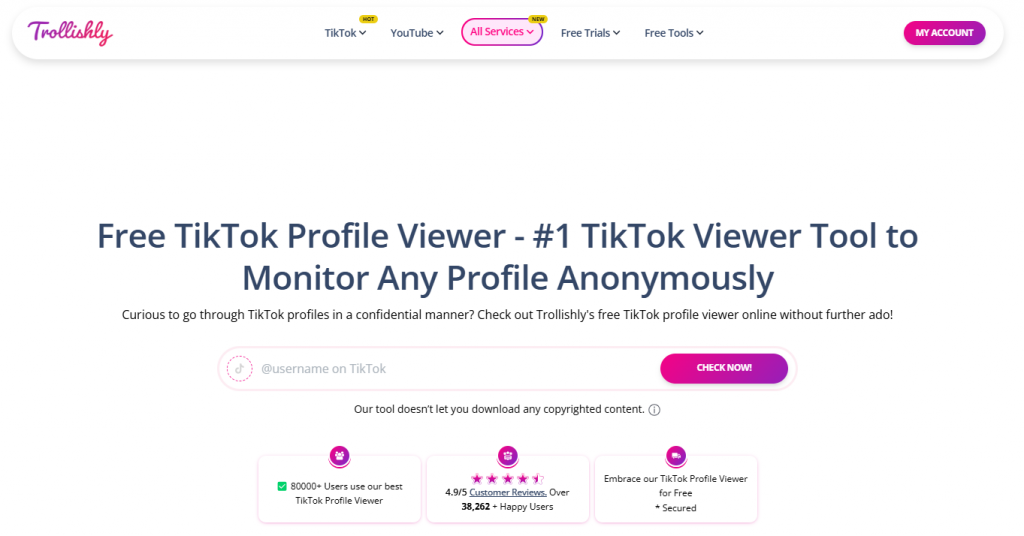
“TikTok Viewer” обикновено се отнася за уеб инструменти на трети страни, които показват публично съдържание на TikTok, без да отварят приложението TikTok. Общи категории:
- Преглед на профили (разглеждане на публични профили и публикации)
- Зрители на разкази/разкази (гледайте разкази или кратки видеоклипове извън приложението)
- Изтеглящи устройства и огледала (запазване на публични видеоклипове, гледане без приложение)
- Наблюдатели на статистики (основни публични показатели, а не официални анализи)
Извод: Не всички зрители са равни. Инструментите, които претърсват публични страници, са често срещани; всичко, което иска вашето потребителско име в TikTok, инсталира устройства или обещава “достъп до личен профил”, е червен флаг.
Безопасен (и законен) ли е Viewer на TikTok?
Прегледът на TikTok е безопасен, когато показва само публично съдържание и никога не иска влизане или инсталиране. Избягвайте всеки “визуализатор”, който обещава достъп до личен профил, анонимни действия от ваше име или безплатни/фалшиви изгледи. Те могат да нарушат правилата на платформата, да разкрият данните ви и да навредят на обхвата на профила.
Правна забележка: Преглеждането на публично съдържание обикновено е законно; заобикалянето на контрола на достъпа или злоупотребата с лични данни не е. Винаги преглеждайте политиката за поверителност на даден инструмент.
Като цяло е безопасно: сайтове само за четене, които показват публично съдържание и не изискват влизане или инсталиране.
Рискови: Инструменти, които изискват идентификационни данни, претендират за преглед на лични профили или въвеждат фалшиви прегледи/ангажименти. Те могат да нарушат правилата на платформата и да застрашат профила ви.
Извод: Ако зрителят иска вашето потребителско име, твърди, че има “частен достъп”, или обещава автоматизирано участие, откажете се.
Официални функции на TikTok срещу “зрители” на трети страни (сравнение)
| Случай на употреба | Официални функции на TikTok | Страници на трети страни за “гледане” | Рискове и бележки |
|---|---|---|---|
| Преглед на публични профили/видеоклипове | Сърфиране в приложенията, търсене | Огледала на публичното съдържание | Безопасно, ако е само за четене; избягвайте покани за влизане |
| Анализи и прозрения | Анализ/студио за създатели | “Зрители на статистики” с ограничени публични показатели | Официалните инструменти са по-точни и безопасни |
| Преглед на историята | В приложението, според настройките за поверителност | “Зрителите на истории” претендират за анонимно гледане | Пазете се от фалшиви “анонимни” твърдения |
| Изтегляне на видеоклипове | Запазване в рамките на приложението (ограничено) | Изтеглящи устройства за публични публикации | Авторски права на ума и съгласие на автора |
| Увеличаване на прегледите | Качество на съдържанието, разпространение | “Безплатни изгледи” – генератори | Фалшивите изгледи могат да унищожат обхвата и доверието |
Извод: Използвайте официални инструменти за анализ и разпространение; третирайте TikTok браузърите на трети страни като помощни програми само за четене – нищо повече.
Как можете да получите безплатни гледания в TikTok безопасно?
Получавате безплатни показвания в TikTok, като публикувате гледаеми клипове с нишова насоченост, които привличат вниманието. Започнете с остри куки, ясни надписи и полезен текст на екрана. След това публикувайте по постоянен график и се стремете към повторения и запаметявания. След това си сътрудничете с Duet и Stitch, за да достигнете до съседни аудитории. И накрая, поддържайте промените в съответствие с това, което вече се харесва на вашите зрители. Това е най-сигурният път към безплатен ръст на гледанията в TikTok.
Как TikTok отчита “преглед” (какво всъщност има значение)

- Прегледът обикновено се регистрира, когато даден видеоклип започне да се възпроизвежда за кратко време.
- Сигналите за качество –степен назавършване, повторения, споделяния, коментари, запаметявания – имат много по-голямо значение за разпространението, отколкото суровите гледания.
- Последователността и уместността (честота на публикуване, тематична насоченост) помагат на видеоклиповете да достигат по-често до правилната аудитория.
Извод: Оптимизирайте за времето на гледане и споделянията, а не само за първоначалния брой гледания.
Контролен списък от 7 стъпки за безплатни прегледи в TikTok
- Изберете една ниша и напишете пет кратки идеи.
- Отворете силна страница за три секунди с текст на екрана.
- Добавете надписи с възможност за търсене и точни етикети.
- Дует или шев на връстник, който аудиторията ви гледа.
- Публикувайте на повтарящи се прозорци в продължение на две седмици.
- Проследяване на степента на завършване и проследяване на изгледа.
- Редактирайте отново слабите клипове и проверете отново времето.
Какво е зрител на профил в TikTok и анонимен ли е той?
Това е страница на трета страна, която претендира за поверително сърфиране. Вашата препратка популяризира браузър за преглед на профили в TikTok с “истински, надежден и анонимен” език и прости стъпки. Тези твърдения обаче са външни за функциите и политиките на TikTok. Отнасяйте се към тях като към маркетинг, а не като към гаранции. Преди да използвате, сравнете всяко твърдение с контролите в приложението.
Практически бележки за Viewer на профила на TikTok
- Отнасяйте се към “анонимен” като към външна претенция, а не като към обещание в приложението.
- Избягвайте инструменти, които изискват идентификационни данни или рискови изтегляния.
- Предпочитайте официалните показатели и настройките за поверителност за точност.
- Рекламите могат да се считат за фокусиран преглед след достигане на праговете за внимание.
- Органичните показвания в TikTok отразяват общия брой възпроизвеждания, но контекстът е от значение.
- Свържете изгледите с времето на часовника и спестяванията, за да прецените успеха.
Къде функциите на приложенията надделяват над функцията за преглед на профили в TikTok?
Те печелят по отношение на точността и поверителността. Историята на прегледите на профила показва последните посетители на профила, когато това е разрешено в Настройки и поверителност. Историята на прегледа на публикациите е отделна и се отнася за публикациите, а не за профилите. Тези контроли в приложението са официални и документирани. Затова ги предпочитайте пред преглед на профила в TikTok, когато точността е от значение. Използвайте инструментите само за предпазливо проучване на публично съдържание.
Преглед на профила История Vs Външни инструменти
- Историята на прегледа на профила е с опция за включване и показва реални посещения.
- Историята на прегледа на публикациите обхваща само публикациите, а не профилите.
- Външните сайтове за “гледане” са извън правилата на TikTok.
Кога трябва да обмисляте инструменти за преглед?
Трябва да ги разглеждате само за публични проучвания и с повишено внимание. В някои списъци се сравняват инструменти “TikTok Viewer“, които претендират за анонимно сърфиране или изтегляне. Въпреки това те не са официални и може да имат ограничения или рискове. Винаги проверявайте законността, политиката на марката и безопасността на данните, преди да ги използвате. За растеж все пак се нуждаете от безплатни TikTok прегледи от съдържание, което отговаря на вашата аудитория.
Сравнителна таблица
| Опция | Какво прави | Точност | Поверителност/Контрол | Изтегляне на поддръжка | Бележки |
| Приложение TikTok – за вас и следване | Препоръчва видеоклипове и ви позволява да откривате съдържание | Висока | Потребителски контрол; филтри за съдържание | Не | Официални характеристики; в съответствие с политиката. |
| Приложение TikTok – профил Преглед на историята | Показва последните посетители на профила (opt-in) | Висока | Превключване в приложението; обратимо | Не | Най-доброто решение за проверки на реални посещения. |
| Приложение TikTok – Преглед на публикацията История | Показва кой е разглеждал публикациите (отделен контрол) | Висока | Настройка за поверителност в приложението | Не | Не за профили; само за публикации. |
| Връзка за справка: Trollishly “Безплатен TikTok профил Viewer” | Преглежда профили “поверително” | Неизвестно | Външна услуга; претенции за анонимност | Понякога | Не е свързано с TikTok; използвайте внимателно. |
| Прегледи на инструменти (примери) | Списък с онлайн зрители и програми за изтегляне | Смесени | Варира в зависимост от обекта и инструмента | Често | Използвайте само за публични изследвания. |

Заключение
Използвайте функциите на TikTok Viewer в приложението, когато точността и поверителността са от значение, и се отнасяйте внимателно към твърденията за външни “зрители”. Увеличавайте броя на прегледите в TikTok, като се съобразявате със сигналите “За вас” и с последователно, полезно съдържание. Ако изпробвате програма за гледане на профил в TikTok, сравнявайте всяко твърдение с официалните контроли и с нуждите на вашата политика. И накрая, преследвайте устойчив обхват с тестване, ясни CTA и етични практики.