

Product Storytelling


 Claude
 ChatGPT
 Cursor
 Codex
Codex OpenClaw
Copy the VidAU Connector URL
Add the approved VidAU MCP endpoint
Add VidAU to Your AI Assistant
Open your agent’s connector settings. Name it VidAU, and paste the connector URL.
Authenticate
Sign in to VidAU and grant access. Your AI agent can now generate and edit video assets instantly.

Turn this product URL into a 20-second TikTok ad. Use the product details and visuals from the page, lead with the strongest benefit, show 3 key selling points, add short text overlays, and end with a clear shop-now CTA
Three short scripts are in progress, with presenters matched to the audience and product-focused 9:16 videos generated with captions.
Each concept will enter a controlled test with separate audiences. Results will show which hook produces the strongest response.
 Seedance 2.59:16
 15s
15s Audio
Audio


 Result
 0k+134%
 0k+95%
Run market research, product data, creative planning, script writing, video generation, and scene editing inside one chat window.
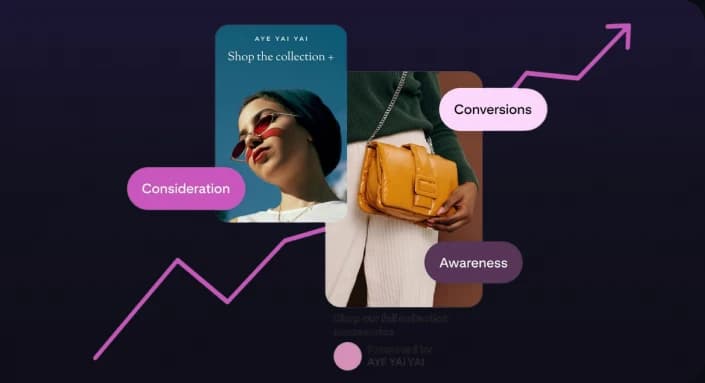
Prompt your AI agent, extract product details from a URL, draft a hook, write a script, and trigger VidAU to build an ad video with a custom avatar.
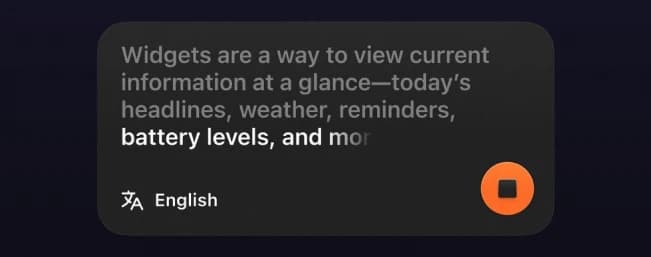
Command your agent to build videos for TikTok and widescreen cuts for YouTube from a single prompt.
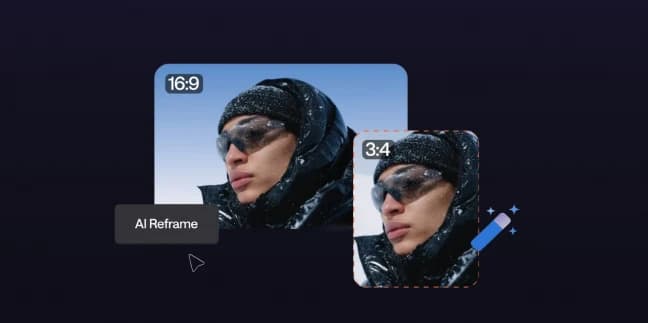
Reuse previous generations to change voices, lighting, backgrounds, or messaging without restarting. Faster loops, Fewer credits burned
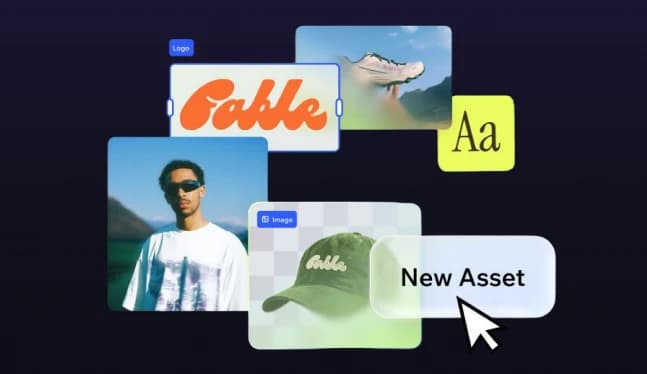
AI agents use VidAU tools to turn text outputs into complete video ads, product promos, or faceless viral clips.

Access VidAU tools from any supported MCP client.
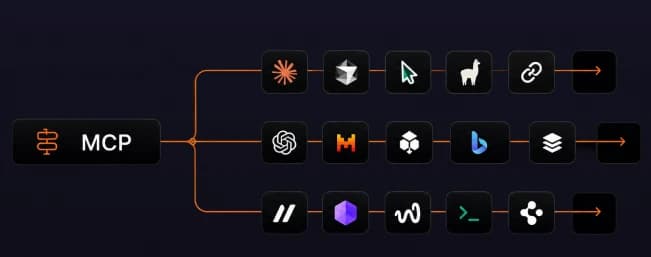

Reduce Manual Handoffs
Keep your brief, requests, outputs, and revision history inside a single agent session.

Cleaner Input Mapping
Translate plain text requests directly into structured parameters like ratio, duration, language, and target model.

Faster Variant Production
Reuse product context automatically to produce multiple creative variations in seconds.

Consistent Campaign Context
Pass approved product details, brand assets, and audience guidelines into every subsequent generation.

Composable Agent Workflows
Add tools directly into multi-step agent pipelines alongside research, copywriting, and distribution.

Human Oversight
Review product claims, creative alignment, and visual accuracy before assets go live.
ByteDance · Product Precision · Smooth Motion

Kuaishou · Object Accuracy · Human Motion

Premium Resolution · Brand Quality

Google DeepMind · Cinematic Realism · Native Audio
Aesthetic Range · Consistent Characters

OpenAI · Controlled Campaign Frames

Stylized Motion · Social-First Cuts

ByteDance · Product Precision · Smooth Motion
Kuaishou · Object Accuracy · Human Motion
Premium Resolution · Brand Quality
Google DeepMind · Cinematic Realism · Native Audio
Aesthetic Range · Consistent Characters
OpenAI · Controlled Campaign Frames
Stylized Motion · Social-First Cuts
ByteDance · Product Precision · Smooth Motion
Kuaishou · Object Accuracy · Human Motion
Premium Resolution · Brand Quality
Google DeepMind · Cinematic Realism · Native Audio
Aesthetic Range · Consistent Characters
OpenAI · Controlled Campaign Frames
Stylized Motion · Social-First Cuts
ByteDance · Product Precision · Smooth Motion
Kuaishou · Object Accuracy · Human Motion
Premium Resolution · Brand Quality
Google DeepMind · Cinematic Realism · Native Audio
Aesthetic Range · Consistent Characters
OpenAI · Controlled Campaign Frames
Stylized Motion · Social-First Cuts
ByteDance · Product Precision · Smooth Motion
Kuaishou · Object Accuracy · Human Motion
Premium Resolution · Brand Quality
Google DeepMind · Cinematic Realism · Native Audio
Aesthetic Range · Consistent Characters
OpenAI · Controlled Campaign Frames
Stylized Motion · Social-First Cuts
ByteDance · Product Precision · Smooth Motion
Kuaishou · Object Accuracy · Human Motion
Premium Resolution · Brand Quality
Google DeepMind · Cinematic Realism · Native Audio
Aesthetic Range · Consistent Characters
OpenAI · Controlled Campaign Frames
Stylized Motion · Social-First Cuts
ByteDance · Product Precision · Smooth Motion
Kuaishou · Object Accuracy · Human Motion
Premium Resolution · Brand Quality
Google DeepMind · Cinematic Realism · Native Audio
Aesthetic Range · Consistent Characters
OpenAI · Controlled Campaign Frames
Stylized Motion · Social-First Cuts
ByteDance · Product Precision · Smooth Motion
Kuaishou · Object Accuracy · Human Motion
Premium Resolution · Brand Quality
Google DeepMind · Cinematic Realism · Native Audio
Aesthetic Range · Consistent Characters
OpenAI · Controlled Campaign Frames
Stylized Motion · Social-First Cuts
ByteDance · Product Precision · Smooth Motion
Kuaishou · Object Accuracy · Human Motion
Premium Resolution · Brand Quality
Google DeepMind · Cinematic Realism · Native Audio
Aesthetic Range · Consistent Characters
OpenAI · Controlled Campaign Frames
Stylized Motion · Social-First Cuts