Video Advert Creator · AI-Powered Marketing Videos
Video Advert Creator: How to Make Professional Video Ads with AI Tools
Explore how a video advert creator can turn product images, scripts, and URLs into engaging ads. Compare top AI tools and create social-ready video campaigns in minutes.
By the VidAU Editorial Team · Video advert creator guide · 13 min read
A good video advert creator turns one product image or short script into a usable ad in minutes, so small teams can ship social-ready video without a studio budget.
A video advert creator is software that turns images, scripts, or product URLs into ad-ready video, and AI tools now make that fast enough for small teams to produce social ads in minutes. VidAU is an AI video ad platform that generates video ads from product URLs, images, or scripts in 49 languages. This guide compares the main options and shows the workflows that actually work.
If you run a small business, manage social accounts, or create marketing content on a tight budget, this is for you. We focus on two practical paths used in most recent tutorials: image-to-video and text-to-video. Both can produce short-form ads for Instagram Reels, TikTok, and YouTube Shorts without expensive editing software.
Quick Summary
- VidAU AI Video is the strongest video advert creator for marketers who need product ads from a URL, image, or script across 49 languages.
- An AI image to video generator like Flixier suits creators who want to animate a single product photo into short B-roll fast.
- Most ad platforms expect 9:16 vertical for Reels, TikTok, and Shorts, plus 1:1 for feed placements, so plan aspect ratio before you generate.
- Small business owners, digital marketers, and content creators benefit most when they need repeatable, affordable video advertising without a production crew.
In This Guide
- What a video advert creator is and how it works
- Why AI video advertising matters for small budgets
- Step-by-step image-to-video ad workflow using Flixier
- How to use text-to-video for script-based ads
- Best video advert creators compared by use case
- Platform-specific optimization for Reels, TikTok, and Shorts
- Common mistakes marketers make with AI video ads
- Final Thoughts
- FAQ
What Is a Video Advert Creator?
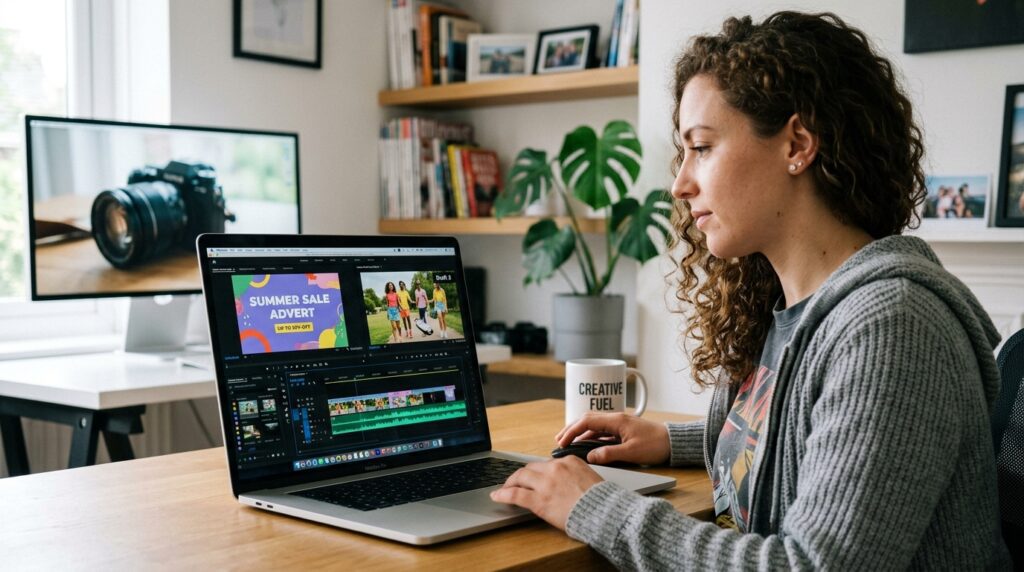
A video advert creator is a tool that turns raw inputs like product images, scripts, or URLs into finished video ads. AI versions automate the hardest parts: animating a still image, generating B-roll, adding voiceover, and formatting for social platforms. The result is ad content built in minutes instead of days.
Most modern tools fall into two camps. An AI image to video generator animates a photo you upload. A text-to-video tool builds scenes from a written prompt or script. Many platforms now offer both, plus a URL path that pulls product details directly from a store page.
Key Takeaways
- Image-to-video animates existing photos into short clips.
- Text-to-video generates scenes from a written script or prompt.
- URL-to-video pulls product data straight from a page to speed up ad creation.
Why AI Video Advertising Matters for Small Budgets
AI video advertising matters because it removes the cost wall that used to keep small teams off video. A traditional commercial means a shoot, editors, and a turnaround of weeks. An AI video advert creator compresses that into a single browser session for a fraction of the price.
The marketing team at VidAU AI reviewed how creators talk about these tools, and the recurring theme is economics, not raw quality. When CapCut moved its free AI video creation behind a credit system, users in the r/CapCut community didn’t argue about features. They said the old free feature was already “enough” for putting together a few AI images for a brand, then started hunting for alternatives.
That tells you something useful. For repeat ad creators, the real question is cost-per-usable-clip, not which model wins a demo. Failed generations and revision loops burn credits fast, which is why budget-conscious teams care about predictable output more than flashy effects.
Budget reality
For repeat ad creators, the real question is cost-per-usable-clip, not which model wins a demo. Failed generations and revision loops burn credits fast, so predictable output matters more than flashy effects.
How to Make an Image-to-Video Ad with Flixier (Step by Step)
The image-to-video workflow is the fastest way to turn a single product photo into a short ad clip. Flixier’s AI image to video tool follows a clean three-step pattern that most creators can finish in one sitting.
Step 1: Upload your image.
Open the AI image-to-video tool and drag your product photo into the upload area. A clean, well-lit photo gives the AI more to work with.
Step 2: Write a descriptive prompt.
Describe the motion you want, such as a slow camera push or a gentle background drift. Be specific, and name anything you want left out of the clip.
Step 3: Generate and preview.
Run the generation, then preview it in the media player before downloading or opening it in an editor.
Step 4: Edit and finish.
Add a hook caption, voiceover, and sound effects, then trim to length for your target placement.
This path is ideal for product videos and marketing B-roll. The catch is duration. Image-to-video clips are short, so you usually combine several with captions and audio to build a full ad.
Tip
Use a clean, well-lit product image and a descriptive motion prompt. Image-to-video clips are usually short, so plan to combine several clips with captions and audio for a full ad.
How to Use Text-to-Video for Script-Based Ads
Text-to-video is the better path when your ad needs a clear message rather than a single animated shot. You write a script, the tool builds scenes, and you refine the result. This works well for explainer-style ads and offer announcements.
The script-to-video approach has a real workflow advantage. Some tools, like Kapwing, turn a pasted script into a frame-by-frame storyboard you can inspect before committing, then keep the timeline editable layer by layer. That storyboard-first step matters for branded explainers because you can fix the plan before spending credits.
For VidAU users, you can start from a script with Text to Video, or skip writing entirely and generate an ad from a product page using URL to Video . If you only need narration for a clip you already cut, Text to Speech handles the voiceover.
Script-based ad workflow
Use text-to-video when your ad needs a clear message. A storyboard-first workflow helps you fix scenes before spending credits, then refine the generated result in an editable timeline.
Create Social-Ready Video Ads With VidAU
Use VidAU AI Video, URL to Video, Product Sample to Video, Text to Video, UGC Avatars, Vid Remix, Vid Remake, Video Enhancer, Object Remover, and Text to Speech when you need product-led ads, short-form variations, voiceover, and polished campaign assets.
VidAU workflow
Where VidAU fits in AI video advertising
- Start from a product URL: Use URL to Video when you want the tool to pull product details directly from a page and draft a video ad quickly.
- Get Started from product assets: Use Product Sample to Video or VidAU AI Image when you already have product photos, samples, or visuals that need to become ad content.
- Start from a script: Use Text to Video when the message is already written and the ad needs scenes, voiceover, captions, and formatting.
- Add a spokesperson angle: Use UGC Avatars when the ad needs a creator-led or talking-style format without filming an actor.
- Repurpose and polish winners: Use Vid Remix and Vid Remake for new variations, then Video Enhancer and Object Remover to clean generated clips before publishing.
Best Video Advert Creators Compared by Use Case
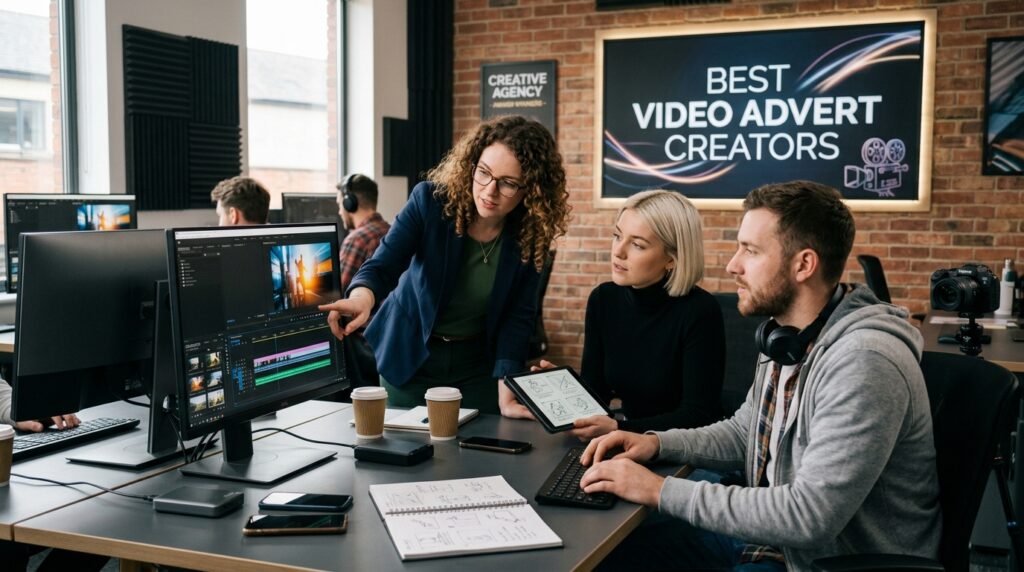
The best video advert creator depends on whether you need quick image animation, editable script-based ads, or product ads at scale. Here is how the main options compare for advertising work.
| Tool | Best For | Trade-off |
|---|---|---|
| VidAU AI | Product ads from URL, image, or script | Strongest for ad use cases, not film-grade cinematics |
| Flixier | Animating one image into B-roll | Short clips need stitching for full ads |
| Kapwing | Editable script-to-video workflows | Editing depth adds a small learning curve |
| Runway | Cinematic shots and creative control | Credit burn and finishing work add cost |
A few honest notes from our review of community feedback. Runway produces impressive shots, but the r/runwayml thread is full of complaints about credit burn and prompts being ignored, with one user calling it “a total waste of money.” A separate r/aivideo case study showed an AI car commercial still needed After Effects for logos, Premiere for editing, and Topaz for a 4K upscale. The lesson: model quality is only part of the job. The finishing stack often decides whether an ad looks production-ready.
Third-party pages can also flatten this. EaseMate, for example, repackages Runway as a one-click free utility, which sells accessibility over workflow depth. That gap between “one-click free” framing and real editing control is worth keeping in mind when you compare tools.
Where does VidAU fit? It’s built around ad creation specifically, which is why the URL-to-video and product-sample paths exist. The honest limitation: if your goal is a moody, cinematic short film rather than a marketing ad, a generation-first tool focused on visual style may suit you better.
For product-led ads, you can also pair VidAU AI Image for visuals with VidAU AI Video (https://www.vidau.ai/vidau-ai-video/) for the final cut, or use Product Sample to Video when you have a sample on hand.
Honest limitation
If your goal is a moody, cinematic short film rather than a marketing ad, a generation-first tool focused on visual style may suit you better. For product-led ads, VidAU is built around ad creation specifically.
Platform-Specific Optimization for Reels, TikTok, and Shorts
Platform optimization starts with aspect ratio. Instagram Reels, TikTok, and YouTube Shorts are vertical, so generate or export at 9:16. For feed placements, add a 1:1 version. Setting this before you generate saves a re-crop later.
Keep these specs in mind for short-form ads:
- Length: Hook in the first 2 seconds, total under 30 seconds for most placements.
- Aspect ratio: 9:16 for Reels, TikTok, and Shorts; 1:1 for feed.
- Captions: Add on-screen text since many viewers watch on mute.
- Resolution: Export at 1080p or higher and check for watermarks before publishing.
If an existing winning ad needs a fresh variation, repurposing is faster than starting over. VidAU Vid Remix and VidAU Vid Remake help you spin new versions for testing. To clean up a clip after generation, Video Enhancer and Object Remover handle quality and unwanted elements.
Key Takeaways
- Generate vertical (9:16) for short-form ad placements.
- Open with a strong hook in the first two seconds.
- Add captions and confirm export is watermark-free.
If you want a creator-led, spokesperson style, UGC Avatars can deliver talking-style ads without filming an actor. AI actors and avatars are now common in social ads, though you should always check usage rules for any likeness you use.
| Placement | Recommended Format | Practical Note |
|---|---|---|
| Instagram Reels | 9:16 vertical | Hook in the first 2 seconds and add captions. |
| TikTok | 9:16 vertical | Keep the total ad under 30 seconds for most placements. |
| YouTube Shorts | 9:16 vertical | Use readable on-screen text because viewers may watch on mute. |
| Feed placements | 1:1 square | Create a separate version instead of cropping a vertical or horizontal file. |
| General export | 1080p or higher | Check quality and watermarks before publishing. |
Common Mistakes Marketers Make with AI Video Ads
The most common mistake is treating generation as the finish line. Based on our review of real creator workflows, the polish happens after the clip is made: trimming, captions, sound, and a clear call to action.
Watch for these recurring errors:
- Vague prompts. Generic prompts produce generic clips. Describe motion, mood, and what to exclude.
- Ignoring credit cost. Failed generations and endless revisions drain budgets. Plan shots before generating.
- Skipping the hook. A weak first two seconds kills retention on Reels and TikTok.
- Wrong aspect ratio. Cropping a 16:9 clip to 9:16 cuts off your product or text.
- No commercial-use check. Free tools vary on licensing, so confirm rights before running paid ads.
One more honest point. Some “free” or “unlimited” tools reduce quality, add watermarks, or gate the useful features behind credits later. Test on the free tier first, but assume the economics may shift, exactly as users saw with CapCut.
Watch out
Do not treat generation as the finish line. Plan for trimming, captions, sound, a clear call to action, commercial-use checks, watermark review, and platform-specific exports.
Key takeaway
Final Thoughts
The right video advert creator is the one that fits your real workflow: how you start (image, script, or URL), how much you’ll edit after, and how predictable the cost is per usable clip. For animating a single photo, an AI image to video generator like Flixier is quick. For repeatable product and social ads, an ad-focused platform saves the most time.
If your goal is producing marketing video at volume without a crew, start by generating one short ad from a product page or script, then refine the cut for your platform. VidAU AI Video is a practical place to begin when product video ads are the priority.
FAQ
Here are answers to common questions about video advert creators, AI image to video generators, text-to-video ads, product URL ads, TikTok and Reels aspect ratios, voiceover, captions, AI actors, licensing, predictable ad costs, and fast product video ad creation.
What is the best video advert creator for small businesses?
The best video advert creator for small businesses depends on your input. Ad-focused platforms like VidAU AI work well when you have a product URL, image, or script and need social-ready video fast. For animating a single photo, an AI image to video generator like Flixier is a simple, low-cost option.
How do I make a video ad from a single product image?
Upload the image to an AI image to video tool, write a descriptive prompt that names the motion you want and anything to exclude, then generate and preview the clip. After that, add a caption, voiceover, and sound, trim to length, and export in 9:16 for short-form ad placements.
Is it better to use image-to-video or text-to-video for ads?
Use image-to-video when you have strong product photos and want quick animated B-roll. Use text-to-video when your ad needs a clear scripted message, since the tool builds scenes from your words. Many marketers combine both: scripted scenes for the message and animated photos for product shots.
Are free AI video advert creators good enough for real ads?
Free tiers can work for testing and simple clips, but watch the limits. Many reduce quality, add watermarks, or move useful features behind credits over time, as CapCut users reported. Test first, confirm watermark-free export, and check commercial-use terms before running paid campaigns.
What aspect ratio should video ads use for TikTok and Reels?
Use 9:16 vertical for TikTok, Instagram Reels, and YouTube Shorts, and add a 1:1 version for feed placements. Set the aspect ratio before you generate so the AI frames your product correctly. Cropping later often cuts off text, logos, or the product itself.
Do AI video ad tools handle voiceover and captions?
Many do. Some platforms add AI voiceover and on-screen captions inside the same workflow, while others let you add them in an editor afterward. Captions matter because many viewers watch on mute, so plan readable on-screen text and a clear call to action in every ad.
Can I use AI actors or avatars in video ads?
Yes, AI avatars and spokesperson-style videos are common in social ads and can replace filming a person. Tools like UGC Avatars generate talking-style content from a script. Always confirm usage rights for any likeness or voice you use, and follow each platform’s disclosure rules for AI content.
Why do my AI-generated ads still need extra editing?
Generation creates raw clips, not finished ads. As one creator showed with a Runway car commercial, polished results still needed logo fixes, editing, and upscaling in separate tools. Plan for a finishing step: trim the clip, add a hook, captions, voiceover, and music, then export at the correct resolution.
How can I keep AI video ad costs predictable?
Reduce wasted credits by planning shots before generating, writing specific prompts, and previewing storyboards when available. Failed generations and repeated revisions drive most overspending. Choosing a tool with clear pricing and a reliable success rate matters more for repeat ad creators than headline model quality.
What is the fastest way to create a product video ad with AI?
The fastest path is starting from a product URL or sample, which lets the tool pull details and build a draft for you. From there, adjust the script, pick a 9:16 format, add voiceover and captions, then export. This avoids manual setup and gets a testable ad ready in minutes.