
AI Agent Chatbot · LangGraph, CrewAI, AutoGen & Agentic RAG
AI Agent Chatbot: 7-Step Guide with Agentic AI Tools (LangGraph, CrewAI, AutoGen)
Create an AI agent chatbot that automates customer support, sales, and daily tasks with fast setup, smart conversations, and 24/7 assistance.
By the VidAU Editorial Team · AI Agent chatbot guide · LangGraph task graphs, CrewAI roles, AutoGen chat loops, agentic RAG, strict tool schemas, human-in-the-loop, marketing AI Agents, agentic AI MS signals, and VidAU creative endpoints
Build an AI Agent chatbot that plans, reasons, calls tools, and coordinates tasks using LangGraph, CrewAI, and AutoGen. This guide gives you a 7-step, production-minded path with Agentic RAG and human-in-the-loop controls. For marketing teams, the same agent can trigger on-brand creative tasks via VidAU. VidAU is an AI video ad platform that generates video ads from product URLs, images, or scripts in 49 languages.
You can build an AI Agent chatbot that plans, reasons, uses tools, and coordinates tasks across real workflows by following a focused 7-step path. For marketing teams, the same agent can programmatically create ad-ready videos via VidAU endpoints when needed. VidAU is an AI video ad platform that generates video ads from product URLs, images, or scripts in 49 languages.
Quick Summary
- A 7-step roadmap using LangGraph, CrewAI, and AutoGen is the fastest way to ship an AI Agent chatbot that plans, calls tools, and escalates.
- A single-agent starter with tool calling plus agentic RAG is a strong alternate path before scaling to multi-agent crews.
- Human-in-the-loop, eval harnesses, and strict tool schemas are required for safe 2026 deployments in regulated teams.
- Marketing ops, product managers, and AI engineers get the best ROI from lead qual, content ops, and analytics-reporting agents.
In This Guide
- What an AI Agent chatbot is and how it works
- Who should build an AI Agent chatbot now
- Step-by-step workflow using LangGraph, CrewAI, and AutoGen
- Marketing use cases with KPIs and handoffs
- Evaluation, governance, and human-in-the-loop
- Common mistakes with agentic AI rollouts
- Advanced strategies for enterprise deployment
- Tools by stage quick view
- Final Thoughts
- FAQ
What Is AI Agent Chatbot?
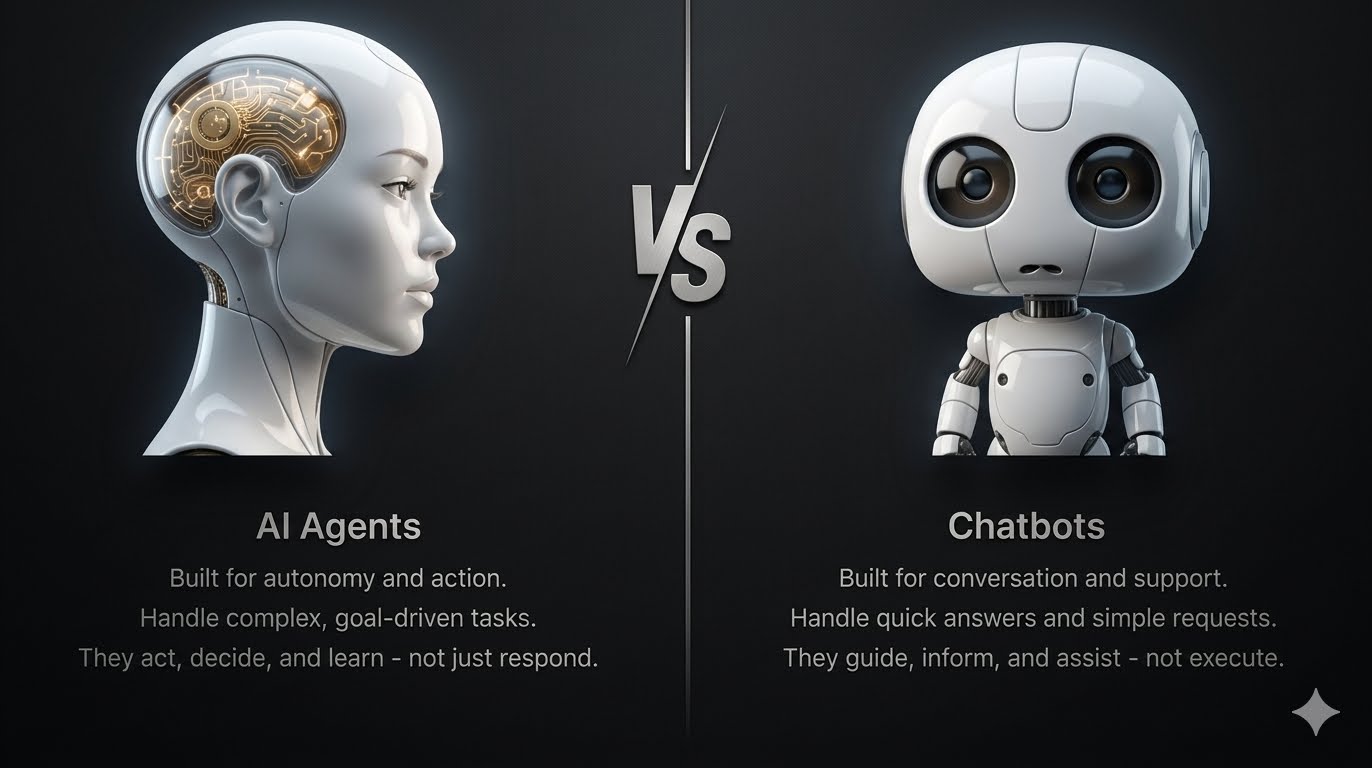
An AI Agent chatbot is an LLM-driven assistant that plans, reasons, and acts through tool calling to complete multi-step goals. It can coordinate multiple specialised agents, use Agentic RAG to ground answers in your data, and include human-in-the-loop checkpoints for risk control and compliance.
Definition
An AI Agent chatbot is an LLM-driven assistant that plans, reasons, and acts through tool calling to complete multi-step goals.
Who should build an AI Agent chatbot now?
Teams with repetitive, multi-step tasks that depend on apps, APIs, or internal knowledge bases benefit first. In our review of agentic AI MS signals from Microsoft WorkLab, the upskilling imperative is clear: combine mindset, skill set, and tool set to orchestrate human and agent workflows safely.
Best fit
Teams with repetitive, multi-step tasks that depend on apps, APIs, or internal knowledge bases benefit first, especially when they combine mindset, skill set, and tool set to orchestrate human and agent workflows safely.
How do I build an AI Agent chatbot in 7 steps?
How to Build Your First AI Agent (Step-by-step Tutorial)
The fastest path combines a task graph (LangGraph), role kits (CrewAI), and chat loops (AutoGen), plus agentic RAG and human review.
1) Define goals, success metrics, and guardrails
- Outcome: e.g., qualify a lead, draft an email, generate a weekly report.
- KPIs: time-to-first-action, automation resolution rate, escalation ratio, hallucination rate.
- Guardrails: allowed tools, PII handling, and must-escalate triggers.
2) Model your task graph with LangGraph
- Nodes: Planner → Retriever → Tool Executor → Critic → Human Approval → Finalizer.
- Pseudocode sketch:
- planner(state) -> plan
- retrieve(plan) -> docs
- execute(plan, tools) -> results
- critic(results, policy) -> approve_or_fix
- human_check(if risk) -> approve
- finalise -> message, artifacts
3) Define roles with CrewAI
- Roles: Strategist, Researcher, Writer, QA.
- Example role kits:
- Strategist: sets subgoals, tool budget, constraints
- Researcher: queries RAG, validates sources
- Writer: drafts outputs with style and tone
- QA: checks policy, citations, brand voice
Sample prompt snippet:
You are the Researcher. Use retrieve_facts only. Cite source titles. If confidence < 0.8, request escalation.
4) Configure AutoGen chat loops for coordination
- Use AutoGen to orchestrate multi-agent chats with stop conditions.
- Loop policy: max_turns=6, confidence_threshold=0.8, escalate_on_risk=true.
- Handoff protocol: Strategist → Researcher → Writer → QA → Human.
5) Add agentic RAG and tool calling
- RAG: chunk_size=800, overlap=120, hybrid search, citation memory.
- Tool schemas (JSON): strict types, required fields, error messages.
- Example tool schema idea:
- schedule_meeting(date: ISO8601, email: string)
- query_crm(lead_id: string)
- create_ad_video(product_url: string, aspect_ratio: string)
Where relevant, the agent can trigger creative tasks using VidAU endpoints such as URL to Video, Text to Video, or UGC Avatars.
6) Insert human-in-the-loop (HITL) checkpoints
- Add HITL after Critic for high-risk outputs or policy flags.
- Provide diff views, citations, and tool logs for quick approvals.
- Require human sign-off for outbound emails, ad launches, or PII use.
7) Build an eval harness and deploy
- Construct tasks, ground truth, and pass criteria per workflow.
- Track speed, accuracy, tool errors, human overrides, and rollback safety.
- Ship behind feature flags; enable audit logs and versioned prompts.
I reviewed recent tooling moves like Runway’s MCP announcement and saw a clear shift: creative and analytics tools are becoming callable from assistants and IDEs. Design your tool layer so the chatbot can call generation and analytics services the same way. That pattern keeps the agent simple and your stack swappable.
Use Agentic Workflows to Generate Ad-Ready Creatives
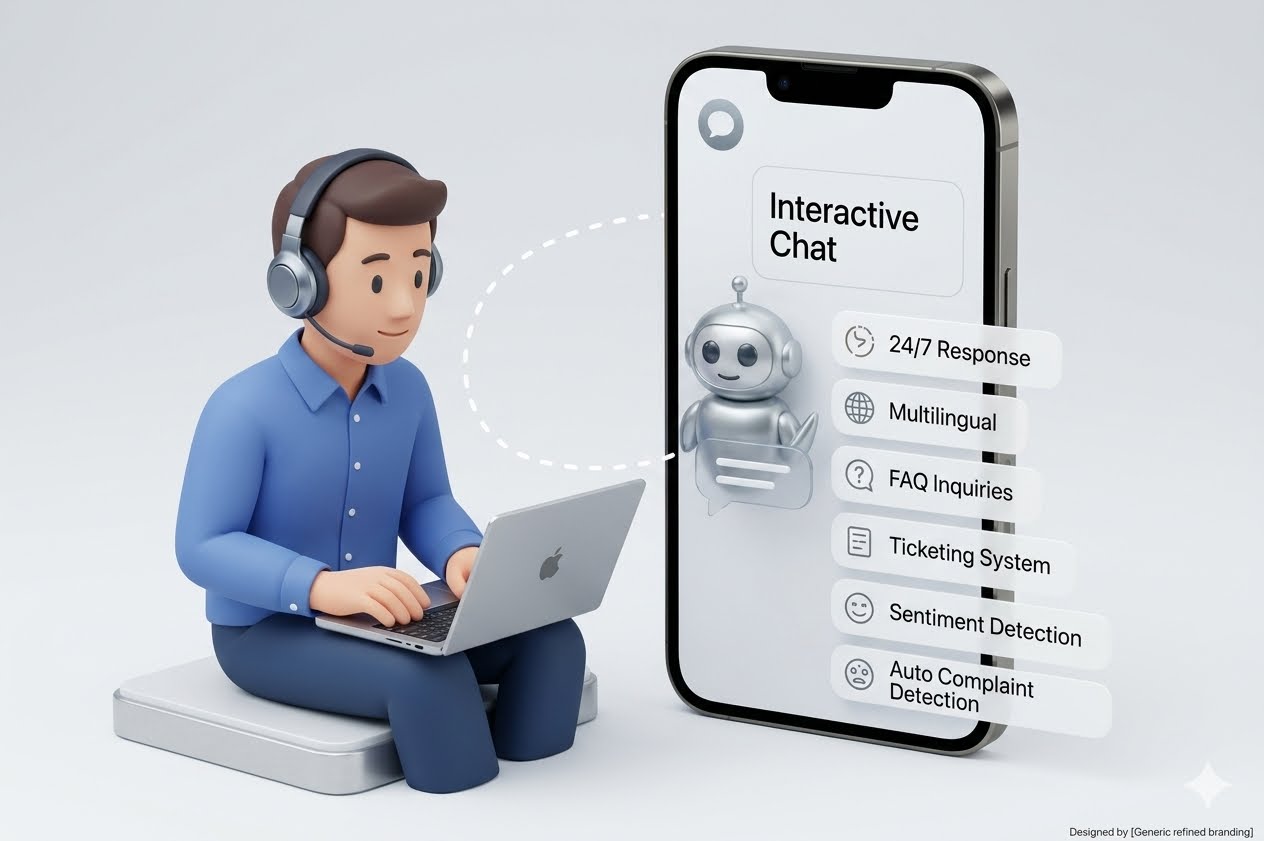
If your chatbot needs to generate ad-ready creatives on demand, wire its tool layer to VidAU’s URL to Video or Text to Video and ship faster tests without adding new editors.
VidAU workflow
Where VidAU Fits In An AI Agent Chatbot Workflow
- Use LangGraph for deterministic agent flow: Model Planner, Retriever, Executor, Critic, Human Approval, and Finalizer as explicit nodes.
- Use CrewAI and AutoGen for roles and coordination: Give Strategist, Researcher, Writer, and QA agents clear responsibilities, turn limits, stop conditions, and handoffs.
- Use agentic RAG for grounded answers: Ground chatbot output with chunked documents, hybrid search, citation memory, and a Critic step that checks claims.
- Use VidAU endpoints for creative actions: Trigger URL to Video, Text to Video, UGC Avatars, VidAU AI Video, Product Sample to Video, Vid Remix, Vid Remake, Video Enhancer, VidAU AI Image, Object Remover, or Text to Speech when a workflow needs creative outputs.
- Use human approval for brand, spend, and PII: Require sign-off before outbound emails, ad launches, public-facing videos, or sensitive-data use.
What marketing workflows fit an AI Agent chatbot?
Start with marketing AI Agents that show measurable wins:
- Lead qualification: parse form data, enrich from CRM, propose next action. KPIs: resolution rate, time-to-first-action, escalation ratio.
- Content ops: brief → outline → draft → QC. Optionally trigger VidAU AI Video or Product Sample to Video for ad variants.
- Analytics reporting: pull metrics, explain deltas, draft weekly email. Use Text to Speech to auto-narrate summaries when helpful.
For creative tasks, agents can assemble test ads via VidAU Vid Remix, update formats with VidAU Vid Remake, or refine quality with the Video Enhancer.
Key Takeaways
- Pick one workflow and one KPI to own first.
- Keep tool schemas strict to reduce brittle failures.
- Add human approval where brand or spend is affected.
How should you evaluate and govern your AI Agent chatbot?
- Evaluation harness: fixed tasks, expected answers, allowed variance, and tool error tolerance.
- Observability: per-turn logs, tool I/O traces, retrieval snapshots, and prompt versions.
- Governance: data residency, PII policies, rate limits, spend caps, and red-team prompts.
- Upskilling: based on agentic AI MS guidance, train teams on planner patterns, RAG curation, and when to escalate to humans.
Governance tip
Governance starts with fixed evaluation tasks, per-turn logs, tool I/O traces, retrieval snapshots, prompt versions, data residency rules, PII policies, rate limits, spend caps, and red-team prompts.
What common mistakes stall agentic AI rollouts?
- Skipping strict tool schemas and then debugging vague function calls.
- Overloading a single agent instead of modeling a clear task graph.
- RAG without quality control, leading to stale or noisy context.
- No eval harness, so regressions go undetected.
- No human-in-the-loop for high-risk actions.
Mistake to avoid
Do not overload a single agent or skip strict tool schemas. Model a clear task graph, control RAG quality, build an eval harness, and add human-in-the-loop for high-risk actions.
Advanced strategies for enterprise deployment
- Gradual autonomy: increase tool budgets and autonomy after passing eval gates.
- Memory architecture: short-term scratchpad, long-term approved facts, and per-session constraints.
- Platform distribution: expose the agent via chat, API, and IDE plugins so ops and devs use it where they work.
- Creative stack integration: allow calls to VidAU AI Image or Object Remover when creative edits are part of the workflow.
Enterprise strategy
Increase autonomy gradually after passing eval gates, design memory with short-term scratchpads and long-term approved facts, and expose the agent through chat, API, and IDE plugins so teams use it where they work.
Tools by stage (quick view)
| Stage | Recommended Tools | Why |
|---|---|---|
| Task graph | LangGraph | Deterministic agent flow |
| Roles | CrewAI | Clear responsibilities and handoffs |
| Chat loops | AutoGen | Turn-taking and stop conditions |
| Retrieval | Agentic RAG stack | Grounded, citeable answers |
| Approvals | HITL interface | Brand and risk control |
| Creative | VidAU endpoints | Ad-ready outputs on demand |
Key takeaway
Final Thoughts
If you scope a single workflow, add agentic RAG, and enforce human approvals, you can ship an AI Agent chatbot that measurably improves time-to-first-action within weeks. The 7-step path above keeps risk in check while proving value.
When your agent needs ad-ready creatives, connect tool calls to VidAU for fast iterations. Start with URL to Video or Text to Video, then expand to UGC Avatars and Video Enhancer as your tests mature.
FAQ
Here are answers to common questions about AI Agent chatbot workflows, basic chatbots, agentic AI tools, marketing AI Agents, agentic RAG, KPIs, human-in-the-loop safety, automatic video ad generation, single agents, multi-agent crews, and agentic AI MS trends for enterprise rollouts.
What is the difference between a basic chatbot and an AI Agent chatbot?
A basic chatbot answers questions. An AI Agent chatbot plans steps, calls tools or APIs, and coordinates tasks to achieve a goal. It can run multi-agent workflows, use agentic RAG for trustworthy context, and include human approvals before executing sensitive actions like emails or ad launches.
Which agentic AI tools should I learn first for building marketing AI Agents?
Start with LangGraph for task graphs, CrewAI for role definitions, and AutoGen for chat loops. This trio covers planning, handoffs, and coordination. Add a solid RAG pipeline and strict tool schemas next. As you scale, incorporate observability, human approvals, and spend controls for production safety.
How do I add agentic RAG to my AI Agent chatbot?
Chunk and index domain documents, use hybrid search, and attach citations to outputs. In the graph, place retrieval early, then run a Critic to check claims. Fail closed when retrieval confidence is low. Keep a validation set to measure answer accuracy and update cadence as content changes.
What KPIs prove my AI Agent chatbot is working?
Track time-to-first-action, automation resolution rate, escalation ratio, retrieval coverage, tool error rate, and human override rate. For marketing, also track content cycle time and experiment velocity. Tie each KPI to a baseline and define pass thresholds before expanding scope.
How do I keep the agent safe while allowing it to act?
Use strict JSON tool schemas, allowlist tools, and set autonomy budgets per task. Insert human-in-the-loop for brand, spend, or PII actions. Log every turn, tool call, and retrieval snapshot. Add red-team prompts and blocklists, and require approvals for irreversible or public-facing steps.
Can my AI Agent chatbot generate video ads automatically?
Yes, if video creation is part of the tool layer. Your agent can pass product URLs or scripts to services like VidAU’s URL to Video or Text to Video to generate variants. Keep a QA and human approval step before publishing to ensure brand voice and compliance.
Should I start with a single agent or a multi-agent crew?
Begin with a single agent plus tool calling and agentic RAG for one workflow. Once stable, graduate to a crew model with clearly defined roles and stop conditions. This staged approach reduces complexity and makes debugging, evaluation, and governance practical.
How do agentic AI MS trends affect enterprise rollouts?
The agentic AI MS signals emphasize upskilling and manager-of-agents mindsets. Treat agents as digital workers with clear roles, policies, and supervision. Train teams on planner patterns, retrieval quality, approval workflows, and incident response, then expand autonomy only after passing evaluation gates.






