Vidu Studio Tutorial: Text to Video, Image to Video, and Best Alternatives
Vidu Studio is an AI video generation tool for creating videos from prompts, images, and references. It is useful for cinematic experiments, character-style tests, and creative concept clips. If your goal is marketing output, product videos, avatars, or fast social ads, VidAU can be a more direct production workflow.
This tutorial explains how Vidu Studio works, how to use its main creation modes, where it fits in an AI video workflow, and when to choose a Vidu Studio alternative like VidAU.
What Is Vidu Studio?
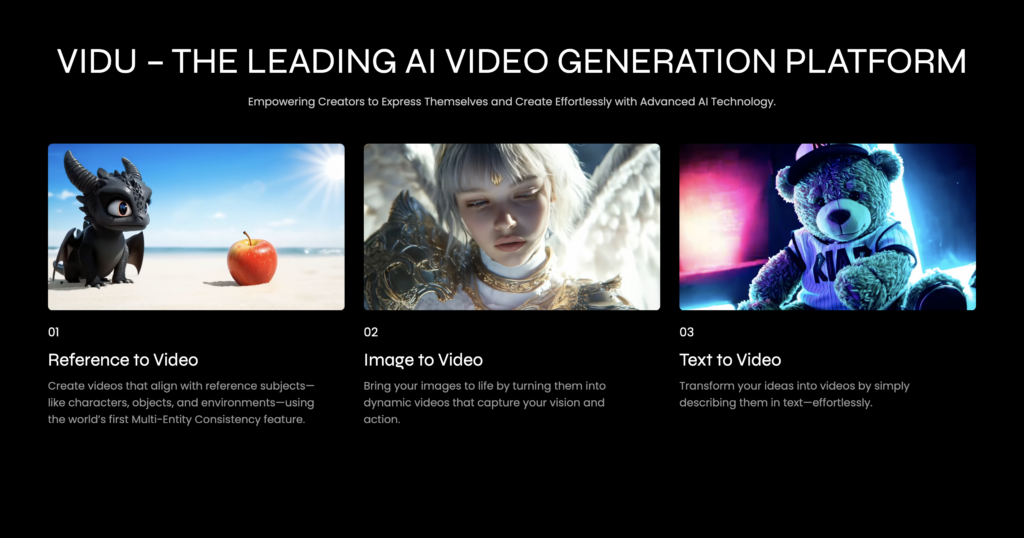
Vidu Studio is part of the newer generation of AI video tools that create short clips from text prompts, images, and references. The official Vidu positioning centers on text, image, and reference video creation, which makes it appealing for creators who want motion, visual consistency, and imaginative prompt-based results.
Quick Start: How to Use Vidu Studio
- Choose a mode: text to video, image to video, or reference-based generation.
- Write a clear prompt: describe subject, action, camera movement, style, and mood.
- Add references: upload an image or source asset when you need more visual control.
- Set output preferences: choose aspect ratio, style, duration, or model options when available.
- Generate and review: check motion, hands, faces, product accuracy, and scene continuity.
- Repurpose: use VidAU to turn the result into ads, explainers, avatar videos, or product-led content.
Vidu Studio Modes Explained
| Mode | Best for | Prompt tip |
|---|---|---|
| Text to video | Concept scenes, cinematic tests, short creative clips | Include camera movement and scene details |
| Image to video | Animating a product image, poster, or character still | Tell the model exactly what should move |
| Reference to video | Keeping style or subject consistency | Use clean source references and avoid conflicting instructions |
| Marketing workflow | Campaign videos and ads | Move polished concepts into VidAU for scripts, avatars, and product videos |
How to Get Better Results in Vidu Studio
- Use specific prompts: write who is in the scene, what happens, where it happens, and how the camera moves.
- Keep scenes simple: crowded scenes and complex physics can create unpredictable results.
- Check brand details: product labels, logos, and text may need manual review.
- Generate variations: one prompt often needs several attempts.
- Use VidAU for final output: create scripts, avatars, subtitles, and product videos after you know your concept.
Vidu Studio vs VidAU: Which Should You Use?
Use Vidu Studio when you want to experiment with visual generation. Use VidAU when you need a practical content workflow for marketing, ecommerce, training, explainers, or social media videos.
| Need | Vidu Studio | VidAU |
|---|---|---|
| Prompt-based visual clips | Strong fit | Useful after the concept is ready |
| Product videos | May require extra prompting and edits | URL to Video can turn pages into product clips |
| Avatar explainers | Not the main workflow | AI avatars support presenter-led videos |
| Script to video | Useful for visual scenes | Text to video is built for fast message-to-video workflows |
| Final polish | May need extra tools | Video enhancer helps improve output quality |
Common Mistakes to Avoid
- Using vague prompts like “make this cinematic” without action, camera, or subject details.
- Expecting perfect product text or logo accuracy without manual review.
- Trying to build a full marketing funnel inside a visual experiment tool.
- Skipping subtitles, CTA text, and repurposing for TikTok, YouTube, or Instagram.
Final Verdict
Vidu Studio is useful for AI video experimentation and visual concept generation. VidAU is stronger when the goal is finished marketing content: product videos, avatar explainers, translated videos, social ads, and reusable brand assets.
If you want to test visual ideas, try Vidu Studio. If you want to publish faster, use VidAU AI Video Generator to move from idea to campaign-ready video.
Frequently Asked Questions
What is Vidu Studio used for?
Vidu Studio is used to generate AI videos from text prompts, images, and visual references.
Is Vidu Studio good for marketing videos?
It can help with visual concepts, but VidAU is often better for finished marketing videos, product clips, avatar explainers, and social ads.
What is the best Vidu Studio alternative?
For marketing and ecommerce video workflows, VidAU is a strong Vidu Studio alternative because it supports text-to-video, URL-to-video, avatars, subtitles, and enhancement.
Can Vidu Studio create videos from images?
Yes. Vidu Studio supports image-based video generation workflows where an uploaded image guides the generated motion.