VidAU Editorial · AI Search
AI Video News: Arch Manning’s Apology, Viral Deepfakes, and How to Spot Fake Clips
Stay on top of AI video news in the US: Arch Manning’s apology, why viral deepfakes spread, and a step-by-step guide to verify suspicious clips fast.
By the VidAU Editorial Team · Reviewed before publishing

Arch Manning’s apology after laughing at an AI-generated video showing Steve Sarkisian slapping reporter Holly Rowe is the ai video news story everyone is debating. Here is what happened, why AI clips spread so fast, and the exact steps to spot and stop a viral deepfake before you share it.
Arch Manning’s apology after reacting to an AI-generated video that appeared to show Texas Longhorns coach Steve Sarkisian slapping reporter Holly Rowe put ai video news at the center of sports and entertainment chatter. Below is a clear rundown and a practical verification routine you can use on any suspicious clip.
Quick Summary
• E! News reporting on Arch Manning’s apology anchors this ai video news story and underscores the need to verify AI-generated video before sharing.
• Reverse image search and frame-by-frame scrubbing are the fastest methods to flag synthetic media, alongside cross-checking reputable outlets.
• 1080p keyframe screenshots improve reverse-search accuracy, while compressed reposts often strip metadata you cannot rely on.
• US sports and entertainment followers who see viral clips first benefit most from this quick verification workflow.
What Is AI Video News?
AI video news is timely coverage, explainers, and verification guidance focused on AI-generated video, including deepfakes, text-to-video AI clips, and other synthetic media. It pairs recent incidents that spark public debate with practical steps to evaluate authenticity, helping viewers avoid amplifying false or misleading visuals.
What Happened: Arch Manning’s Apology and the AI-Generated Clip
E! News reported that Arch Manning apologized after calling an AI-generated video of Holly Rowe being slapped by Steve Sarkisian a good and hilarious fan edit. He later posted a public apology, naming Rowe and acknowledging the harm from reacting to a synthetic clip tied to the Texas Longhorns press setting. Rowe accepted the apology, signaling a reset.
Why this matters for ai videos news: naming the people involved (Holly Rowe and Steve Sarkisian) makes sourcing traceable and clarifies that the clip was not real footage. That clarity is essential when generative AI recreates convincing press room visuals.
Why This AI Video News Went Viral
• Low-friction reposting: One convincing upload can be trimmed, captioned, and re-shared across platforms within minutes.
• Convincing generative AI: Modern generative AI and text-to-video AI can mimic press backdrops, mics, and crowd motion well enough to pass a quick scroll.
• Cognitive shortcuts: Outrage and humor prompt fast engagement, which boosts algorithmic reach before verification catches up.
• NBC News reminder: As highlighted in a media literacy segment, even careful viewers can struggle to tell real from synthetic media without a deliberate review.
A Fast AI Video News Verification Routine

Use this five-step checklist before you repost a viral sports or entertainment clip:
1) Pause and scrub frames
• Look for warped or floating hands, bent earrings, mangled text on backdrops, or lighting seams at the jawline or around mic edges.
• Check shadows across multiple frames; sudden shape shifts are a tell.
2) Listen critically
• Flattened crowd noise, robotic reverb, mismatched lip-sync, and uniform room tone point to AI-generated audio.
3) Extract a clean keyframe
• Screenshot the clearest face-forward frame in 1080p if possible; avoid blurry or caption-covered frames.
4) Reverse-search the keyframe
• Run the screenshot through an image search to find earlier postings, original context, or debunks from reputable outlets.
5) Confirm with named sources
• Look for coverage from outlets such as E! News for incident summaries or broader media literacy context from NBC News before you boost the clip.
• Signal: Warped hands
How to Check: Scrub frame by frame
Why: Common synthesis glitch
• Signal: Lighting seams
How to Check: Inspect jawline and backdrop edges
Why: Compositing artifact
• Signal: Bent logos/text
How to Check: Pause on signage and mics
Why: AI warps fine details
• Signal: Flat crowd audio
How to Check: Use headphones
Why: Synthetic ambience giveaway
• Signal: Lip-sync mismatch
How to Check: Watch consonants and breath
Why: Often off by frames
• Signal: No prior source
How to Check: Reverse-search keyframe
Why: Likely a recent fake/repost
Key Takeaways
• Slow down: a 60-second review catches most low- to mid-tier deepfakes.
• Use both visual and audio checks; do not trust captions.
• Validate with reputable outlets before you repost or comment.
Suggested Visual: A one-page checklist graphic showing the 5 verification steps.
Mistakes To Avoid Before You Share
• Posting on vibe alone: funny or shocking is not the same as verified.
• Treating comments as sources: top comments can be wrong or seeded.
• Confusing watermarks with truth: logos can be faked or overlaid.
• Relying on metadata: reposts and downloads often strip reliable EXIF or provenance details.
• Ignoring named entities: always confirm people and places (Holly Rowe, Steve Sarkisian, Texas Longhorns press setting) against reputable reporting.
When You Are Unsure: Comment Carefully or Hold
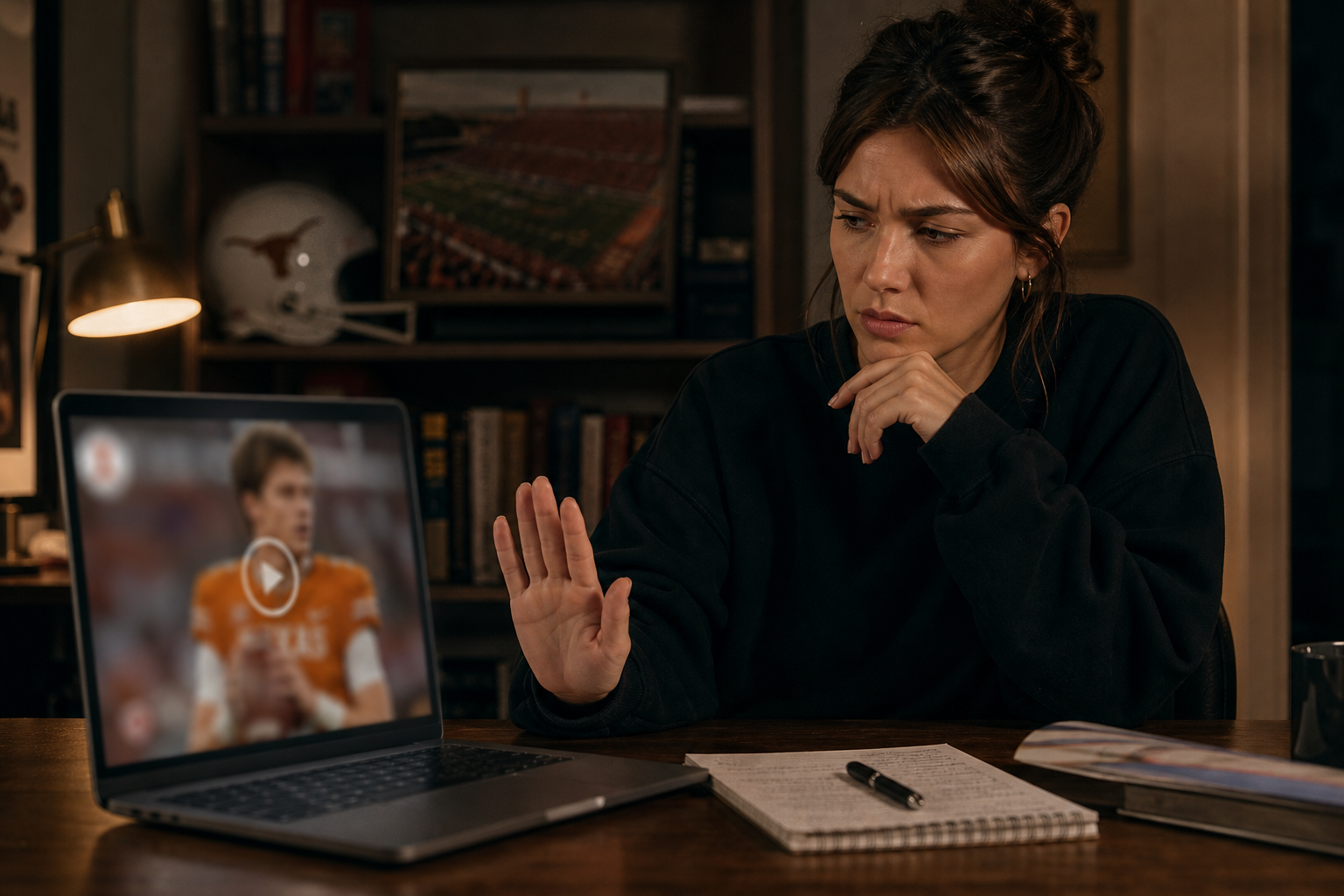
• Ask for source links and original context without accusing individuals.
• Note uncertainty in your caption if you must share for discussion.
• Consider reporting the post if it impersonates or harasses a real person.
• When in doubt, wait for coverage from established outlets that name people and timelines clearly.
Create With VidAU
Turn scripts, product URLs, and creative ideas into ad-ready video assets with a structured AI workflow.
Key takeaway
Final Thoughts
Arch Manning’s apology, as covered by E! News, shows how fast an AI-generated video can shape conversation around real people. The safest move is to slow down, run the five-step verification routine, and confirm with reputable outlets before you repost.
Adopting this workflow turns quick scepticism into a habit and helps stop synthetic media from hijacking your feed.
Frequently asked questions
What does ai video news mean in this context?
Ai video news refers to timely reporting and explainers about AI-generated video, including deepfakes made with generative AI and text-to-video AI. It focuses on current incidents, why synthetic media spreads, and fast ways for viewers to verify clips before sharing.
What exactly did E! News report about Arch Manning’s apology?
E! News reported that Arch Manning apologized after reacting to an AI-generated clip that appeared to show coach Steve Sarkisian slapping reporter Holly Rowe. He publicly acknowledged the harm, named Rowe in the apology, and Rowe accepted, clarifying that the video in question was synthetic, not real footage.
Why are AI-generated sports clips so convincing now?
Generative AI and text-to-video AI can simulate press rooms, lighting, and crowd motion with fewer visible glitches than before. Combined with rapid reposting, captions, and short runtimes, many viewers engage before noticing artifacts like warped hands, lighting seams, or flattened crowd audio.
How do I reverse-search a keyframe to check a suspicious clip?
Pause on the clearest frame that shows faces or signage, take a high-resolution screenshot, and run it through an image search to find earlier postings or context. Compare timestamps, descriptions, and any reputable outlet coverage to see whether the clip is synthetic or miscaptioned.
What are the quickest tells of a deepfake in a press conference video?
Look for warped fingers, bent earrings, mangled text on backdrops, inconsistent shadows, and lip movements that lag speech. Audio often gives it away too: flattened crowd noise, uniform room tone, and robotic reverb suggest AI-generated audio layered over visuals.
Should I trust watermarks, logos, or on-screen captions?
Treat them as cosmetic, not proof. Watermarks and logos can be faked or overlaid on reposts, and captions often inject opinion or humor. Always verify through frame-by-frame checks, reverse-search, and confirmation from reputable outlets that name the people and place.
Is sharing AI-generated videos legal?
Laws and platform rules vary by jurisdiction and service. While some parody is protected, synthetic media that defames, impersonates, or harasses can violate policies or laws. When in doubt, avoid amplifying unverified clips and consult platform guidelines for reporting options.
What should I do if I already shared a fake clip?
Delete or update the post, note the correction, and share a brief explanation with a verified source if available. This helps reduce further spread and signals to your followers that you prioritize accuracy over speed when covering ai videos news and viral deepfakes.