Avatar AI Video Maker · Business Advertising Guide
Avatar AI Video Maker for Business Advertising: A Complete Guide
Discover the best avatar AI video maker for business advertising. Compare tools, create spokesperson videos, add branding, and scale avatar ads faster.
By the VidAU Editorial Team · Avatar AI advertising guide · 13 min read
An avatar AI video maker for business advertising lets you produce professional spokesperson videos without a camera, studio, or actor, using a typed script and an AI presenter.
An avatar AI video maker for business advertising turns a typed script into a talking spokesperson video without filming, lighting, or hiring an actor. You pick a digital presenter, paste your ad copy, choose a voice, and export. VidAU is an AI video ad platform that generates video ads from product URLs, images, or scripts in 49 languages, and it sits in the same category as HeyGen and VEED.
This guide is for small business owners, marketers, freelancers, and content creators who need ad-ready videos fast. We cover tool selection, a step-by-step setup, custom branding, and batch production so you can ship sales videos, product explainers, and social ads without a production budget.
Quick Summary
- HeyGen is the strongest standalone avatar AI video maker for business advertising in 2026, with photo avatars, voice cloning, brand kit, and Batch Mode for high-volume output.
- VEED is a solid alternative with 50+ digital actors and 30+ avatar templates built for sales, marketing, and social content.
- Most platforms export ad-ready 9:16, 1:1, and 16:9 videos, but avatar quality depends on clean source photos with no glasses, harsh shadows, or extreme makeup.
- Small businesses and freelancers benefit most when they need consistent spokesperson ads across many products or languages without booking a shoot.
What Is an Avatar AI Video Maker?
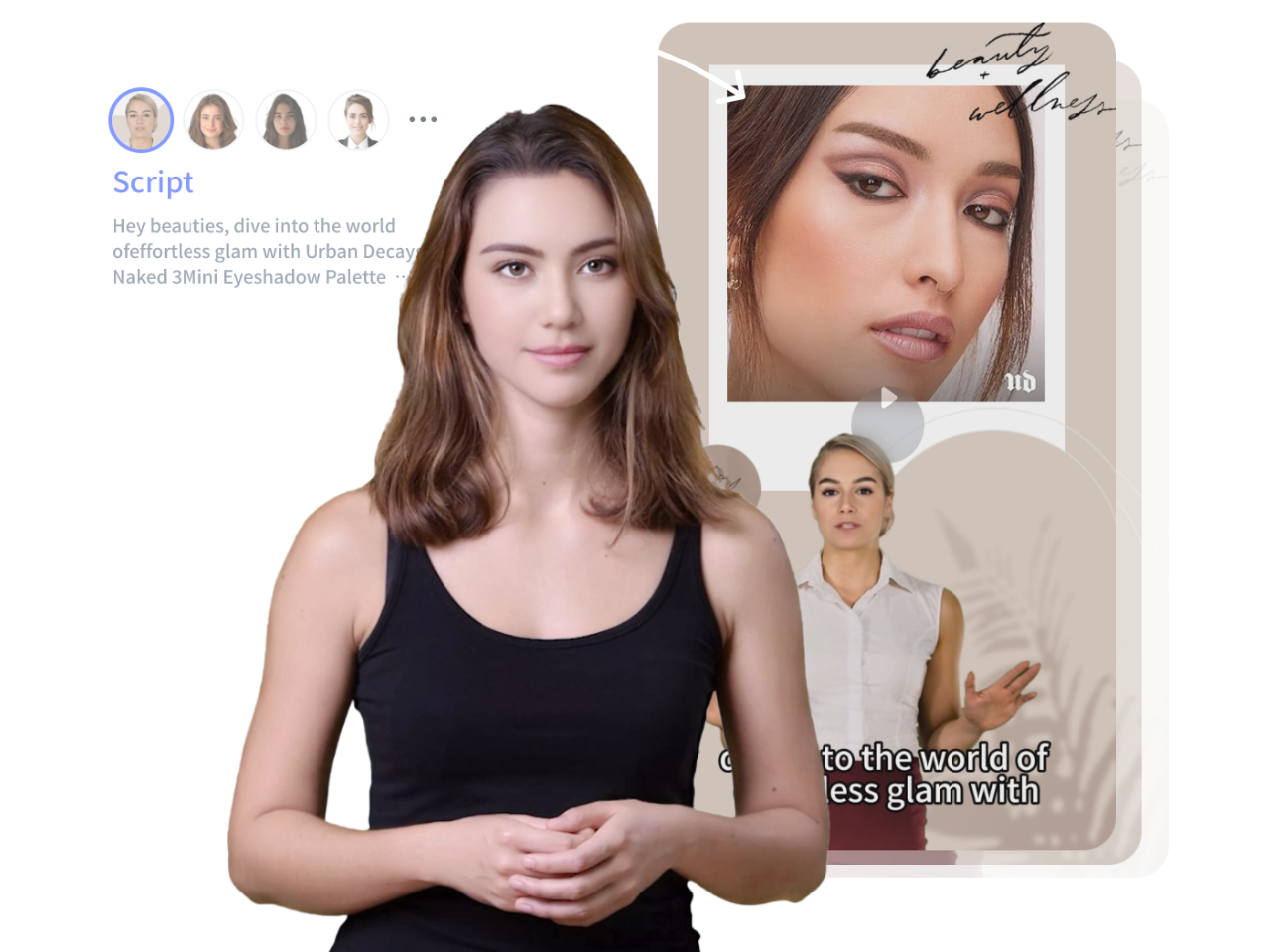
An avatar AI video maker is software that generates a realistic talking presenter from a photo or a stock avatar, then lip-syncs that presenter to a script using text-to-speech or a cloned voice. You write the ad copy, the tool builds the spokesperson video, and you export it for ads, social media, or training.
For advertising, the appeal is simple. You skip the camera, studio, and scheduling, and still get a person on screen delivering your message. Tools like HeyGen, VEED, and TopView AI lead this category, while VidAU AI Video and its UGC Avatars focus on ad-specific output.
Key Takeaways
- Avatar video makers convert scripts into talking spokesperson videos with no filming.
- HeyGen, VEED, TopView AI, and VidAU are the main options for business ads.
- Output quality depends as much on your inputs as on the model.
Why Avatar Video Matters for Business Advertising
Avatar video matters because it removes the two biggest blockers to advertising: production cost and time. A spokesperson ad that once needed a shoot day can now ship in minutes from a script. That speed lets small teams test more ad angles without burning the budget.
It also gives you a consistent on-brand presenter across every campaign. The same avatar can pitch a sale, explain a product, and welcome new customers, which keeps your brand voice steady. VEED’s own breakdown shows three common business uses: social media content, how-to videos, and internal communications.
There is one honest caveat. In our review of community feedback, we found that first-time avatar results often disappoint. One creator on r/aitubers said early HeyGen trial output looked bad, while others reported much better results after refining inputs and using a paid plan. Treat realistic avatars as a tool-plus-setup outcome, not plug-and-play.
Important caveat
Treat realistic avatars as a tool-plus-setup outcome, not plug-and-play. First-time avatar results can disappoint, then improve after refining source photos, scripts, voice settings, and plan options.
How to Set Up an Avatar AI Video Maker for Business Advertising
Here is the fastest reliable workflow, based on the most current HeyGen masterclass walkthrough and our analysis of beginner tutorials. The steps map cleanly to VEED and VidAU as well.
Step 1: Choose your avatar type
Pick a public stock avatar for speed, or upload one clean photo to make a photo avatar. For a true digital twin, HeyGen offers Avatar 4 and Avatar 5 models. Use a public avatar when you want faceless, high-volume ads.
Step 2: Write a short, spoken-style script
Keep ad scripts under 150 words and write the way people talk. Lead with the problem, name the product, and end with one clear call to action. If you only have a product page, a URL to Video tool can draft the script for you.
Step 3: Set the voice
Choose a text-to-speech voice or clone your own. HeyGen’s voice cloning, emotion tags, and pause controls help the delivery sound natural instead of robotic. A standalone Text to Speech tool also works if you generate audio separately.
Step 4: Build the scene in the studio
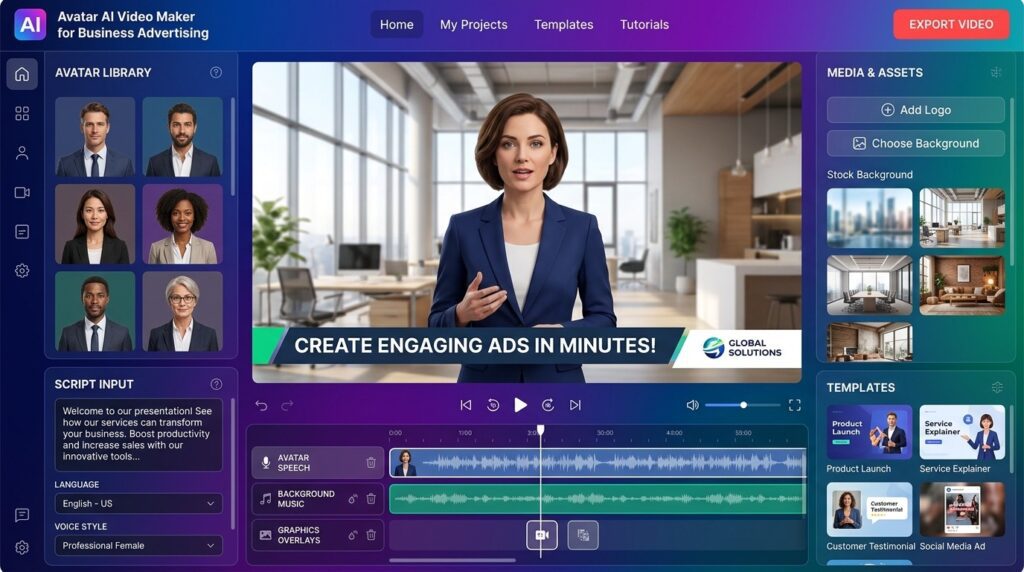
In HeyGen AI Studio you set background, canvas layout, captions, music, and lower thirds. Add auto subtitles, since most ads are watched on mute. Keep the frame clean so the message reads in two seconds.
Step 5: Pick the right aspect ratio and export
Export 9:16 for TikTok, Reels, and Shorts, 1:1 for feed ads, and 16:9 for YouTube. Render a few versions for different placements. Most tools handle fast export, which is exactly what avatar software with fast video export options is built for.
That five-step flow gets a first ad out in minutes. The difference between okay and good is almost always the source photo and the script, not the export button.
Tip
Write the script for spoken delivery, keep the frame clean, and export separate versions for each placement instead of forcing one video into every platform.
How to Add Custom Branding for Higher Engagement
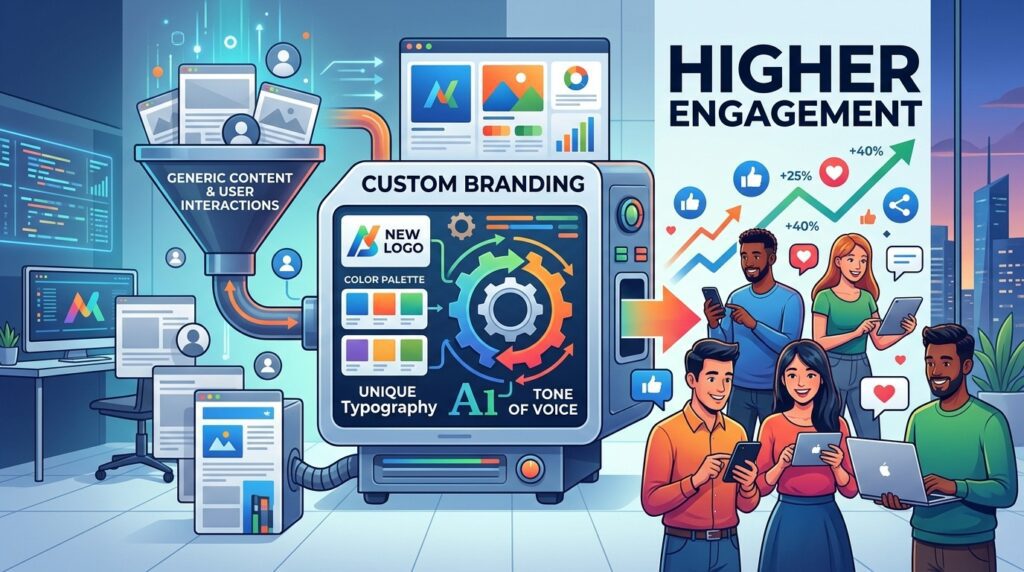
Custom branding turns a generic avatar clip into a recognizable ad. Set up a brand kit with your logo, colors, and fonts once, then apply it to every video. Add lower thirds with your offer and a captioned call to action.
The AI Academy spokesperson tutorial shows why this matters: branded layouts, logos, and overlays make an AI presenter look like your company rather than a stock demo. For ecommerce, pair the avatar with product visuals from VidAU AI Image or feed a real product clip into Product Sample to Video.
If you want to create avatar ads from a script in minutes, start with VidAU AI Video and reuse your brand kit across every campaign.
Branding note
Branded layouts, logos, overlays, lower thirds, captions, and a reusable brand kit help an AI presenter look like part of your company rather than a generic stock avatar demo.
Create Avatar Ads With VidAU
Use VidAU AI Video, UGC Avatars, URL to Video, Product Sample to Video, Text to Speech, Vid Remix, Vid Remake, Video Enhancer, and Object Remover when product-led ads need avatars, scripts, captions, voiceover, localization, and reusable campaign variations.
VidAU workflow
Where VidAU fits in avatar advertising
- Start from the product: Use URL to Video or Product Sample to Video when the product page, product images, or product clip should drive the ad.
- Add a spokesperson format: Use UGC Avatars when the campaign needs a human-style presenter rather than a purely visual product demo.
- Generate or improve voiceover: Use Text to Speech when you need controlled narration, language options, or audio generated separately from the avatar platform.
- Repurpose winners: Use Vid Remix to turn one strong avatar ad into new hooks, cuts, or platform-ready variations.
- Recreate proven formats and clean assets: Use Vid Remake for competitor-inspired formats, then improve source footage with Video Enhancer or Object Remover before generation.
Which Avatar Tool Should You Use for Advertising?
The best tool depends on your workflow, not on which demo looks flashiest. In our analysis of creator threads, the lesson was clear: pick the tool that is reliable for daily output, since most options look great in controlled demos and struggle under varied real prompts.
| Tool | Best For | Standout Feature |
|---|---|---|
| HeyGen | Full avatar ad production | Photo avatars, voice cloning, Batch Mode |
| VEED | Social and how-to ads | 50+ actors, marketing templates |
| TopView AI | Product avatar ads | Quick product-focused avatars |
| VidAU AI | URL and product-led ads | Script and URL to ad in 49 languages |
| CapCut | General AI video editing | Reliable everyday social output |
CapCut is worth a mention as a daily editor, but it is not built around spokesperson avatars, so treat it as a finishing tool rather than your avatar engine.
Tool selection note
Pick the avatar tool that is reliable for daily output. Controlled demos can look impressive, but business advertising needs repeatable results across real products, prompts, scripts, and placements.
How Does VidAU Fit Product-Led Advertising?
VidAU fits when your ad is about a product rather than a single talking head. You can feed a product URL or images and get a full ad with an avatar, voiceover, and captions, in 49 languages. That makes it strong for ecommerce stores running ads across regions.
The honest limitation: if your only goal is a premium digital twin of a specific person for long presentations, a dedicated avatar platform like HeyGen gives you deeper avatar controls. Choose based on whether the product or the presenter is the star.
Honest limitation
If your only goal is a premium digital twin of a specific person for long presentations, a dedicated avatar platform like HeyGen gives you deeper avatar controls. Choose based on whether the product or the presenter is the star.
Common Mistakes to Avoid
Most avatar ad problems trace back to a few avoidable errors. Fix these before you blame the tool.
- Uploading a poor source photo. Avoid glasses, harsh shadows, busy backgrounds, and extreme makeup, which all break photo avatar quality.
- Writing a written script instead of a spoken one. Long, formal sentences make the avatar sound stiff.
- Skipping captions. Most ad views are muted, so on-screen text is not optional.
- Expecting perfection on the first try. Plan to iterate inputs and voice settings before judging a platform.
- Ignoring aspect ratio. A 16:9 video stuffed into Reels wastes the frame.
CTA: Generate Avatars using VidAU
Watch out
Avoid poor source photos, written-style scripts, missing captions, unrealistic first-try expectations, and wrong aspect ratios. Most avatar ad problems come from inputs and setup, not just the model.
Advanced Strategies for Scaling Avatar Ads
Once one ad works, scale with batch production. HeyGen’s Batch Mode generates many personalized videos from a single spreadsheet, which is ideal for product catalogs, localized campaigns, or sales outreach. The Video Agent can also draft a full video from one prompt or a PDF.
For repurposing, take a winning avatar ad and remix it into new hooks with VidAU Vid Remix , or recreate a proven competitor format using VidAU Vid Remake . If you need cleaner footage to start, Video Enhancer and Object Remover help fix source assets before generation.
The practical rule we keep coming back to: a boring-but-reliable workflow you can repeat weekly beats a flashy one-off render you cannot reproduce.
Scaling tip
A boring-but-reliable workflow you can repeat weekly beats a flashy one-off render you cannot reproduce. Scale with batch production, reusable brand kits, proven hooks, and clean source assets.
Key takeaway
Final Thoughts
An avatar AI video maker for business advertising is the fastest way to put a consistent spokesperson in your ads without a camera or crew. Start with one clean photo, a short spoken script, branded layout, and the right aspect ratio, then iterate before judging the output. HeyGen leads for standalone avatar control, while VEED suits social ads.
If your ads are product-led and need to ship across languages, the cleanest next step is to generate a branded avatar ad from your script or product URL with VidAU AI Video (https://www.vidau.ai/vidau-ai-video/) and scale your best version from there.
FAQ
Here are answers to common questions about avatar AI video makers for business advertising, HeyGen, VEED, VidAU, AI avatar generators for small businesses, fast video export, photo avatars, ad aspect ratios, batch production, and product-led avatar ads.
What is the best avatar AI video maker for business advertising?
HeyGen is widely treated as the strongest standalone option, with photo avatars, voice cloning, a brand kit, and Batch Mode for volume. VEED is a strong alternative for social ads, and VidAU AI works well for product-led ads built from a URL, images, or a script in 49 languages.
Can I make avatar ads without filming myself?
Yes. Avatar AI video makers generate a talking spokesperson from a photo or a stock avatar, then lip-sync it to your script using text-to-speech or a cloned voice. You never need a camera, lighting, or studio, which is the main reason small businesses choose these tools for advertising.
How long does it take to create an avatar advertising video?
A short ad can be ready in minutes once your script and avatar are set. Beginner tutorials often show a finished avatar clip in around 60 seconds. The slower part is writing a clear, spoken-style script and choosing the right voice, not the rendering or export step.
Why do my AI avatar videos look unrealistic?
Unrealistic results usually come from a poor source photo or a written-style script. Avoid glasses, harsh shadows, and extreme makeup, and write the way people speak. Community feedback shows first attempts often disappoint, then improve a lot after refining inputs and voice settings.
Are there AI avatar generators for small businesses on a budget?
Yes. HeyGen, VEED, and VidAU all offer entry tiers, and HeyGen lists Creator, Team, Scale, and Enterprise plans. Pick a tool with fast export and reusable brand kits so you can produce many ads from one setup instead of paying per shoot.
What aspect ratios should I use for avatar ads?
Use 9:16 for TikTok, Reels, and YouTube Shorts, 1:1 for feed ads, and 16:9 for YouTube and websites. Export a separate version per placement rather than stretching one file, and always add captions since most ad views happen on mute.
Can I create high-volume avatar ads at scale?
Yes. HeyGen Batch Mode generates many personalized videos from a single spreadsheet, which suits product catalogs and localized campaigns. For repurposing existing ads into new hooks, a tool like VidAU Vid Remix lets you spin variations without rebuilding each video from scratch.
Does VidAU work as an avatar AI video maker for advertising?
VidAU works best for product-led advertising. You can turn a product URL, images, or a script into a full ad with an avatar, voiceover, and captions across 49 languages. For deep digital-twin control in long presentations, a dedicated avatar platform like HeyGen offers more avatar-specific settings.