AI UGC Video Creation · YouTube Shorts
Best UGC Video Makers for Creating YouTube Shorts: The Seedance 2.0 One-Prompt Tutorial
Use the best UGC video makers for creating YouTube Shorts with VidAU AI and Seedance 2.0. Generate authentic AI UGC ads viewers cannot tell are fake.
By the Sarah Iruoje · Updated April 2026 · 15 min read
These AI UGC ads are so realistic, you cannot tell they are fake.
That is not a warning. That is the goal.
If you run a DTC brand, manage social media for a client, or create content for a living, you already know the problem. Real UGC converts better than polished brand ads. Audiences trust it. But sourcing real creators is slow, expensive, and unpredictable. The videos come back off-brand. The creator posts late. The whole thing costs you time you do not have.
AI changes that equation entirely. The best UGC video makers for creating YouTube Shorts now produce content so authentic that viewers engage with it the same way they engage with real testimonials. People comment. People share. People buy.
This article breaks down three methods, from a single prompt to advanced techniques, and shows you exactly how to use tools like Seedance 2.0 and VidAU AI to produce AI UGC content that looks, feels, and performs like the real thing.
Quick summary
- UGC performs because it feels authentic, conversational, and visually imperfect.
- VidAU AI and Seedance 2.0 lead AI-powered UGC production for YouTube Shorts.
- You can create Shorts using one-prompt generation, full-stack workflows, or batch production.
- Natural movement, handheld framing, and conversational scripts improve realism.
- Batch testing multiple hooks increases conversion and view-through performance.
Jump to section
What Makes UGC Content Work (And Why Most AI Gets It Wrong)
Before you pick a tool, you need to understand what makes UGC actually convert.
Real UGC works because it signals authenticity. A shaky handheld camera. Natural lighting. A real person talking to their phone like they are texting a friend. No corporate polish. No perfect lighting rigs. The imperfection is the point.
Most AI-generated video fails here because it looks too clean. The lighting is too even. The background is too staged. The person moves too smoothly. Viewers spot it immediately, and the moment they spot it, trust evaporates.
The best AI UGC today solves this by training on real creator content. It replicates skin texture, ambient noise, natural eye movement, and conversational speech patterns. The result is content that triggers the same psychological trust response as real UGC, without sourcing a single creator.
For content creators, social media marketers, and DTC brands, this is the shift that changes everything. You get the conversion power of real UGC at the speed and cost of AI production.
Important insight
Authenticity beats polish in UGC. Slight imperfection often performs better than studio-quality production.
Top AI Platforms for Creating UGC Brand Videos in 2026
Not every AI video tool is built for UGC. Some are designed for cinematic content. Others focus on explainer videos or product demos. You need tools specifically built to generate authentic-looking social content.
Here are the platforms worth your time.
🎥
VidAU AI
Full AI creative studio focused on conversion-driven UGC video generation.
⚡
Seedance 2.0
One-prompt AI video generation designed for rapid Shorts production.
| Platform | Strength | Best Use Case |
|---|---|---|
| VidAU AI | UGC ad generation and scaling | Batch creation and conversion-focused content |
| Seedance 2.0 | One-prompt human motion video | Rapid Shorts iteration |
| Runway | Advanced editing | Post-production refinement |
| Pika | Short-form clip generation | Fast visual experimentation |
| Kling | Motion realism | Creative scene generation |
VidAU AI
VidAU AI is one of the strongest options for marketers and brands who need to produce at scale. It functions as a full AI creative studio, handling everything from script generation to final video export.
What separates VidAU from generic video tools is its focus on ad performance. The platform is built around one core use case: creating videos that convert. That means its AI avatars, voice cloning, and scene generation are all optimized for the type of content that performs on short-form platforms like YouTube Shorts, TikTok, and Instagram Reels.
For DTC brands, VidAU AI gives you the ability to generate UGC-style testimonial videos from a product URL. You paste the link, and the platform pulls the product details, writes a script, selects an avatar that matches your target demographic, and produces a finished video.
- AI avatar library across demographics
- Product-to-video conversion from URL
- Conversion-focused script writing
- Batch generation for testing
- Voice generation with natural pacing
Seedance 2.0
Seedance 2.0 is built around one-prompt video generation. You write a single prompt, and the model outputs a video clip. For YouTube Shorts production, this matters because the format demands fast iteration.
You need to test hooks quickly, swap out openings, and produce multiple versions of the same concept without spending hours in production.
Seedance 2.0 excels at producing motion that looks natural. The human subjects move the way real people move, not the way CGI characters move. This matters for UGC because unnatural movement instantly reduces trust.
Other Tools Worth Knowing
The market for AI creative studio tools is expanding quickly. Platforms like Runway, Pika, and Kling each offer strengths in visual generation and editing. For UGC specifically, VidAU AI and Seedance 2.0 currently lead the category.
Method 1 – The One-Prompt Technique with Seedance 2.0
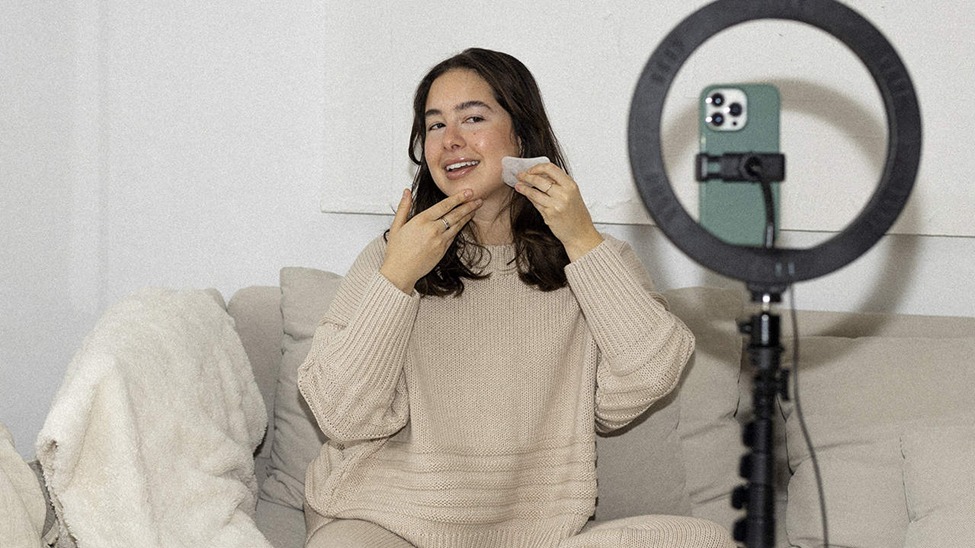
This is the fastest method for generating UGC-style content for YouTube Shorts. It requires one prompt, takes under five minutes, and produces a clip ready for further editing.
Step 1 – Write a UGC-Specific Prompt
Your prompt needs to include three elements: the person, the setting, and the action. Generic prompts produce generic output. Specific prompts produce authentic-looking content.
Bad prompt: “A woman talking about a skincare product.”
Good prompt: “A 28-year-old woman in a casual bedroom setting, filming herself on a phone camera, holding a serum bottle, speaking directly to camera in a conversational tone, natural morning light from a window on the left, slight camera shake.”
The specificity tells the model exactly what authentic UGC looks like. Bedroom, not studio. Phone camera, not professional rig. Natural light, not softboxes. Casual tone, not scripted delivery.
Step 2 – Generate and Review the Output
Run the prompt through Seedance 2.0 and review the output for three things: motion naturalness, lighting consistency, and background authenticity.
If any of these look too polished, add imperfection cues to your prompt. Ask for slight camera movement. Ask for ambient room noise. Ask for natural blinking and eye movement.
Step 3 – Layer in VidAU AI for Audio and Script
Seedance 2.0 generates the visual. VidAU AI handles the audio layer. Use VidAU’s voice generation to add a natural-sounding voiceover that matches the avatar’s mouth movement.
This combination, Seedance 2.0 for visuals and VidAU AI for audio and script, produces YouTube Shorts that perform like real UGC.
Method 2 – Full UGC Video Production Inside VidAU AI
For brands who want a single workflow from brief to finished video, VidAU AI handles the entire production pipeline internally.
- Start With Your Product or Script
Paste your product URL directly into VidAU AI. The platform scans the page, extracts details, and generates a UGC-style script. - Select an Avatar That Matches Your Buyer
Choose an avatar that reflects your audience demographics for stronger trust signals. - Apply UGC Visual Filters and Settings
Use handheld camera simulation, lifestyle backgrounds, and natural lighting settings. - Export and Format for YouTube Shorts
Export at 1080×1920 for vertical 9:16 Shorts formatting.
Warning
Avoid over-polishing your AI UGC. Studio lighting, overly clean backgrounds, and perfect framing can reduce trust.
Method 3 – Advanced Techniques for Visual Consistency Across a Series
If you run paid ads or manage a content calendar, you need more than one-off videos. You need a consistent series that maintains character, tone, and brand signals across multiple pieces of content.
Lock Your Avatar and Scene Variables
Pick one avatar and one setting and use them consistently across all videos in a series. This creates the impression of a real person who posts regularly.
high-performing creator accounts look like. Viewers who see the same face across multiple Shorts begin to trust that face the way they trust a creator they follow.
VidAU AI lets you save avatar and scene configurations as templates. Build the template once and apply it across every video in your batch.
Script to a Formula, Not a Template
High-converting UGC scripts follow a formula: hook in 3 seconds, problem identification in 5 seconds, product introduction in 10 seconds, benefit demonstration in 15 seconds, and call to action in 5 seconds.
Write every script in this structure, but vary the language. Use different hooks. Change the problem framing. Rotate the call-to-action phrasing. The formula stays the same. The words change. This keeps content fresh while maintaining the structural consistency that drives conversions.
Use Batch Generation to Test Hooks at Scale
Hook testing is the single highest-leverage activity in short-form content. The first 3 seconds determine everything. VidAU AI’s batch generation lets you produce 5 or 10 versions of the same video with different openings. Run them all. The one that holds viewers the longest wins. Scale that version.
This is the workflow the top platform for batch-creating social media video ads enables. Manual production cannot compete with this iteration speed.
How to Make AI-Generated Content Look Authentically User-Generated
Imperfect Is Better Than Perfect
Add slight camera shake. Use ambient room noise. Have the avatar glance away from the camera occasionally. Small imperfections increase realism.
Match the Platform’s Native Style
YouTube Shorts has a distinct visual language. Study the top-performing content in your niche and mimic the pacing, framing, and tone.
Write Scripts That Sound Spoken, Not Written
Use contractions, filler words, and casual phrasing. Real creators sound conversational, not scripted.
Best Practices for Scripting UGC Content for YouTube Shorts
Good scripting is the foundation of good UGC. Even the most realistic avatar fails if the script sounds like an ad.
- Lead With the Problem, Not the Product — Open with a relatable pain point.
- Keep Sentences Short — Mobile viewers respond better to concise language.
- End With One Clear Action — Give viewers a single next step.
Which Video Editor Is Best for YouTube Shorts?
For AI UGC content specifically, the best video editor is the one built into your generation platform. VidAU AI’s editor handles trimming, captioning, and formatting without requiring third-party software.
If you need additional editing, CapCut remains one of the most widely used tools for vertical short-form creators.
How Much Money Is 1M Views on YouTube Shorts?
YouTube pays Shorts creators through the Shorts ad revenue pool. As of 2026, creators typically earn between $0.03 and $0.08 per 1,000 views depending on location and audience.
That means 1M views on YouTube Shorts generates roughly $30 to $80 in direct ad revenue.
For brands, the equation changes. A high-performing UGC Short driving product conversions often generates significantly more revenue through sales than through ad monetization alone.
Which AI Is Best for Making YouTube Shorts?
For UGC-style Shorts, VidAU AI provides the strongest all-in-one workflow available in 2026. It handles scripting, avatars, voice generation, editing, and export inside a single environment.
Seedance 2.0 remains one of the strongest options for one-prompt visual generation. Together, the two platforms create a complete workflow for realistic AI-generated UGC.
Create realistic UGC
Generate Your First AI YouTube Short
Create authentic UGC-style Shorts in minutes with VidAU AI and Seedance 2.0.
Key takeaway
AI UGC Has Become the Fastest Path to Shorts Production
AI UGC is no longer experimental. It is a scalable production workflow that allows brands and creators to generate realistic Shorts without waiting for traditional creator sourcing.
VidAU AI and Seedance 2.0 provide a complete system for producing YouTube Shorts that feel authentic, test quickly, and convert at scale.
Start with one prompt. Build from there
Frequently Asked Questions
What is UGC content and why does it perform better than branded ads?
UGC stands for user-generated content. It refers to videos, photos, and posts created by real customers or creators rather than brands. UGC performs better because it signals social proof. Viewers trust peers more than brands. A real person holding a product and explaining why they use it converts better than a polished commercial because it removes the perceived bias of brand advertising.
Can AI-generated UGC pass as real content?
Yes. The best AI UGC tools in 2026, including VidAU AI and Seedance 2.0, generate content that viewers engage with at similar rates to real UGC. The key factors are realistic human movement, natural lighting simulation, conversational script delivery, and authentic background settings. When these elements align, viewers respond to the content the same way they respond to real creator posts.
How do I make AI UGC look more authentic?
Use handheld camera simulation settings. Choose natural lighting over studio lighting. Add slight camera shake. Select backgrounds that look like real living spaces, bedrooms, kitchens, or bathrooms, rather than clean, neutral backdrops. Write scripts using conversational language, not copywriting polish. These choices signal authenticity to viewers.
What is the ideal length for a YouTube Shorts UGC video?
Between 30 and 60 seconds. The hook must land in the first 3 seconds. The problem identification, product introduction, and benefit demonstration should follow within the next 25 seconds. Close with a single clear call to action. Keep the total runtime under 60 seconds to qualify for full Shorts distribution.
Which AI platform is best for making YouTube Shorts?
VidAU AI is the strongest all-in-one platform for YouTube Shorts UGC production in 2026. It handles the full production workflow from script to export and outputs in the 9:16 vertical format Shorts requires. Seedance 2.0 is the strongest option for one-prompt video clip generation.