17 AI Video Editor for Flexible and Free Content Creation 2026
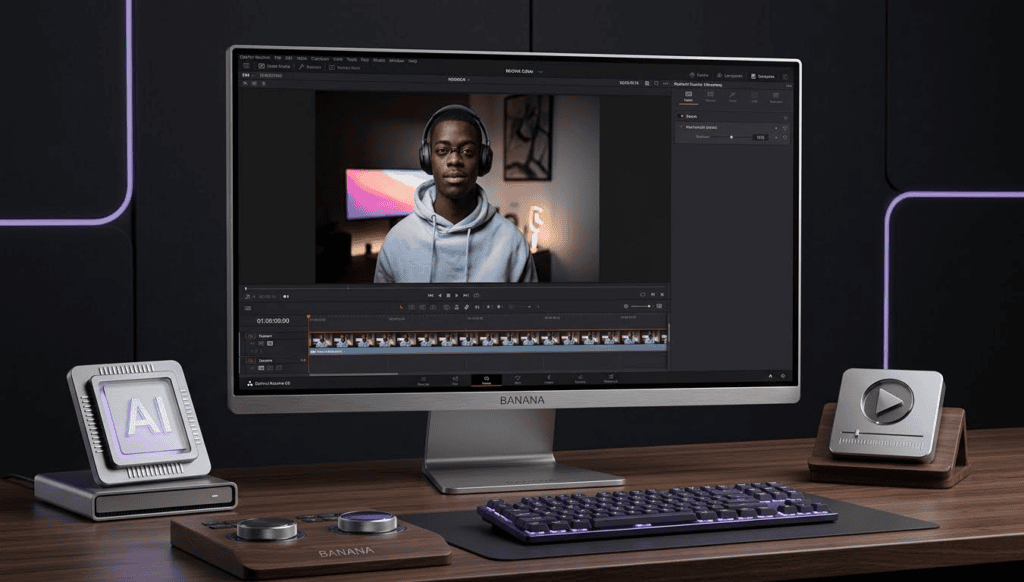
AI video editor have expanded what creators can achieve without relying on rigid templates or predefined formats. Many modern tools focus on flexibility, automation, and creative control, allowing users to edit and shape videos according to their own ideas rather than platform rules.
When people refer to unlimited and limtless content creation, they are usually looking for AI video editors that support open-ended workflows, broad editing features, and fewer creative constraints. The tools below are designed for diverse content types, including storytelling, education, experimental visuals, and long-form projects.
What “Unlimited and Limit-Free” Means in AI Video Editing
In this context, unlimited and Limitless refers to creative flexibility rather than the absence of rules. These AI video editors typically offer control over pacing, visuals, structure, and export options, allowing creators to define their own style and direction.
17 AI Video Editor for Flexible Content Creation
1. Runway
Runway is an advanced AI video editor known for generative video tools, background removal, and motion tracking. It supports experimental workflows and allows creators to manipulate scenes, visuals, and effects with a high level of creative freedom.
2. Storyflow
It functions as an overarching story-canvas that can map character arcs, structural text pacing, and beat sheets, which an internal AI reads comprehensively to give direction before video assembly starts
3. Morphic
: Actively functions as a unified hub that embeds raw video engines such as Google Veo, Kling, and Seedance, directly alongside an online editing timeline workspace. This allows creators to generate continuous, high-fidelity 4K clips and place them right into active timelines without moving platforms.
4. Eddie AI
: Designed specifically for professional long-form and multi-cam creators. It processes massive 4K raw footage chunks via text, automatically switching camera angles between active speakers, filtering out dead air, and exporting complete rough cuts directly into Premiere Pro or DaVinci Resolve within minutes.
5. Opus Clip / Agent Opus
: Specializes in pulling long horizontal pieces of content and isolating the most high-engagement, viral clips. It reframes layouts dynamically for mobile screens, writes smart multi-colored captions, and uses its new “Agent Opus” to auto-generate motion graphics from static images.
6. Filmora
Filmora blends AI-assisted enhancements with traditional timeline editing. It supports background removal, motion tracking, and creative effects while remaining accessible to a wide range of users.
7. Kapwing
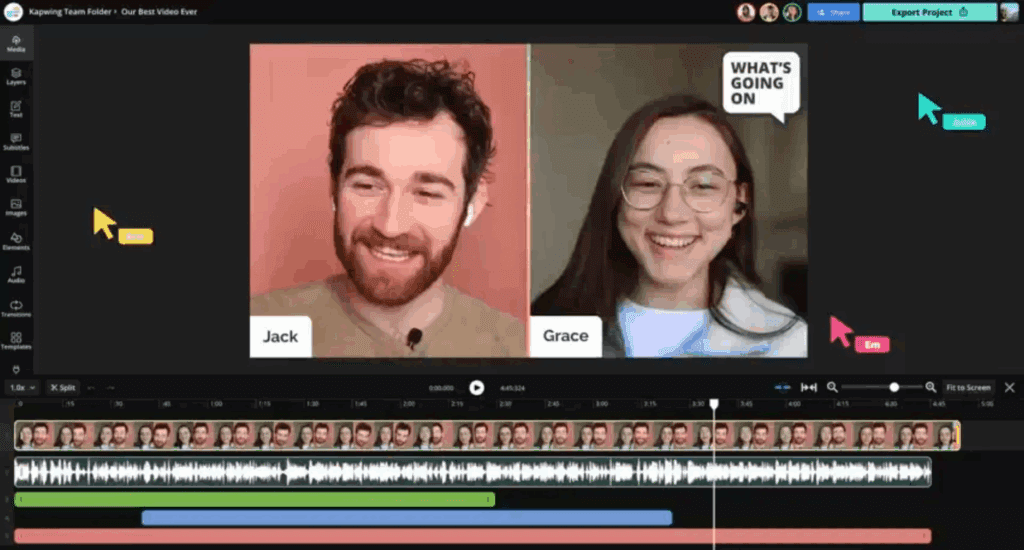
Kapwing is a browser-based AI video editor that includes tools for cutting, subtitling, and scene creation. It allows creators to adjust layouts, pacing, and visuals without locking them into rigid templates.
8. VEED
VEED offers AI-powered features such as subtitle generation, video cleanup, and audio enhancement. It also provides a flexible editing interface suitable for different content styles.
9. InVideo
: Provides a traditional Premiere-style timeline interface coupled with an “AI Agent” assistant. Editors simply type chat directions like a text message to automatically sound-design the edit, drop in relevant B-roll, or correct color.
10. Lumen5
Lumen5 converts scripts or text into videos using AI-driven scene selection. Users can still modify visuals, timing, and layouts to better match their creative intent.
11. Descript
: Remains the absolute standard for transcript-driven editing. Creators slice, delete, or rearrange video clips simply by altering the typed text transcript, while built-in AI fixes verbal mistakes, clones voices, and artificially adjusts lip movements to match changes.
12. Movavi Video Editor
Movavi Video Editor includes AI-based enhancement tools such as noise reduction and stabilization. It also maintains a traditional editing timeline for manual adjustments.
13. Clipchamp
Clipchamp offers AI-assisted video creation features, including automated cuts and text-based editing. It also allows users to manually refine clips, visuals, and transitions.
14. HitPaw Video Editor
HitPaw focuses on AI-assisted trimming, effects, and enhancement tools. It provides creators with control over timelines and export settings for different project needs.
15. Magisto
Magisto uses AI to assist with editing decisions like pacing and scene selection. After generation, creators can still fine-tune visuals, structure, and overall flow.
16. FlexClip
FlexClip combines AI automation with editable scenes and visual elements. It allows creators to customize videos without being restricted to preset layouts.
17. Synthesia
Synthesia enables AI-based video creation using digital presenters and scripted workflows. It supports customization of visuals, narration, and structure for informational or narrative content.
18. Pictory
Pictory uses AI to convert long-form text into structured video content. Creators can adjust pacing, visuals, and scenes to better align with their message.
19. Elai.io
Elai.io focuses on AI-generated video creation with editable scripts and visual components. It supports storytelling and educational projects that require consistent structure.
20. AI Media Studio
AI Media Studio provides end-to-end AI video editing tools, including video generation, enhancement, and traditional editing features. It supports flexible workflows for creators working on diverse content types.
Conclusion – AI Video Editors for Unlimited and Flexible Content Creation
AI video editors continue to give creators more control over how content is produced and edited. By combining automation with manual flexibility, these tools support a wide range of creative goals without forcing predefined styles or formats.
Choosing the right AI video editor depends on the desired balance between automation and control, as well as the complexity of the project. With the right tool, creators can explore ideas freely and build content that reflects their creative vision.
Frequently Asked Questions
1. What is an AI video editor?
An AI video editor uses artificial intelligence to assist with tasks like editing, enhancing, or generating video content while still allowing manual control.
2. Are AI video editors suitable for long-form projects?
Yes. Many AI video editors support long-form video creation, especially those with timeline-based editing and transcript tools.
3. Do AI video editors limit creativity?
Some tools rely on templates, but many AI video editors offer flexible workflows that allow creators to shape content freely.
4. Can AI video editors be used for experimental content?
Yes. Tools like Runway and Pika Labs are often used for experimental visuals and creative projects.
5. Are AI video editors beginner-friendly?
Many AI video editors are designed to be accessible while still offering advanced features for experienced users.