UGC Creator · Step-by-Step Beginner Guide
How to Become a UGC Creator in 2026 (Step-by-Step Guide)
Learn how to become a UGC creator in 2026, build sample videos, create a simple portfolio, pitch brands, and use AI tools for faster faceless or product-style content.
By the Sarah Iruoje · 2026 UGC creator guide · Step-by-step guide
Becoming a UGC creator in 2026 means getting paid to make short marketing videos for brands, not building a personal following.
Becoming a UGC creator in 2026 means getting paid to make short, authentic videos that brands use as ads and marketing content on their own channels. You do not need followers, expensive gear, or influencer status. You need a smartphone, a small portfolio, and a clear pitch. Most beginners can produce their first sample videos in a weekend.
This guide is for complete beginners who want remote, flexible income and may feel introverted or camera-shy. We will walk from zero knowledge to a first paid deal, with a focus on speed, simple tools, and realistic expectations. Results vary with effort, so treat this as a repeatable system, not a guarantee.
Featured image placeholder for becoming a UGC creator in 2026, sample videos, niche selection, smartphone filming, Canva portfolios, brand pitching, faceless UGC, VidAU AI Video, Product Sample to Video, Text to Speech, Video Enhancer, and UGC Avatars.
Quick Summary
- The fastest path to becoming a UGC creator is to pick one niche, film 3 to 5 sample videos on your phone, and pitch brands directly using their decision-maker contacts.
- AI video tools like VidAU AI Video can speed up scripting, voiceover, and product-style clips when you want faceless or higher-volume UGC.
- Vertical 9:16 video shot in good light is the required format for most TikTok, Reels, and paid social UGC deals in 2026.
- Tech and SaaS niches often pay more than oversaturated beauty, making them a smart fit for introverted or faceless creators who want sustainable income.
In This Guide
- What a UGC creator is and how the work pays
- Why followers are not required to become a UGC creator
- Choosing a niche that pays, including the tech and SaaS angle
- Step-by-step workflow to create your first UGC videos
- How to build a UGC portfolio with free tools like Canva
- How to pitch brands and land your first paid deal
- Common mistakes new UGC creators make
- How to grow UGC into sustainable income
- Final Thoughts
- FAQ
What Is a UGC Creator?
A UGC creator is someone brands pay to make user-generated content, meaning short, authentic-looking videos that the brand posts on its own social channels or runs as paid ads. You create the content as a service. You do not need to publish it on your own page or have an audience.
This is the key difference from being an influencer. An influencer sells reach. A UGC creator sells the content itself: unboxing videos, testimonial videos, product demos, and short ad scripts filmed in a natural, relatable style.
Key Takeaways
- UGC is a service business, not influencer marketing.
- Brands pay per video, per photo, or on a monthly retainer.
- Your deliverable is the footage, not the views.
Why Do You Not Need Followers to Become a UGC Creator?
You do not need followers because brands buy the content, not your audience. Multiple top creators in 2025 and 2026 say they started with zero following and still landed paid deals, including four-figure retainers, within weeks. The work is judged on whether the video looks authentic and converts, not on your subscriber count.
This is the biggest misconception that stops beginners. Stop waiting to go viral. Start making content brands can actually use.
Core mindset shift
UGC creators are paid for useful content, not personal reach. A strong portfolio matters more than follower count because brands judge whether your video looks authentic and can work as marketing content.
How Do You Choose a UGC Niche That Pays?
Choose one niche so your portfolio looks focused and your pitches feel relevant. Beauty and fashion are crowded, which pushes rates down. Tech, SaaS, apps, and home services tend to pay more because fewer creators can explain a product clearly.
When I reviewed the strongest recent creator breakdowns, a consistent pattern appeared: creators reported tech and SaaS UGC paying noticeably more than beauty, partly because the content is harder and demand is rising fast. Treat this as a direction, not a fixed rule. Rates depend on your effort, niche, and the brand’s budget.
Good beginner niches to consider:
- SaaS tools, apps, and productivity software
- Home, kitchen, and pet products
- Health, supplements, and wellness
- Local services like HVAC or cleaning
Faceless UGC, screen recordings, and voiceover work fit introverted creators well, so you can build a niche without ever talking to camera.
| Niche | Why It Can Work | Creator Fit |
|---|---|---|
| SaaS tools, apps, and productivity software | Fewer creators can explain the product clearly, and demand is rising fast. | Strong fit for faceless creators, screen recordings, and voiceover work. |
| Home, kitchen, and pet products | Easy to show with natural, authentic product demos. | Good fit for phone filming and simple lifestyle clips. |
| Health, supplements, and wellness | Brands need relatable testimonial-style and routine-based content. | Good fit for creators comfortable with personal-use framing. |
| Local services like HVAC or cleaning | Service brands need clear before-and-after or problem-solution videos. | Good fit for creators who can explain practical outcomes simply. |
Tip
Choose one niche first. A focused portfolio makes your pitches feel relevant and helps brands understand exactly what kind of content you can create.
How to Create Your First UGC Videos: Step-by-Step
Follow these steps to produce your first batch of UGC samples this week.
Step 1: Pick one product or app to feature
Choose a product you already own or a free app in your niche. Pick something easy to show on camera. This works best when the product has a clear before-and-after or a simple use case.
Step 2: Write a short script
Use a simple hook, problem, product, and result structure. Keep it under 30 seconds. If writing scripts feels slow, an AI assistant can draft hook variations you then edit in your own voice.
Step 3: Film vertical on your phone
Shoot in 9:16 with natural light near a window. Hold the phone steady or prop it up. Film a few short clips: the hook, the product in use, and a closing line. You do not need a studio.
Step 4: Add voiceover or on-screen captions
Record a clean voiceover or add captions. If you prefer faceless content, a tool like VidAU Text to Speech can generate narration so you never have to show your face.
Step 5: Edit and export cleanly
Trim, add captions, and export at the highest quality your source supports. One useful lesson from editing communities: chasing max export settings will not fix weak footage. As one Reddit editor put it bluntly, you cannot create cinematic sharpness inside the editor alone. Sharpness starts with good lighting and a clean shot, then survives platform compression. If your final clip still looks soft, a Video Enhancer can clean it up before delivery.
Step 6: Use AI to speed up volume
Once you understand the format, AI-assisted workflows help you produce more samples faster. VidAU AI Videocan turn a product URL, image, or script into a video ad, which is useful for faceless or high-volume UGC. You can also try Product Sample to Video when you want product-focused clips without filming everything yourself.
Suggested Visual: Flowchart showing the first UGC video workflow: pick product, write script, film vertical, add voiceover or captions, edit cleanly, and use AI to speed up volume.
Quality warning
Chasing max export settings will not fix weak footage. Sharpness starts with good lighting and a clean shot, then survives platform compression.
Create Your First UGC Video With VidAU
Use VidAU AI Video, Product Sample to Video, Text to Speech, UGC Avatars, Video Enhancer, URL to Video, and Text to Video to create portfolio samples, faceless product clips, narration, and localized UGC-style ads faster.
VidAU workflow
Where VidAU fits in a beginner UGC workflow
- Use VidAU AI Video for sample ads: Turn a product URL, image, or script into a UGC-style video ad when you need portfolio samples quickly.
- Use Text to Speech for faceless narration: Generate voiceover when you do not want to show your face or record your own voice.
- Use Product Sample to Video for product-focused clips: Create product-style content when you want to reduce the amount of filming required.
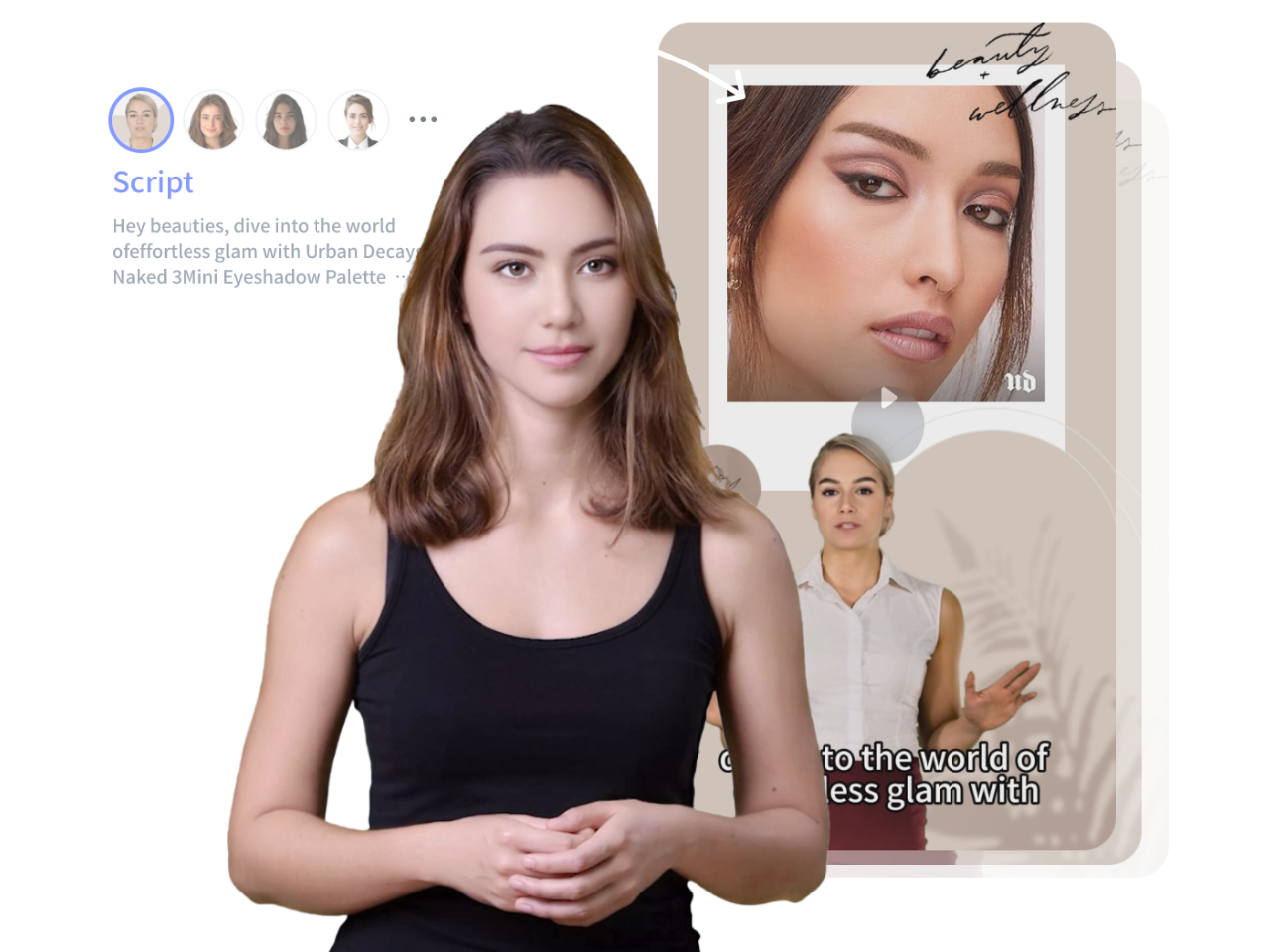
- Use UGC Avatars for spokesperson-style samples: Create talking-style content for portfolios without appearing on camera.
- Use Video Enhancer before delivery: Clean up soft final clips when lighting, export, or compression makes the footage look weaker than expected.
How Do You Build a UGC Portfolio With Free Tools?
Build a UGC portfolio by collecting 3 to 5 of your best sample videos into one clean, shareable page. You do not need paid software. Free tools like Canva work well for a simple layout, and a Google Drive folder works for hosting the videos.
A strong portfolio shows range without clutter:
- A hook-style ad video
- An unboxing or demo video
- A testimonial-style video
- A short faceless or voiceover example
Keep a short “about you” line, your niche, and contact details at the top. Add a small video resume only if speaking to camera helps you stand out. If you would rather stay faceless, lean on UGC Avatars to create spokesperson-style clips for your samples.
Ready to build sample clips fast? Try generating a few UGC-style videos with VidAU AI Video, then film one or two on your phone so your portfolio mixes AI and real footage.
| Portfolio Element | Purpose |
|---|---|
| Hook-style ad video | Shows you can open a video with a strong attention-grabbing angle. |
| Unboxing or demo video | Shows product handling, natural filming, and practical use. |
| Testimonial-style video | Shows you can communicate results and credibility in a relatable style. |
| Faceless or voiceover example | Shows you can create UGC without appearing on camera. |
| Short about line, niche, and contact details | Helps brands quickly understand who you serve and how to reach you. |
Tip
Build a portfolio with 3 to 5 focused samples, not a cluttered gallery. Mix one or two phone-filmed videos with AI-assisted samples so brands can see both natural footage and production speed.
How Do You Pitch Brands and Land Your First Paid Deal?

Pitch brands by finding the right decision-maker, sending a short personalized message, and linking your portfolio. Many creators report landing a first deal anywhere from 24 hours to four weeks, depending on volume and how targeted the outreach is.
Where to find brands:
- Product Hunt, where new tech and SaaS brands launch daily
- Fiverr, where buyers search for UGC creators directly
- Small and mid-size brands you already use
A simple pitch structure that works:
- One line on who you are and your niche.
- One line on what you noticed about their product or ads.
- A short offer: a few UGC videos they can run as ads.
- A link to your portfolio.
Target mid-size companies rather than huge brands at first. They reply faster and have budget. Send a steady volume of personalized pitches instead of a few generic ones.
Key Takeaways
- Find decision-makers, not generic info inboxes.
- Keep pitches short and specific.
- Volume plus relevance shortens time to first deal.
What Mistakes Do New UGC Creators Make?
The most common mistakes slow down your first paid deal.
- Waiting for followers before starting. Brands buy content, not reach.
- Featuring five niches at once, which makes your portfolio look unfocused.
- Doing endless free work hoping it converts. Make samples for your portfolio, not unpaid client work.
- Over-investing in gear. A phone, light, and clean audio beat expensive cameras for UGC.
- Underpricing forever. Raise rates as you gather testimonials and usage-rights requests.
One more practical note from creator communities: AI avatars and tools are not plug-and-play. Trial results often look rough until you refine your inputs. Expect a few iterations before your AI-assisted clips look natural.
Watch out
Do not wait for followers, scatter your portfolio across too many niches, do endless unpaid work, over-invest in gear, underprice forever, or expect AI-assisted clips to look natural without iteration.
How Do You Turn UGC Into Sustainable Income?
Turn UGC into steady income by converting one-off gigs into retainer clients and repeat brand deals. Track which pitches convert, ask happy clients for testimonials, and offer monthly content packages instead of single videos.
To scale without burning out:
- Build a repeatable filming and editing system.
- Use AI tools to handle volume, like batch product videos or multilingual versions.
- Niche deeper so you can charge premium rates.
- Add upsells like usage rights, extra aspect ratios, and ad variations.
If you want to serve brands in multiple markets, VidAU is an AI video ad platform that generates video ads from product URLs, images, or scripts in 49 languages, which makes it easier to offer localized UGC at scale. That said, AI is not a full replacement for genuine, human-feeling content. The strongest UGC creators blend real footage with AI assistance, and that mix is where this business stays durable.
Scaling tip
Turn one-off gigs into retainer clients by tracking what converts, gathering testimonials, offering monthly content packages, and adding upsells like usage rights, extra aspect ratios, and ad variations.
Key takeaway
Final Thoughts
Becoming a UGC creator in 2026 is realistic for beginners because the barrier is skill and consistency, not followers or gear. Pick one niche, film 3 to 5 portfolio samples, pitch the right brands, and keep your outreach steady. Speed comes from doing the work, not from waiting.
Your best next step is simple: build two or three UGC samples today. Film one on your phone and create one with VidAU AI Video so your portfolio shows both real and AI-assisted work, then start pitching.
FAQ
Here are answers to common questions about becoming a UGC creator, getting paid without followers, building a portfolio, choosing a niche, pitching brands, faceless UGC, UGC tools, and using AI to create UGC-style videos faster.
What is a UGC creator and how do they make money?
A UGC creator makes short, authentic videos that brands use as ads or marketing content on the brand’s own channels. They get paid per video, per photo, or through monthly retainers. The income comes from delivering content, not from views or a personal following.
Do you need followers to become a UGC creator?
No. UGC creators are paid for the content itself, not for their audience. Many creators started with zero followers and still landed paid brand deals. Brands judge your work on how authentic and effective the video looks, so a strong portfolio matters far more than follower count.
How fast can you land your first paid UGC deal?
It varies, but creators report first deals anywhere from 24 hours to about four weeks. Speed depends on how targeted your pitches are, how many you send, and how clear your portfolio is. Focused niches and personalized outreach to decision-makers tend to convert faster than generic mass pitching.
What equipment do you need to start as a UGC creator?
You need a smartphone, natural or affordable lighting, and clean audio. Expensive cameras are not required for UGC because the style is meant to look authentic. Good lighting and a steady shot matter more than gear, and AI tools can help with scripting, voiceover, and faceless clips.
What is the best video editing tool for UGC?
The best video editing tool for UGC is one that matches your workflow and exports clean vertical video. Many beginners start with simple mobile editors, then add AI tools for volume. VidAU AI helps with AI-generated UGC-style videos, voiceover, and product clips when you want faster, higher-volume output.
Where can you find the most user-friendly UGC video creator tools?
Look for tools that turn scripts, images, or product URLs into finished video with minimal editing. Beginner-friendly options include AI video platforms like VidAU AI, which can generate UGC-style and product videos, plus avatar tools for faceless content. Choose one that supports vertical 9:16 export and clean voiceover.
Which niche is best for a beginner UGC creator?
Pick one focused niche rather than many. Beauty and fashion are crowded, which lowers rates. Tech, SaaS, apps, home products, and local services often pay more because the content is harder and demand is rising. Faceless and voiceover niches suit introverted creators who prefer not to appear on camera.
Can introverted or faceless creators succeed at UGC?
Yes. Faceless UGC works well using screen recordings, voiceover, product demos, and AI avatars. You can build a full portfolio without showing your face. Many brands need product-focused or paid-ads UGC where the product is the star, which makes this a strong fit for introverted creators.
How do you build a UGC portfolio with no clients?
Create sample videos for products or apps you already use, then collect your best 3 to 5 into one shareable page. Free tools like Canva work for layout and Google Drive works for hosting. Make samples for your portfolio rather than doing unpaid client work, and update it as you improve.
Is becoming a UGC creator a get-rich-quick scheme?
No. UGC is a real service business that can grow into full-time income or stay a side hustle, but it takes consistent effort. Results vary based on your niche, pitch volume, and content quality. Treat it as a repeatable system: build samples, pitch steadily, gather testimonials, and raise rates over time.