AI TikTok Video Ads · E-Commerce Workflow
How to Create Ads for TikTok Video with AI: Full Tutorial for Video Ad Generation
Learn how to create ads for TikTok video with AI using AI actors, TikTok Video Ads tools, ai tiktok video generator workflows, motion swap, voiceover, and scalable creative testing.
By the VidAU Editorial Team · TikTok AI ads guide · 15 min read
The smarter approach is to create ads for TikTok video with AI. Tools like Arcads, Creatify, Kling Motion Swap, and Starpop let you go from a product link to a finished video ad in under 30 minutes. No creator fees, no shipping logistics, no waiting. You generate multiple variations fast, test what works, and scale what converts.
Creating TikTok ads the traditional way means sourcing creators, shipping products, waiting weeks, and hoping one video lands. Most of the time, it doesn’t and you’ve spent real money finding that out.
This guide walks through the full workflow: finding winning ad references, building scripts, generating AI actor videos, adding voiceovers, and scaling production for TikTok Shop and e-commerce.
Quick Summary
- You can create ads for TikTok video with AI in under 30 minutes using tools like Creatify, Arcads, and Starpop
- AI actors and motion swap technology replace the need for traditional UGC creators
- Creative volume testing—generating 10 to 100+ ad variations—is one of the biggest advantages of AI ad production
- TikTok Shop affiliates and e-commerce sellers use this workflow to cut production costs while increasing ad output
What Is AI TikTok Ad Generation?
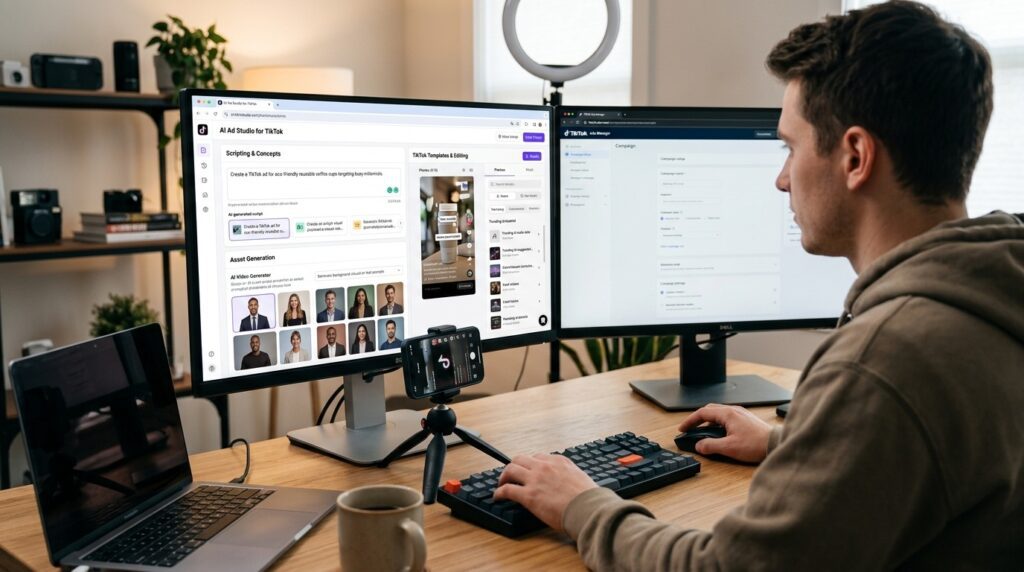
AI TikTok ad generation is the process of using artificial intelligence tools to produce TikTok Video Ads without hiring human creators. These tools handle scripting, AI actor selection, voiceover, lip-sync, and video formatting—all within a single workflow.
Instead of coordinating with a UGC creator, you paste in a product URL or brief, select an AI avatar that fits your product and audience, generate a native-style TikTok script, and export a finished video ready to run as a paid ad or organic post.
This is different from simply repurposing existing content. You’re producing original, platform-native videos using AI actors, ai tiktok video generator platforms, and motion swap technology.
Key definition
AI TikTok ad generation uses AI tools to create original TikTok Video Ads by handling scripting, avatar selection, voiceover, lip-sync, motion, formatting, and export without hiring traditional UGC creators.
Why This Approach Matters for TikTok Shop and E-Commerce
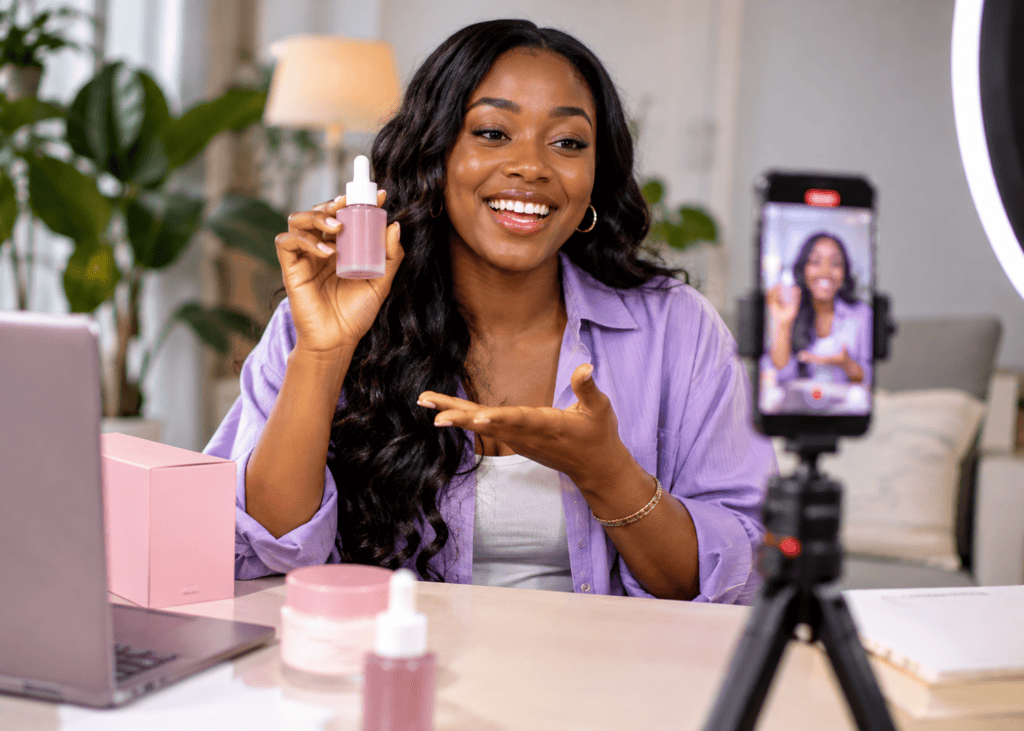
TikTok rewards content that looks and feels native. Polished corporate ads tend to underperform because they break the scroll experience. UGC-style videos—someone talking directly to camera, showing a product, reacting naturally—tend to convert better.
The problem is that real UGC at scale is expensive and slow. A single creator campaign can take weeks. An AI workflow can produce dozens of variations in a day.
Brands using this approach have scaled to 100+ ad variations per month while cutting production time significantly. For a tiktok shop creator or affiliate, that speed matters because you’re testing products constantly and need to move fast.
AI also removes the dependency on any single creator’s availability, rates, or performance. You control the script, the hook, the avatar, and the format.
Key Takeaways
- TikTok rewards native-feeling content, while polished corporate ads often break the scroll experience.
- Real UGC at scale is slow and expensive, but AI workflows can produce many variations quickly.
- AI lets e-commerce sellers and TikTok Shop affiliates control the script, hook, avatar, and format.
Step-by-Step: How to Create Ads for TikTok Video with AI
Step 1: Find a Winning Reference Ad
Before you produce anything, find a proven ad to model. Don’t guess at what works.
Use TikTok’s Creative Center, Starpop’s TikTok Analyzer, or manual search to find high-performing ads in your niche. Look for videos with strong engagement, clear hooks, and products similar to yours.
Extract three things from the reference: the hook structure, the script flow, and the visual style. You’re not copying—you’re learning the formula that already converts.
Step 2: Generate Your Script
Paste your product URL into an ai tiktok video generator like Creatify or Arcads. These tools analyze the product page and generate TikTok-native scripts automatically.
A strong TikTok ad script has:
- A hook in the first 2 to 3 seconds that stops the scroll
- A clear problem or desire statement
- A quick product demonstration or benefit
- A direct call to action
Generate 3 to 5 script variations. Small differences in hook wording can lead to very different results in testing.
Step 3: Choose Your AI Actor
Select an AI avatar that matches your target audience. If you’re selling a beauty product to women aged 25 to 40, pick an avatar that fits that demographic. If you’re selling tech gadgets, a different style works better.
Tools like Arcads and Creatify offer a library of AI actors. Starpop lets you design custom AI characters using prompt-based generation, which gives you more control over appearance and style.
Avatars that feel authentic and relatable consistently outperform generic or overly polished ones. The goal is a person your buyer would trust.
Step 4: Apply Motion Swap (Optional but Powerful)
Kling Motion Swap is a technology that transfers the motion from a reference video onto your AI-generated character. This means your AI actor can move, gesture, and perform in a way that closely mirrors a proven high-converting video with a completely different face and identity.
The workflow inside Starpop:
- Upload the reference video
- Extract reference frames
- Apply your AI actor image
- Run Kling Motion Swap Pro to animate the character
- Review and export
This is where you can recreate the feel of a high-performing ad without copying it directly. The body movement and energy come from the reference; everything else is original.
Step 5: Add Voiceover and Lip-Sync
For voiceover, ElevenLabs is the most commonly used tool in this workflow. You can clone a voice style, generate narration from your script, and apply it to the video.
Starpop and similar platforms include built-in lip-sync models that sync the AI actor’s mouth movements to the audio. This makes the final video feel cohesive rather than obviously generated.
If you’re producing multilingual variants for different markets, VidAU AI’s Text to Speech supports multiple languages and voice styles that can help you adapt the same ad for different audiences.
Step 6: Format for TikTok and Export
TikTok ads run at 9:16 vertical format, typically between 15 and 60 seconds. If you’re working with horizontal footage, you’ll need to reframe it. Tools like Filmora’s Auto Reframe handle this quickly when converting existing content.
For AI-generated content, most tools export in the correct format by default. Double-check:
- Resolution: 1080 x 1920
- Aspect ratio: 9:16
- Duration: 15 to 45 seconds for most ad formats
- File format: MP4
Step 7: Test Multiple Variations
This is where AI production changes the game. Instead of launching one ad and hoping it works, you launch 5 to 20 variations simultaneously—different hooks, different avatars, different scripts—and let the data tell you what converts.
Set a small daily budget per variation. The top performers get more budget. The rest get cut. This is faster and more reliable than spending weeks on a single creative.
Tip
Do not treat one AI-generated TikTok ad as the whole campaign. The advantage is fast variation testing across hooks, avatars, scripts, and formats.
Best AI Tools for TikTok Video Ads
| Tool | Primary Use | Best For |
|---|---|---|
| Creatify | Product URL to video ad | TikTok Shop sellers and e-commerce |
| Arcads | AI actor UGC-style ads | Recreating viral ad formats |
| Starpop | All-in-one AI workflow | Motion swap and AI cloning |
| Kling Motion Swap | Motion transfer to AI actors | Replicating winning ad movement |
| ElevenLabs | AI voiceover and voice cloning | Narration and lip-sync audio |
For teams that want to produce UGC-style avatar videos (https://www.vidau.ai/ugc-avatars/) at scale, VidAU AI also offers avatar-based ad creation that fits naturally into this type of workflow. The Product Sample to Video (https://www.vidau.ai/product-sample-to-video/) tool is useful when you have physical product samples but want to skip the full creator process.
Create With VidAU for Free
Use VidAU AI to create UGC-style avatar videos, product sample videos, URL-to-video ads, text-to-video TikTok creatives, multilingual voiceovers, and remix-ready short-form video ads for e-commerce campaigns.
VidAU workflow
Where VidAU fits into AI TikTok ad production
- Start with a product source: Use a product URL, product listing page, product sample, written brief, or existing video as the input.
- Create UGC-style creative: Use UGC Avatars to generate presenter-led TikTok-style videos without hiring creators.
- Turn product assets into ads: Use Product Sample to Video when you have physical product samples and want to skip the full creator process.
- Generate ad drafts from pages or briefs: Use URL to Video or Text to Video to create short-form ad videos from product listings or written scripts.
- Localize and repurpose: Use Text to Speech for multilingual voiceover, VidAU Vid Remix for TikTok reformatting, and Video Enhancer to improve footage before publishing.
Platform-Specific Optimization for TikTok
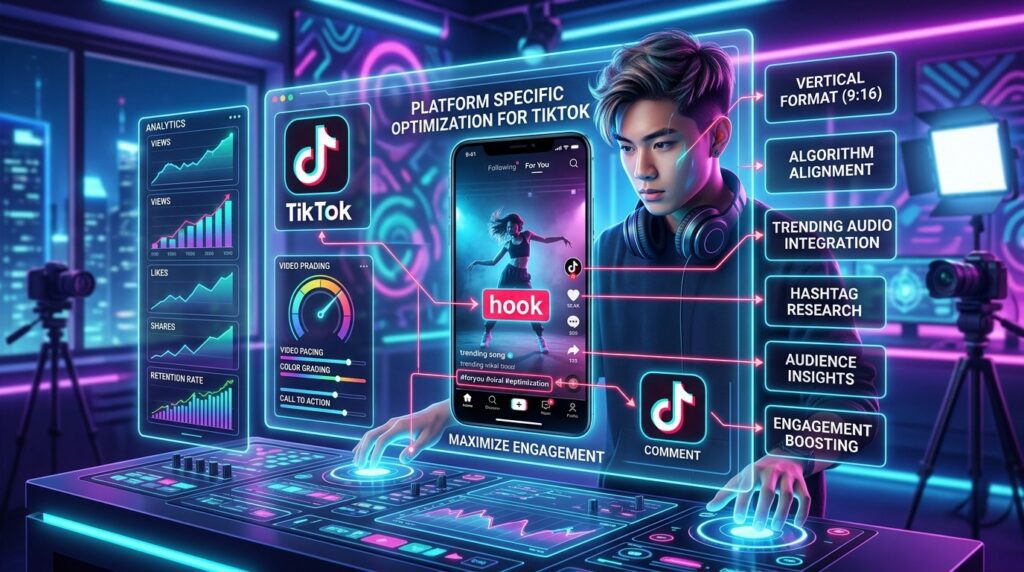
TikTok Video Ads perform differently from ads on Meta or YouTube. A few things matter more here:
Hook timing. The first 2 seconds determine whether someone keeps watching. Your AI script needs to start with a statement, question, or visual that immediately earns attention.
Native feel. Ads that look like organic content perform better. Avoid heavy branding in the first few seconds. Let the story lead.
Caption text. TikTok viewers often watch with sound off initially. Bold, clear on-screen text increases retention and message delivery.
Pacing. TikTok rewards fast-paced editing. Keep cuts tight. Remove silence. Most winning ads have high visual energy without being overwhelming.
If you’re repurposing existing video content for TikTok, VidAU Vid Remix (https://www.vidau.ai/vid-remix/) can help you reformat and restructure existing footage for short-form platforms. For enhancing video quality before publishing, the Video Enhancer (https://www.vidau.ai/vidau-video-enhancer/) is a useful step in the production chain.
| Optimization area | What to do |
|---|---|
| Hook timing | Start with a statement, question, or visual that earns attention in the first 2 seconds. |
| Native feel | Avoid heavy branding in the first few seconds and make the ad feel like organic TikTok content. |
| Caption text | Use bold, clear on-screen text to increase retention and message delivery in sound-off viewing. |
| Pacing | Keep cuts tight, remove silence, and maintain high visual energy without overwhelming the viewer. |
| Repurposing | Use remixing and enhancement tools when adapting existing footage for TikTok short-form formats. |
Tip
TikTok ads need native feel, fast hooks, bold captions, tight pacing, and correct vertical formatting. Treat those as creative requirements, not finishing touches.
Common Mistakes When Creating AI TikTok Ads
Using the wrong avatar for the audience. An AI actor that doesn’t resemble or relate to your buyer demographic will underperform regardless of how good the script is.
Copying ads instead of modeling them. Motion swap and AI cloning are meant to replicate structure and energy, not duplicate someone else’s content directly. Always change the script, voice, and visual identity.
Testing one variation. Single ad launches waste budget. The entire advantage of AI production is volume. If you’re only making one ad at a time, you’re not using the workflow correctly.
Ignoring the hook. Most AI-generated ad failures happen in the first 3 seconds. Spend more time on hook variations than on anything else.
Skipping format checks. Exporting at the wrong ratio or resolution will hurt delivery. Always verify the final file before uploading.
Watch out
AI TikTok ads usually fail when the avatar does not match the buyer, the ad copies instead of models, the team tests only one variation, the hook is weak, or the final export format is wrong.
Advanced Strategies for Scaling Creative Volume
Once you have a working workflow, the focus shifts to speed and volume.
Build a swipe file. Collect reference ads from TikTok Creative Center, Starpop’s analyzer, and competitor research. Categorize them by product type, hook style, and format. Pull from this file every time you need a new ad.
Systematize script variations. Create 3 to 5 hook templates that work for your product category. Swap product names, benefits, and CTAs to generate new scripts in minutes.
Batch produce. Instead of making one ad per session, produce 10 to 20 in a single workflow run. Most AI tools support batch generation once you have your inputs ready.
Test at the hook level first. Run very short tests (1 to 2 days, small budget) to identify which hooks drive the best thumb-stop rate. Then build full ad variations only around the winning hooks.
For sellers running TikTok Shop campaigns, the URL to Video (https://www.vidau.ai/url-2-video/) workflow can help you turn product listing pages directly into ad-ready videos without manual scripting. If you’re creating text-to-video (https://www.vidau.ai/text-to-video/) ads from written briefs, that workflow also fits the batch production model well.
Tip
Scale creative volume by building a reference swipe file, systematizing hooks, batch producing ads, and testing the opening seconds before investing in full creative variations.
Key takeaway
Final Thoughts
The ability to create ads for TikTok video with AI has fundamentally changed what’s possible for small teams and solo sellers. You no longer need to choose between speed and quality, or between budget and volume. The tools exist to produce platform-native, high-converting TikTok Video Ads at a pace that traditional creator workflows simply can’t match.
The core process is straightforward: find a winning reference, generate a script, pick the right AI actor, apply motion and voice, format correctly, and test multiple variations. Master that loop and you have a repeatable system for scaling ad production.
If you’re looking for a single platform to handle AI video ad creation, VidAU AI Video (https://www.vidau.ai/vidau-ai-video/) and UGC Avatars (https://www.vidau.ai/ugc-avatars/) are worth exploring as part of your production stack. Start with one product, build your first three variations, and let the data guide the next steps.
FAQ
Here are answers to common questions about how to create ads for TikTok video with AI, TikTok Video Ads, ai tiktok video generator workflows, Kling Motion Swap, TikTok Shop creators, ad variations, product URL workflows, and VidAU AI video production.
Can I create ads for TikTok video with AI without any video editing skills?
Yes—tools like Creatify and Arcads handle scripting, avatar selection, and video export automatically from a product URL.
What is Kling Motion Swap and how does it help TikTok ads?
Kling Motion Swap transfers movement from a reference video onto an AI-generated character, letting you replicate the energy of a proven ad with an entirely original actor.
How long does it take to create a TikTok ad with AI?
Most simple AI-generated TikTok ads can be produced in under 30 minutes once you have a script and avatar selected.
Are AI-generated TikTok ads effective for TikTok Shop affiliates?
Yes—many tiktok shop creators use AI ads to test multiple products quickly without the cost and delay of traditional UGC creator partnerships.
How many ad variations should I test at once?
Starting with 5 to 10 variations is practical; brands scaling aggressively often run 50 to 100 variations per month to identify top performers.
Do I need a TikTok Shop account to run these ads?
No—this workflow applies to both TikTok Shop ads and standard paid TikTok Video Ads for any e-commerce product or app.